
MINISFORUM DEG1
4.5Editor score
Compact Portable Design
OCuLink 4i Interface
ATX/SFX Power Support
This guide compares the top ten eGPU docks for 2026, analyzing bandwidth, compatibility, and build quality to help you choose the right external graphics
External GPU docks transform laptops into powerful desktop workstations by allowing you to connect high-end graphics cards. These enclosures provide the necessary power, cooling, and connectivity to run demanding applications smoothly.
We evaluated ten leading eGPU docks based on interface speed, build quality, and compatibility with modern GPUs. Our analysis covers Thunderbolt 5, OCuLink, and hybrid options to ensure you find the best fit.
Each pick highlights key features, pros, and cons to guide your decision. Prices and availability change frequently, so verify current details before purchasing to ensure you get the best value for your setup.
4.5Editor score

4.4Editor score

4.8Editor score
This comparison table highlights the core specifications and connectivity options for each dock to help you quickly identify the model that matches your performance needs and device compatibility.




The MINISFORUM DEG2 stands out as the top pick for 2026 due to its dual-mode connectivity. It supports both USB4 V2 and OCuLink, allowing users to choose the best bandwidth for their setup.
We may earn a commission when you buy through this link, at no additional cost to you.
Its integrated M.2 NVMe slot is a standout feature for storing AI models and project files directly on the dock. This reduces file transfers between host and GPU while maintaining synchronized workflows.
While it lacks an included power supply, the universal support for ATX and SFX units ensures flexibility. The built-in signal booster minimizes latency, which is critical for high-bandwidth tasks.
Buyers seeking a versatile dock that balances performance and storage should choose this model. It offers the best overall experience for professional and gaming use cases in the current market.
The physical toggle switch allows instant switching between TB5 and OCuLink without swapping cables or tweaking software settings.
The M.2 NVMe slot enables direct storage of large datasets and assets, improving workflow efficiency across different host devices.
We may earn a commission when you buy through this link, at no additional cost to you.
The MINISFORUM DEG1 offers exceptional value for users seeking a dedicated OCuLink solution without breaking the bank. Its compact design makes it ideal for portable gaming setups.
We may earn a commission when you buy through this link, at no additional cost to you.
With PCIe 4.0 x4 support delivering 64Gbps bandwidth, it ensures smooth data transfer for modern GPUs. The Force Power On feature adds convenience for desktop-like operation with compatible mini PCs.
The lack of hot plugging support requires shutting down the computer before disconnecting, which is a minor trade-off for the cost savings. Signal amplifier chips ensure stable transmission during use.
Budget-conscious users prioritizing performance and portability should consider this dock. It provides a reliable entry point into external GPU expansion with minimal fuss and maximum value.
Weighing only a few ounces and small enough for a backpack, this dock upgrades laptop performance anywhere you go.
The OCuLink interface bypasses Thunderbolt overhead for near-direct PCIe bandwidth, delivering superior performance for gaming and rendering.
We may earn a commission when you buy through this link, at no additional cost to you.
The UGREEN LinkStation combines premium build quality with versatile connectivity. It supports both OCuLink and USB4, giving users the choice between raw performance and universal compatibility.
We may earn a commission when you buy through this link, at no additional cost to you.
Its semi-open aluminum chassis and low-RPM fan ensure quiet operation, making it suitable for office environments. The integrated cable storage keeps your workspace clean and organized.
While it lacks the M.2 slot found in competitors, the 100W PD charging handles most laptop power needs efficiently. The removable top cover allows for oversized GPUs up to 370mm.
Enthusiasts seeking a polished, user-friendly experience should choose this dock. It delivers exceptional stability and cooling while maintaining broad compatibility with modern graphics cards.
The semi-open design and large ATX fan dissipate heat efficiently without generating noise that distracts from work or gaming.
You can select OCuLink for maximum bandwidth or USB4 for ease of use, adapting the dock to your current device capabilities.
We may earn a commission when you buy through this link, at no additional cost to you.
The Razer Core X V2 brings Thunderbolt 5 performance to a sleek steel chassis. It supports 80Gbps bandwidth and is designed for high-end NVIDIA and AMD desktop graphics cards.
We may earn a commission when you buy through this link, at no additional cost to you.
Its tool-free installation and active cooling fan make setup simple and performance reliable. The 140W PD charging ensures your laptop stays powered while connected to the dock.
The enclosure is expensive compared to bare OCuLink docks, but the build quality and integration justify the cost for many users. Note that Mac devices with M1 chips do not support eGPUs.
Windows users seeking a premium Thunderbolt solution should consider this model. It offers stability and performance for creative tasks and gaming without compromising on build quality.
With up to 80Gbps bandwidth, it handles the most demanding creative apps and AAA games with minimal performance loss.
Included thumbscrews allow easy swapping of GPUs and PSUs without tools, making upgrades quick and hassle-free.
We may earn a commission when you buy through this link, at no additional cost to you.
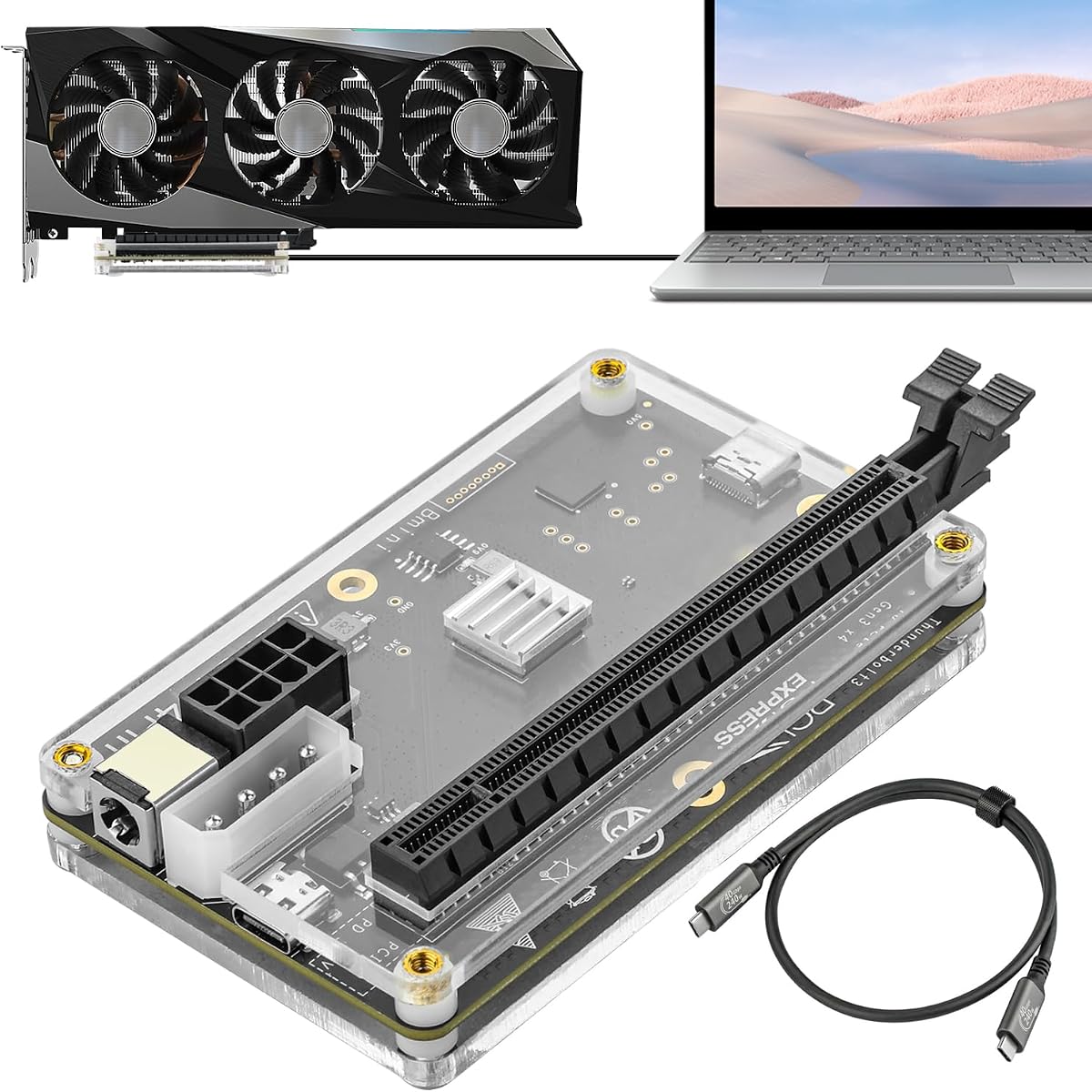
This basic PCIe 4.0 x4 dock offers a cost-effective way to connect external GPUs via OCuLink. It supports ATX power supplies and includes a flexible flat cable for easy setup.
We may earn a commission when you buy through this link, at no additional cost to you.
The gold-plated contacts ensure good conductivity while the detachable design improves portability. It works with almost any GPU size, making it ideal for high-end cards like the RTX 4090.
Build quality is functional rather than premium, but it gets the job done efficiently. The lack of hot plugging means you must power off before disconnecting the cable.
DIYers looking for a simple OCuLink enclosure at a low price will appreciate this option. It provides solid performance without the extra features found in more expensive docks.
The ultra-thin flat cable minimizes interference and port damage risks, offering better aesthetics than traditional rigid OCuLink cables.
Both ends of the enclosure are detachable, allowing for improved portability and easier storage in tight spaces.
We may earn a commission when you buy through this link, at no additional cost to you.
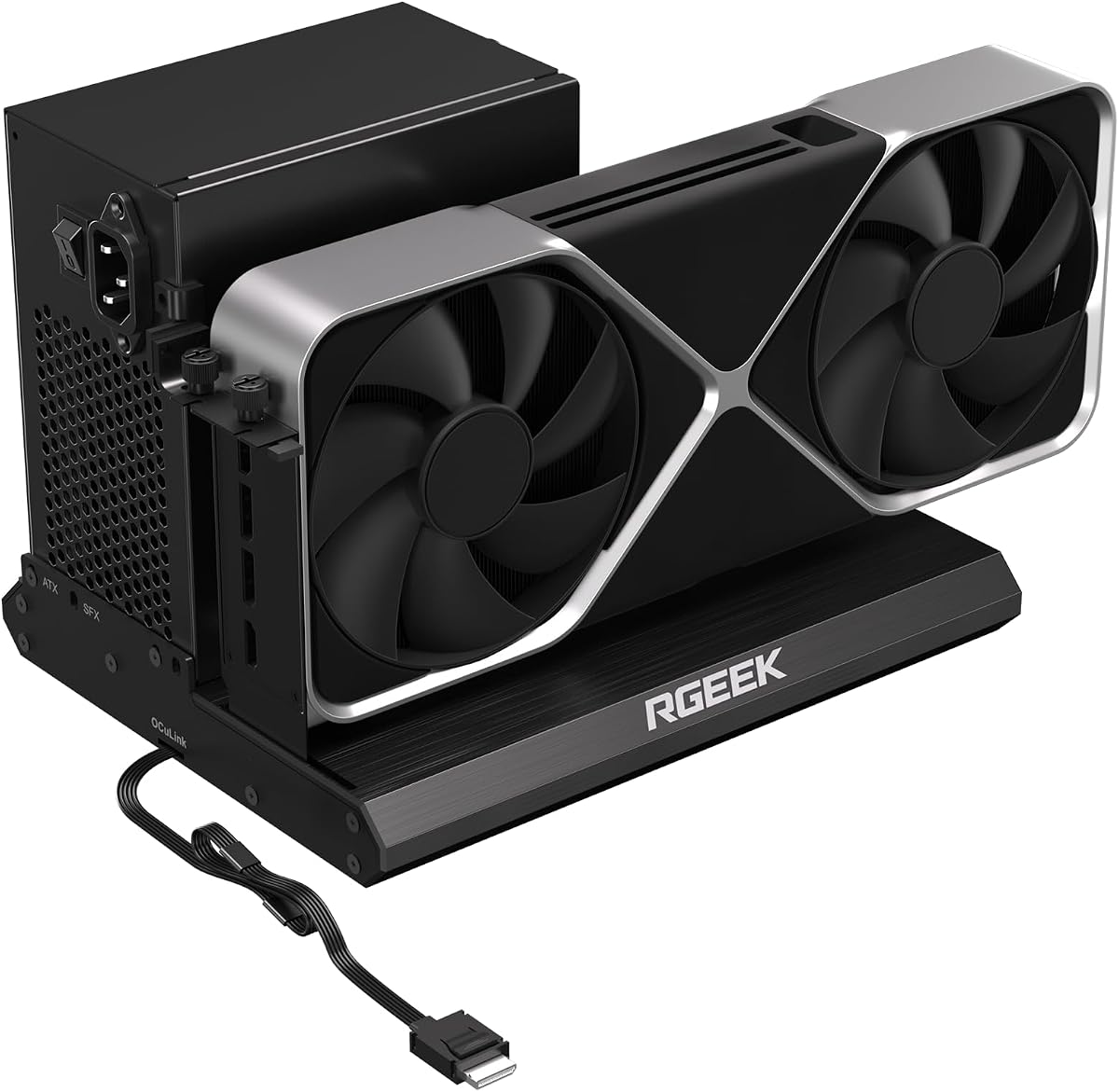
The RGEEK OCuLink dock is one of the few supporting PCIe 5.0 x4 with up to 128Gbps bandwidth. It is built with full aluminum for heat dissipation and includes a factory-soldered cable.
We may earn a commission when you buy through this link, at no additional cost to you.
While most ports only support PCIe 4.0, this dock is future-ready for the next generation of GPUs. It works with ATX SFX and SFX-L power supplies to support almost any graphics card size.
To reach full PCIe 5.0 speed you need an M.2 slot or a dedicated adapter which is not included. The solid build quality ensures durability during extended gaming sessions.
Advanced users planning for next-gen hardware should consider this dock. It delivers unmatched bandwidth potential for those who need every ounce of performance from their graphics card.
With up to 128Gbps bandwidth it is ready for PCIe 5.0 GPUs, ensuring your investment remains relevant for years.
The full aluminum construction provides superior heat dissipation and sturdy durability compared to plastic enclosures.
We may earn a commission when you buy through this link, at no additional cost to you.
This dock uses a JHL6340 controller to provide Thunderbolt connectivity at roughly 22Gbps. It is a budget-friendly option for those who prioritize ease of use over maximum bandwidth.
We may earn a commission when you buy through this link, at no additional cost to you.
Flexible power inputs including PD and Molex give users multiple ways to power the dock. It supports a wide range of GPUs from budget cards to high-end models.
The bandwidth limitation means it is best for workloads that do not need maximum throughput. It works well for video editing and gaming on lower-end GPUs where cost is a factor.
Users needing a basic Thunderbolt solution on a budget will find this dock useful. It balances flexibility and cost effectively for general external GPU needs.
Choose from four input options to fit your power setup, making it versatile for different environments and constraints.
Compatible with devices like the Lenovo Legion Go providing a unique way to upgrade handheld gaming performance.
We may earn a commission when you buy through this link, at no additional cost to you.
This dock serves as both an eGPU enclosure and a hub thanks to its JHL7440 controller. It offers Thunderbolt 4 speeds along with USB ports for peripheral connectivity.
We may earn a commission when you buy through this link, at no additional cost to you.
The 85W PD charging keeps most laptops powered while you work. It supports local AI model deployment and 3D rendering with ease for professional users.
You must follow strict cable rules to avoid power-off protection but once set up it is reliable. The hub functionality reduces cable clutter compared to separate docks.
Pros seeking a combined hub and GPU solution should look at this model. It simplifies your desk setup while providing solid performance for creative tasks and gaming.
USB ports and daisy chain allow you to connect multiple devices through the dock, cleaning up your desk.
It supports local deployment of models like Deepseek-R1 making it suitable for AI research and inference tasks.
We may earn a commission when you buy through this link, at no additional cost to you.
The MINISFORUM DEG2 offers a comprehensive feature set with dual-mode switching and integrated storage. It includes a 2.5G LAN port which is rare for eGPU docks.
We may earn a commission when you buy through this link, at no additional cost to you.
Auto power-on sync allows the dock to turn on with your host, creating a seamless desktop experience. The M.2 slot supports fast storage for assets and models.
Some users may find compatibility notes regarding specific MINISFORUM models important to check before buying. The rich connectivity makes it a complete solution for desktop replacements.
Users wanting a single solution that replaces multiple peripherals should consider this dock. It balances performance storage and connectivity for a holistic external GPU setup.
The dedicated 2.5G LAN port ensures fast network connectivity for downloads and cloud sync without extra adapters.
Syncing power with your host device removes the need for manual startups, delivering a seamless desktop-like operation.
We may earn a commission when you buy through this link, at no additional cost to you.
The Razer Core X V2 provides premium enclosure quality with its vented steel chassis and active cooling fan. It supports up to 140W PD charging for powerful laptops.
We may earn a commission when you buy through this link, at no additional cost to you.
Tool-free installation allows you to swap GPUs and PSUs easily without extra tools. This design ensures the dock adapts to your evolving hardware needs over time.
Mac users should avoid this dock as M1 chipsets do not support eGPUs. Windows users will appreciate the stability and brand reliability this enclosure offers.
Those valuing build quality and thermal performance should choose this model. It delivers a robust solution for demanding professional workflows and gaming applications.
The vented steel chassis with active cooling sustains maximum performance during heavy loads without thermal throttling.
Compatible with Windows 11 Thunderbolt 4 and 5 laptops this dock turns any device into a desktop powerhouse.
We may earn a commission when you buy through this link, at no additional cost to you.
Choosing an eGPU dock requires understanding bandwidth, compatibility, and power needs to ensure your system performs as expected.
Look for docks offering high-speed interfaces like USB4 V2 OCuLink or Thunderbolt 5. These provide up to 80Gbps or 128Gbps bandwidth which is critical for modern GPUs.
Higher bandwidth ensures your graphics card performs at full capacity without bottlenecks during gaming or rendering.
Check your device's ports to decide between Thunderbolt or OCuLink. Thunderbolt offers universal compatibility while OCuLink provides better raw performance for supported devices.
Ensure your laptop supports the required protocol to avoid connectivity issues when purchasing the dock.
Most docks support ATX or SFX power supplies but exclude them from the box. Choose a PSU that matches your GPU power needs and fits the dock dimensions.
Flexible power options allow you to select reliable units that ensure stable performance over time.
Verify the dock supports the width and length of your graphics card. Some enclosures fit up to four slots wide while others may be restricted.
Measuring your GPU dimensions beforehand prevents installation issues and ensures a secure fit inside the enclosure.
Active cooling fans help maintain stable temperatures during heavy workloads. Look for models with high-quality airflow designs to prevent overheating.
Effective cooling extends component lifespan and maintains consistent performance during extended use.
Some docks include LAN ports storage slots and USB hubs for convenience. Evaluate if these extras align with your workflow needs.
Integrated features reduce cable clutter and simplify your desktop setup for better efficiency.
Ensure the dock works with your OS especially if you use Mac devices. Some models have limitations with certain chipsets like Apple Silicon.
Compatibility information is key to avoid buying a dock that does not support your current system.
Compare prices against the features offered by each dock. Basic OCuLink enclosures are cheaper while Thunderbolt models often cost more.
Invest in a dock that balances cost with the performance and features you actually need.
Connect the dock to your device using a high-quality cable that supports the required bandwidth. Ensure the connection is secure before powering on the dock.
Install necessary drivers for the dock and your graphics card to enable optimal performance. Keep your GPU drivers updated for security and compatibility.
Maintain airflow around the dock by avoiding enclosing it tightly. Regularly clean dust from fans to ensure cooling efficiency and prevent overheating.
Most eGPU docks do not include a power supply. You will need to purchase a compatible ATX or SFX unit separately. Check the dock requirements to select the right wattage for your graphics card.
Yes Thunderbolt 5 supports external GPUs with up to 80Gbps bandwidth. However check that both your laptop and the dock support this standard for best performance.
Many eGPU docks do not work with Mac devices using M1 or later chipsets. Verify compatibility with your specific Mac model before purchasing the dock.
OCuLink offers higher bandwidth with lower latency by bypassing USB overhead. It is ideal for devices that support it providing near-desktop performance for GPUs.
Thunderbolt docks usually support hot plugging but OCuLink models often require shutting down before disconnecting. Check the manual to avoid damaging your device.
Select a PSU with enough wattage for your graphics card and the dock electronics. Ensure it fits the dock dimensions and matches the required connectors like ATX or SFX.
Yes connecting a desktop GPU significantly boosts gaming and creative performance. It allows your laptop to run high-end titles and applications smoothly.
Your laptop must support the required interface like Thunderbolt or OCuLink. Check your device specifications before purchasing to ensure it will work with the dock.
The MINISFORUM DEG2 leads our list with its dual-mode connectivity and storage features. It offers the best balance of performance and flexibility for most users.
Prioritize bandwidth and power compatibility when selecting a dock to ensure your graphics card performs at its peak. Consider your budget and whether you need additional ports.
Always verify current prices and availability before buying. eGPU technology changes quickly so check for updates to ensure you get the best deal.