
TCL NXTPAPER 11 Gen 2
4.4Editor score
NXTPAPER 4.0 eye comfort
Circle to Search with Google
18W fast charging support
Finding the right AI tablet can transform how you work, learn, and create. Modern devices integrate smart assistants and advanced processing to streamline tasks. Whether you need a tool for sketching or managing complex workflows, the latest models offer compelling options. Understanding the key features helps narrow down choices effectively.
We evaluated ten leading tablets focusing on AI capabilities, display quality, and performance. Each device was assessed for its ability to handle multitasking and creative projects efficiently. Our analysis covers various price points and form factors to suit different needs. This list highlights the standout models available in the current market.
Each pick showcases unique strengths and potential trade-offs to consider before buying. We detail specifications, included accessories, and software features that define the experience. Prices and availability can change frequently so always verify current details. This guide aims to provide a clear roadmap for selecting your next device.
4.4Editor score

5.0Editor score

4.7Editor score
As an Amazon Associate we earn from qualifying purchases.
The following table presents a side-by-side comparison of all ten tablets. It highlights key specifications and unique features to help you make an informed decision based on your specific requirements.





The Lenovo Yoga Tab AI Tablet stands out as a powerful device for creators and professionals. It boasts a high rating and incorporates advanced AI tools directly into the workflow. The hardware is top-notch with a bright screen and fast processor.
We may earn a commission when you buy through this link, at no additional cost to you.
Performance is a key strength here. The Snapdragon 8 Gen 3 processor handles demanding tasks with ease. The 144Hz refresh rate ensures smooth scrolling and drawing. Included accessories like the pen and keyboard add immense value.
Trade-offs exist mainly in portability and cost. The device is slightly heavier than budget options which might affect travel. The price reflects the premium features and build quality offered by Lenovo.
This tablet is ideal for power users needing reliability and speed. It bridges the gap between a laptop and a tablet effectively. We highly recommend it for those prioritizing performance and creativity.
Intelligent tools streamline photo editing and transcription to save significant time.
The 3K display delivers sharp details and accurate colors for media consumption.
We may earn a commission when you buy through this link, at no additional cost to you.
The Samsung Galaxy Tab A11+ offers a balanced experience for everyday family use. It combines solid performance with a generous amount of storage space. The AI assist features help manage daily tasks easily.
We may earn a commission when you buy through this link, at no additional cost to you.
Multitasking is smooth thanks to the 8GB of RAM. The 90Hz screen provides fluid motion for games and videos. The quad speakers deliver immersive audio for entertainment sessions.
This model lacks the high refresh rates of premium tablets. The plastic build is durable but does not feel as sleek. It is a practical choice for shared household devices.
Families looking for a reliable tablet will appreciate its value. It handles browsing, streaming, and light productivity well. It is a smart pick for general consumer needs.
Designed for browsing streaming and play with responsive performance.
Fast charging gets you back to full power quickly when needed.
We may earn a commission when you buy through this link, at no additional cost to you.
The Samsung Galaxy Tab S10+ Plus delivers flagship performance with premium build quality. It features a large screen that is perfect for media and multitasking. The Galaxy AI tools provide intuitive assistance for productivity.
We may earn a commission when you buy through this link, at no additional cost to you.
Visuals are breathtaking on the Dynamic AMOLED 2X panel. The included S Pen allows for precise note-taking and drawing. AI features like Sketch to Image add creative utility.
The high price tag is a significant consideration for buyers. The large footprint makes it less convenient for travel. Durability is high with water and dust resistance.
This device is excellent for power users needing top-tier performance. It serves well as a primary laptop replacement. It is recommended for those prioritizing display quality and features.
The large screen offers breathtaking brilliance with reduced glare.
Galaxy AI helps turn sketches into art and summarizes notes automatically.
We may earn a commission when you buy through this link, at no additional cost to you.
The TCL NXTPAPER 14 offers a distinct visual experience with its paper-like screen. It is designed for artists and readers who want eye comfort. The large size provides ample workspace for creative tasks.
We may earn a commission when you buy through this link, at no additional cost to you.
NXTPAPER technology reduces glare and filters blue light effectively. The included stylus supports precise drawing and note-taking. Multiple display modes cater to different content types.
Performance is adequate but not top-tier for gaming. The weight might be uncomfortable for prolonged one-handed use. It excels specifically in productivity and media consumption.
Artists and students will appreciate the eye care features. It acts as a digital notebook and entertainment device. It is a unique choice for those focused on comfort.
NXTPAPER 3.0 filters blue light to reduce strain during use.
Switch effortlessly between standard color and ink paper modes.
We may earn a commission when you buy through this link, at no additional cost to you.
The TCL NXTPAPER 11 Gen 2 brings advanced display tech to a budget segment. It features a paper-like screen that is gentle on the eyes. AI tools enhance productivity without a high cost.
We may earn a commission when you buy through this link, at no additional cost to you.
The display offers low blue light certification for extended use. Performance is smooth for daily tasks and light multitasking. The lightweight chassis makes it easy to carry around.
Storage is limited to 128GB which may fill up quickly. The processor handles basic apps well but struggles with heavy loads. It remains a value leader in the category.
Budget conscious buyers will find this tablet very compelling. It suits students and casual users well. It is a great choice for reading and basic creative work.
TUV certified low blue light reduces eye strain significantly.
Smart voice memos and translation features help with efficiency.
We may earn a commission when you buy through this link, at no additional cost to you.
The Lenovo Idea Tab Pro is tailored for students with helpful AI features. It integrates Google Gemini to assist with assignments and learning tasks. The screen is large and sharp for reading textbooks.
We may earn a commission when you buy through this link, at no additional cost to you.
Gaming performance is optimized with high frame rate support. The included pen allows for effective note-taking during lectures. The case provides protection for daily transport.
The fixed storage might limit long-term content storage options. Charging is decent but not the fastest in class. It balances features and cost well for education.
Students looking for an all-in-one study device should consider this. It combines learning tools with entertainment capabilities. It is a solid investment for academic years.
Google Gemini helps analyze questions and provide instant answers.
The 3K display ensures clear text and vibrant media.
We may earn a commission when you buy through this link, at no additional cost to you.
The Samsung Galaxy Tab S11 offers exceptional durability with its IP68 rating. It is ideal for those working in variable environments. AI features help manage notes and drawings efficiently.
We may earn a commission when you buy through this link, at no additional cost to you.
Multitasking is handled smoothly with 12GB of RAM. The display ensures clear visibility in various lighting conditions. The included pen supports precise input for creative tasks.
The base storage model requires an SD card for media expansion. The price point is higher than budget options. Durability justifies the investment for many users.
Professionals needing a rugged yet smart tablet will like this. It balances performance with physical protection effectively. It is a reliable choice for daily demanding use.
IP68 rating protects against water and dust damage.
Quickly switch between apps without slowdowns.
We may earn a commission when you buy through this link, at no additional cost to you.
The CHUWI Hi10 Max brings desktop-grade performance to a tablet form. It features a full set of ports for versatile connectivity. The AI processor enables local content generation and editing.
We may earn a commission when you buy through this link, at no additional cost to you.
The 3:2 screen ratio provides more vertical space for documents. The fast SSD ensures quick boot times and app loading. RAM is sufficient for running multiple office programs.
The lack of a bundled stylus is a minor inconvenience. Android apps may be less optimized than Windows desktop software. It suits users needing flexible hardware connectivity.
Productivity focused users will appreciate the port selection. It serves well as a portable workstation. It is a strong choice for business travelers.
Multiple ports support monitors and storage directly.
Built-in NPU handles AI tasks efficiently without cloud.
We may earn a commission when you buy through this link, at no additional cost to you.
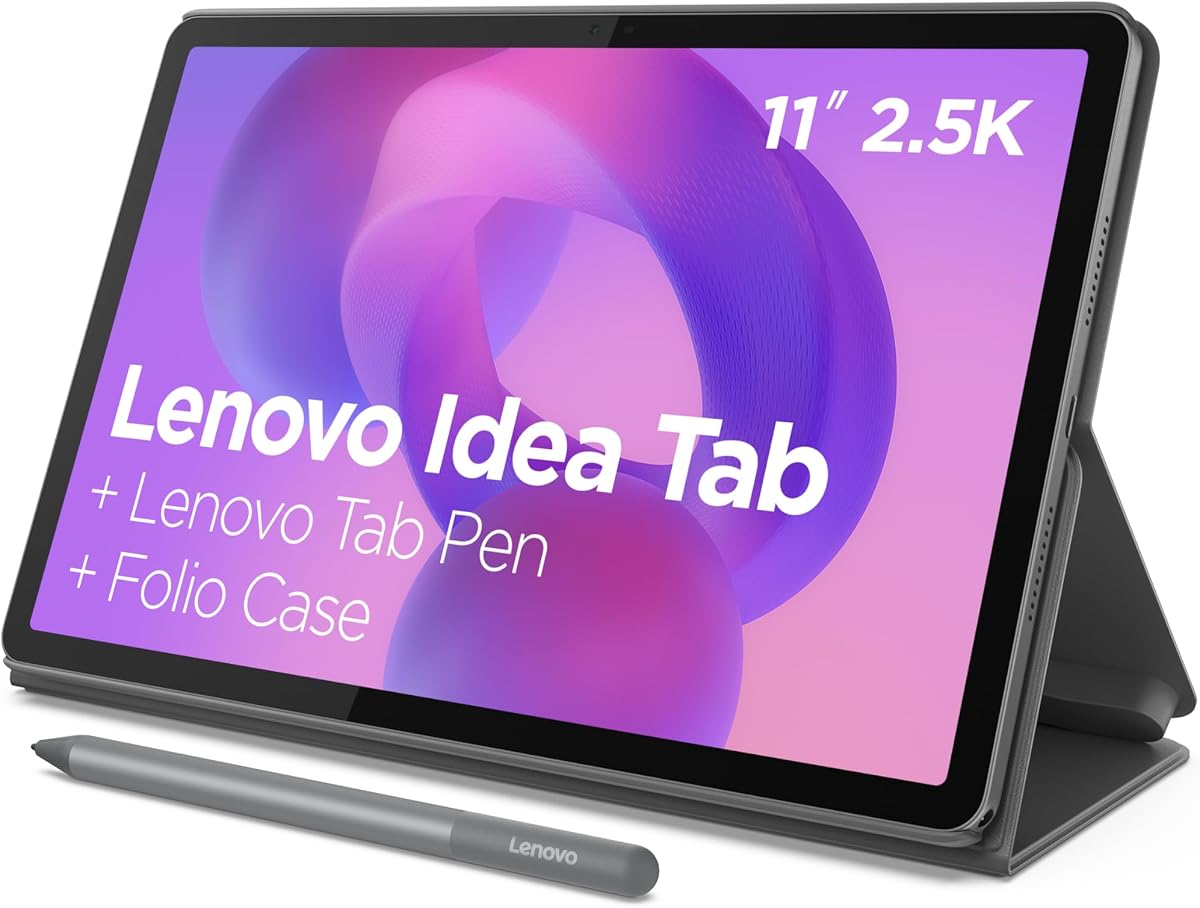
The Lenovo Idea Tab provides a complete package for students at a reasonable cost. It includes essential accessories like a pen and protective case. The display is clear and easy on the eyes.
We may earn a commission when you buy through this link, at no additional cost to you.
Circle to Search allows quick lookups without leaving apps. The battery supports full day usage on a single charge. Built-in learning apps help organize notes efficiently.
Gaming performance is limited compared to higher-end models. The build feels sturdy but not premium. It focuses heavily on functional learning tools.
Students needing a ready-to-use device will find this suitable. It handles note-taking and research effectively. It is a practical choice for educational budgets.
Circle items with pen or finger for instant search.
Built-in tools help organize notes and calculations.
We may earn a commission when you buy through this link, at no additional cost to you.
This tablet offers impressive specifications at a low entry price. It features a large amount of RAM for smooth multitasking. The AI capabilities are integrated for basic assistance tasks.
We may earn a commission when you buy through this link, at no additional cost to you.
Battery life is robust allowing for long sessions. Storage can be expanded significantly with a memory card. It includes standard connectivity options like GPS and Wi-Fi 6.
The display resolution is lower than competitors. Brand support might not match major manufacturers. It is best for budget-focused casual use.
Users wanting high specs without high cost should consider this. It suits media consumption and light productivity. It is a viable option for specific needs.
Expand storage up to 2TB for large files.
8000mAh battery powers through travel and work.
We may earn a commission when you buy through this link, at no additional cost to you.
Selecting the right AI tablet requires balancing performance, features, and budget. This section outlines the key factors to consider before making a purchase.
The processor determines how well the tablet handles AI tasks and daily apps. Look for chips designed to support neural processing units for faster local AI. This ensures smooth multitasking and efficient background tasks.
Prioritize tablets with recent chipsets for longevity.
The screen is critical for reading and creative work. Higher refresh rates and resolution provide a sharper and smoother experience. Consider size based on whether you need portability or workspace.
Choose a display that protects your eyes for long sessions.
Sufficient RAM allows multiple apps to run without lag. Storage should accommodate your files and apps comfortably. Expandable storage via microSD cards adds flexibility.
Aim for at least 8GB RAM and 128GB storage.
Integrated AI tools like transcription and smart search add value. Check what specific capabilities the device offers for your workflow. A robust ecosystem enhances productivity beyond basic usage.
Look for features like Circle to Search or note assistants.
A long battery life ensures you can work or play all day. Fast charging capabilities reduce downtime significantly. Some tablets also offer reverse charging for other devices.
Seek devices with at least 8000mAh capacity for endurance.
A sturdy build protects your investment from wear and tear. Look for water and dust resistance ratings if you work outdoors. Quality materials contribute to the overall feel of the device.
IP ratings offer peace of mind against accidental spills.
Styluses and keyboards can transform the device into a workstation. Check if these items are bundled or sold separately. They impact the total cost and immediate usability.
Bundled accessories provide better initial value for students.
Wi-Fi 6 and Bluetooth versions affect connection stability and speed. Check ports like USB-C for compatibility with external displays or storage. Good connectivity ensures versatile usage scenarios.
Modern connectivity ensures future-proofing and versatility.
Start by setting up your AI assistant accounts and enabling privacy settings. Connect your tablet to a secure network to download essential apps. This ensures a personalized experience from the beginning.
Clean the screen with a microfiber cloth regularly to maintain clarity. Keep the device away from direct sunlight to prevent overheating. Use a case to protect the body from scratches.
Update the system software regularly to access the latest features. Adjust display brightness to reduce eye strain during use. Manage battery health by avoiding complete discharge frequently.
An AI tablet integrates advanced processing to run intelligent features locally. This includes tools like photo editing, note summarization, and real-time translation without needing cloud access.
Most AI features work with touch input, but a stylus enhances tasks like handwriting recognition. Devices like the Samsung S11 and Lenovo Yoga include styluses for better precision.
The Lenovo Idea Tab Pro offers dedicated study apps and AI assistants. It balances performance with affordability and includes necessary accessories like a pen.
AI processing requires efficient memory management. Aim for at least 8GB RAM to ensure smooth multitasking alongside AI workflows without slowdowns.
Some models like the Galaxy Tab S11 have IP68 ratings for water resistance. However, most budget models offer limited protection so avoid using them near water.
Many models support microSD cards for expansion. The CHUWI and Galaxy tabs allow adding more space for media and large files easily.
Battery life varies but most offer all-day usage. Models with 8000mAh or higher generally last longer for travel and daily use.
We highlighted ten diverse options ranging from budget-friendly to premium devices. The Lenovo Yoga Tab leads with top-tier performance while TCL offers great value for eye comfort.
Prioritize display quality and battery life based on your daily activities. Ensure the AI features align with your workflow needs before purchasing any model.
Always verify the current prices and warranty details as they change. This guide serves as a starting point for finding the perfect device.