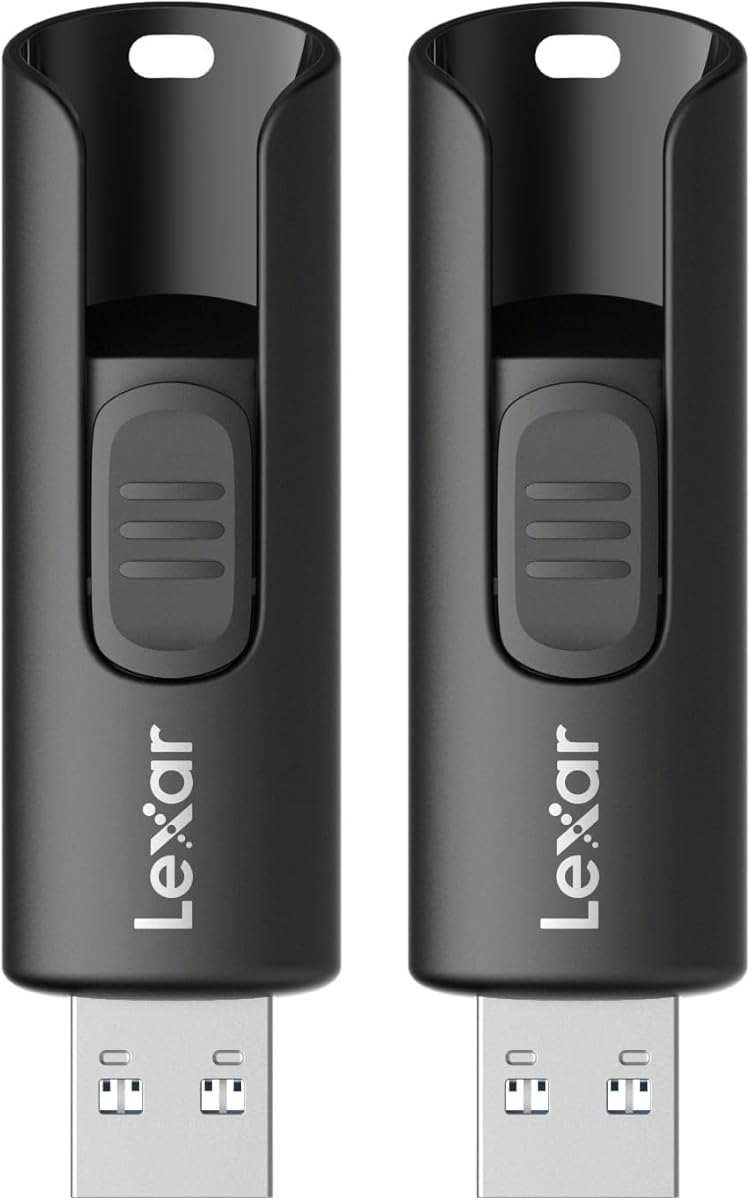
Lexar A30E USB 3.2 Gen 1 Flash Drive 128GB 2-Pack
4.6Editor score
Lightweight and portable design
Transfer speeds up to 100 MB/s
Includes DataShield security software
This guide compares the top Lexar USB Flash Drive models for speed, capacity, and durability to help you choose the right portable storage solution for your
In today's digital landscape, reliable portable storage is essential for professionals, students, and creatives who need to move files quickly. Lexar has established itself as a trusted name in memory cards and flash drives, offering a wide range of options that balance performance with affordability. Whether you need to back up important documents or transfer large media files, finding the right drive can significantly impact your workflow efficiency.
To create this comprehensive roundup, we analyzed specifications, user feedback, and real-world performance metrics across the current Lexar lineup. We focused on factors like transfer speeds, build quality, connector types, and security features to ensure each recommendation meets modern standards. Our goal is to provide you with a clear comparison of the most relevant models available in the market today.
Each pick in this list highlights specific strengths, from budget-friendly multi-packs to high-speed dual-interface drives designed for modern laptops and smartphones. We include detailed pros and cons to help you weigh trade-offs based on your unique requirements. Please note that product availability and pricing can change frequently, so always verify the latest details before making a purchase decision.
4.6Editor score

4.6Editor score

4.5Editor score
The following table provides a side-by-side overview of the key specifications and features for each of the top ten Lexar USB flash drives evaluated in this guide.


The Lexar D50E stands out as a top-tier option for users who need high-speed performance and modern connectivity options. With read speeds reaching up to 400MB/s, this drive outperforms many standard USB flash drives significantly. Its dual-interface design ensures it works seamlessly with both traditional laptops and newer USB-C devices without needing extra cables.
We may earn a commission when you buy through this link, at no additional cost to you.
Performance is the key strength here, making it ideal for transferring large video files or backing up entire project folders quickly. The metal housing not only adds to the premium feel but also provides physical protection against drops and wear. Additionally, the included Lexar App Photo Backup feature simplifies media management for smartphone users across iOS and Android platforms.
While the speed and versatility are impressive, the drive does come at a higher price compared to basic models. Its physical dimensions are also slightly larger due to the dual connectors, which might be a consideration for those seeking ultra-compact storage. However, the trade-off is justified for users who prioritize efficiency and future-proof connectivity.
This drive is best suited for professionals, content creators, or anyone who frequently moves large files between different types of devices. If you need a reliable, fast, and versatile solution that grows with your tech stack, the D50E is a strong recommendation. It balances performance and practicality better than most competitors in its class.
The combination of USB-A and USB-C connectors eliminates the need for adapters, allowing direct connection to almost any modern device.
The metal casing protects internal components from physical stress and environmental factors, extending the lifespan of the drive.
We may earn a commission when you buy through this link, at no additional cost to you.
The Lexar A30E 2-Pack offers a compelling balance of price and performance for everyday users who need reliable storage without breaking the bank. With 128GB capacity per drive, you get ample space for documents, photos, and videos while maintaining a lightweight form factor. The inclusion of DataShield security software adds a layer of protection that is often missing in budget drives.
We may earn a commission when you buy through this link, at no additional cost to you.
Transfer speeds up to 100 MB/s make it ten times faster than standard USB 2.0 options, which is sufficient for most casual file transfers. The push-button retractor mechanism keeps the connector safe without needing a separate cap, reducing the risk of losing parts. This design is particularly convenient for on-the-go use where convenience matters.
While the build is primarily plastic and may not feel as rugged as metal options, it keeps the weight minimal and the price competitive. The retractable mechanism, while convenient, could be a point of failure over heavy use compared to fixed connectors. Nonetheless, for general storage needs, the durability is adequate and the value proposition is strong.
This pack is ideal for students, office workers, or families who need multiple drives for sharing files or backing up data across different computers. If you prioritize cost-effectiveness and reasonable speed over premium materials, the A30E delivers exactly what is needed. It is a practical choice for anyone looking to expand their portable storage capacity affordably.
DataShield allows users to create password-protected areas for sensitive files, ensuring data privacy without complex setup processes.
The drive works seamlessly with Macs, PCs, tablets, and traditional Type-A ports without requiring any additional software installation.
We may earn a commission when you buy through this link, at no additional cost to you.
The Lexar JumpDrive S80 represents a premium option for users who value speed and security in their portable storage solutions. With read speeds reaching 150MB/s, it offers a noticeable improvement over standard USB 3.0 drives, making file transfers quicker and more efficient. The retractable design ensures the USB port is always protected when not in use, preventing physical damage.
We may earn a commission when you buy through this link, at no additional cost to you.
Security is a major highlight with the included advanced software that supports 256-bit AES encryption. This feature allows users to lock sensitive files and folders, ensuring data remains confidential even if the drive is lost or stolen. The protection level is robust enough for business documents and personal financial records requiring extra safeguards.
The main trade-off involves the price, which is higher than basic models, but the added security and speed justify the investment for many users. While the read speed is impressive, the write speed specifications are less detailed in standard marketing materials, which might matter for large write-heavy workflows. However, the overall package remains balanced and reliable.
This drive is recommended for professionals, executives, or anyone handling sensitive data who needs a secure and fast storage option. If you prioritize data protection and reliable performance over cost, the S80 is an excellent investment. Its combination of security, speed, and warranty support makes it a standout choice in the premium segment.
The 256-bit AES encryption ensures that protected files cannot be accessed without the correct password, providing enterprise-level security.
Backed by a three-year limited warranty, the drive offers peace of mind regarding long-term reliability and manufacturer support.
We may earn a commission when you buy through this link, at no additional cost to you.
The Lexar D40E offers a practical dual-interface solution with both USB-C and USB-A connectors integrated into a single sleek drive. This design eliminates the need for adapters when connecting to older laptops or modern USB-C devices like newer MacBooks and smartphones. The metal housing provides a durable shell that protects the connectors from bending or breaking during daily use.
We may earn a commission when you buy through this link, at no additional cost to you.
Performance-wise, transfer speeds up to 100MB/s are adequate for general file storage and sharing tasks. The 360-degree swivel mechanism allows users to easily switch between connectors without removing a cap, reducing the risk of losing small parts. This convenience is paired with 256-bit AES encryption software to secure sensitive data effectively.
One consideration is the mixed feedback on long-term durability of the swivel mechanism in some user reports. While the metal body is robust, the moving parts may wear out faster than fixed connector designs under heavy use. However, the included three-year warranty helps mitigate this risk by offering replacement support if issues arise.
This drive is well-suited for users who need versatile connectivity without carrying multiple cables or adapters. If you frequently switch between different devices and want a secure storage option with a sturdy build, the D40E fits the bill. It provides a balanced mix of modern features and traditional reliability for everyday needs.
The rotating design lets you switch between USB-A and USB-C ports quickly, making it easy to plug into any device type.
Advanced security software locks files with encryption, ensuring private data remains safe from unauthorized access or theft.
We may earn a commission when you buy through this link, at no additional cost to you.
The Lexar JumpDrive TwistTurn2 is designed for simplicity and compatibility, making it a great choice for older systems or devices with USB 2.0 ports. The twist mechanism reveals the connector without needing a cap, ensuring the USB interface stays protected from dust and physical damage. This straightforward design minimizes the risk of losing parts during travel.
We may earn a commission when you buy through this link, at no additional cost to you.
Performance is limited by USB 2.0 standards, which means transfer speeds are slower compared to USB 3.0 or higher models. However, for small documents, music files, or basic backups, the speed difference is often negligible. The drive is plug-and-play ready, meaning it works immediately upon insertion without requiring any software installation.
The main drawback is the slower interface speed, which might bottleneck large file transfers significantly. Users needing to move high-resolution videos or large datasets should opt for a USB 3.0 or 3.1 drive instead. For those prioritizing compatibility and simplicity over speed, the TwistTurn2 remains a reliable option for basic tasks.
This model is ideal for office environments with older computers or for users who need a simple drive for basic file sharing. If your workflow does not require high-speed transfers and you prefer a design without caps, this drive meets those needs effectively. It is a dependable choice for maintaining connectivity across a mix of device generations.
The rotating cover keeps the connector safe and secure, eliminating the hassle of replacing lost caps or worrying about breakage.
Supports both PC and Mac systems easily, ensuring broad usability across different operating systems without configuration.
We may earn a commission when you buy through this link, at no additional cost to you.
The Lexar 256GB JumpDrive D400 provides a robust solution for users needing significant storage in a portable package. With 256GB capacity, it can hold a vast amount of media, documents, or software backups. The dual USB-C and USB-A connectors make it versatile for use with modern laptops and older desktops alike without extra hardware.
We may earn a commission when you buy through this link, at no additional cost to you.
Transfer speeds reach up to 130MB/s read performance, which is efficient for moving large files quickly. The metal housing adds a layer of protection against physical damage and heat, ensuring longevity in various environments. Lexar DataShield is included to encrypt files, giving users peace of mind regarding data security.
While the read speed is solid, specific write speed metrics are not highlighted prominently, which might matter for heavy write workflows. The price is higher than smaller capacity drives, but the added storage and dual-interface convenience justify the cost for many users. Overall, it balances capacity and connectivity well.
This drive is perfect for photographers, videographers, or professionals who need to transport large volumes of data between different devices. If you require high capacity and the ability to plug into both USB-C and USB-A ports seamlessly, the D400 is a strong contender. It offers reliable performance and security in a durable metal form factor.
With 256GB of space, you can store thousands of photos or hours of video without worrying about running out of room quickly.
The dual connector design ensures compatibility with both new and old devices, making file transfers smooth across various hardware.
We may earn a commission when you buy through this link, at no additional cost to you.
The Lexar JumpDrive S60 5-Pack offers exceptional value for users who need multiple drives for sharing or organizational purposes. Each drive comes with 32GB capacity, which is suitable for documents, small media files, or software installers. The set includes drives in assorted colors, making it easy to label and distinguish them visually for different projects or users.
We may earn a commission when you buy through this link, at no additional cost to you.
Transfer speeds are governed by the USB 2.0 interface, making them slower than modern USB 3.0 drives. However, for simple file storage and occasional transfers, this speed is often adequate. The sliding protective cover keeps the connector safe without needing caps, reducing the risk of loss or damage during daily carry.
The main limitation is the speed and capacity per drive, which might not suffice for large data backups or high-speed workflows. For users needing high throughput or larger storage per stick, a USB 3.0 drive would be better. But for general use, distributing files to multiple people, or keeping spares, this pack is highly practical.
This option is ideal for schools, offices, or families who need multiple drives for different members without investing in expensive individual units. If you prioritize quantity and affordability over speed, the S60 pack delivers excellent value. It ensures everyone has access to portable storage with minimal hassle.
The assorted colors help you organize drives by purpose or owner, preventing confusion when sharing with multiple users.
The sliding cover shields the USB connector effectively, keeping it clean and safe from accidental contact or damage.
We may earn a commission when you buy through this link, at no additional cost to you.
The Lexar 128GB JumpDrive M400 blends style and performance, offering a robust flash drive that looks good and works well. With read speeds of 150MB/s, it ensures quick access to files and fast transfers across compatible systems. The design is sleek and durable, providing a premium feel that stands out from generic plastic alternatives.
We may earn a commission when you buy through this link, at no additional cost to you.
DataShield security is included to protect sensitive files through encryption, ensuring data privacy on the go. The drive is backward compatible with USB 3.1, 3.0, and 2.0 ports, making it versatile for various devices without compatibility issues. This broad compatibility ensures it remains useful even as technology evolves.
The primary trade-off is the price, which is slightly higher than basic drives, though justified by speed and security features. It also lacks a USB-C connector, which might limit use with the latest laptops without an adapter. For users focused on high speed and security without needing dual interfaces, it is a solid pick.
This drive is recommended for professionals or students who want a reliable and stylish storage solution for daily tasks. If you value aesthetics alongside performance and need secure storage for documents, the M400 fits well. It balances modern speeds with traditional connectivity in a polished package.
The stylish and durable construction not only protects the drive but also makes it a pleasant accessory to carry daily.
Full backward compatibility means it works with older computers and laptops without requiring new hardware or adapters.
We may earn a commission when you buy through this link, at no additional cost to you.
The Lexar E31 64GB is a compact and durable flash drive built with an all-metal housing that offers superior protection. Its small size and integrated keyring loop make it easy to attach to a keychain or backpack, reducing the risk of losing it. Transfer speeds up to 100MB/s ensure efficient file movement for daily tasks without delays.
We may earn a commission when you buy through this link, at no additional cost to you.
The metal build not only protects against physical damage but also helps dissipate heat during operation, extending the drive's lifespan. It is plug-and-play ready, meaning no software setup is required to start using it immediately on PCs, laptops, TVs, or car audio systems. This universality makes it a versatile tool for various devices.
The lower 64GB capacity might be a limitation for users storing large media files, but it is sufficient for documents and backups. Without a cap or cover, the exposed connector could be vulnerable if not stored carefully. However, the robust metal design mitigates much of this risk compared to plastic alternatives.
This drive is perfect for users who prioritize portability and durability over massive storage capacity. If you need a reliable drive to keep on your keys for quick access to essential files, the E31 is an ideal choice. Its balance of build quality and convenience makes it a practical everyday carry accessory.
The built-in keyring loop ensures the drive stays with your keys, making it easy to access and hard to lose on the go.
All-metal construction provides strength and heat dissipation, ensuring reliable performance even during extended use sessions.
We may earn a commission when you buy through this link, at no additional cost to you.
The Lexar JumpDrive S60 Black Pack offers a practical solution for users needing multiple affordable drives. Each drive holds 32GB of data, suitable for documents, music, and small media files. The sliding cover protects the USB connector from damage and dirt, ensuring a long service life without the need for separate caps.
We may earn a commission when you buy through this link, at no additional cost to you.
Performance adheres to USB 2.0 standards, which is adequate for basic file transfers but slower for large files. The drives are plug-and-play ready, so they work immediately without any software installation across most PCs and Macs. This simplicity makes them easy to use for all skill levels.
The primary limitation is the USB 2.0 speed, which may be frustrating for large data transfers or heavy usage. Users needing high throughput should consider USB 3.0 or higher models. However, for light use and sharing among multiple users, the value and reliability are hard to beat.
This pack is ideal for families, schools, or small businesses needing multiple basic drives for everyday tasks. If you want a reliable, affordable set of drives without complex features, the S60 Black Pack fits the need perfectly. It ensures everyone has access to portable storage without breaking the budget.
The sliding mechanism keeps the connector clean and safe, preventing accidental damage or loss during travel and daily use.
With three drives included, you can share files with multiple people or keep backups across different locations effortlessly.
We may earn a commission when you buy through this link, at no additional cost to you.
Choosing the right Lexar USB flash drive depends on your specific needs regarding speed, capacity, connectivity, and budget. Understanding these key factors will help you select a model that aligns with your usage patterns and ensures reliable performance over time.
The interface type determines how fast data can be transferred to and from the drive. USB 3.2 Gen 1 and USB 3.0 drives offer speeds up to 100MB/s or more, while USB 2.0 drives are slower but sufficient for small files. If you frequently move large videos or photos, prioritize USB 3.0 or higher for efficiency.
For modern laptops with only USB-C ports, look for dual-interface drives or USB-C specific models to avoid needing adapters.
Capacity needs vary widely based on the type of files you store. 32GB drives are great for documents and music, while 128GB or 256GB options are better for media libraries or backups. Consider how much data you typically move in one sitting to choose the right size.
Higher capacities often cost more, but buying larger drives can be more cost-effective per gigabyte than multiple smaller ones.
Metal housings offer better protection against physical damage and heat compared to plastic alternatives. Some drives feature retractable connectors or sliding covers to protect the port when not in use. If you carry the drive in a bag or pocket, durable construction reduces the risk of damage.
Look for drives with warranties ranging from two to three years to ensure peace of mind regarding long-term reliability.
For sensitive data, drives with built-in encryption software like Lexar DataShield are essential. These tools allow you to password-protect files using AES encryption standards. Always verify that the security software supports your operating system and is easy to use.
Encryption adds a layer of safety but may slightly impact write speeds. Weigh this trade-off based on the importance of your data privacy.
Lightweight and compact drives are easier to carry on keychains or in wallets. Some models include integrated keyring loops or lanyards for extra security against loss. Consider the physical size if you plan to keep the drive plugged in for long periods.
Dual-interface designs save space by combining USB-A and USB-C connectors into one compact unit, ideal for modern workflows.
Ensure the drive is compatible with all devices you plan to use it with, including PCs, Macs, tablets, and smart TVs. USB 3.0 drives are backward compatible with USB 2.0 ports but may run at slower speeds on older systems. Check manufacturer specs for OS support.
Drivers are generally not required for standard use, but some security apps may need installation for encrypted features.
A longer warranty period often indicates higher confidence in product durability. Lexar typically offers two to three-year limited warranties on most drives. Check the terms to understand what issues are covered and how to claim support if needed.
Reliable customer support can be crucial if you encounter defects or data recovery needs, so choose a reputable brand like Lexar.
Prices vary based on capacity, speed, and features. Budget options may lack advanced security or high-speed interfaces but serve basic needs well. Determine your non-negotiable features to find the best balance between cost and performance.
Buying multi-packs can reduce the cost per unit significantly if you need multiple drives for sharing or backups across different devices.
To use your Lexar USB flash drive, simply plug it into an available USB port on your computer or device. Most drives are plug-and-play and will appear as a removable storage drive in your file explorer. You can then drag and drop files to transfer them. Remember to use the 'Safely Remove Hardware' option before unplugging to prevent data corruption.
Maintain your drive by keeping it clean and free from dust. If your model has a retractable cover or sliding protector, ensure it is closed when not in use. Avoid exposing the drive to extreme temperatures, moisture, or direct sunlight, as these conditions can damage the internal components. Store it in a protective case if possible when transporting.
Regularly backing up your data to another location is a good practice to prevent data loss. While the drive is durable, hardware failures can happen unexpectedly. If the drive stops working, try it on a different computer first to rule out port issues. If problems persist, contact Lexar support for warranty assistance or professional recovery services.
Yes, Lexar USB flash drives are designed to be compatible with both Mac and PC operating systems. They work out of the box without requiring special drivers for basic storage and transfer tasks. If you need to use specific security software, ensure it is available for your operating system.
USB 3.2 Gen 1 is essentially the same as USB 3.0 and USB 3.1 Gen 1 in terms of speed and compatibility. The naming convention changed over time but the performance capabilities remain similar, offering up to 5Gbps transfer rates. For practical purposes, you can treat them as equivalent when choosing a drive.
Yes, you can store video files as long as the total file size does not exceed the drive's capacity. For high-resolution videos, ensure the drive has a format that supports large single files, such as exFAT or NTFS, rather than FAT32 which has a 4GB file limit.
The lifespan of a USB flash drive depends on usage frequency and environmental conditions. Typically, drives can last for several years under normal use. Factors like extreme heat, physical impacts, or frequent write cycles can reduce their longevity over time.
Many Lexar drives include Lexar DataShield software that allows you to create password-protected safe areas for sensitive files. This feature provides encryption to secure data against unauthorized access. Check the product description to confirm if your specific model includes this software.
While it is generally safe for short periods, leaving the drive plugged in permanently is not recommended due to power fluctuations and physical stress. It is better to unplug the drive when not in use to minimize wear and prevent potential data loss from unexpected power outages.
Try connecting the drive to a different USB port or computer to isolate the issue. Check if the drive appears in Disk Management on Windows or Disk Utility on Mac. If it shows up there, you may need to format it or assign a drive letter to make it accessible again.
To format the drive, right-click on it in File Explorer or Disk Utility and select the format option. Choose exFAT for compatibility between Windows and Mac or NTFS for Windows-only use. Be aware that formatting erases all data on the drive, so back up files first.
In summary, Lexar offers a diverse selection of USB flash drives that cater to various needs from basic document storage to high-speed multimedia transfers. The Lexar D50E stands out as the top overall pick due to its dual-interface versatility and impressive transfer speeds. For those on a budget, the A30E 2-Pack delivers excellent value without sacrificing essential features.
When selecting your ideal drive, prioritize factors like interface speed and capacity that align with your daily workflow requirements. Security features are also crucial for users handling sensitive data, so consider models with built-in encryption software. Balancing these needs with your budget will guide you to the most practical option for your situation.
Remember that product availability and specifications may change as new models are released. Always check the latest details on the product page to ensure compatibility with your devices. By understanding your specific needs and the strengths of each model, you can make a confident choice that enhances your portable storage capabilities effectively.