
Sonnet Breakaway Box 850 T5
4.5Editor score
850W power supply
Built-in dock ports
Triple-wide GPU support
This guide compares the top eGPU enclosures for Thunderbolt and USB4 laptops, evaluating performance, power delivery, and compatibility for gaming and creative
External GPU enclosures transform thin laptops into powerful desktops by connecting high-end graphics cards via Thunderbolt or USB4. These boxes house the GPU and power supply, allowing you to boost gaming and creative performance without replacing your main device.
We evaluated ten leading eGPU enclosures based on bandwidth speed, power delivery capacity, build quality, and feature set. Each product was assessed for compatibility with Windows and Mac systems, ease of installation, and ability to handle demanding workloads like AI training or 3D rendering.
Each pick highlights key strengths, limitations, and ideal use cases to help you find the right match for your workflow. Prices and availability change frequently, so verify current details before purchasing. This guide ensures you make an informed decision for your specific setup.
4.5Editor score

4.0Editor score
5.0Editor score
The following table provides a side-by-side comparison of all ten eGPU enclosures evaluated in this guide. It highlights key specifications, connectivity options, and compatibility details to help you quickly identify which enclosure best fits your specific hardware and workflow requirements.


The Razer Core X V2 stands out as a next-generation eGPU enclosure designed for Thunderbolt 5 and USB4 devices. With a 4.0 rating, it offers massive bandwidth potential for demanding tasks. Its support for 4-slot GPUs ensures compatibility with high-end NVIDIA and AMD graphics cards.
We may earn a commission when you buy through this link, at no additional cost to you.
Featuring up to 80 Gbps bandwidth, this enclosure handles creative apps and AAA games smoothly. The 140W Power Delivery via USB-C can charge powerful laptops while connected. Tool-free thumbscrews make swapping GPUs or PSUs easy, and the vented steel chassis keeps temperatures in check.
The main trade-off is the lack of support for Mac devices with M1 or later chips. This limits its usability for Apple silicon users. Additionally, the premium price may not suit everyone. However, its future-proof design justifies the investment for Windows and USB4 users.
Buy this if you need maximum future bandwidth and GPU width support. It is ideal for creators and gamers using Thunderbolt 5 or USB4 laptops. For those needing macOS support, consider alternatives. This enclosure sets a high standard for modern external graphics performance.
Thunderbolt 5 offers up to 80 Gbps bandwidth, doubling previous generation speeds for smoother performance.
140W PD charging ensures your laptop stays powered during intense workloads without extra adapters.
We may earn a commission when you buy through this link, at no additional cost to you.
The Sonnet Breakaway Box 850 T5 delivers near-desktop GPU power for Thunderbolt 5 Windows laptops. Its 4.5 rating reflects robust performance and build quality. The enclosure features an 850W power supply to handle high-end cards efficiently.
We may earn a commission when you buy through this link, at no additional cost to you.
Key strengths include a built-in Thunderbolt 5 dock offering peripheral connectivity. This reduces clutter and simplifies setup. The variable-speed fan cools GPUs quietly and effectively. It supports triple-wide cards, future-proofing your investment for tomorrow's hardware.
The unit is Windows-only and not compatible with macOS. Its size is also substantial, requiring desk space. However, for Windows users seeking a complete hub solution, these are acceptable trade-offs. The performance gains are significant for editing and AI workflows.
This is the top pick for Windows users needing a full docking solution. It excels at rendering and creative tasks. Ensure your laptop supports Thunderbolt 5 or 4. The integrated ports add immense value over basic enclosures.
850W PSU supports power-hungry GPUs, ensuring stable operation under heavy loads.
Includes USB ports and Ethernet, replacing the need for separate docks.
We may earn a commission when you buy through this link, at no additional cost to you.
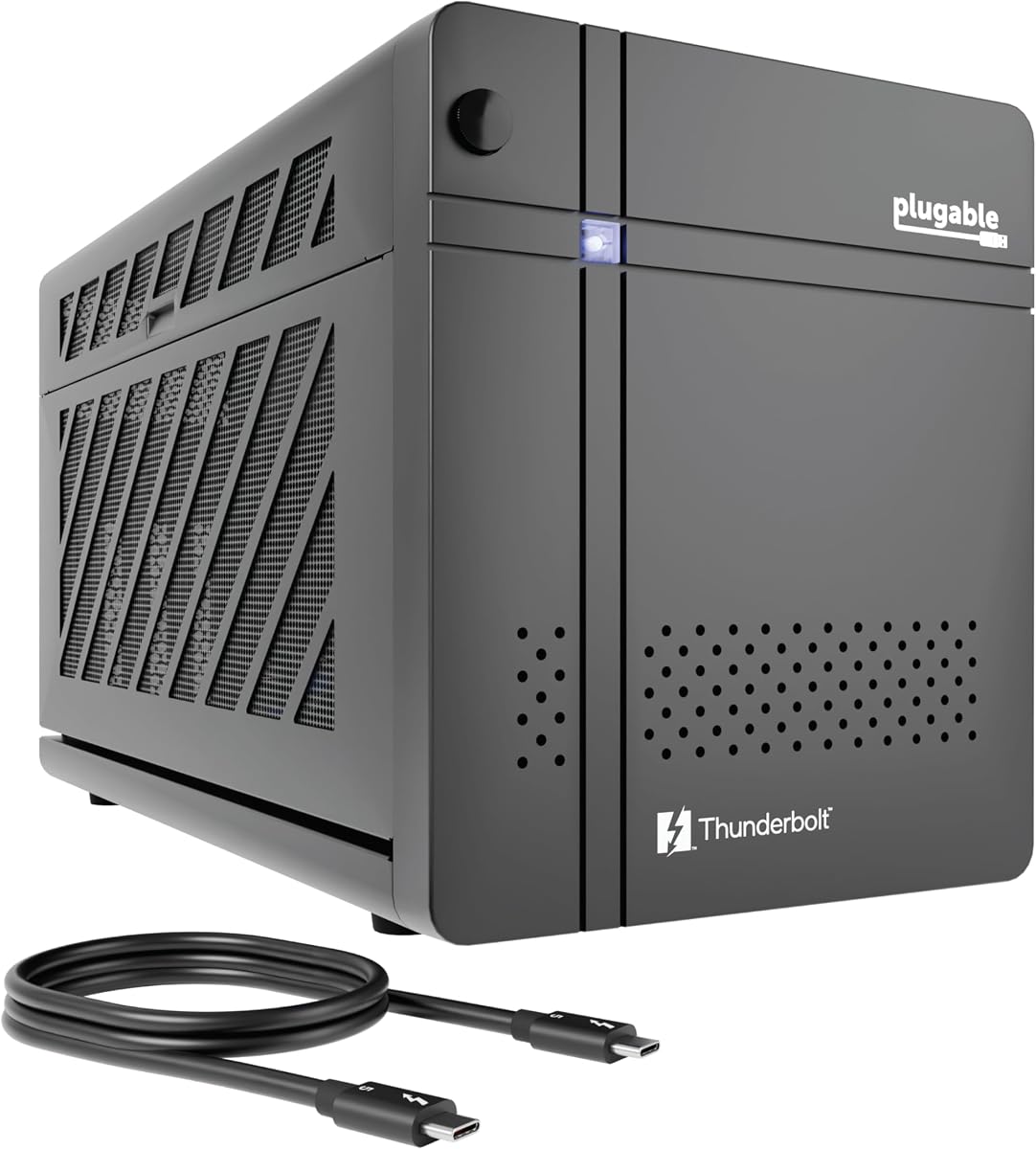
The Plugable Thunderbolt 5 AI eGPU Enclosure & Dock targets privacy-focused AI workflows. With a perfect 5.0 rating, it ensures local AI models run securely without cloud risks. It supports Thunderbolt 5 and USB4 systems for high-speed data transfer.
We may earn a commission when you buy through this link, at no additional cost to you.
Its standout feature is the ability to run models like Llama 3 offline. This keeps sensitive data within your perimeter. The 850W PSU provides dedicated power to the GPU. 96W host charging keeps your laptop powered while you work on complex tasks.
Like many eGPUs, it does not support macOS or Linux. This limits its audience but aligns with its Windows-centric AI focus. The lifetime support from a North American team adds peace of mind. It balances performance with ethical AI practices.
Buy this if privacy is critical for your AI development or data processing. It suits Windows professionals needing secure local computing. For general gaming, other options exist. This enclosure fills a niche for responsible AI innovation on laptops.
Run AI models like Llama 3 locally to keep data private and secure from cloud risks.
Lifetime support from connectivity experts ensures help when you need setup assistance.
We may earn a commission when you buy through this link, at no additional cost to you.
This External GPU Enclosure offers a complete solution with a 240W PSU and Thunderbolt 4/3 support. It achieves a 4.5 rating for reliability and ease of use. The kit includes everything needed for quick setup and portable performance.
We may earn a commission when you buy through this link, at no additional cost to you.
The lightweight aluminum shell is robust yet portable. It supports GPUs up to 205mm in length, suitable for most compact cards. Dual Thunderbolt ports with 85W and 15W charging options add versatility. A custom carrying case protects the unit during travel.
It does not support macOS and has limited GPU length capacity. This makes it less ideal for full-size workstation cards. However, for portable editing or gaming on the go, the included case is a major plus. It simplifies the buying process significantly.
Choose this if you need a ready-to-use portable eGPU solution. It suits travelers or those wanting a tidy setup. Ensure your GPU fits the dimensions. The included accessories save extra purchases and streamline your workflow.
Includes PSU, cables, and a carrying case, so you need nothing extra to start.
Robust anodized aluminum shell ensures durability while keeping weight low for travel.
We may earn a commission when you buy through this link, at no additional cost to you.
The ANQ-L336 Mini eGPU Enclosure is optimized for handheld gaming consoles and laptops. With a 3.8 rating, it balances budget pricing with wide compatibility. It supports Thunderbolt 3/4 and USB4 for flexible connectivity across devices.
We may earn a commission when you buy through this link, at no additional cost to you.
Its standout feature is compatibility with ROG Ally X and MSI Claw 8 via 85W PD. This enables Turbo Mode directly through the connection. It supports various PSU types like ATX or SFX. Linux and macOS compatibility broaden its appeal beyond Windows.
It has limited support for newer RTX 50-series cards. Users should verify GPU compatibility carefully before purchase. The smaller footprint may not fit all ATX cards. However, its versatility for handheld users is unmatched in the market.
Buy this if you use a handheld gaming device or need multi-OS support. It offers value for budget-conscious users. Check PSU requirements and dimensions. It transforms portable devices into capable gaming rigs easily.
Directly powers ROG Ally X via USB4, enabling 30W Turbo Mode for mobile gaming.
Works with Windows, Linux, and macOS systems, fitting diverse user bases.
We may earn a commission when you buy through this link, at no additional cost to you.
This Thunderbolt 3/4 eGPU Enclosure offers value for DIY enthusiasts using standard ATX PSUs. With a 3.9 rating, it provides stable performance for creative workflows. It supports NVIDIA RTX and AMD Radeon RX cards within specific series.
We may earn a commission when you buy through this link, at no additional cost to you.
The enclosure features dual Thunderbolt ports for chaining peripherals. 85W PD pass-through charges your laptop while in use. It uses Intel controllers for stable data transfer. The affordable price point makes high-performance setups accessible.
Setup may require some knowledge of driver compatibility. It is strictly intended for AI development or specific tasks. Gaming support is not the focus for some models. However, for budget builds needing ATX flexibility, it is excellent.
Choose this if you already own an ATX PSU or need budget flexibility. It suits developers and hobbyists. Verify your card series is supported. It offers a cost-effective path to desktop graphics power.
Standard ATX power supply support gives you freedom to upgrade PSU capacity easily.
Two Thunderbolt ports allow connecting other devices without additional hubs.
We may earn a commission when you buy through this link, at no additional cost to you.
The Sonnet Breakaway Box 750ex is a classic choice for Mac users needing GPU acceleration. With a 3.9 rating, it supports Thunderbolt 3 for compatible Intel Macs. It delivers significant improvements for rendering and editing tasks.
We may earn a commission when you buy through this link, at no additional cost to you.
It includes a 750W power supply capable of handling pro-grade cards. Four USB Type A ports and an Ethernet port add versatility. It supports AMD Radeon VII and NVIDIA GeForce RTX series. This makes it suitable for professional workstations.
It does not support M1 or later Apple Silicon chips, limiting modern Mac compatibility. It is also limited to Thunderbolt 3 speeds compared to newer standards. For users with Intel Macs, it remains a reliable option.
Buy this if you have an Intel Mac needing external graphics. It is ideal for legacy workflows. Check your Mac model before purchasing. It bridges the gap for Mac users seeking desktop GPU power.
Optimized for Intel Macs, enabling faster rendering and editing workflows.
Ethernet and USB ports allow direct connection to network and devices.
We may earn a commission when you buy through this link, at no additional cost to you.
The Mini eGPU Enclosure offers a compact solution for those willing to handle setup. With a 3.9 rating, it provides 40Gbps throughput. It does not include a power supply, reducing initial cost but requiring separate purchase.
We may earn a commission when you buy through this link, at no additional cost to you.
Its small size is perfect for tight desk setups. It includes a 10Gbps USB-A port for extra connectivity. Compatible with SFX, ATX, and Flex PSUs, it gives power flexibility. Users can choose PSU capacity based on their GPU needs.
Setup requires verifying system compatibility and driver settings. It may not suit beginners needing plug-and-play simplicity. The lack of PSU means extra steps before use. However, it is budget-friendly for technical users.
Choose this if you need a space-saving eGPU solution. It suits experienced users comfortable with hardware setup. Verify controller compatibility first. It offers flexibility for building a custom compact GPU station.
Small design saves desk space while maintaining performance for mobile setups.
Works with various PSU types, allowing you to match power needs to GPU choice.
We may earn a commission when you buy through this link, at no additional cost to you.
The MINISFORUM DEG2 supports both USB4 V2 and OCuLink for versatile high-speed connectivity. With a 4.4 rating, it bridges bandwidth gaps for demanding tasks. It offers dual-link modes for optimized performance.
We may earn a commission when you buy through this link, at no additional cost to you.
An integrated M.2 NVMe slot allows local storage of models and files. This keeps data synchronized across devices. The signal booster stabilizes PCIe transfer, reducing latency. It supports universal ATX and SFX PSUs.
OCuLink may require specific host support and setup. It is specialized for workflows needing maximum throughput. While highly advanced, it demands technical knowledge. For power users, it delivers unmatched performance.
Buy this if you need OCuLink or NVMe storage on the dock. It suits AI and rendering workflows. Ensure your host supports the interfaces. It is a powerhouse for specialized technical users.
Switch between USB4 V2 and OCuLink to match your host's capabilities.
Store AI models directly on the dock to avoid constant host transfers.
We may earn a commission when you buy through this link, at no additional cost to you.
This External eGPU Enclosure with PSU delivers a perfect 5.0 rating for reliability. It includes all essentials for immediate setup. The kit features a 240W PSU, cables, and carrying case. It supports Thunderbolt 4/3 and USB4 interfaces.
We may earn a commission when you buy through this link, at no additional cost to you.
Its lightweight anodized aluminum design ensures portability. The included case protects the unit during travel. It supports GPUs up to 205mm. PD 85W charging keeps your laptop powered during use. This simplifies the user experience significantly.
It does not support macOS and has specific GPU size limits. This restricts it to Windows users with compatible cards. However, its all-in-one nature makes it ideal for beginners. No extra purchases are needed.
Choose this if you want a complete, ready-to-go setup. It suits travelers or users seeking simplicity. Verify your GPU fits the dimensions. It removes the hassle of buying components separately.
Includes PSU, Thunderbolt cable, PCIe power cable, and case for zero extra purchases.
Compact case ensures your eGPU stays protected during transit.
We may earn a commission when you buy through this link, at no additional cost to you.
Selecting the right eGPU enclosure involves evaluating bandwidth, power delivery, and connectivity. Understanding these factors ensures your chosen device meets your specific performance and hardware requirements effectively.
Thunderbolt 5 and USB4 offer higher bandwidth for data transfer. Thunderbolt 3 or 4 provides standard speeds suitable for most users. Higher bandwidth reduces bottlenecks during gaming or rendering.
Choose interfaces matching your laptop's capabilities for best performance.
Power Delivery (PD) charging powers your laptop while connected. Look for higher wattage like 85W or 140W to sustain heavy workloads. Lower wattage may not charge larger laptops sufficiently.
Ensure the enclosure supports your laptop's power needs.
Check supported GPU dimensions and width. Some enclosures hold full-size cards while others fit mini variants. Verify PSU requirements for your specific graphics card model.
Match enclosure physical limits to your planned GPU choice.
Not all enclosures support macOS, Linux, or ChromeOS. Some prioritize Windows for compatibility. Always confirm your operating system is explicitly supported.
Select enclosures explicitly listing your OS compatibility.
Active cooling fans maintain GPU temperature during heavy loads. Look for variable-speed or quiet fans to reduce noise pollution. Proper ventilation prevents thermal throttling.
Prioritize enclosures with effective cooling for stability.
Many enclosures include USB ports or Ethernet. Integrated docks reduce the need for extra hubs. More ports increase workspace organization.
Choose models with ports matching your peripheral needs.
Aluminum enclosures provide durability while keeping weight low. Carrying cases help transport the unit safely. Compact designs save desk space.
Pick robust materials if you move the enclosure frequently.
Manufacturer support ensures help with driver issues. Lifetime support adds confidence in complex setups. Good warranties protect your investment.
Verify support policies before finalizing your purchase.
Connect your laptop to the enclosure using the correct Thunderbolt or USB4 cable. Ensure both devices are powered on and recognized before launching applications.
Update your GPU drivers and system firmware regularly to maintain compatibility. Keep the enclosure in a well-ventilated area to ensure efficient cooling.
Store the enclosure in its case when not in use to prevent damage. Avoid stacking heavy objects on it and disconnect cables gently to avoid port wear.
No, only laptops with Thunderbolt 3, 4, 5, or USB4 ports support eGPUs. Check your device's documentation for compatibility. Older systems may not have the required controllers.
Most enclosures support standard PCIe graphics cards. Ensure the card fits the physical dimensions and power requirements. Confirm your card model is explicitly supported.
Some enclosures support macOS, but M1 and later chips are often incompatible. Verify the product page lists macOS compatibility. Older Intel Macs have better support.
No, most enclosures do not include a GPU. You must purchase one separately. Ensure the PSU wattage matches your card's requirements.
Many kits include Thunderbolt cables but you may need additional USB or power cables. Check what is included in the box. Always use certified cables for stable performance.
Yes, eGPUs enable gaming on laptops by connecting desktop GPUs. Bandwidth limits may impact performance. Ensure your system meets game requirements.
Check your laptop specs for Thunderbolt or USB4 ports. Look for the Thunderbolt icon near the port. Consult the manufacturer for official eGPU support lists.
Yes, install GPU drivers specific to your graphics card. This ensures the OS recognizes the eGPU. Keep drivers updated for the best performance.
The Razer Core X V2, Sonnet Breakaway Box 850 T5, and Plugable Thunderbolt 5 AI eGPU Enclosure & Dock lead this roundup for their balance of performance, features, and reliability.
Prioritize bandwidth, power delivery, and OS compatibility to find a solution that fits your specific workflow. Whether you need AI privacy, gaming power, or Mac support, there is a model suited for your needs.
Remember to verify current prices and availability as these change frequently. Check your laptop and GPU compatibility before purchasing to ensure a smooth experience. Investing in the right enclosure extends your laptop's capabilities significantly.