
Acer SB240Y G0bi
4.6Editor score
Full HD IPS panel
120Hz refresh rate
Zero-frame edge design
Edge to edge monitors redefine workspace immersion by eliminating bezels and maximizing screen real estate. These displays offer panoramic views ideal for multitasking, creative work, and immersive gaming experiences.
We evaluated ten leading models based on resolution, refresh rates, panel technology, and connectivity options. Our analysis focuses on how each monitor balances visual fidelity with practical usability for diverse user needs.
Each selection highlights unique strengths from budget-friendly options to premium OLED displays. Note that pricing fluctuates frequently, so verify current costs before purchasing to ensure you get the best value available.
4.6Editor score

4.5Editor score

4.3Editor score
As an Amazon Associate we earn from qualifying purchases.
The following table provides a side-by-side comparison of all ten selected edge to edge monitors. Review key specifications to determine which model aligns best with your specific performance and budget requirements.





The Dell 34 Monitor S3425DW stands out as a reliable choice for daily productivity. With a 4.4 rating, it delivers a balanced experience combining visual comfort with practical connectivity features.
We may earn a commission when you buy through this link, at no additional cost to you.
Its WQHD VA panel offers 99% sRGB coverage and a 3000:1 contrast ratio, ensuring vivid colors and deep blacks. The 120Hz refresh rate provides smooth visuals, while AMD FreeSync Premium eliminates tearing during media playback.
While VA panels typically have slower response times than IPS, this model achieves a 0.03ms response time for a captivating experience. However, some users may prefer the wider viewing angles of IPS technology for collaborative work.
This monitor is ideal for professionals needing a single cable solution via USB-C with 65W power delivery. Its comfort features make it a strong recommendation for all-day work environments.
ComfortView Plus reduces harmful blue light emissions to under 35% without compromising color accuracy, making long work sessions more comfortable.
A single USB-C cable handles video, data, and up to 65W power delivery, keeping desks organized and clutter-free for maximum productivity.
We may earn a commission when you buy through this link, at no additional cost to you.
The Z-Edge 49 inch Ultrawide offers true cinematic immersion with a massive 49-inch display. Rated 4.5 stars, it is engineered for users seeking maximum screen real estate without bezel interruptions.
We may earn a commission when you buy through this link, at no additional cost to you.
With a 5120×1440 resolution, it acts as two QHD monitors side-by-side, boosting productivity significantly. The 165Hz refresh rate and 1ms MPRT response time ensure fluid motion for gaming and video content.
Although it features a built-in KVM switch for controlling two devices with one keyboard and mouse, the stand only offers tilt and height adjustments. This limits ergonomic customization compared to more adjustable stands.
This monitor is perfect for multitaskers and gamers needing a wide field of view. Its KVM functionality and high resolution make it a top contender for complex workflows.
The 32:9 aspect ratio delivers a seamless workspace ideal for side-by-side application use without bezels breaking up the view.
Built-in tools like Crosshair and Shadow Balance enhance accuracy and visibility, giving users a competitive edge in fast-paced games.
We may earn a commission when you buy through this link, at no additional cost to you.
The Dell UltraSharp U4924DW is designed for professional reliability and visual clarity. With a 4.2 rating, it delivers sharp visuals through its Edge WLED backlight technology.
We may earn a commission when you buy through this link, at no additional cost to you.
The 5120 x 1440 resolution ensures exceptional detail for movies, games, and photos. Its USB Type-C connectivity allows for powerful and efficient data transfer, enhancing productivity in office environments.
While it is excellent for action films, sports, or general productivity, the 5ms GTG response time makes it less ideal for competitive gaming. The high price point reflects its professional-grade build quality.
This monitor is best suited for professionals prioritizing clarity and connectivity. VESA mount compatibility adds flexibility for ergonomic setup in dedicated workspaces.
The DQHD screen mode provides visual clarity ensuring maximum productivity for complex tasks and detailed visual work.
VESA mount compatibility allows you to mount the display on a wall or with a stand depending on your specific needs and preferences.
We may earn a commission when you buy through this link, at no additional cost to you.
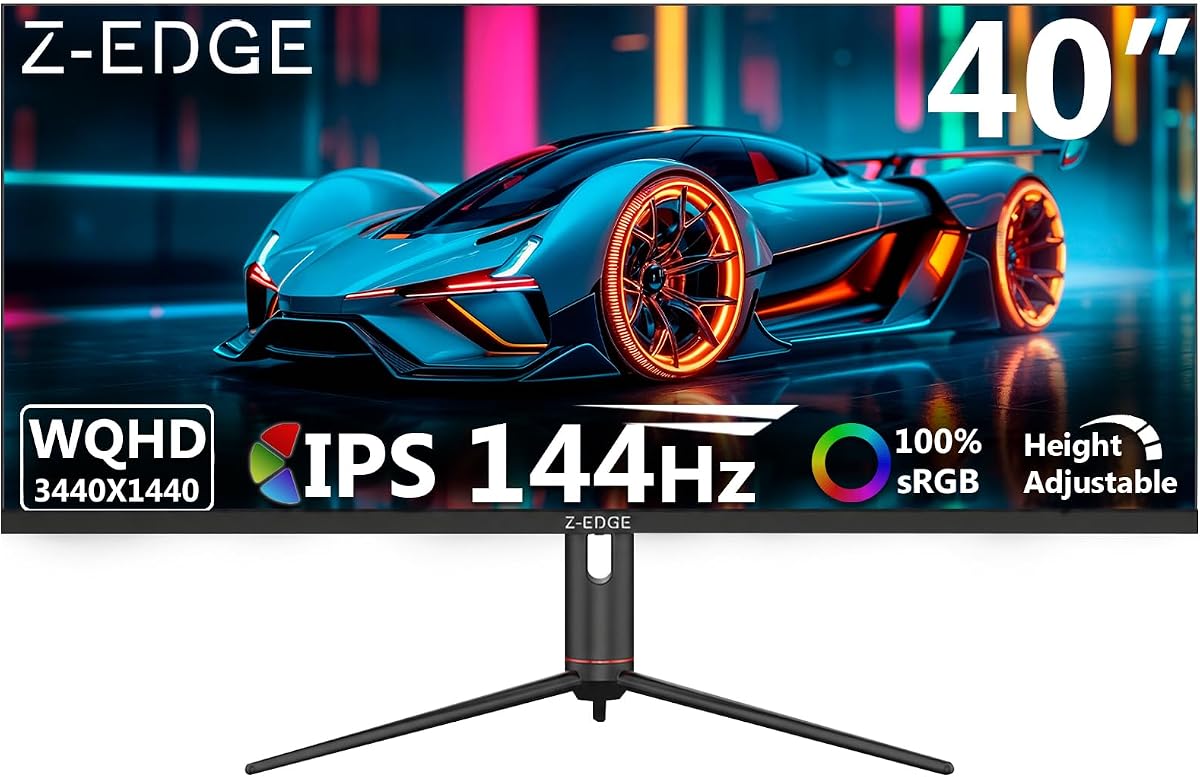
The Z-Edge 40 inch Ultrawide brings expanded screen space to multitasking and content creation. Rated 4.5 stars, it balances performance with versatile connectivity options.
We may earn a commission when you buy through this link, at no additional cost to you.
Its advanced IPS panel delivers 178° viewing angles for consistent colors from nearly any perspective. The 144Hz refresh rate ensures fluid motion for fast-moving content and responsive gaming.
While it includes a fully adjustable stand and built-in speakers for minimal setups, the refresh rate is lower than premium models. This makes it a solid choice for casual gamers and creators.
This monitor is ideal for users wanting ergonomic flexibility without breaking the bank. USB-C connectivity adds convenience for modern laptops and devices.
Advanced IPS panel delivers 178° wide viewing angles ensuring consistent colors and brightness from nearly any perspective.
Fully adjustable stand with height, tilt, and swivel support ensures maximum comfort during work or extended gaming sessions.
We may earn a commission when you buy through this link, at no additional cost to you.
The Corsair XENEON Edge 14.5" is a standout display designed for internal system metrics and widgets. With a 4.1 rating, it offers unique versatility for PC enthusiasts.
We may earn a commission when you buy through this link, at no additional cost to you.
Its native resolution of 2560×720 allows for displaying chat channels or weather apps clearly. The five-point multi-touch capacitive touchscreen makes interaction as easy as using a smartphone.
While it supports vertical or horizontal orientation and includes magnets for adhesion, the low resolution is not suitable for general computing. It serves best as a secondary status monitor.
This monitor is perfect for tech enthusiasts wanting to showcase system builds. Its compatibility with standard case mounting positions ensures easy integration.
Take your build to the next level by showcasing system metrics, chat channels, and weather apps in a compact and vibrant display.
For internal installation, the magnets in the housing provide strong adhesion while corner screws fit standard fan mounting positions.
We may earn a commission when you buy through this link, at no additional cost to you.
The Sceptre Curved 34-inch Prime offers seamless connectivity and performance. With a 4.4 rating, it ensures versatile connectivity options for work and play.
We may earn a commission when you buy through this link, at no additional cost to you.
With two HDMI ports and two DisplayPort options providing up to 240Hz refresh rate, the buttery-smooth visual experience is unmatched in this price range. Built-in speakers keep desks clutter-free.
Blue-Light Shift technology reduces harmful blue light emissions helping alleviate eye strain during long hours of use. However, the curved design may not suit flat-screen enthusiasts or office tasks.
This monitor is ideal for budget-conscious gamers needing high refresh rates. Its 100% sRGB performance ensures vibrant and true-to-life colors for multimedia.
Experience a lightning-fast 1ms response time with blur reduction and an ultra-smooth 240Hz refresh rate for seamless visuals.
True to life colors with 100% sRGB performance ensures accurate and stunning visuals for all creative and multimedia tasks.
We may earn a commission when you buy through this link, at no additional cost to you.
The LG 45GX950A-B offers gaming like never before with the world's first 5K2K OLED resolution. With a 4.3 rating, it delivers stunning visuals and astounding detail.
We may earn a commission when you buy through this link, at no additional cost to you.
Its updated subpixel layout reduces color fringing for sharper text clarity. Dual Mode lets you switch between graphically stunning 5K2K at 165Hz or Wide Full HD at 330Hz.
While DisplayPort 2.1 delivers ultra-fast data speeds, the high resolution demands a powerful GPU to maximize performance. However, the deep blacks and vibrant colors justify the investment.
This monitor is perfect for enthusiasts seeking ultimate gaming perfection. Its anti-glare and low blue light certifications ensure comfortable viewing in any lighting.
125 PPI reduces color fringe delivering sharp text and vivid visuals perfect for both work and play.
The 800R curve extends your periphery making the action more intense and pulling you deeper into the game.
We may earn a commission when you buy through this link, at no additional cost to you.
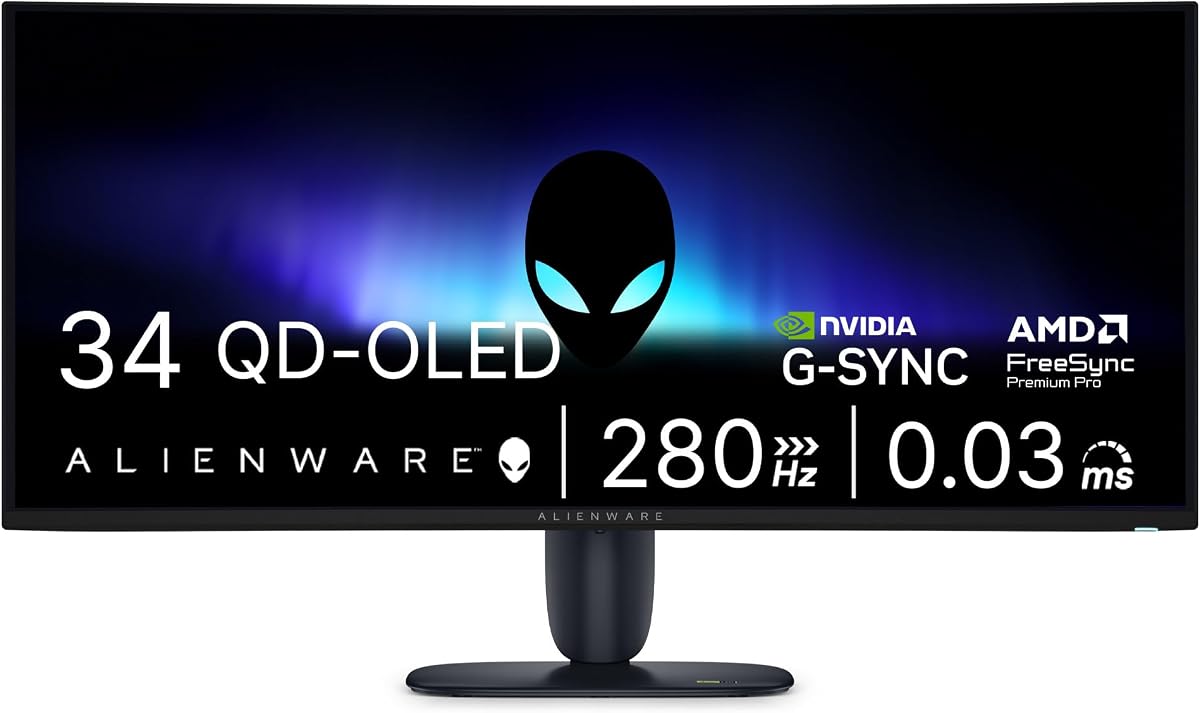
The Alienware 34 Gaming Monitor AW3426DW features UWQHD QD-OLED technology for exceptional color. With a 4.2 rating, it targets competitive gamers needing speed.
We may earn a commission when you buy through this link, at no additional cost to you.
Its 280Hz refresh rate ensures ultra-smooth visuals while 0.03ms response time minimizes ghosting. The combination of OLED contrast and high refresh rates creates a superior gaming experience.
While it offers a premium build, the 34-inch size is smaller than larger ultra-wides. The cost is also significant compared to LED alternatives.
This monitor is ideal for competitive gamers prioritizing performance. Its G-SYNC compatibility ensures tear-free gameplay across various titles.
UWQHD QD-OLED panel delivers rich colors and deep blacks while maintaining high speeds for competitive gameplay.
Alienware quality ensures the monitor delivers consistent performance and durability for intensive gaming sessions.
We may earn a commission when you buy through this link, at no additional cost to you.
The Acer SB240Y G0bi presents stunning images with a zero-frame design. With a 4.6 rating, it maximizes visibility for gaming and office use.
We may earn a commission when you buy through this link, at no additional cost to you.
Adaptive-Sync Support matches the refresh rate of your graphics card delivering a smooth tear-free experience. The 1ms response time ensures fast-moving action is rendered smoothly.
While the 1920×1080 resolution is standard, the IPS panel ensures wide viewing angles. However, the tilt-only stand limits ergonomic flexibility for taller users.
This monitor is perfect for budget setups needing a seamless screen. Its adaptive sync support ensures good performance for casual gaming and multimedia.
The zero-frame design provides maximum visibility of the screen from edge-to-edge reducing distractions during viewing.
Up to 120Hz refresh rate speeds up frames per second to deliver smooth motion scenes for gaming.
We may earn a commission when you buy through this link, at no additional cost to you.
The Samsung 57" Odyssey Neo G9 brings a display as wide as two UHD monitors. With a 4.3 rating, it offers incredibly detailed and pin-sharp images.
We may earn a commission when you buy through this link, at no additional cost to you.
240Hz refresh rate reduces lag while Quantum Matrix Technology creates controlled brightness. VESA DisplayHDR 1000 ensures unmatched picture quality and enhanced color expression.
While CoreSync projects on-screen colors into your real world, the monitor requires high-end GPUs. Its size demands significant desk space for a comfortable setup.
This monitor is best for enthusiasts seeking ultimate immersion. Its versatile input options allow you to game, watch, and chat simultaneously.
57 inch DUHD resolution brings a display as wide as 2 UHD monitors with detailed pin-sharp images.
CoreSync technology projects game colors into your real world to further immerse you into the setting.
We may earn a commission when you buy through this link, at no additional cost to you.
Selecting the right edge to edge monitor involves balancing resolution, refresh rate, and panel technology. These factors determine visual clarity and performance for your specific use case.
Edge to edge monitors come in various sizes ranging from 24 inches to massive 57-inch displays. A wider aspect ratio like 32:9 offers panoramic views ideal for multitasking while 21:9 provides a standard ultra-wide experience.
Choose a size that fits your desk and viewing distance. Larger screens require more space but enhance immersion significantly.
Resolution impacts how sharp images and text appear on your screen. For 24-inch displays, 1080p may suffice while larger screens benefit from 1440p or 4K for clarity.
Higher resolution ensures crisp details in creative work but requires stronger graphics hardware to drive efficiently.
Refresh rate determines how many frames per second the monitor displays affecting motion smoothness. Higher rates like 144Hz or 240Hz are preferred for gaming to reduce motion blur.
Fast response times under 5ms minimize ghosting ensuring that fast action remains clear and precise without distracting trails.
IPS panels offer excellent color accuracy and viewing angles making them suitable for creative work. OLED panels provide deeper blacks and faster response times ideal for gaming.
VA panels deliver high contrast ratios perfect for watching movies in darker environments but may be slower than IPS types.
Ensure the monitor has necessary ports like DisplayPort and HDMI to connect your devices. USB-C connectivity is increasingly common for power delivery and data transfer via single cable.
Multiple input options allow switching between devices easily which is beneficial for users with multiple computers or consoles.
Adjustable stands offering height tilt and swivel help reduce physical strain during long sessions. VESA compatibility allows mounting the monitor on arms for a cleaner look.
Proper ergonomics improve comfort and posture. Look for features that let you align the screen with eye level.
Calibrate your display settings to match your workspace lighting. Adjust brightness and color temperature to reduce eye strain during long work hours.
Use appropriate cables to support the monitor's maximum refresh rate. High-speed DisplayPort cables ensure you get the full performance potential.
Keep the screen clean using a microfiber cloth to prevent scratches. Avoid harsh chemicals that might damage the anti-glare coating.
An edge to edge monitor features minimal or zero bezels around the display panel. This design maximizes visible screen area providing an immersive viewing experience.
Yes many edge to edge monitors offer high refresh rates and fast response times ideal for gaming. The wider field of view enhances immersion in compatible titles.
Not necessarily as most have included stands. However larger models often benefit from VESA compatible arms due to their weight and size requirements.
Many models support Picture by Picture or KVM switching allowing you to connect multiple inputs simultaneously. This feature streamlines multitasking across devices.
For 32-inch or larger screens, 1440p or higher is recommended. Higher resolutions provide more workspace for open applications and clearer text.
Typically 5 to 10 years with proper care. Avoid leaving static images on screen for long periods to reduce burn-in risks especially with OLED types.
The 10 models reviewed cover a broad spectrum from affordable entry-level options to premium immersive displays. Whether you prioritize speed for gaming or clarity for work there is a suitable choice.
Consider your specific needs such as resolution or ergonomic features before deciding. Investing in the right panel technology ensures satisfaction for years to come.
Prices fluctuate frequently so verify current deals before purchasing. Checking verified reviews can also guide you toward the most reliable model for your setup.