
be quiet! Pure Wings 3 120mm
4.7Editor score
Optimized frame design
Low noise performance
German engineering quality
This guide compares the top ten exhaust fans for PC cases to help you find the best cooling solution for your specific build needs.
Finding the right exhaust fan for PC setups is crucial for maintaining optimal hardware temperatures. A good fan ensures air moves efficiently out of your case, preventing overheating and extending component lifespan significantly.
We evaluated ten top-rated models based on airflow, noise levels, bearing type, and overall build quality. Each product was reviewed to understand how it performs under real-world server and gaming conditions.
Each pick highlights specific strengths like budget value or premium features. Keep in mind that prices fluctuate often, so always check the current listing before finalizing your purchase decision today.
4.7Editor score

4.8Editor score

4.7Editor score
This side-by-side comparison details the technical specifications and key features of each selected exhaust fan to help you make an informed decision.




The Noctua NF-P12 redux-1700 PWM stands out as a top choice for those prioritizing silence and reliability. With a rating of 4.8, it delivers proven performance for air-based coolers and radiators.
We may earn a commission when you buy through this link, at no additional cost to you.
Its pressure-optimised blade design ensures high static pressure without sacrificing quietness. The 1700 RPM speed allows for powerful airflow when needed, while the 4-pin PWM support enables automatic speed control by your motherboard.
Trade-offs include a higher price point compared to standard fans. However, the exceptional MTTF of over 150000 hours and included vibration mounts justify the cost for long-term stability.
This fan is ideal for enthusiasts building silent workstations or high-performance gaming rigs. We recommend it for anyone seeking a balance of performance and acoustic comfort.
This design maximizes airflow through tight spaces like radiators or heatsinks while keeping noise levels low.
Retains Noctua quality at a better price by removing some packaging and focusing on core performance features.
We may earn a commission when you buy through this link, at no additional cost to you.
The be quiet! Pure Wings 3 is an excellent budget-friendly option that does not compromise on essential cooling performance. It receives strong ratings for its German design and engineering standards.
We may earn a commission when you buy through this link, at no additional cost to you.
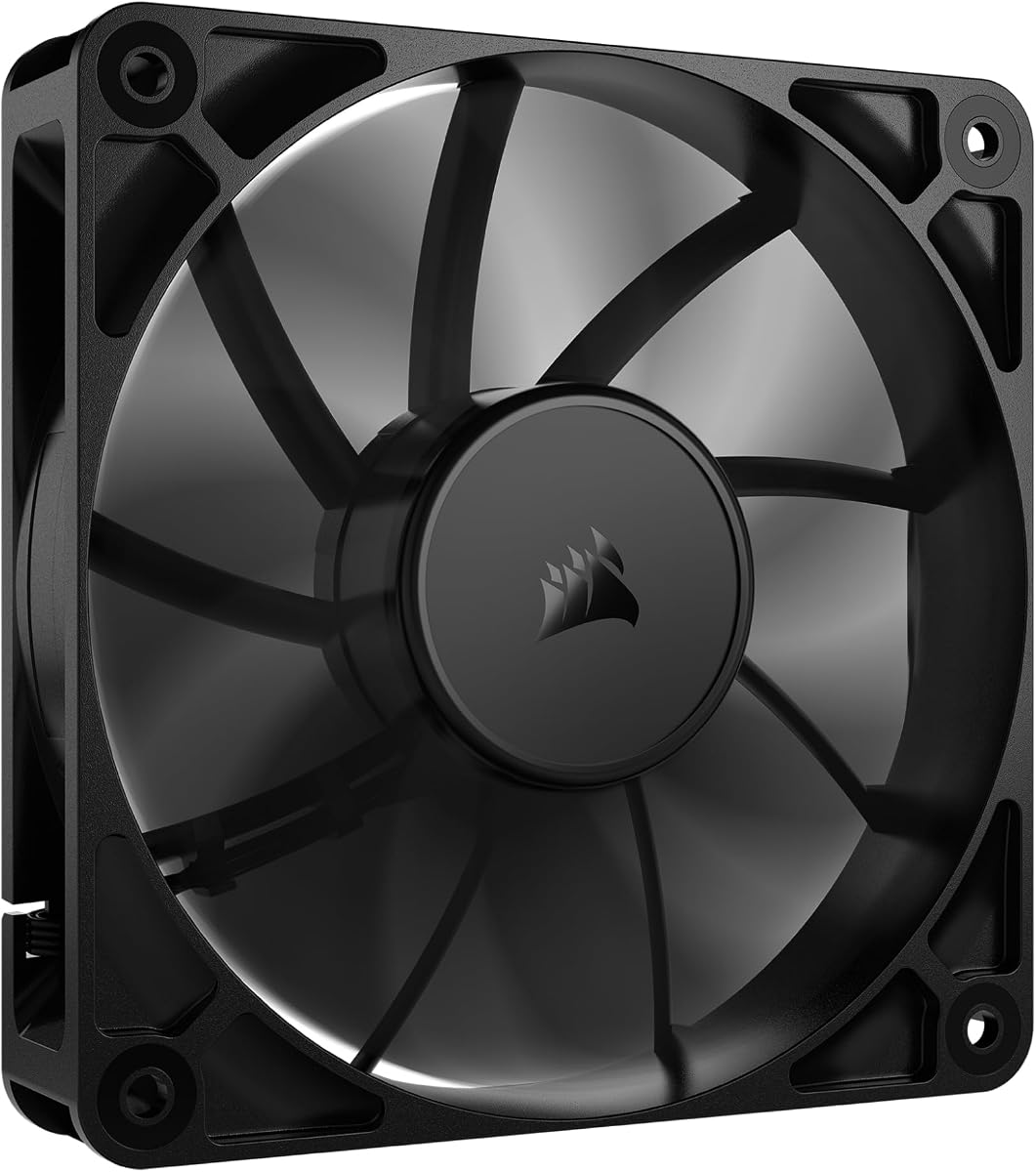
It features an optimized frame and nine airflow-optimized fan blades. These elements reduce noise while ensuring strong performance under demanding configurations. The rifle bearing ensures a long operating lifetime.
It may not match the absolute silence of higher-end models, but it offers great value. The low minimum RPM allows for very quiet operation when system load is light.
Buyers looking for reliable cooling without breaking the bank should consider this model. It is perfect for standard PC builds needing consistent airflow.
The frame is specifically designed to enhance peak performance on radiators and standard case mounts.
With an operating lifetime of 80000 hours, you can expect years of service without replacement.
We may earn a commission when you buy through this link, at no additional cost to you.
The Thermalright TL-C12C-S X5 pack is a top premium choice for users wanting both high performance and visual customization. It features S-FDB bearings and ARGB support for stunning lighting effects.
We may earn a commission when you buy through this link, at no additional cost to you.
Automatic speed control via the 4PIN PWM interface allows the fan to adjust based on motherboard temperature. The high-brightness LED blades create soft lighting that matches coolers perfectly.
While the lighting is a pro for many, it can be a con for pure utility builds. However, the 1550 RPM speed and low noise make it effective for both cases and CPU coolers.
This set is ideal for gamers and streamers needing a full case upgrade. The five-pack ensures you can cool every corner efficiently.
These bearings prevent blade shaking and extend fan life while maintaining low noise levels.
Up to 17 modes of light effects synchronize with your system for a cohesive aesthetic.
We may earn a commission when you buy through this link, at no additional cost to you.
The Easy Cloud 120mm Axial fan offers a unique solution for cases without internal PWM headers. It plugs directly into AC outlets and includes a controller for speed adjustment.
We may earn a commission when you buy through this link, at no additional cost to you.
With dual-ball bearings rated for 50000 hours, this fan is built for heavy use in servers or cabinet setups. The ability to adjust speed helps balance cooling and noise needs.
The main trade-off is needing access to a wall outlet or power strip. Also, noise can increase significantly at higher speeds compared to standard case fans.
This is best for users needing external cooling for routers or servers. It provides powerful airflow where traditional connectors are unavailable.
The 120V plug allows you to power the fan independently without relying on the PC power supply.
This fan works for PCs, game consoles, and other devices needing effective silent cooling.
We may earn a commission when you buy through this link, at no additional cost to you.
The X1 USB Cooling Fan is designed for portable cooling of devices like routers and consoles. It operates at just 18dB making it almost silent during use.
We may earn a commission when you buy through this link, at no additional cost to you.
It features a built-in cable and anti-scratch pads to protect surfaces. The 9-blade design delivers sufficient airflow to reduce temperatures in small electronics.
Trade-offs include lower CFM compared to internal 120mm fans. However, for portable use, the convenience and low noise profile outweigh these limitations.
This fan is perfect for home offices or living room setups. It keeps devices cool without adding distracting noise to your environment.
At 18dB, this fan is quieter than most library environments ensuring zero noise interference.
Its compact dimensions and USB connectivity allow for flexible placement in tight spaces.
We may earn a commission when you buy through this link, at no additional cost to you.
The CORSAIR RS120 PWM fan is excellent for clean cable management using its daisy-chain connection feature. You can control multiple fans through a single PWM connector.
We may earn a commission when you buy through this link, at no additional cost to you.
It uses Magnetic Dome bearings to minimize noise and reduce friction. The AirGuide Technology directs airflow precisely to the hottest components in your build.
While the single-pack option is standard, users needing multiple fans might need to buy separately. The high static pressure makes it ideal for radiators.
Choose this fan if you prioritize streamlined setups and airflow direction. It helps maintain lower temperatures efficiently.
Daisy-chain multiple fans together and control them all through just a single 4-pin PWM connector.
Anti-vortex vanes push air in the exact direction needed when mounted to a radiator.
We may earn a commission when you buy through this link, at no additional cost to you.
The DARKROCK 3-Pack offers great value for users needing to fill multiple case slots. Each fan features silicone cushions to reduce vibration noise effectively.
We may earn a commission when you buy through this link, at no additional cost to you.
Hydraulic bearings ensure stable rotation and prolonged service life. The design includes nine fan blades for good cooling effects at speeds up to 1200 RPM.
The 3-PIN interface may limit speed control options compared to PWM. However, for passive cooling or basic setups, this is sufficient.
This pack is best for budget builds requiring multiple fans. It simplifies installation with included cushions and mounting options.
Every fan is equipped with cushions that absorb vibration to keep noise low.
The standard 120mm size fits all types of cases without requiring special tools or experience.
We may earn a commission when you buy through this link, at no additional cost to you.
The Kingwin 80mm Silent Fan is designed for cases with limited space. It delivers excellent ventilation and airflow for smaller components.
We may earn a commission when you buy through this link, at no additional cost to you.
Optimized blades ensure maximum airflow to reduce system heat buildup. The long-life bearing supports consistent cooling over extended use in mining or office environments.
Its smaller size means lower overall CFM than standard fans. But for specific form factors, it provides the necessary performance without bulk.
Buy this for small PC builds or tight CPU coolers. It maintains reliability and quiet operation in constrained areas.
Compatible with standard 80mm mounts it works for many different PC case types.
Ideal for mining rigs and GPU farms needing airflow without constant overheating risks.
We may earn a commission when you buy through this link, at no additional cost to you.
The Wathai 12038 PWM offers exceptional airflow with 230 CFM for intensive cooling tasks. Its 38mm thickness allows for deeper cooling channels.
We may earn a commission when you buy through this link, at no additional cost to you.
It runs at speeds up to 5300 RPM with PWM support for speed regulation. This high-pressure design is ideal for mining rigs and specialized chassis.
The main trade-off is thickness and noise levels at full speed. Not all cases will accommodate this larger profile effectively.
Choose this for high-performance setups needing maximum airflow. It moves significant air but requires proper mounting space.
This fan is designed for projects requiring maximum cooling or ventilation power.
5300 RPM and high static pressure make it suitable for antminer chassis.
We may earn a commission when you buy through this link, at no additional cost to you.
The Thermalright TL-C12C-S X3 provides a three-pack with ARGB lighting for aesthetic builds. It delivers silent operation with high-quality S-FDB bearings.
We may earn a commission when you buy through this link, at no additional cost to you.
Automatic speed control via 4PIN PWM ensures efficiency. The high-brightness LED blades match cooler aesthetics while maintaining airflow performance.
Managing RGB can add complexity to your setup. However, for visual enthusiasts, the lighting effects provide value alongside cooling.
This set is great for multi-fan cases with style. It simplifies installation with long cables and included bearings.
The fan works as a case fan or CPU cooler component for maximum cooling.
High-brightness LED blades reflect light softly creating a perfect lighting effect.
We may earn a commission when you buy through this link, at no additional cost to you.
Selecting the right exhaust fan involves understanding key performance factors that impact cooling efficiency and system acoustics.
CFM measures how much air moves through the fan. High CFM helps remove heat quickly from your case components.
Look for models with higher CFM ratings for better heat removal.
Static pressure determines how well the fan pushes air through restricted areas like radiators or dust filters.
Prioritize high static pressure if mounting the fan on a filter or radiator.
Noise is measured in dB. Lower values mean quieter operation essential for home or office environments.
Choose fans with dB levels below 30dB for silent usage.
Bearings affect fan longevity and noise. Fluid dynamic bearings tend to be quieter and last longer.
Look for fluid or rifle bearings to ensure long-lasting quiet operation.
Fans use 3-pin or 4-pin PWM connectors. PWM allows motherboard speed control based on temperature.
Opt for 4-pin PWM if your motherboard supports intelligent fan control.
Exhaust fans typically come in 120mm or 80mm sizes. Check your case mounts before purchasing.
Verify your case dimensions to ensure the fan fits your slots.
Materials and frame design affect durability and vibration. Sturdy frames reduce resonance.
Select fans with reinforced frames and silicone mounts to reduce noise.
RGB fans offer visual customization but can complicate setup. Check if you need lighting.
Consider non-RGB models if you prefer simplicity.
Install the fan facing outward to push hot air out of the case. Ensure screws are tight to prevent vibration.
Clean dust from blades regularly using compressed air. Dust buildup increases noise and reduces performance.
Check connections monthly to ensure cables are secure. Proper airflow management will extend your fan and system lifespan.
Yes, exhaust fans are vital for removing hot air. Without them heat builds up and can damage components faster.
120mm fans are most common and offer good airflow. Smaller cases may use 80mm fans but with less performance.
Use PWM control and vibration dampening mounts. Lower RPM also reduces noise but may impact cooling.
PWM fans use 4-pin for precise speed control. DC fans use 3-pin and have less fine-tuning options.
Clean it every three to six months. Dust accumulation restricts airflow and increases noise levels.
Yes choose but prioritize low noise models. Silent fans help maintain a quiet work environment.
Most support one or two. Check your case specs for available vent locations and mount sizes.
Yes exhaust fans must face out. Install arrows on the frame to point toward the outside.
The Noctua NF-P12 redux and be quiet! Pure Wings 3 lead our list. Both deliver reliable cooling with strong noise performance.
Prioritize airflow and bearing type when choosing. These factors determine long-term reliability and system safety.
Remember to check current prices and availability before buying. Small price differences can offer better value now.