
3DMakerpro Fox Entry-Level Medium-Format
3.2Editor score
0.07mm Accuracy
Markerless AI Visual Tracking
Beginner Friendly Software
3D scanning technology has evolved rapidly, offering professionals and hobbyists alike the ability to capture physical objects with incredible precision. Whether you need reverse engineering parts or creating digital twins, the right scanner makes all the difference in workflow efficiency.
We have evaluated ten leading models based on accuracy, scanning speed, software capabilities, and versatility across different environments. Our analysis focuses on real-world performance metrics and user feedback to ensure you get reliable data for your projects.
Each pick below highlights specific strengths like wireless freedom or industrial-grade tolerance. Note that prices and availability fluctuate frequently, so verify current listings before purchasing to ensure you get the best value for your budget.
3.2Editor score

5.0Editor score

As an Amazon Associate we earn from qualifying purchases.
This side-by-side comparison highlights the core specifications and capabilities of each model to help you quickly identify which device fits your specific workflow requirements and budget constraints.


The Creality Pika Portable 3D Scanner stands out as a top-tier option for users needing high accuracy in a compact form. With a rating of 5.0, it delivers 0.03mm precision using dual blue laser and structured light modes. This versatility ensures it handles both tiny details and full-body scans efficiently.
We may earn a commission when you buy through this link, at no additional cost to you.
Its AI-powered features like Body Completion and Retexturing significantly enhance workflow. The scanner captures up to 110 frames per second, making real-time preview smooth. The inclusion of Wi-Fi 6 allows for flexible connectivity without tethering to a PC for extended periods.
While the performance is exceptional, the software ecosystem requires a learning curve for beginners. Additionally, achieving the best results often depends on having a capable computer to process the high-density point clouds generated during scanning sessions.
If you need professional-grade results for reverse engineering or 3D printing, this device is a strong investment. It balances portability with industrial-level accuracy, making it suitable for fieldwork or studio environments where precision is non-negotiable.
The device switches between blue laser for fine details and NIR structured light for broader scans, adapting to object complexity effortlessly.
Smart features like AI Retexturing map real photos onto models, saving hours of manual texture work in post-processing stages.
We may earn a commission when you buy through this link, at no additional cost to you.
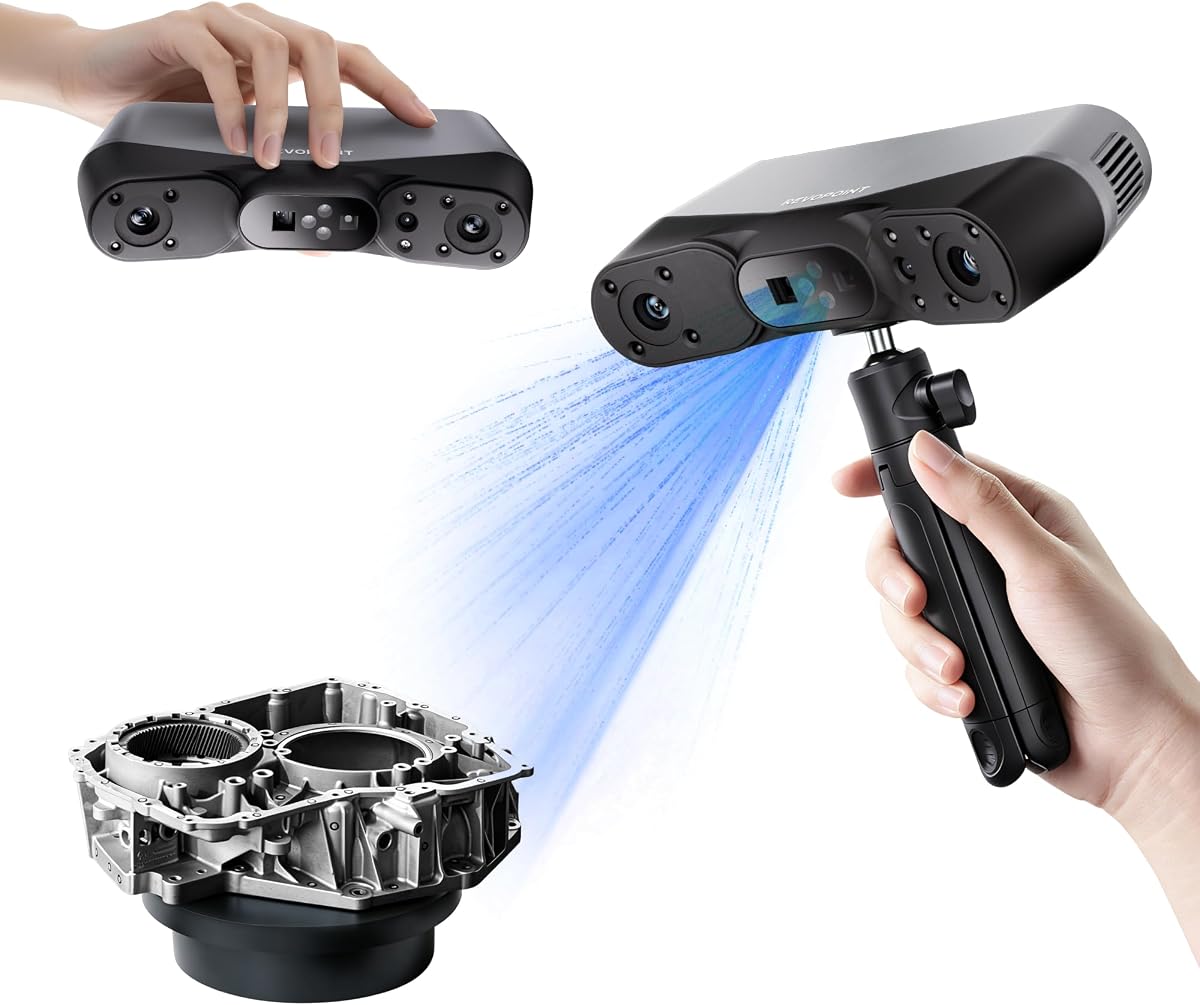
The Revopoint POP 4 offers industrial-grade accuracy up to 0.03mm with a variety of scanning modes to suit different tasks. Its AI segmentation tool helps isolate objects from backgrounds quickly. The scanner supports high-speed capture rates, ensuring smooth data collection even for complex geometries.
We may earn a commission when you buy through this link, at no additional cost to you.
One of its strongest assets is its performance in varying light conditions. With VCSEL and laser modes, it maintains stability in outdoor environments up to 100,000 lux. The included battery grip extends operational time, making it viable for remote fieldwork without immediate power access.
However, the software ecosystem is somewhat restrictive as advanced features like Revo Design only run on Windows. This limitation might inconvenience Mac users or those who prefer cross-platform flexibility in their existing tech stack.
For users requiring robust data for engineering or large-scale modeling, this scanner delivers reliability. The combination of speed, accuracy, and outdoor capability makes it a versatile tool for professional environments where consistency is key.
Multiple laser and light modes ensure reliable scanning in bright sunlight, overcoming challenges that typically disrupt consumer-grade devices.
Identifying target objects becomes trivial with automatic background filtering, streamlining the initial steps of the scanning process.
We may earn a commission when you buy through this link, at no additional cost to you.
Revopoint INSPIRE 2 is designed for portability and outdoor utility, weighing only 190g. It offers dual scanning modules for flexibility between structured light and laser capture. The optical zoom helps capture finer details on mixed-geometry surfaces effectively. This makes it suitable for heritage preservation and product design needs.
We may earn a commission when you buy through this link, at no additional cost to you.
Its connectivity features allow real-time streaming from PC to mobile devices via Wi-Fi 6. This enables remote monitoring of the scanning process, reducing the need to hold a laptop during operation. The lightweight design further enhances comfort during extended use in varied environments.
Accuracy levels are slightly lower than industrial-grade options, but still sufficient for many standard applications. Users requiring tighter tolerances might find this limiting. Additionally, the paid software options for reverse engineering may add to the overall investment cost.
This model is ideal for mobile professionals who need a reliable scanner that fits easily into a backpack. Its balance of weight, feature set, and outdoor capability makes it a solid choice for field engineers or designers on the move.
Adjustable magnification allows users to focus on intricate details without needing to move the scanner too close to the target surface.
Having both infrared structured light and multi-line laser options provides the flexibility to scan a wide range of object types.
We may earn a commission when you buy through this link, at no additional cost to you.
The MetroY Ultra targets industrial inspection and reverse engineering with 0.01mm single-frame precision. It captures data at up to 90 FPS, significantly reducing acquisition time for large parts. The blue laser technology handles dark and shiny surfaces without spray, preserving delicate components during scanning.
We may earn a commission when you buy through this link, at no additional cost to you.
Wireless connectivity via Wi-Fi 6 ensures mobility during use. The Revo Metro software supports comprehensive editing and export to industry-standard formats. This flexibility allows seamless integration into CAD workflows for product design and manufacturing validation tasks.
While performance is top-tier, the battery life offers about 2.5 hours of use, which may require recharging for long field days. The cost is also higher than entry models, which might not be justified for hobbyists without precise industrial requirements.
For professional labs or manufacturing plants, this unit offers the reliability needed for quality control. Its ability to scan without spray and high speed make it efficient for frequent inspections on production lines or complex parts.
The scanner captures black and high-gloss surfaces directly, avoiding the mess and time consumption of applying reflective spray powders.
Tight tolerances and volumetric accuracy ensure that scanned data meets strict engineering standards for validation and reverse engineering.
We may earn a commission when you buy through this link, at no additional cost to you.
MetroX Pro delivers industrial-grade scanning with 0.01mm precision and 0.02mm accuracy. It features a turntable mode that automates scans for complex objects. Real-time streaming to mobile devices improves workflow visibility. This model is built for precision modeling and measurement tasks in manufacturing.
We may earn a commission when you buy through this link, at no additional cost to you.
The device uses blue laser technology to capture details on dark surfaces without extra prep. It supports multiple alignment modes to suit different object types. Export options are comprehensive, covering standard CAD formats for integration into existing workflows seamlessly.
One limitation is the software support, which focuses heavily on Windows platforms. Additionally, the unit is somewhat heavy compared to portable handheld models. This restricts mobility slightly during outdoor fieldwork where lightweight gear is preferred.
Users focused on detailed reverse engineering will find this unit highly capable. Its ability to automate scanning on a turntable reduces manual effort significantly. It remains a strong choice for professionals prioritizing accuracy over portability.
One-click automated scans on a turntable ensure consistent rotation and data capture, removing manual alignment errors.
Viewing scan progress on a phone or tablet allows for immediate corrections and better spatial awareness during the process.
We may earn a commission when you buy through this link, at no additional cost to you.
The 3DMakerpro Fox is an accessible medium-format solution for hobbyists and beginners. It offers 0.07mm accuracy, which exceeds typical entry-level specs. The JMStudio software handles data processing efficiently. This makes it ideal for simple 3D printing and modeling projects.
We may earn a commission when you buy through this link, at no additional cost to you.
Markerless AI visual tracking helps maintain alignment even if the user moves too quickly. This feature reduces frustration for novice users. The software integrates editing and optimizing seamlessly, ensuring a smooth workflow from capture to final file output.
However, the lower rating score suggests some users face challenges with calibration or consistency. Speed is also slower than high-end models, requiring more patience during scans. These factors may discourage professionals needing rapid throughput.
For those starting out in 3D scanning, this device offers a low-risk entry point. Its balance of cost and basic performance makes it suitable for home studios or educational environments where high precision is not critical.
The system relocks onto scanned areas quickly, allowing for natural hand movements without losing track of the object's position.
The JMStudio suite simplifies data editing, making it easier for beginners to clean up scans without advanced technical skills.
We may earn a commission when you buy through this link, at no additional cost to you.
Creality Otter Lite is a basic yet robust scanner with a 4.8 rating. It uses a quad-camera system to cover objects from coins to cars. It scans at 30fps, providing smooth workflows. Eye-safe infrared allows face scanning without risk, making it versatile for various applications.
We may earn a commission when you buy through this link, at no additional cost to you.
Full 24-bit color capture ensures vibrant textures for product displays. Wi-Fi 6 support enables wireless data transfer for better flexibility. The no-spray feature for dark surfaces saves prep time. This makes it useful for automotive and machinery scanning without extra steps.
While the rating is high, the speed is moderate compared to industrial models. Some features like the Scan Bridge handle are sold separately, adding to the total cost. Users should budget accordingly for full accessory kits.
This model suits general prototyping and hobbyist needs effectively. Its wide scanning range and ease of use make it a reliable choice for those needing a flexible device without the cost of professional industrial gear.
Long and short focal lenses allow capturing both large areas and fine details with high precision in a single setup.
The scanner uses near-infrared light safe for human faces, enabling biometric or portrait scanning without protective eyewear.
We may earn a commission when you buy through this link, at no additional cost to you.
The CR-Ferret SE offers 0.1mm precision at an affordable price. It features anti-shake tracking to improve success rates. The 2MP color camera captures vivid textures. This makes it suitable for beginners needing full-color models quickly without complex setup.
We may earn a commission when you buy through this link, at no additional cost to you.
It scans black metal objects without spray, reducing prep time significantly. The scanning speed of 30FPS ensures smooth data capture. However, the accuracy is lower than advanced models. This limits its use to general prototyping rather than industrial measurement.
Software can be tricky for some users to configure correctly. Also, the rating suggests mixed experiences regarding reliability. Users should be patient during initial calibration to get the best results from this budget-friendly device.
For casual users or hobbyists, this scanner provides enough capability for home projects. Its anti-shake technology helps compensate for hand movements, making it forgiving for beginners learning how to scan objects properly.
Enhanced tracking algorithms maintain stability even with rapid hand movements, reducing the need for perfect stillness during scanning.
The device offers essential scanning capabilities at a low entry point, making 3D digitization accessible to more hobbyists.
We may earn a commission when you buy through this link, at no additional cost to you.
The Ferret Pro upgrades the SE model with a WiFi 6 bridge for wireless operation. It maintains 0.1mm accuracy and full color scanning. Anti-shake tracking ensures smooth results. This wireless freedom enhances mobility for scanning larger objects without cable management.
We may earn a commission when you buy through this link, at no additional cost to you.
Outdoor performance works well up to 30,000 lux. Export options include OBJ and STL for 3D printing. The device supports Windows, Mac, and Android, offering flexibility across devices. This broad compatibility helps users avoid being locked into one ecosystem.
It struggles with highly reflective or transparent surfaces, which is common for this class. Also, accuracy is not sufficient for tight industrial tolerances. Users looking for precision engineering work may need a different model.
For general scanning and hobby projects, this is a solid choice. Its wireless capability reduces clutter in the workspace, making it easier to capture complex shapes from multiple angles freely.
The WiFi 6 bridge enables untethered scanning, allowing users to move around objects or work in locations without computer access.
Compatibility with Windows, Mac, and Android devices ensures the scanner fits into diverse technical environments and workflows.
We may earn a commission when you buy through this link, at no additional cost to you.
MIRACO Plus is an all-in-one scanner with integrated processing power and storage. It features a 6-inch 2K AMOLED screen for viewing. With 0.04mm accuracy and photogrammetric metrology kit, it handles large objects effectively. This standalone design removes dependency on external PCs.
We may earn a commission when you buy through this link, at no additional cost to you.
The device processes up to 10,000 frames with 32GB RAM. Export options cover standard formats like PLY and STL. The photogrammetric kit ensures high-resolution capture for large surfaces. This is ideal for detailed modeling without needing external computing resources.
The weight is around 750g, which might be heavy for extended handheld use. The price is higher, reflecting its self-contained capabilities. Users needing portable, lightweight gear for frequent travel might find this unit cumbersome.
This system suits users needing powerful processing and storage built-in. The screen allows immediate review without cables. It is a strong choice for studios where mobility is less critical than computational power and data security.
With built-in storage and processing, the scanner operates independently, reducing setup time and external cable clutter in the studio.
Scale bars and targets enable precise length accuracy on large objects, extending the scanner's utility beyond typical 3D modeling.
We may earn a commission when you buy through this link, at no additional cost to you.
Choosing the right 3D scanner depends on your specific needs, budget, and technical requirements. Understanding the key factors below will help you narrow down the options effectively.
Accuracy defines how closely the digital model matches the real object. Industrial applications often require 0.01mm to 0.05mm precision, while hobbyists might find 0.1mm sufficient. Always check both single-frame accuracy and volumetric accuracy for long scans.
For critical engineering tasks, prioritize devices with volumetric accuracy specs over simple single-frame numbers. This ensures consistency across large objects.
Frame rate affects how quickly you can capture data. Faster speeds like 90 FPS reduce motion blur and improve workflow efficiency. For large objects or complex shapes, high frame rates mean less time spent holding the device steady.
Look for models that support GPU acceleration if you plan to run demanding software. This boosts performance significantly for post-processing and alignment tasks.
Different light modes like laser, structured light, or VCSEL determine where you can scan. Laser is better for dark objects, while structured light offers speed. Outdoor scanning requires high lux tolerance to avoid interference from sunlight.
Ensure the scanner supports at least two modes if you work with varied surfaces. This flexibility prevents the need to apply spray for reflective materials.
Wireless options via Wi-Fi 6 reduce cable clutter during scanning. Battery life determines how long you can work unplugged. For fieldwork, a lightweight handheld unit with a battery grip is essential.
If you work mostly in a studio, wired connections offer stability. But for mobile tasks, check the battery capacity and charging speed to avoid interruptions.
Most scanners come with proprietary software for processing data. Some tools are only compatible with Windows or specific operating systems. Ensure the software includes editing, merging, and exporting capabilities to match your workflow needs.
Advanced features like photogrammetric support or CAD export are vital for engineering. Always verify compatibility with your existing tools before purchasing a new scanner.
Entry-level scanners range from $200 to $500, while industrial units can exceed $1,000. Consider what features you truly need; high precision may not be necessary for simple prototyping.
Evaluate the total cost including accessories like turntables and software licenses. A device with a lower upfront price might cost more if you need paid add-ons later.
Start by calibrating the scanner using the provided board. Proper calibration ensures the accuracy specs are met. Always clean the scanner lens with a soft cloth before starting to avoid dust affecting data.
Scan objects in sections to improve alignment. Move slowly and keep the camera focused on the target. Avoid rapid movements that might confuse the tracking sensors or cause gaps in the data.
After scanning, upload the point cloud to software for meshing. Check for holes or noise before exporting. Store the device in a protective case to prevent damage during transport.
Laser scanners use laser lines to measure depth and work well on dark surfaces. Structured light projects patterns and captures more data points faster but struggles on shiny objects. Most modern units offer both modes to cover different needs.
Yes, most scanners come with proprietary software to process raw data into 3D models. Some support third-party tools like Meshroom or Blender but checking native compatibility is recommended for best performance.
Most scanners struggle with transparent or highly reflective surfaces unless they have special laser modes. You may need to apply a non-permanent powder or spray to improve surface contrast and reduce glare.
Time varies by object size and scanner speed. Small items might take a few minutes, while large machinery could take an hour. Faster frame rates significantly reduce this time for complex geometries.
Most handheld scanners use Class 1 infrared lasers that are eye-safe. However, always check the safety rating before scanning faces or bodies to ensure the device complies with human exposure standards.
Standard formats include STL, OBJ, PLY, and ASC. Advanced models might also support 3MF or FBX for animation. Export options ensure compatibility with various 3D printing and design software.
The Creality Pika Portable stands out as the top pick for its balance of precision and portability. It delivers professional results for both hobbyists and professionals needing accurate scans.
When selecting a scanner, focus on accuracy requirements and software compatibility. Ensure the device fits your workflow whether it is for fieldwork or studio design.
Always check current pricing and availability as these devices are often updated. Investing in the right model early saves time and effort in achieving your digital modeling goals.