
Lenovo V15 Business Laptop
4.4Editor score
Intel N150 Quad-Core Processor
Built-in RJ-45 Ethernet Port
Wi-Fi 6 Connectivity Support
Finding a laptop with Ethernet port ensures stable wired connections critical for business and remote work where Wi-Fi fails. These devices offer reliable gigabit speeds and seamless network access without adapters or dongles.
We evaluated ten models based on processor power, port availability, build quality, and real-world networking performance. Each selection includes verified specs and user feedback to help you choose the right wired solution.
Each pick highlights unique strengths from budget-friendly options to premium enterprise laptops. Prices and availability change frequently, so verify current details before purchasing to ensure you get the best deal today.
4.4Editor score

5.0Editor score

As an Amazon Associate we earn from qualifying purchases.
The following table compares key specifications across all ten models to help you quickly identify which laptop meets your wired networking needs best.





The Lenovo V15 Business Laptop stands out as a top budget choice for users needing reliable wired internet. It features a built-in RJ-45 Ethernet port, eliminating the need for adapters. With a 4.4 rating, it delivers efficient performance for daily tasks.
We may earn a commission when you buy through this link, at no additional cost to you.
Powered by an Intel N150 processor with 8GB DDR5 RAM, this model handles web browsing and office work smoothly. The 15.6-inch Full HD display offers clear visuals with anti-glare protection. Connectivity options include HDMI, USB-C, and Wi-Fi 6 for flexibility.
While the 128GB SSD is modest, it provides fast boot times and responsive file access. Users can upgrade storage later if needed. The full-size keyboard with numeric keypad enhances productivity for data entry tasks.
This laptop is ideal for students and small businesses seeking a cost-effective solution with essential enterprise features. The inclusion of Windows 11 Pro adds security benefits like BitLocker. Overall, it balances price and functionality well for basic computing needs.
The RJ-45 Ethernet port ensures stable connections crucial for file transfers and video calls.
Intel N150 processor paired with DDR5 RAM delivers smooth multitasking for everyday applications.
We may earn a commission when you buy through this link, at no additional cost to you.
The Lenovo V15 Gen 4 offers a compelling mix of performance and connectivity for business users. Its 16GB LPDDR5 RAM supports seamless multitasking across multiple applications. The built-in Ethernet port provides a direct network link without dongles.
We may earn a commission when you buy through this link, at no additional cost to you.
Featuring an AMD Ryzen 3 7320U processor, this laptop balances power efficiency with responsiveness. The 512GB storage ensures ample space for files and software. A privacy shutter on the webcam adds essential security for remote work.
Build quality is reinforced with MIL-SPEC testing for durability in demanding environments. The numeric keypad aids productivity for data-heavy tasks. Wi-Fi 6 ensures fast wireless connectivity when wired access is unavailable.
Ideal for professionals needing robust memory and reliable networking on a budget. The Windows 11 Pro OS provides advanced features like BitLocker encryption. This model is a solid upgrade over lower-spec alternatives.
LPDDR5 RAM delivers faster data access speeds compared to standard DDR4 modules.
Firmware TPM 2.0 and webcam shutter protect sensitive data during business operations.
We may earn a commission when you buy through this link, at no additional cost to you.
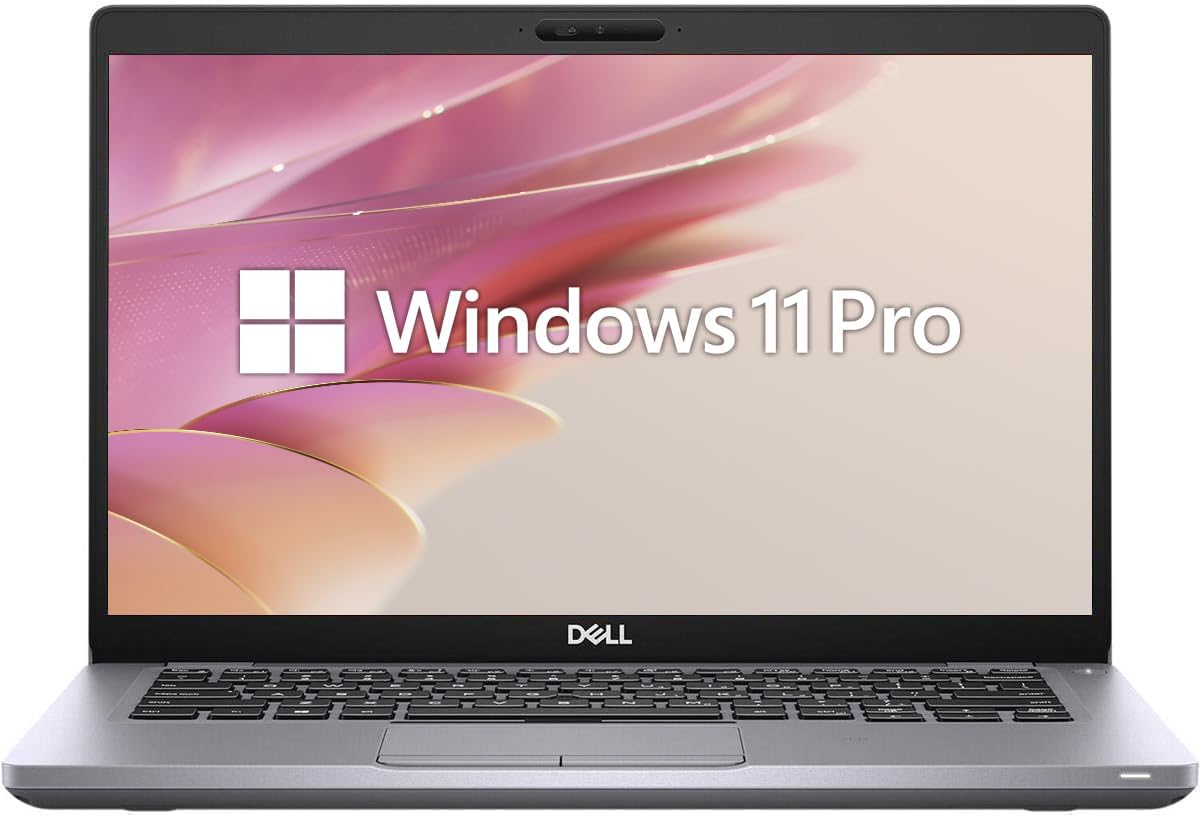
The Dell Latitude 3420 offers enterprise-grade performance at a renewed price point. It includes a powerful 11th Gen Intel Core i5 processor suitable for content creation and coding. The RJ-45 port ensures stable networking for office environments.
We may earn a commission when you buy through this link, at no additional cost to you.
With 16GB DDR4 RAM, this laptop handles demanding multitasking with ease. The 14-inch display delivers sharp visuals with anti-glare protection. Windows 11 Pro supports domain joining and remote desktop for corporate use.
While renewed units carry some risk, they offer significant savings. The compact form factor enhances portability for mobile workers. Ports include USB-C and HDMI for versatile peripheral connections.
Best suited for businesses seeking reliable hardware without new costs. The inclusion of BitLocker and TPM adds security layers. Verify seller ratings before purchase for optimal assurance.
Windows 11 Pro enables secure domain connections and remote management features.
The 14-inch chassis fits easily in backpacks for daily commuting.
We may earn a commission when you buy through this link, at no additional cost to you.
The Dell Latitude 5410 is a robust option for professionals needing reliable wired networking. With 512GB storage and 16GB RAM, it offers ample resources for daily workflows. The RJ-45 port supports fast gigabit connections.
We may earn a commission when you buy through this link, at no additional cost to you.
Its 10th Gen Intel Core i5 processor provides adequate speed for office applications. The 14-inch Full HD display ensures clear visuals during video conferencing. Windows 11 Pro adds essential productivity tools.
While user ratings vary, the build quality remains solid for business use. The variety of ports simplifies peripheral connections without adapters. It is a practical choice for budget-conscious teams.
Consider this model for stable office setups requiring Ethernet. The renewed status lowers cost significantly. Check warranty details before purchase for peace of mind.
512GB SSD provides fast access to files and applications.
Windows 11 Pro enables advanced security and management features.
We may earn a commission when you buy through this link, at no additional cost to you.
The Lenovo V15 G6 Business features modern DDR5 memory for faster data handling. Its Intel N100 processor balances power efficiency with responsiveness. The RJ-45 port ensures reliable wired internet without dongles.
We may earn a commission when you buy through this link, at no additional cost to you.
With 256GB storage, you have space for essential files and apps. The 15.6-inch FHD display offers clear visuals for productivity. Security features like TPM 2.0 protect sensitive business data.
Its MIL-STD-810H tested chassis resists shocks and vibrations. A privacy shutter on the camera maintains personal security. The lightweight design aids mobility between office and home.
Ideal for students and professionals needing dependable wired connectivity. The inclusion of Windows 11 Home provides a user-friendly interface. Verify current promotions for optimal value.
DDR5 RAM offers higher bandwidth for smoother multitasking performance.
Firmware TPM 2.0 and privacy shutter secure your data and privacy.
We may earn a commission when you buy through this link, at no additional cost to you.
This V15 model offers 16GB LPDDR5 RAM for seamless multitasking across tasks. The AMD Ryzen 3 processor ensures energy-efficient operation. A built-in Ethernet port provides fast and stable network connectivity.
We may earn a commission when you buy through this link, at no additional cost to you.
Windows 11 Pro adds security features like TPM 2.0 for data protection. The privacy shutter on the webcam gives you control over video calls. MIL-SPEC testing ensures reliability in demanding environments.
The numeric keypad is essential for accounting and data entry roles. While storage is limited, SSD speed ensures quick boot times. Wi-Fi 6 supports flexible wireless work when needed.
A strong choice for businesses needing reliable hardware. The black finish maintains a professional look. Check warranty details to ensure full protection.
LPDDR5 RAM reduces latency for smoother application switching.
Windows 11 Pro includes domain joining and advanced encryption tools.
We may earn a commission when you buy through this link, at no additional cost to you.
The ThinkPad P14s delivers top-tier performance with AMD Ryzen AI 7 Pro technology. It includes 32GB RAM and 1TB storage for heavy workflows. The RJ-45 Ethernet port ensures stable high-speed connectivity.
We may earn a commission when you buy through this link, at no additional cost to you.
Designed for professionals, it features ISV certifications for CAD and engineering software. Thunderbolt 4 allows fast data transfers to peripherals. Military-grade durability ensures reliability in field conditions.
Its 14-inch FHD+ display offers excellent color accuracy for design work. ThinkShield security protects sensitive corporate data. Battery life supports full-day business operations.
Ideal for demanding users needing maximum performance. The AI-driven processor accelerates tasks. Check for corporate discounts to reduce cost.
AMD XDNA 2 NPU enables efficient local AI workflows.
ISV-certified compatibility ensures stable performance for specialized software.
We may earn a commission when you buy through this link, at no additional cost to you.
The HP 14 Business Laptop offers basic computing at a low cost. It includes 1-year Office 365, ideal for home users. While lightweight, it lacks an Ethernet port requiring dongles.
We may earn a commission when you buy through this link, at no additional cost to you.
With 4GB RAM and Intel N150 processor, it handles light tasks like browsing. The 14-inch display is clear for reading documents. USB-C and USB-A ports support external devices.
This model suits light users without heavy networking needs. The included earphones provide audio convenience. Windows 11 Home offers a standard interface.
Choose this for casual use where Ethernet is not vital. The included software adds immediate value. Consider upgrading RAM if possible.
One-year Office 365 subscription enables productivity without extra cost.
USB and HDMI ports support external peripherals effectively.
We may earn a commission when you buy through this link, at no additional cost to you.
This model features a 13th Gen Core i5 processor for fast computing. With 16GB RAM and 512GB storage, it handles multitasking smoothly. The RJ-45 port ensures reliable wired internet.
We may earn a commission when you buy through this link, at no additional cost to you.
The 15.6-inch Full HD display provides clear visuals for work. Windows 11 Pro supports enterprise management. A numeric keypad aids productivity for data entry.
Its performance competes with higher-end models. The built-in webcam supports video conferencing. Wi-Fi and Bluetooth offer wireless flexibility.
Ideal for power users needing speed and connectivity. Check seller details for warranty coverage. Great for hybrid work setups.
13th Gen Core i5 offers substantial performance for demanding tasks.
Numeric keypad enhances efficiency for spreadsheet and data entry.
We may earn a commission when you buy through this link, at no additional cost to you.
The HP 17 Business Laptop offers a large 17.3-inch display for immersive work. With AMD Ryzen 5 processor and 16GB RAM, it handles multitasking well. The RJ-45 port ensures stable wired networking.
We may earn a commission when you buy through this link, at no additional cost to you.
Its 17.3-inch display offers ample screen real estate for spreadsheets and design. Windows 11 Copilot provides AI assistance for productivity. Fast Charge keeps battery life reliable.
While larger than ultraportables, it suits desktop replacement needs. The included recovery USB adds troubleshooting ease. Wi-Fi 6 ensures flexible wireless access.
Ideal for users prioritizing screen size and power. The Copilot key enhances efficiency. Verify portability needs before purchase.
17.3-inch screen maximizes workspace for complex applications.
Windows 11 Copilot simplifies tasks with intelligent assistance.
We may earn a commission when you buy through this link, at no additional cost to you.
Choosing the right laptop with Ethernet requires balancing specs, port availability, and build quality for your specific workflow.
Ensure the laptop includes an RJ-45 Ethernet port to avoid needing dongles. Some thin models omit this, forcing adapters. Check product specs carefully.
Prioritize models with built-in RJ-45 ports for direct network access.
For business use, aim for Core i5 or Ryzen 5 processors to handle multitasking. Avoid lower-end chips for heavy workflows.
Choose Core i5 or Ryzen 5 for reliable performance.
16GB is the sweet spot for multitasking. 8GB suffices for basic tasks but may limit future upgrades.
Select 16GB RAM for smoother performance.
SSD storage is essential for fast boot times. Aim for 512GB to store files and apps without bottlenecks.
Opt for SSDs with 512GB capacity for speed.
MIL-STD-810H tested chassis withstands travel and rough use. Essential for field work or commuting.
Look for MIL-STD-810H testing for durability.
Windows 11 Pro supports domain joining and security. Home is fine for personal use but lacks advanced features.
Choose Windows 11 Pro for enterprise needs.
USB-C and HDMI ports simplify peripheral connections. Wi-Fi 6 ensures fast wireless when needed.
Verify USB-C, HDMI, and Wi-Fi 6 support.
Webcam shutters and TPM 2.0 protect data. These are vital for remote work and sensitive business.
Ensure TPM 2.0 and webcam shutter are included.
Plug your Ethernet cable into the RJ-45 port on the laptop. Ensure the connection clicks securely to prevent disconnections during use.
Keep ports clean and free of dust using compressed air. Avoid bending cables sharply to prevent internal wire damage.
Regularly update drivers for network adapters to maintain peak performance. Use system updates to fix bugs and security vulnerabilities.
Ethernet provides more stable connections with lower latency and higher speeds. It avoids interference from other devices, making it ideal for business and remote work.
Yes, use a USB-to-Ethernet adapter. These plug into USB-C or USB-A. However, built-in ports offer faster and more reliable performance than adapters.
Most modern business laptops offer Gigabit Ethernet. Check the spec sheet to confirm speeds. Older models may be limited to 10/100 Mbps.
Yes, many refurbished business laptops retain their ports. Verify specs before purchase. Renewed units often maintain hardware integrity from the original model.
Pro adds BitLocker encryption and domain joining. Home is fine for personal use but lacks advanced enterprise security features.
Review the product page to see if RAM is soldered or upgradable. Some models allow upgrades; others do not.
The top picks include the Lenovo V15 Business for budget, ThinkPad P14s for premium power, and HP 17 for large display.
Prioritize RAM and processor power to ensure long-term performance and smooth multitasking capabilities.
Always verify current availability and warranty details before buying to secure the best deal today.