
Dell Latitude 5450 Laptop
4.6Editor score
Intel Ultra 7 Processor
32GB DDR5 RAM
1TB SSD Storage
Thunderbolt 4 Ports
Finding the right Dell Latitude laptop means balancing power with mobility for your daily workflow. These machines are designed for professionals who need reliability across offices and remote sites. We look at specs like processors and RAM to ensure smooth multitasking without lag.
We compared ten recent models based on real-world usage scenarios and technical specifications. Each entry highlights unique strengths such as battery life, screen quality, and port selection. This list covers a range of sizes from compact 13-inch units to larger 16-inch workstations.
Every pick includes detailed breakdowns of performance, durability, and connectivity options available today. Prices and stock levels change frequently so check current availability before purchasing. Our goal is to help you find a machine that fits your budget and work style perfectly.
4.6Editor score

5.0Editor score

4.5Editor score
As an Amazon Associate we earn from qualifying purchases.
This table provides a side-by-side overview of key specifications for each of the top ten models. It helps you quickly identify differences in processor class, memory capacity, and storage options across the lineup.




The Dell Pro 16 PC16250 stands out as a top contender for professionals seeking a balance of power and mobility. It scores highly for its robust build and capable Intel Core 5 processor. This model is ideal for users who need reliability during long workdays.
We may earn a commission when you buy through this link, at no additional cost to you.
Its 16GB DDR5 RAM and 512GB SSD ensure smooth performance across various business applications. The high-capacity 55Wh battery supports extended use without frequent charging. Connectivity is extensive with Thunderbolt 4 and HDMI ports for seamless docking.
While the device is slightly heavier than ultrabooks, the durability makes up for it. The display is functional but not the brightest in this review set. These trade-offs are acceptable for those prioritizing ruggedness and port selection.
Buyers looking for a reliable business laptop will find this model fits their needs well. It handles multi-app multitasking efficiently without the bulk of a workstation. We recommend it for field work and office use alike.
Engineered to pass MIL-STD 810H tests, this laptop withstands demanding environments and daily commuting without worry.
Supports up to three external 4K monitors via HDMI and Thunderbolt, expanding workspace for complex tasks.
We may earn a commission when you buy through this link, at no additional cost to you.
This renewed model offers significant value for users needing high memory and storage without the latest chip. It features an i7-1165G7 paired with 32GB RAM for heavy multitasking. The 1TB SSD provides ample space for files and projects.
We may earn a commission when you buy through this link, at no additional cost to you.
The device supports standard connectivity including Thunderbolt and HDMI for external displays. Wi-Fi AX and Bluetooth ensure reliable wireless performance. It is suited for office tasks where top-tier graphics are not required.
One limitation is the older processor generation which may lag in AI workloads. The HD screen is functional but lacks the clarity of FHD options found elsewhere. These factors make it a budget-focused option.
Ideal for businesses refreshing inventory or individuals on a tight budget. It delivers consistent performance for everyday tasks. Check the renewed condition details before purchasing to ensure satisfaction.
With 32GB RAM, this unit handles multiple browser tabs and applications simultaneously without slowdown.
Buying renewed allows access to premium specs at a lower price point while maintaining enterprise features.
We may earn a commission when you buy through this link, at no additional cost to you.
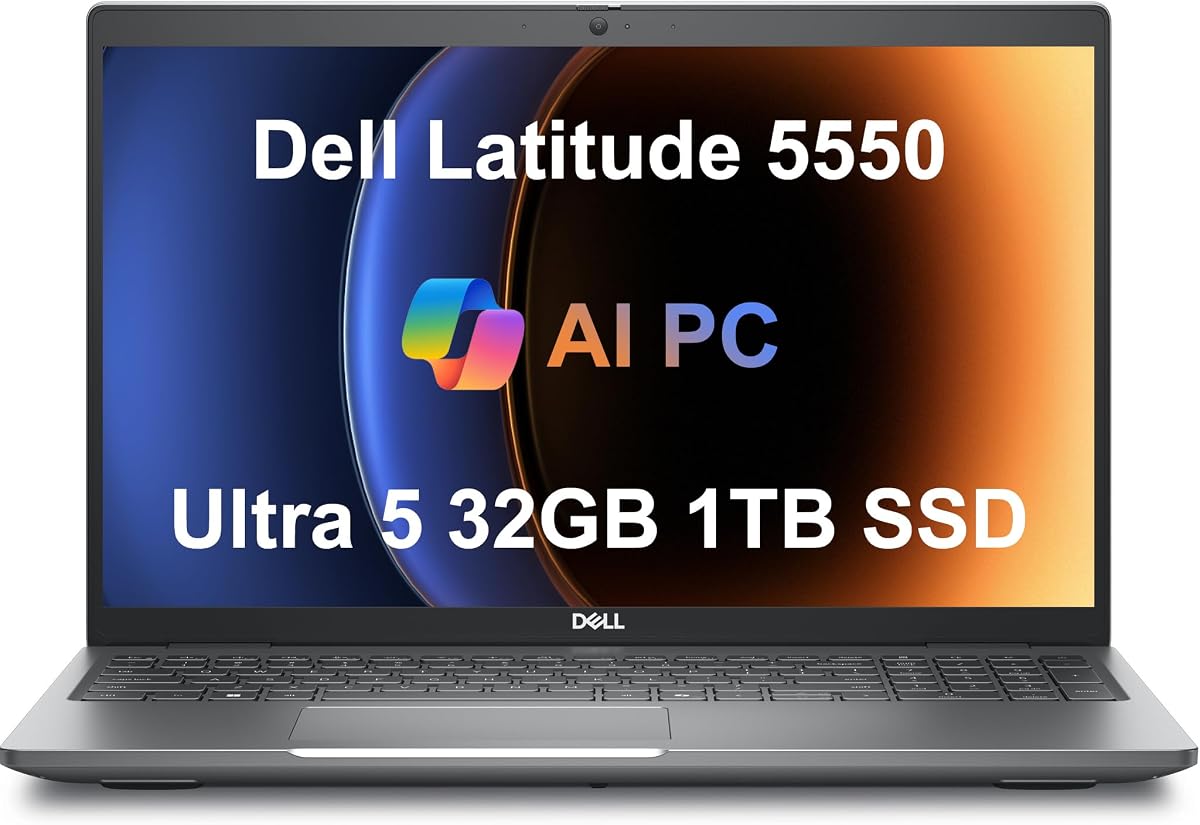
The Latitude 5550 brings next-gen Intel Ultra 5 performance to a reliable business chassis. It boasts 32GB DDR5 RAM and a 1TB SSD for fast data access. This configuration is excellent for modern workflow efficiency.
We may earn a commission when you buy through this link, at no additional cost to you.
Battery life is rated up to 11 hours ensuring productivity throughout the day. The display offers crisp visuals suitable for long working sessions. Dual Thunderbolt 4 ports allow flexible connection to docks and monitors.
While it handles productivity well, gaming or intensive rendering may be limited by integrated graphics. The price reflects its premium features and build quality. It remains a strong choice for general business use.
Professionals seeking a modern balance of speed and longevity will appreciate this model. It supports hybrid work effectively with solid connectivity. We suggest it for users prioritizing processor advancements.
Dual SSD configuration separates system and storage drives for stability and faster file management.
Features a webcam with privacy shutter for secure video calls without external accessories.
We may earn a commission when you buy through this link, at no additional cost to you.
This premium model offers top-tier performance with the Intel Ultra 7 processor. Its 14-inch design makes it highly portable for frequent travelers. The display brightness and color accuracy are impressive for the form factor.
We may earn a commission when you buy through this link, at no additional cost to you.
32GB RAM and 1TB SSD provide plenty of headroom for demanding apps. Fast charging technology reduces downtime during busy days. Windows 11 Pro ensures enterprise-grade security and features.
The smaller 14-inch screen might feel cramped for multitasking compared to 15-inch options. The cost is higher but justified by the build quality and speed. It excels for executives on the move.
Buyers needing a powerful yet portable device should consider this option seriously. It handles office workloads efficiently and looks professional. We recommend it for premium business use cases.
With 400 nits brightness and 100% sRGB, visuals remain sharp and vibrant even in bright rooms.
Built-in AI capabilities and Windows Studio Effects improve video calls and task automation.
We may earn a commission when you buy through this link, at no additional cost to you.
This 16-inch model provides a large workspace without the weight of a desktop replacement. The i5-120U processor handles standard office tasks smoothly. It is ideal for users who prioritize screen real estate.
We may earn a commission when you buy through this link, at no additional cost to you.
Features include WiFi 6E for faster wireless speeds and a backlit keyboard for comfort. The FHD+ display offers a good aspect ratio for documents. It includes a standard Ethernet port for stable networking.
While efficient for daily work, it may struggle with intensive computing like 3D rendering. Battery life is decent but not best-in-class. It suits users who want a bigger screen at a lower price.
Recommended for small business teams or students needing a large display. It balances cost and utility well. Check specific port needs before deciding to ensure it meets requirements.
The 16-inch FHD+ display provides extra vertical space for spreadsheets and code.
Includes RJ-45 Ethernet for reliable wired connections when WiFi is insufficient.
We may earn a commission when you buy through this link, at no additional cost to you.
Weighing just 2.72 lbs, this laptop is perfect for daily travel and commutes. The Ultra 5 processor delivers efficient performance without compromising battery life. It excels in scenarios where weight is a major factor.
We may earn a commission when you buy through this link, at no additional cost to you.
Windows Studio Effects enhance video calls with automatic framing and noise suppression. The 13.3-inch display is bright and clear for a portable unit. It supports two external 4K monitors via Thunderbolt for expanded workspace.
The compact size means fewer physical ports, requiring dongles for legacy devices. Screen real estate is smaller which might impact productivity for some users. These trade-offs are worth it for frequent movers.
Ideal for consultants or managers who carry their laptop everywhere. It is reliable and fast for daily tasks. We highly recommend this for those prioritizing mobility.
Windows Studio Effects use AI to improve call quality and reduce background distractions.
ExpressCharge technology reduces downtime and keeps you ready for demanding workdays.
We may earn a commission when you buy through this link, at no additional cost to you.
This model adds a premium touch layer to the popular 5350 chassis. The Ultra 7 processor ensures it keeps up with AI-driven workflows. It is an excellent choice for professionals who need precise control.
We may earn a commission when you buy through this link, at no additional cost to you.
The touchscreen allows for natural interaction with apps and documents. High RAM and SSD capacity support intensive multitasking without lag. It balances portability with raw power effectively.
The high price may deter budget buyers but the features justify it. Touchscreens can be more reflective in bright environments. These are minor issues for users who value interactivity.
Perfect for designers and executives who appreciate direct input on the screen. It handles complex tasks with ease. We recommend it for those seeking top-end performance.
The Full HD touchscreen offers vibrant colors and sharp clarity for immersive navigation.
Powered by Ultra 7 processor with AI Boost for exceptional speed and responsiveness.
We may earn a commission when you buy through this link, at no additional cost to you.
This AI-focused notebook delivers efficient performance for business tasks. The Ultra 7 processor is designed to handle AI workloads well. It is a reliable choice for corporate environments.
We may earn a commission when you buy through this link, at no additional cost to you.
The display offers sharp visuals for presentations and meetings. Connectivity includes standard Ethernet for stable network access. It comes with Windows 11 Pro for security and management.
While 16GB RAM is sufficient for most, it is lower than top models. The design is functional but lacks a premium look. It remains a practical tool for daily operations.
Buyers seeking AI support at a reasonable cost should consider this unit. It handles routine tasks without issue. We suggest it for general enterprise use.
Intel Core Ultra processor delivers fast and efficient performance for professional workloads.
Equipped with Wi-Fi 6E and Bluetooth for fast and stable wireless connections.
We may earn a commission when you buy through this link, at no additional cost to you.
This unit offers a high-end processor at a more accessible price point. It balances cost with features like 1TB storage and DDR5 RAM. It is a strong contender for entry-level business needs.
We may earn a commission when you buy through this link, at no additional cost to you.
The fingerprint reader adds security without requiring extra hardware. Connectivity includes a wide range of ports for peripherals. Battery life supports full workdays without interruption.
The build feels less premium than higher models and the display is functional. However, performance is robust enough for most users. These compromises make it a value leader.
Best for small businesses needing efficient hardware without high costs. It supports daily tasks reliably. We recommend it for budget-conscious professionals.
Offers lightning-fast responsiveness and rapid boot-up times for efficient computing.
Includes multiple USB and HDMI ports for flexible connections to accessories and displays.
We may earn a commission when you buy through this link, at no additional cost to you.
Designed for dependable daily use, this model offers reliability and affordability. It features MIL-STD standards ensuring it can withstand daily commuting. Ideal for standard office tasks and virtual meetings.
We may earn a commission when you buy through this link, at no additional cost to you.
The FHD display with anti-glare coating provides clear visuals. Wi-Fi 6E keeps you connected at fast speeds. Security is enhanced with both camera shutter and fingerprint reader.
The i3 processor is suitable for light computing but not heavy multitasking. It fits well for basic business needs without premium features. It is a practical choice for large deployments.
Recommended for users needing a sturdy and affordable machine. It supports standard workflows effectively. We suggest it for entry-level enterprise use.
Tested to meet MIL-STD-810H standards offering added reliability for daily commuting.
Includes fingerprint reader and privacy shutter for enhanced security and privacy.
We may earn a commission when you buy through this link, at no additional cost to you.
Selecting the right Latitude model requires evaluating your specific workflow needs against hardware specs and build quality. This guide outlines key factors to consider before making a purchase.
Look for Intel Ultra or Core series processors that match your computing demands. Higher cores and threads improve multitasking and application speed significantly.
Prioritize newer generations for AI features and better power efficiency in your daily work.
At least 16GB RAM is recommended for smooth performance in business apps. 32GB is ideal for heavy multitasking or virtualization tasks.
SSD storage should be 512GB or more to ensure quick boot times and ample space for files.
Choose a screen size that fits your portability needs such as 13-inch for travel or 16-inch for desk work. Brightness and color accuracy are important for visual comfort.
Ensure the resolution matches your work type with FHD as a minimum standard for clarity.
Check battery capacity in watt hours to estimate real-world usage duration. Models with ExpressCharge can reduce downtime significantly during busy schedules.
Aim for at least 8 hours of active use if you work away from outlets regularly.
Business laptops often meet MIL-STD standards for resistance to drops and environmental conditions. This ensures longevity in demanding field or travel environments.
Look for reinforced chassis designs and spill-resistant keyboards for added reliability on the go.
Verify the presence of Thunderbolt, HDMI, and USB-A ports based on your peripherals. Wireless standards like Wi-Fi 6E ensure fast and stable network connections.
Ethernet ports are useful for stable internet access when wireless networks are unreliable.
Features like IR webcams for facial recognition and fingerprint readers add layers of security. TPM chips are essential for enterprise-level data encryption and protection.
Windows 11 Pro offers built-in tools for management and secure access across your organization.
Determine your spending limit while prioritizing the specs that impact your productivity most. Renewed models can offer significant savings without sacrificing core performance.
Compare warranty terms and support options to ensure long-term reliability for your investment.
Keep your system clean by wiping the screen with a microfiber cloth and avoiding harsh chemicals. Use compressed air to clear dust from ports and vents regularly.
Manage your battery health by avoiding extreme temperatures and letting the device charge fully before long storage periods.
Update firmware and BIOS through Dell SupportAssist to maintain security and optimal performance over time.
The Dell Latitude 5450 is excellent for remote work due to its AI features and strong battery life. It balances performance with portability allowing you to work efficiently from anywhere. Ensure you have enough ports for your peripherals.
Most recent Latitude models have soldered memory meaning upgrades are not possible after purchase. Always check the specific specs before buying to ensure you get enough RAM for your needs.
Battery life varies by model but most offer around 8 to 11 hours of mixed use. Power efficient processors and large capacity batteries contribute to these runtimes.
Yes most Latitude models support multiple external monitors via Thunderbolt and HDMI. You can usually connect up to three displays depending on the ports available.
Many models meet MIL-STD 810H standards ensuring they can withstand bumps and drops. This makes them suitable for frequent business travel and field work.
Yes business Latitude laptops typically come with Windows 11 Pro for enhanced security. This edition includes features needed for enterprise management and secure access.
Our top picks cover a range of needs from the powerful Latitude 5450 to the budget-friendly 3550. Each model offers distinct advantages in performance or portability depending on your priorities.
Consider your specific workflow requirements such as display size or processor speed before making a decision. Matching these factors ensures you get a machine that supports your daily tasks effectively.
Remember that prices and availability change frequently so check current listings before purchasing. These laptops are versatile tools designed to meet professional demands reliably.