
TCL 55 T7 4K QLED Google TV
4.3Editor score
120Hz panel refresh rate
QLED quantum dot color
Dolby Atmos audio support
Finding a 120Hz TV for next gen consoles ensures your games run smoothly without lag or motion blur. These displays support advanced HDMI 2.1 features like VRR and ALLM for responsive gameplay. Modern panels combine high refresh rates with vivid colors and deep blacks for stunning visuals.
We evaluated ten leading models based on refresh rate, input lag, HDR performance, and smart features. Our analysis focuses on how well each TV handles fast-paced gaming from PlayStation 5 and Xbox Series X. We also consider picture quality, connectivity options, and overall value for serious gamers.
Each pick highlights key strengths like mini LED brightness or OLED contrast to match different gaming needs. Prices and availability may change so check current listings before purchasing. This guide helps you choose the right screen to maximize your next gen console experience.
4.3Editor score

4.6Editor score

4.1Editor score
As an Amazon Associate we earn from qualifying purchases.
This side by side comparison highlights key specs across all ten models to help you decide quickly. Look at refresh rates, panel types, and smart platform options to find your match.


The Samsung 55 M70H Mini LED offers a solid entry into high refresh rate gaming with 4K clarity. It scores 4.3 stars and brings bright Mini LED performance to living rooms at a mid tier price point.
We may earn a commission when you buy through this link, at no additional cost to you.
Its Mini LED processor delivers brighter highlights and deeper blacks than standard LED panels. Motion Xcelerator plus DLG 120Hz keeps action sharp for sports and gaming. The Gaming Hub unifies cloud services and console apps in one place.
While it supports 120Hz visuals the gaming specific features lag behind dedicated gaming TVs. Free streaming via Samsung TV Plus adds value but may distract from console use.
Buy this if you want a bright TV with decent motion for occasional gaming and streaming. It suits budget conscious users needing 4K HDR in a 55 inch format.
Mini LED technology enhances contrast and peak brightness for HDR content visibility in bright rooms.
The hub centralizes cloud games and apps reducing the need for external devices on your console.
We may earn a commission when you buy through this link, at no additional cost to you.
The TCL 55 T7 brings 120Hz panels and QLED color at a budget friendly price. Rated 4.3 stars it balances cost and performance for casual gamers seeking smooth motion.
We may earn a commission when you buy through this link, at no additional cost to you.
QLED quantum dot technology covers the DCI-P3 space for vibrant scenes. Motion Rate 480 with MEMC insertion reduces blur in fast action. Dolby Atmos audio enhances immersion without external speakers.
Input lag is acceptable but not top tier for competitive play. The Google TV platform offers broad app support but can feel cluttered compared to dedicated OS options.
This model is ideal for gamers prioritizing refresh rate and color on a tight budget. Choose it for family entertainment rooms where motion clarity matters most.
Combining multiple motion tech reduces blur making sports and action scenes easier to track during gameplay.
Voice control and fast Wi-Fi 5 enable quick app switching and seamless content streaming from phones.
We may earn a commission when you buy through this link, at no additional cost to you.
The TCL 65 QM6K offers Mini LED and 144Hz for bright vivid gameplay. Rated 4.3 stars it targets users seeking premium contrast without flagship pricing.
We may earn a commission when you buy through this link, at no additional cost to you.
Mini LED plus Quantum Dot provides over a billion colors and precise brightness control. The Halo Control System minimizes blooming for sharper dark scenes. Motion Rate 480 keeps action blur free during fast games.
Brightness suits bright rooms well but power use rises slightly. Audio via Onkyo delivers rich sound but may lack deep bass compared to soundbars.
Buy this for large room gaming where brightness and contrast are vital. It balances performance and price better than many competitors in the mid range segment.
Advanced local dimming prevents haloing around bright objects ensuring deep blacks and crisp detail in dark scenes.
Native 144Hz refresh allows smoother gameplay than 120Hz panels for high frame rate games on next gen consoles.
We may earn a commission when you buy through this link, at no additional cost to you.
The Sony 65 BRAVIA 3 II excels with PlayStation 5 integration and smart AI processing. Rated 4.1 stars it suits console loyalists wanting optimized gaming visuals.
We may earn a commission when you buy through this link, at no additional cost to you.
HDMI 2.1 supports 4K 120 VRR and ALLM for smooth input. Auto HDR tone mapping and Auto Genre Picture Mode tailor settings automatically. Anti glare screen reduces reflections in bright spaces.
Peak brightness trails Mini LED rivals but color accuracy stays strong. The XR Processor optimizes clarity but lacks higher refresh options for PC gaming.
Choose this for PlayStation users needing seamless setup and reliable motion. It shines in home theaters where accurate colors matter more than raw brightness.
Exclusive features like Game Menu and Auto HDR tone mapping streamline setup for optimal PS5 visuals.
Minimizes glare from windows ensuring clear vibrant picture quality regardless of ambient lighting conditions.
We may earn a commission when you buy through this link, at no additional cost to you.
The Hisense 65 U7 leads with 165Hz refresh and Mini LED brightness for fast motion. Rated 4.6 stars it delivers pro level performance for competitive gaming.
We may earn a commission when you buy through this link, at no additional cost to you.
Hi QLED Mini LED backlight offers thousands of zones for precise dimming. Anti reflection layer ensures clarity in bright rooms. Hi View AI Engine adjusts color and contrast in real time.
Input lag remains low despite high refresh rates. Peak brightness exceeds 3000 nits but requires careful HDR calibration to avoid overexposure.
This model suits gamers needing high refresh rates and brightness. Pick it for competitive titles where fluid motion outweighs other premium features.
Native 165Hz handles high FPS games with minimal blur giving you a competitive edge in fast paced matches.
Dual layer treatment minimizes glare ensuring crisp images even when windows or lights are nearby.
We may earn a commission when you buy through this link, at no additional cost to you.
The TCL 75 F8D brings 144Hz motion and high brightness to large screens. Rated 4.0 stars it fits family rooms needing big visuals and gaming features.
We may earn a commission when you buy through this link, at no additional cost to you.
Game Accelerator 288 and VRR cut input lag for responsive gameplay. 4K QLED with 93 DCI-P3 coverage delivers vibrant color. High brightness LED backlight handles sunlight well.
Fire TV experience offers familiar navigation but lacks some gaming specific tools. Sound via Dolby Atmos fills the room but external speakers enhance depth.
Buy this for large space gaming where screen size matters. It balances refresh rate with affordability for casual and family gamers.
Optimizes motion clarity and reduces lag for smoother gameplay across action and sports content.
Vibrant picture quality persists in sunlit rooms without detail washout or glare issues.
We may earn a commission when you buy through this link, at no additional cost to you.
The Roku 55 Pro OLED delivers true blacks and vivid colors for dark room gaming. Rated 3.6 stars it prioritizes contrast over brightness.
We may earn a commission when you buy through this link, at no additional cost to you.
OLED technology ensures perfect blacks for cinematic scenes. 120Hz with Freesync Premium handles VRR games smoothly. Roku OS simplifies navigation and setup.
Brightness struggles in bright rooms. Burn in risk exists for static game HUDs though modern protections mitigate it.
Choose this for movie lovers who also game in dim spaces. Its simplicity and contrast suit casual users seeking ease.
True black OLED delivers unmatched depth and color saturation for immersive viewing.
Uncluttered remote and simple setup let you start watching within minutes.
We may earn a commission when you buy through this link, at no additional cost to you.
The Roku 65 Pro Mini LED blends brightness and simplicity for daily gaming. Rated 4.4 stars it appeals to users wanting high brightness without complexity.
We may earn a commission when you buy through this link, at no additional cost to you.
Mini LED backlight and thousands of dimming zones offer crisp detail. Dolby Vision IQ optimizes color per scene. Roku Soundstage delivers immersive audio from built in speakers.
Motion handling is good but not pro tier. The rechargeable remote with finder adds convenience for family use.
Buy this for bright room gaming where brightness matters. It balances ease of use with solid visual performance.
Adapts color and brightness to lighting conditions for accurate images anytime.
Side firing speakers fill rooms with sound without needing external audio systems.
We may earn a commission when you buy through this link, at no additional cost to you.
The TCL 55 Q7 offers Game Accelerator 240 for responsive gaming on 120Hz. Rated 4.3 stars it brings solid motion clarity to mid tier setups.
We may earn a commission when you buy through this link, at no additional cost to you.
Full Array Local Dimming ensures deep blacks. Motion Rate 480 reduces blur. QLED covers wide color gamuts for vivid HDR content.
Peak brightness is modest for HDR in bright rooms. Being a 2023 model it lacks newer processor updates found in 2026 models.
This model suits gamers seeking motion tools at a lower cost. Pick it if you prioritize refresh rate over raw brightness.
Provides up to 240Hz VRR via AMD FreeSync for lag free gaming.
Combines frame insertion and motion enhancement for smoother action tracking.
We may earn a commission when you buy through this link, at no additional cost to you.
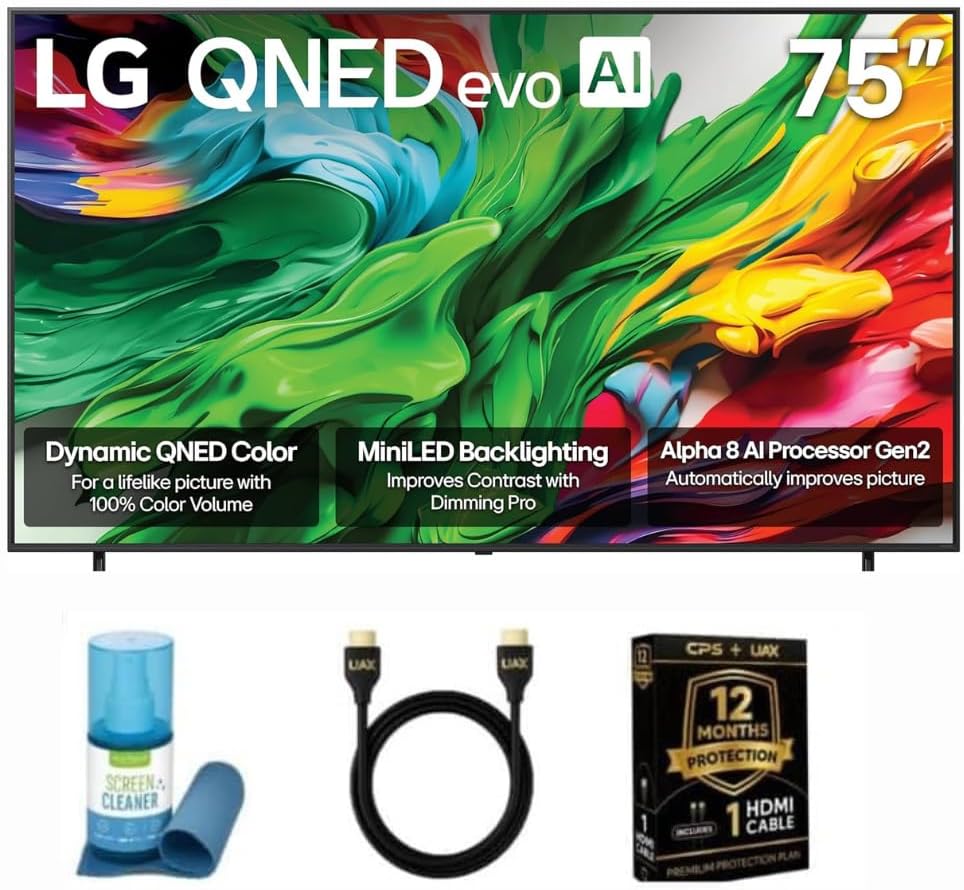
The LG 65 QNED85A combines Quantum Dot and Mini LED for vibrant precision. Rated 4.5 stars it delivers refined visuals for immersive gameplay.
We may earn a commission when you buy through this link, at no additional cost to you.
Mini LED local dimming boosts black depth. Alpha 8 AI processor optimizes sound and image. Game Optimizer provides easy access to VRR and ALLM.
Setup may be intricate due to advanced settings. Brightness handles bright rooms well but premium pricing limits budget appeal.
Choose this for high end users wanting color and contrast balance. It suits gamers needing reliable AI tuning and strong HDR.
Combines with NanoCell for accurate vivid colors across the DCI-P3 spectrum.
Provides one tap access to gaming features like VRR and auto low latency mode.
We may earn a commission when you buy through this link, at no additional cost to you.
Selecting a 120Hz TV requires balancing refresh rate with smart features and visual accuracy. This guide walks you through critical factors to ensure your purchase matches console capabilities.
Refresh rate determines how many frames per second the TV can display. 120Hz ensures smooth motion for next gen consoles like PS5 and Xbox Series X. Low input lag under 15 milliseconds is vital for responsive gameplay in competitive titles.
Look for HDMI 2.1 ports supporting 4K at 120Hz to avoid bottlenecks.
HDR formats like Dolby Vision and HDR10+ enhance contrast and color in supported games. Peak brightness affects how vivid HDR highlights appear especially in bright rooms. Aim for at least 600 nits for reliable HDR performance.
Higher brightness reduces glare and improves visibility during daylight gaming sessions.
Local dimming zones control backlight intensity across the screen for deeper blacks. Mini LED offers precise control with many zones while OLED delivers perfect blacks. Good contrast reduces halos around bright objects.
Check reviews for blooming issues if using OLED or Mini LED panels.
Variable Refresh Rate syncs the TV refresh rate with console output to prevent screen tearing. Auto Low Latency Mode switches to game mode automatically for reduced input lag. Both require HDMI 2.1 bandwidth.
Verify VRR compatibility with your console to ensure tear free gameplay.
Smart platforms like Google TV, Fire TV, or Roku streamline streaming apps and voice control. Gaming hubs consolidate cloud services and console apps in one place. Ease of navigation affects user experience.
Choose an OS you already use to simplify daily interaction.
QLED uses Quantum Dots for vivid color while OLED offers perfect blacks. Mini LED combines brightness with local dimming. Color accuracy ensures games look as developers intended.
Prioritize panels with wide color gamut coverage like DCI-P3 for rich visuals.
Built in speakers with Dolby Atmos create immersive sound without external devices. Check wattage and sound modes for gaming. External soundbars can replace audio if TV speakers lack depth.
Dolby Atmos support enhances dialogue clarity and positional audio in games.
Larger screens enhance immersion but require more space. 55 inch suits medium rooms while 65 inch fits larger spaces. Maintain proper distance to avoid eye strain.
Measure your room and viewing distance before selecting TV dimensions.
Connect your console to the HDMI 2.1 port labeled eARC or high speed. Enable Game Mode to minimize input lag. Check console settings to output 4K at 120Hz for best results.
Adjust brightness and contrast in game presets to match your room. For OLED or Mini LED, use ambient light sensors to prevent burn in. Keep firmware updated to support new features.
Use a surge protector for HDMI cables and power supply. Clean the screen gently with a microfiber cloth. Avoid placing direct sunlight on the panel to reduce glare and stress.
Next gen consoles like PS5 and Xbox Series X support 120Hz for high frame rate modes. A 120Hz TV ensures smooth gameplay and reduces motion blur. Lower refresh rates like 60Hz limit performance in supported titles.
Yes HDMI 2.1 provides the bandwidth needed for 4K at 120Hz. HDMI 2.0 caps at 4K60Hz. Check your TV ports to ensure full 120Hz support for next gen consoles.
Dolby Vision and HDR10+ deliver dynamic metadata for optimized brightness per scene. HDR10 works but is static. Most games support HDR10 while apps use Dolby Vision for streaming.
OLED offers perfect blacks and instant pixel response ideal for dark scenes. Mini LED provides higher peak brightness for HDR in bright rooms. Choose based on your room lighting preferences.
Enable Game Mode or Game Optimizer in settings to activate VRR. Ensure HDMI 2.1 is enabled for your console port. VRR syncs refresh rate to frame output reducing screen tearing.
For distances under 5 feet 55 inches works well. Over 5 feet consider 65 inches for immersion. Ensure your stand or wall mount supports the size and weight.
Not all 120Hz TVs guarantee low input lag. Check specs or reviews for lag under 15ms. Use Game Mode to disable processing that increases lag.
Modern TVs last 7 to 10 years with proper care. OLED panels risk burn in over time while Mini LED lasts longer. Update firmware to maintain performance.
The best 120Hz TVs combine high refresh rates with HDMI 2.1 features for responsive gameplay. Top picks like Hisense 65 U7 and TCL 55 T7 offer value across budgets.
Prioritize motion clarity, brightness, and input lag if competitive play matters. For home theaters, consider contrast and audio quality to match your room.
Prices and models change so verify current listings before buying. This guide equips you to find a TV that matches your console and viewing habits.