
Dexpt Charger Compatible with ASUS Laptop Round Port
4.4Editor score
Includes four detachable connectors
Six point five foot cord
LED power indicator included
This guide compares the top 10 ASUS Vivobook and Zenbook Power Cord options for 2026, featuring detailed specs, compatibility checks, and expert insights to
Finding the right power solution for your laptop is essential for maintaining productivity and device longevity. A reliable adapter ensures your device stays charged during travel or long work sessions without unexpected shutdowns.
We analyzed ten highly rated chargers based on compatibility, safety features, and user feedback. Each product was evaluated for its ability to meet the specific power requirements of various ASUS laptop models.
Each pick highlights key specifications and compatibility notes to simplify your decision. Prices and availability may change, so verify details before purchasing to ensure you get the best value for your needs.
4.4Editor score

4.4Editor score
4.8Editor score
This table provides a side-by-side comparison of all ten selected chargers, highlighting their output wattage, connector types, and warranty details to help you find the perfect match for your laptop model.


This Dexpt charger offers excellent value for users seeking a reliable replacement for standard ASUS laptops. It comes with a robust set of features that ensure compatibility across a wide range of VivoBook and ZenBook models.
We may earn a commission when you buy through this link, at no additional cost to you.
The standout feature is the inclusion of four different detachable round connectors, allowing you to find the perfect fit for your specific device. The LED indicator provides clear visual feedback on charging status.
While it lacks the extensive warranty of some premium options, the price point makes it an ideal spare charger or primary solution for budget-conscious buyers. The seven point five foot cord adds convenience for desk setups.
If you need a dependable power source for your daily driver laptop and want to save money without sacrificing performance, this charger is a strong contender. Check compatibility carefully before purchasing to ensure the right tip is included.
The four detachable tips ensure you can match the exact diameter and size required by your ASUS laptop, reducing the risk of purchasing the wrong accessory.
The built-in LED indicator lights up when the device is connected and charging, giving you immediate peace of mind that power is flowing correctly.
We may earn a commission when you buy through this link, at no additional cost to you.
The Powseed charger stands out for its comprehensive warranty and safety features, making it a trusted choice for daily use. It is designed to handle the power needs of most standard ASUS laptops effectively.
We may earn a commission when you buy through this link, at no additional cost to you.
With four interchangeable DC barrel tips, it supports various models including VivoBook and ZenBook series. The unit is FCC and CE certified, ensuring it meets strict safety standards for electrical devices.
Users appreciate the durability of the cord and the plug, which often lasts longer than competitors. The two year warranty adds significant value and confidence in the product's longevity over time.
For anyone looking for a reliable daily driver that balances cost and durability, this is an excellent option. It is particularly well suited for students or professionals who need consistent power throughout the day.
The two year manufacturer warranty provides extended peace of mind compared to standard one year offerings, protecting your investment against defects.
Built-in short circuit protection and international certifications ensure your laptop remains safe from voltage spikes or overheating during operation.
We may earn a commission when you buy through this link, at no additional cost to you.
This premium 90W charger is designed for modern ASUS laptops that support USB C charging, offering significantly faster power delivery than standard adapters. It is ideal for users who need to recharge quickly between meetings.
We may earn a commission when you buy through this link, at no additional cost to you.
The USB C port ensures universal compatibility with a wide range of devices beyond just ASUS, making it a versatile travel companion. It supports high wattage output necessary for newer OLED and high performance models.
Safety mechanisms like overvoltage and overcurrent protection are built in to safeguard expensive hardware. The high user rating reflects satisfaction with its reliability and efficiency during long term use.
If your laptop supports USB C power delivery and you demand fast charging speeds, this adapter is a worthy investment. It future proofs your setup and ensures you have the power needed for demanding tasks.
Delivering up to 90 watts, this charger significantly reduces recharge time for compatible laptops, ensuring you spend less time plugged into the wall.
The USB Type C interface allows you to use a single charger for multiple devices, simplifying your tech setup and reducing cable clutter.
We may earn a commission when you buy through this link, at no additional cost to you.
The Superer charger is a robust option for standard ASUS devices, offering a balance of power and convenience. It includes multiple switchable connectors to fit various laptop models within its supported range.
We may earn a commission when you buy through this link, at no additional cost to you.
Its wide voltage input range makes it suitable for international travel, allowing you to use it across different power grids without additional converters. The two year warranty further supports its claim of durability.
Users note that it works well for everyday computing tasks and keeps devices charged during long sessions. The design is compact enough to fit easily into a backpack or laptop bag.
This charger is a great choice for users with standard VivoBook or ZenBook models who want a reliable power source. Always verify your specific model compatibility to ensure the connectors fit perfectly.
The ability to accept voltage from 100 to 240 volts means you can use this charger anywhere in the world without worrying about power compatibility issues.
Its small form factor ensures it takes up minimal space in your bag, making it a hassle-free addition to your daily carry essentials.
We may earn a commission when you buy through this link, at no additional cost to you.
This charger targets newer ASUS models that require higher wattage power delivery via USB C. It supports up to 90W, ensuring that even power hungry devices get the energy they need to perform.
We may earn a commission when you buy through this link, at no additional cost to you.
The unit is fully certified by major safety organizations, providing assurance that it meets rigorous industry standards. It lists specific part number compatibility which helps users confirm fit before buying.
It is particularly useful for those with OLED screens or newer ZenBook models that draw more power. The inclusion of customer service support adds an extra layer of reliability for post purchase issues.
If you have a newer device demanding higher power output, this is a strong candidate to consider. Ensure your model requires a Type C input and matches the listed part numbers for best results.
With a maximum output of 90 watts, this charger can handle demanding workloads without throttling performance due to power limitations.
FCC, CE, and RoHS certifications guarantee that the charger is built to strict environmental and safety regulations for consumer electronics.
We may earn a commission when you buy through this link, at no additional cost to you.
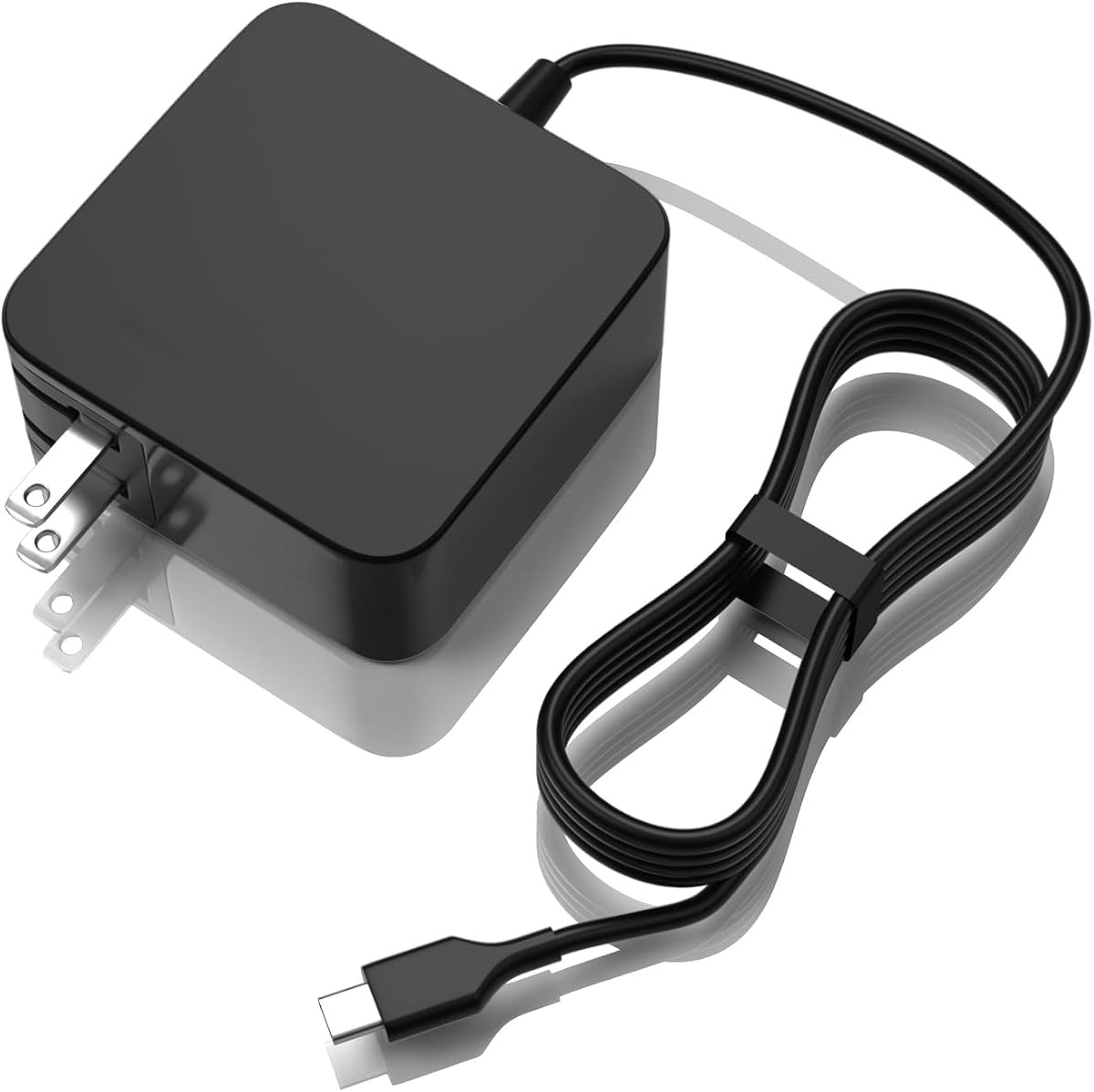
This AC adapter offers significant flexibility with its wide voltage output, making it suitable for a variety of devices including Chromebooks and ZenBooks. The foldable plug design is a thoughtful touch for travel convenience.
We may earn a commission when you buy through this link, at no additional cost to you.
Users appreciate the built-in cable tie which helps keep the cord organized when not in use. This prevents tangling and extends the life of the cable by reducing stress on the connector.
It supports devices needing between 33W and 65W, covering a wide range of ASUS laptop requirements. The certification standards ensure that it is safe for daily use without risk of electrical issues.
For users who frequently travel and need a compact charger that is easy to pack, this is an excellent choice. The foldable plug prevents scratching other items in your bag.
The foldable plug eliminates the need to carry separate protective cases, saving space and protecting other items from scratches in your bag.
An included core tie allows you to neatly wrap the cable, preventing knots and keeping your workspace or bag tidy.
We may earn a commission when you buy through this link, at no additional cost to you.
The Nicpower charger is a straightforward solution for those needing a reliable replacement for a wide array of ASUS models. It focuses on compatibility with standard round port devices across various series.
We may earn a commission when you buy through this link, at no additional cost to you.
It explicitly lists supported models, making it easy to check before purchasing. The consistent power output ensures your laptop receives a stable voltage regardless of how long you use it.
Users have found it to be a cost effective way to replace a broken or lost original charger. It performs well for daily office tasks and study sessions without overheating.
If you own a standard round connector laptop and want a proven alternative to the manufacturer part, this is a strong option. Always measure your port before ordering to ensure the tip size matches.
The product page clearly lists supported models, allowing you to quickly verify if this charger fits your specific ASUS laptop without guessing.
Providing a steady 19 volts ensures your device charges efficiently and maintains performance levels during intensive tasks.
We may earn a commission when you buy through this link, at no additional cost to you.
Designed specifically for devices needing lower wattage, this 45W charger is ideal for entry level laptops and certain ZenBook models. It offers a stable power source that prevents unexpected shutdowns during light use.
We may earn a commission when you buy through this link, at no additional cost to you.
The tip size is clearly defined at 4.0mm, making it easy to confirm compatibility with older models. The six foot cable provides enough reach for a desk setup without being cumbersome.
Users appreciate the space-saving foldable plug, which simplifies packing and storage. It is a practical solution for those who need a backup charger at home or in the office.
This charger is best suited for laptops that specifically require 45W input. Check your device requirements carefully to ensure this lower wattage meets your power needs effectively.
The 4.0mm outer diameter is clearly stated, reducing the guesswork when selecting a replacement charger for your specific device.
The foldable wall plug design helps protect other items in your bag from scratches and keeps the charger compact for travel.
We may earn a commission when you buy through this link, at no additional cost to you.
This Dexpt model offers a straightforward and reliable solution for standard ASUS laptops. It provides a solid 65W output that is compatible with most non gaming models.
We may earn a commission when you buy through this link, at no additional cost to you.
The package includes three different connector sizes, which increases the likelihood of finding the right fit immediately. This reduces the hassle of returns and exchanges common with single tip chargers.
Users find it to be a dependable option for both home and office use. The design is minimal and functional, focusing on delivering power without unnecessary frills.
If you need a quick replacement for a broken original charger, this is a strong contender. Always test the connectors upon arrival to ensure you have the correct one for your device.
The inclusion of three connector sizes increases compatibility chances, allowing you to test and select the best fit quickly.
Delivering 65 watts ensures your device charges at a normal speed without overloading the battery or the charger itself.
We may earn a commission when you buy through this link, at no additional cost to you.
The EERSY charger stands out with its extended eight point eight foot cord, offering exceptional reach for users with distant power outlets. It supports a vast range of ASUS models across various series.
We may earn a commission when you buy through this link, at no additional cost to you.
It is designed to handle different socket types, ensuring that you have a versatile solution for multiple devices. The high user rating reflects its consistent performance and build quality.
Users appreciate the extra cable length for flexible desk arrangements without needing extension cords. It is a solid choice for home offices where outlets are rarely close to the desk.
For those who need maximum flexibility and compatibility, this charger delivers. Just ensure the cable length is suitable for your specific environment to avoid clutter or tripping hazards.
The 8.8 foot cord provides significant reach, allowing you to place your device far from the wall without using extra extensions.
Supporting multiple socket types makes this adapter a versatile option for households with different ASUS devices.
We may earn a commission when you buy through this link, at no additional cost to you.
Selecting the right charger involves understanding your laptop's power requirements and the type of connector it uses. This guide breaks down the essential factors to help you make an informed decision.
Your laptop needs a specific amount of power to function correctly. For most standard Vivobook and Zenbook models, a 65W charger is sufficient. However, newer OLED or high performance models may require 90W to function optimally. Using a charger with lower wattage can lead to slow charging or inability to charge under heavy load.
Always match or exceed the original wattage rating on your device to ensure stable performance and safe charging cycles.
ASUS laptops use both barrel connectors and USB Type C ports. Older models typically use a round barrel plug with specific diameters like 4.0mm or 5.5mm. Modern laptops often rely on USB C for universal connectivity. Check your current plug or device port to confirm the correct size.
Verify the tip dimensions against your device port to prevent compatibility issues that could damage the connector.
Voltage must match exactly to avoid damaging your laptop circuitry. Most devices require 19V for barrel connectors or 20V for USB C. Amperage can vary but usually ranges from 3.42A to 4.5A depending on wattage. Higher amperage chargers are generally safe as the laptop draws only what it needs.
Ensure voltage matches your device specs while selecting an amperage that meets or exceeds your original charger's rating.
Look for chargers that carry FCC, CE, and RoHS certifications. These indicate that the product meets strict safety standards regarding electrical performance and environmental impact. Quality chargers also include protection against short circuits, overheating, and overvoltage to safeguard your device.
Choose only certified products to ensure safe and reliable power delivery without risking hardware damage.
Cord length varies from 5 to 9 feet. A longer cord offers flexibility for desk setups where outlets are far away, while a shorter one is more portable for travel. Consider your typical environment when selecting a length that suits your needs.
Pick a cord length that balances convenience for your workspace with ease of transport for on the go use.
Warranty periods typically range from one to two years. A longer warranty indicates manufacturer confidence in product durability and quality. It also provides financial protection if the charger fails prematurely due to defects.
Prioritize products with at least a one year warranty to ensure support if issues arise during regular use.
Check user feedback for common issues like overheating or plug fit. High ratings suggest reliable performance over time. Look for recent reviews to ensure the product quality remains consistent with current manufacturing standards.
Use customer experiences to gauge real world reliability and any potential quirks specific to the product.
Prices vary based on features and brand reputation. While budget options are attractive, ensure they meet safety standards. Premium models might offer faster charging or better durability which justifies a higher cost.
Balance cost with features to find a charger that offers long term value without compromising on safety or compatibility.
Always plug the charger into a stable power outlet before connecting it to your laptop. This prevents voltage spikes from damaging the device. Ensure the connection is snug and secure to avoid intermittent charging issues.
Keep the cord away from sharp edges and high traffic areas to prevent wear and tear. If the cable becomes damaged, stop using it immediately to avoid electrical hazards. Store the charger in a cool dry place when not in use.
Regularly inspect the connectors for debris or dust. Use a dry cloth or compressed air to clean the ports gently. Over time, debris can affect the connection quality and charging speed.
Yes, using a charger with higher wattage than required is generally safe. The laptop will only draw the power it needs. However, ensure the voltage and connector type match exactly to prevent compatibility issues.
Measure the outer diameter of your current charger tip or refer to your laptop manual. Most models use specific sizes like 4.0mm or 5.5mm. Compare this to the product description before purchasing to ensure a proper fit.
Modern laptops have built-in mechanisms to stop charging once full. However, unplugging when not needed saves energy and reduces wear on the battery. Quality chargers also have protection against overheating.
Some warmth is normal during use, but excessive heat is a warning sign. If the charger feels too hot to touch, disconnect it immediately. This could indicate a fault in the charger or poor ventilation.
Most recent models do use USB C for charging, but some older or specific variants may still use barrel plugs. Check your device's port type and specifications before purchasing a replacement charger.
This could be due to a mismatch in voltage, tip size, or a faulty port. Ensure the charger specs match your device requirements. If problems persist, try a different outlet or contact customer support.
Finding the right power cord ensures your laptop stays ready for work or play. The options reviewed offer a range of features from standard 65W to fast 90W USB C charging for diverse needs.
Prioritize compatibility and safety certifications to protect your device. A reliable charger prevents interruptions and extends the life of your laptop during daily use.
Always verify current availability and pricing before buying to ensure you get the best deal. This guide serves as a reliable starting point for your next power purchase.