
BOSGAME E4 Air Mini PC
4.2Editor score
Affordable Ryzen 5 3500U
Triple 4K Display Support
Compact and Quiet Design
Compare the top 10 Linux Mini Pcs for performance, features, and value to find the perfect compact desktop for your computing needs today.
Linux Mini Pcs offer a powerful alternative to traditional desktops for users seeking efficiency and open-source flexibility. These compact devices deliver robust performance while occupying minimal desk space. They are ideal for developers, hobbyists, and professionals who value privacy and customization in their daily computing workflows.
We evaluated ten top models based on processor power, memory capacity, storage options, and connectivity features. Our analysis focuses on real-world usability for Linux distributions and open-source software. Each product was selected to represent diverse needs from budget-friendly home use to high-performance business deployments.
Each pick highlights specific strengths including pre-installed operating systems, expandability, and thermal design. You will find detailed breakdowns of pros cons cons for every option. Please note that availability and pricing may vary over time so check current listings before purchasing.
4.2Editor score

4.5Editor score

4.8Editor score
The following table provides a side-by-side comparison of all ten featured models. It highlights key specifications including processor type, memory capacity, storage options, and display capabilities. Use this overview to quickly identify which device aligns with your performance and budget requirements.


The TK Node Mini PC stands out as a top choice for users seeking a reliable Linux experience out of the box. It arrives with Zorin OS Core pre-installed, ensuring a seamless transition from Windows while maintaining open-source benefits. This model is engineered for continuous operation making it ideal for home servers or development workstations.
We may earn a commission when you buy through this link, at no additional cost to you.
Its AMD Ryzen R2314 processor paired with upgradable memory and storage slots provides substantial room for growth. You can install up to 64GB of RAM and combine two NVMe drives totaling four terabytes. This flexibility ensures the device remains relevant as your workload expands over time without needing replacement hardware.
While the initial cost may be higher than some generic options the US-based quality control and limited warranty offer peace of mind. Users report smooth performance for virtualization and container workloads. The trade-off is a need to manually upgrade components initially but the long-term reliability justifies the effort for professional users.
This mini PC is best suited for developers and IT professionals who value stability and support. If you need a machine that boots ready for Linux development or server tasks this TK Node model delivers exceptional value. We recommend it for anyone prioritizing pre-configured ease and expandable power.
Zorin OS Core provides a familiar desktop layout that reduces setup time and learning curves for new Linux users.
Dual NVMe slots allow RAID configurations or massive storage pools without sacrificing system performance speed.
We may earn a commission when you buy through this link, at no additional cost to you.
The Beelink SER3 Mini PC offers impressive multitasking capabilities thanks to its 16GB DDR4 memory configuration. This makes it suitable for users who run multiple applications simultaneously such as browsers code editors and communication tools. The AMD Ryzen 3 3200U processor ensures smooth performance for everyday computing tasks without excessive power consumption.
We may earn a commission when you buy through this link, at no additional cost to you.
Its dual HDMI ports allow for efficient multi-monitor setups which is valuable for productivity and creative work. The integrated Radeon Vega 3 graphics provide sufficient power for light gaming and media playback. Beelink supports this product with lifetime technical assistance ensuring long-term usability even as software requirements evolve.
While the architecture is older it remains competent for general productivity and server applications. The only limitation is that RAM can only be upgraded to 32GB which may be restrictive for heavy virtualization. However for most users the balance of performance and price makes it a compelling option.
We recommend this model for small business users and home office setups needing reliable multi-tasking power. It performs well for network services and general computing without requiring frequent updates. If you need a sturdy workhorse for daily tasks this SER3 delivers consistent results.
Dual HDMI outputs enable side-by-side workspace expansion for better workflow efficiency and task management.
The processor architecture balances performance with low power draw reducing electricity costs and heat output.
We may earn a commission when you buy through this link, at no additional cost to you.
The ASUS NUC 14 Pro Mini Desktop represents the pinnacle of compact Linux computing power. With an Intel Ultra 7 155H processor and 64GB DDR5 RAM it handles complex workloads like AI model training and high-end development effortlessly. Linux Mint comes pre-installed offering a stable and secure environment for professionals.
We may earn a commission when you buy through this link, at no additional cost to you.
Its advanced cooling system ensures silent operation even during intensive 24/7 usage. This makes it ideal for office environments where noise levels matter. The Thunderbolt 4 ports provide incredible connectivity speed for external drives and high-resolution displays enabling seamless expansion of your workspace.
The high price reflects its premium build quality and performance capabilities. Users seeking top-tier specs for heavy professional work will find the value is justified. While most will not need to upgrade memory the system remains highly configurable for storage needs beyond the included two terabytes.
This model is best for power users and enterprises requiring robust hardware for critical tasks. If you need a desktop replacement that handles enterprise workloads in a small form factor this NUC is unmatched. We recommend it for developers and AI researchers needing uncompromised speed.
The Intel Ultra 7 chip delivers 16 cores for parallel processing speeds essential for modern development workflows.
Thunderbolt 4 allows ultra-fast data transfer and connection to 8K displays for future-proof connectivity options.
We may earn a commission when you buy through this link, at no additional cost to you.
The Beelink Mini S12 Pro is a stellar entry-level option for office productivity and light server tasks. Its Intel N100 processor is incredibly efficient consuming only 6 watts while delivering smooth performance for web browsing and document editing. The 16GB RAM ensures enough headroom for multitasking without lag.
We may earn a commission when you buy through this link, at no additional cost to you.
Dual HDMI 4K support allows for dual monitor setups which are essential for many home office workflows. The unit also supports AV1 decode making it great for modern media streaming. Its small footprint and silent cooling make it unobtrusive on any desk or mounting surface.
While it is not suitable for heavy gaming or 3D rendering it excels at its intended purpose. The single RAM slot means you are capped at 16GB but for typical office workloads this is sufficient. The price point makes it accessible for budget-conscious buyers who still want quality hardware.
We recommend this for small businesses and students needing a reliable desktop replacement. It is perfect for network terminals or digital signage projects. If you prioritize energy efficiency and cost-effectiveness the Mini S12 Pro delivers excellent daily performance without compromise.
The N100 chip provides modern instruction sets while maintaining ultra-low power draw for silent operation.
Support for AV1 decoding ensures smooth playback of high-resolution video content from modern streaming services.
We may earn a commission when you buy through this link, at no additional cost to you.
The KAMRUI Pinova P2 excels at multi-monitor setups with its triple 4K display support. This is perfect for professionals managing multiple screens for trading monitoring or creative design. The integrated AMD Radeon graphics ensure smooth rendering across all three outputs without stuttering or lag.
We may earn a commission when you buy through this link, at no additional cost to you.
Powered by the Ryzen 7 3300U it offers robust processing power for daily tasks. The fast single-core speed makes applications feel responsive and snappy. Its cooling system remains remarkably quiet even under heavy load ensuring a comfortable environment for focused work without distracting noise.
The main limitation is the starting storage capacity which may require an SSD upgrade for heavy users. Additionally the RAM is soldered so you must ensure 16GB meets your long-term needs. However the display capabilities and general speed make it a unique offering in the market.
We recommend this for users who need extensive screen real estate in a compact package. It is ideal for command centers or complex data visualization tasks. If you require triple monitor support the Pinova P2 stands out as a reliable and efficient solution.
HDMI DP and USB-C ports combine to offer flexible connection options for various monitor types and setups.
High single-core clock speeds ensure everyday applications launch quickly and respond instantly to user input.
We may earn a commission when you buy through this link, at no additional cost to you.
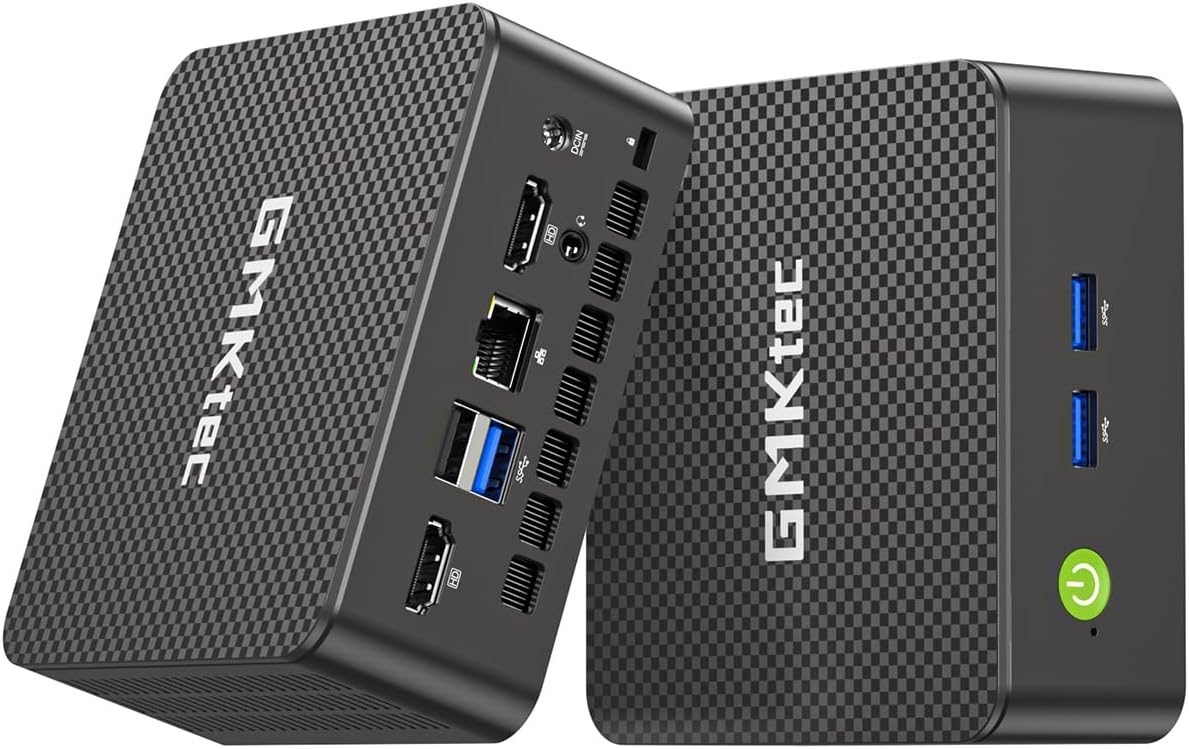
The GMKtec G11 is tailored for network enthusiasts and home lab builders. Its dual 2.5GbE Ethernet ports enable high-speed networking scenarios like firewalling or NAS routing. This feature makes it superior to many standard mini PCs that typically offer only a single gigabit port.
We may earn a commission when you buy through this link, at no additional cost to you.
The Ryzen Embedded R2514 processor delivers strong performance for the price especially with dual channel memory support. This configuration maximizes bandwidth for both system memory and integrated graphics. Users can run virtual machines and containers efficiently without worrying about network bottlenecks.
While the chassis is simple it effectively handles thermal loads for continuous operation. The graphics capabilities are surprisingly strong supporting three 4K displays which is rare at this price point. For networking and virtualization specifically this model offers hardware advantages that justify its selection.
We recommend this for advanced users building a home lab or network security appliance. It is excellent for pfSense or Proxmox deployments. If you need dual high-speed LAN ports the G11 is a specialized tool that meets that specific requirement perfectly.
Dual 2.5GbE ports allow complex network segregation and higher throughput for home server applications.
Dual channel memory doubles bandwidth to the GPU which significantly improves graphical performance and multitasking.
We may earn a commission when you buy through this link, at no additional cost to you.
The CyberGeek Mini PC Gaming brings a powerful 8-core processor to the mini PC form factor. This is ideal for rendering video encoding or running many virtual machines at once. The 32GB RAM ensures you have enough memory for complex development environments or heavy multitasking without bottlenecks.
We may earn a commission when you buy through this link, at no additional cost to you.
It supports triple 4K displays making it suitable for immersive monitoring or multi-screen workflows. The dual LAN ports provide flexibility for networking tasks similar to enterprise hardware. Its performance rivals larger desktops for specific workloads due to the high clock speeds and core count.
The trade-off is increased power usage compared to entry-level chips. You may notice higher heat output when running intensive tasks which requires adequate ventilation. For users prioritizing raw CPU power in a small box this model offers capabilities that are hard to find elsewhere.
We recommend this for power users and developers needing significant computational resources. It is great for compiling code or rendering media on a budget. If you need a small but powerful workstation the CyberGeek provides strong performance in a compact chassis.
The 16-thread CPU allows parallel processing of heavy tasks like video encoding and data compilation.
Dual LAN ports enable network bridging and advanced routing setups for virtual machines and containers.
We may earn a commission when you buy through this link, at no additional cost to you.
The BOSGAME E5 Mini PC combines solid productivity with networking versatility. It features dual 2.5GbE LAN ports which are excellent for home server applications or network security appliances. The 16GB DDR4 RAM supports fluid multitasking for daily office tasks and software development.
We may earn a commission when you buy through this link, at no additional cost to you.
Its full-function Type-C port allows for video output and fast data transfer which adds to its connectivity versatility. The cooling system operates quietly even during heavy use making it suitable for living room or office placements. Dual M.2 slots allow for significant storage expansion if needed.
While the Wi-Fi is standard rather than the latest generation the wired network capabilities make up for it in server scenarios. The unit is reliable and easy to expand which extends its useful life. It is a practical choice for those who need both desktop and server capabilities.
We recommend this for home lab enthusiasts and network administrators. It performs well as a lightweight server or firewall appliance. If you need dual high-speed LAN ports in a mini PC the E5 offers reliable performance and expandability.
Dual 2.5G LAN and dual M.2 slots allow high throughput for data and network traffic simultaneously.
The full-function Type-C supports high-speed data and video output for flexible desk configurations.
We may earn a commission when you buy through this link, at no additional cost to you.
The BOSGAME E4 Air Mini PC is one of the most affordable options on this list. Despite its low price it offers triple 4K display support and dual LAN ports which are usually reserved for higher-end models. This makes it a surprising choice for users needing multiple screens or network redundancy.
We may earn a commission when you buy through this link, at no additional cost to you.
The Ryzen 5 3500U processor handles daily computing tasks smoothly including web browsing and light media editing. Its integrated graphics provide decent performance for video playback and basic applications. The quiet cooling ensures it remains a good fit for home use or quiet office environments.
The trade-offs include only 8GB of RAM and slower SATA storage compared to NVMe drives. Users may find memory limits if they run too many applications simultaneously. Upgrading RAM and storage later can mitigate this making it a good starting point for budget projects.
We recommend this for students or budget home offices needing essential features. It is excellent for media centers or digital signage. If you need a basic triple monitor setup the E4 Air offers impressive value for the money.
Three independent video outputs allow complex visual workflows without needing expensive desktop towers.
Dual LAN ports allow network segmentation and redundancy even on this budget-friendly model.
We may earn a commission when you buy through this link, at no additional cost to you.
The GMKtec G3S Mini PC is a great option for basic web browsing and document editing. It uses the Intel N95 processor which offers improved performance over previous low-power chips. This efficiency makes it perfect for light computing tasks while keeping power consumption low.
We may earn a commission when you buy through this link, at no additional cost to you.
It supports dual 4K displays allowing for efficient multitasking across two screens. The integrated graphics are capable of handling HD video streaming without issues. Its compact design makes it easy to hide behind a monitor or fit in small spaces.
While it is not suitable for heavy software development or virtualization it excels at its core tasks. Users looking for a simple and reliable machine will appreciate its performance and ease of use. It is an ideal secondary computer for guest use or light browsing.
We recommend this for general home use and basic office tasks. It offers solid performance for everyday computing without unnecessary complexity. If you need a simple and efficient machine the G3S provides reliable functionality at a reasonable cost.
AV1 decoding support ensures smooth playback of high-resolution video content from streaming services.
The N95 chip balances speed and low power draw for silent and efficient daily operation.
We may earn a commission when you buy through this link, at no additional cost to you.
Selecting the right Linux Mini PC requires evaluating several key factors to ensure the device meets your specific computing needs. This guide helps you compare processors memory and connectivity features effectively.
The processor determines how fast your system runs and how many applications it can handle simultaneously. High-end options like Intel Ultra 7 or AMD Ryzen 7 provide substantial power for development and virtualization whereas budget chips like N100 are better for basic web browsing. Consider your typical workload to decide if you need top-tier performance or efficiency is more important.
For most users a mid-range processor offers the best balance of speed and power consumption. If you plan to run servers or multiple virtual machines prioritize models with higher core counts and modern architecture.
Memory capacity is crucial for multitasking and running resource-intensive applications efficiently. Look for models with 16GB RAM as a standard minimum to avoid bottlenecks in daily use. Storage type also matters as NVMe SSDs provide significantly faster boot and load times compared to SATA drives or traditional hard disks.
Ensure the model allows for expansion so you can upgrade components as your needs grow. Check for available slots for RAM and hard drives to maximize the longevity of your purchase and reduce future replacement costs.
If you work with multiple monitors verify that the mini PC supports the number of displays you need. Many models support dual 4K screens but fewer offer triple display outputs which are valuable for productivity. Check the available ports like HDMI DisplayPort and USB-C to ensure compatibility with your existing monitors.
Triple display support can significantly boost productivity for tasks like coding data monitoring or design work. Confirm the specific ports on the model you choose before buying to avoid adapter hassles later.
Most Linux Mini PCs come with Windows but many support open-source operating systems out of the box. Some models like the TK Node and ASUS NUC offer pre-installed Linux distributions which simplify setup. Ensure the hardware is compatible with your preferred Linux flavor for drivers and performance.
Pre-installed Linux saves time and ensures compatibility right out of the box. If you prefer to install the OS yourself check community forums for hardware compatibility and driver support.
Networking features are vital for users who plan to run home servers or network security appliances. Dual LAN ports allow for complex setups like firewalls and routing which are not possible with single-port units. Ensure the Ethernet speed matches your internet plan to avoid bottlenecks in data transfer.
Look for models with Gigabit or 2.5GbE ports for modern high-speed network requirements. Advanced users building virtual labs will benefit from multiple Ethernet connections for testing and isolation.
Since mini PCs are compact they can generate heat which affects performance and longevity. Efficient cooling systems ensure that the device remains quiet even under load. Low power processors also reduce electricity costs and heat output making them ideal for 24/7 operation like in home offices.
Check reviews for fan noise levels and heat management when selecting a model. Silent operation is key for professional environments where distraction-free focus is necessary.
The variety and speed of available ports determine how you connect peripherals like storage drives and printers. Models with USB 3.2 and Thunderbolt 4 offer fast data transfer speeds essential for external storage and high-resolution displays. Verify the number of ports to ensure you do not need excessive hubs.
High-speed USB-C ports are particularly useful for docking stations and modern accessories. Adequate port selection simplifies your workspace setup and improves workflow efficiency.
Prices vary widely from budget options under two hundred dollars to premium models costing nearly two thousand. Determine your budget range and compare the features offered at that price point to find the best value. Remember that higher initial cost often translates to better build quality and support.
Investing in a slightly more expensive model can pay off in reliability and performance over time. Focus on long-term value rather than the lowest upfront price to get a durable computing solution.
To get started with your Linux Mini PC connect the power adapter and attach the peripherals such as keyboard and mouse. Most models support HDMI or DisplayPort for monitors and use standard USB ports for input devices. Ensure all connections are secure before powering on the system.
Once the device boots up follow the on-screen setup instructions for your Linux operating system. You may need to configure network settings and install updates to ensure the system is secure and current. Many models come with pre-installed software that simplifies this initial process.
Regular maintenance involves keeping the vents clear of dust to prevent overheating during use. Use compressed air to clean the exterior and internal vents periodically. This ensures your mini PC remains efficient and extends its lifespan for years of reliable operation.
Yes most mini PCs listed are fully compatible with popular Linux distributions such as Ubuntu Zorin OS and Linux Mint. Many models like the TK Node and ASUS NUC even come with Linux pre-installed for immediate use. Ensure you check driver support for specific hardware like Wi-Fi and graphics if installing manually.
Many models support upgrades for RAM and storage but some have limits. For example some units allow RAM expansion up to 64GB while others are soldered. Check specific specifications for each model to confirm upgrade capabilities before purchasing to ensure future flexibility.
Most models support dual 4K displays and some high-end options like the KAMRUI Pinova P2 support triple 4K outputs. The exact number depends on available ports like HDMI and USB-C. Verify your model's connectivity to ensure it meets your multi-monitor requirements.
No several models come with pre-installed Linux systems ready to use out of the box. Others may ship with Windows but allow easy installation of Linux. You should confirm the OS status before purchase to avoid needing to install one yourself.
To set up a home server install a server-friendly Linux distribution and configure your network settings. Ensure the model has adequate RAM and storage for your data needs. Dual LAN ports on some models allow advanced routing and firewall capabilities for robust home networks.
Basic video editing is possible on models with mid-range processors but heavy 4K editing requires high-end specs like the ASUS NUC 14 Pro. Check the CPU and GPU capabilities to ensure smooth performance. For professional work opt for models with better graphics and more memory.
Warranty terms vary by manufacturer but many offer between one and three years of coverage. Beelink for example offers lifetime technical support with a three-year warranty. Always check the specific warranty details in the product description before buying to understand your protection.
Yes many models support virtualization and Docker containers effectively. Look for units with at least 16GB RAM for best performance. Advanced networking features in models like the GMKtec G11 make them ideal for running virtual machines and network containers.
We have reviewed ten of the best Linux Mini Pcs available in November 2026 covering a range of performance levels and budgets. The TK Node Mini PC stands out for its pre-installed Linux and US support while the ASUS NUC 14 Pro offers premium power for professionals.
When choosing a model prioritize your specific needs such as memory capacity display support and networking features. Whether you need a budget-friendly option for home office tasks or a robust machine for development there is a suitable device for everyone on this list.
Please remember to check current prices and availability as these can fluctuate regularly. We hope this guide helps you find the perfect compact computer for your workflow. Happy shopping and enjoy the freedom of Linux on a powerful mini PC.