
MSI B550M PRO-VDH WiFi
4.5Editor score
Wi-Fi and Bluetooth
DDR4 Memory Boost
Core Boost Tech
This guide compares top AMD B350 motherboards for Ryzen builds. Find the best options for gaming, budget, and performance with detailed specs and expert
Choosing the right motherboard is critical for any AMD Ryzen build. A solid board ensures stability, connectivity, and future upgradability for your system.
We evaluated ten top models based on features, ratings, and user feedback. This list covers various form factors and price points to suit different needs.
Each pick highlights key strengths and potential trade-offs. Note that prices and availability fluctuate frequently, so check current listings before buying.
4.5Editor score

4.4Editor score

4.6Editor score
Here is a side-by-side comparison of all ten featured motherboards. Review their key specifications to find the perfect match for your Ryzen system.
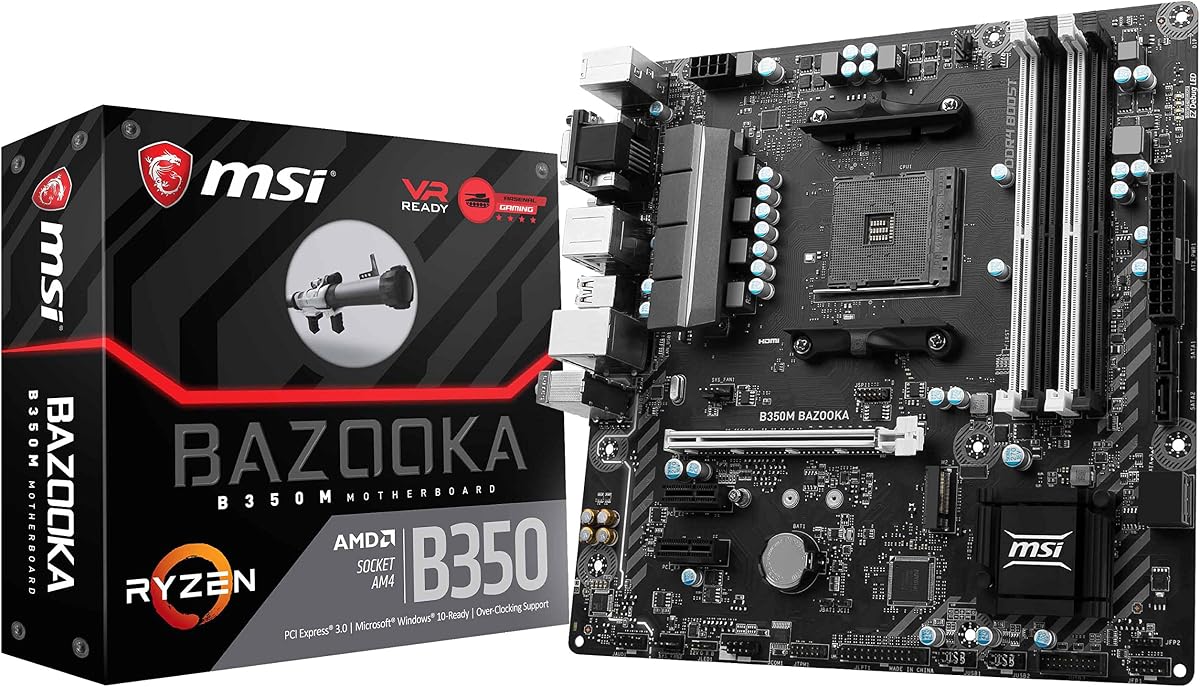

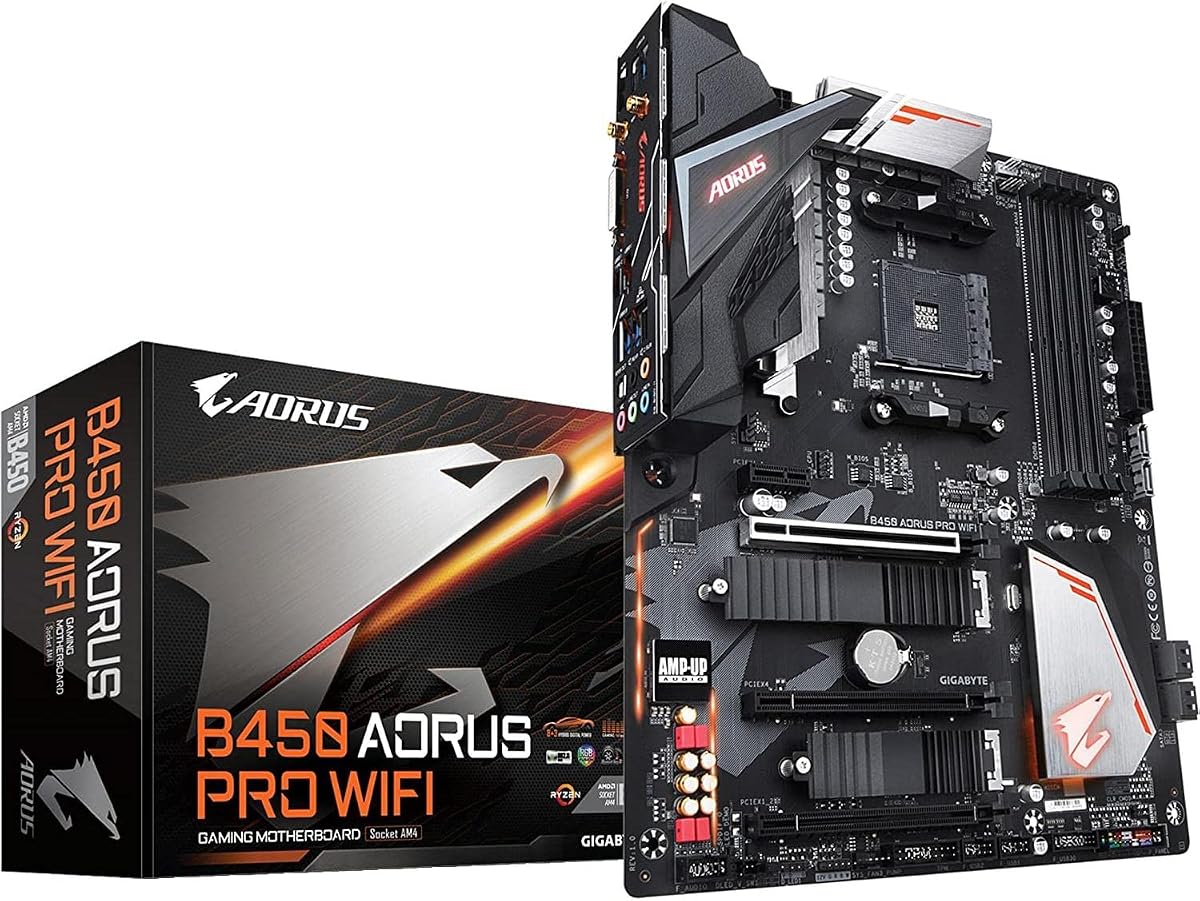



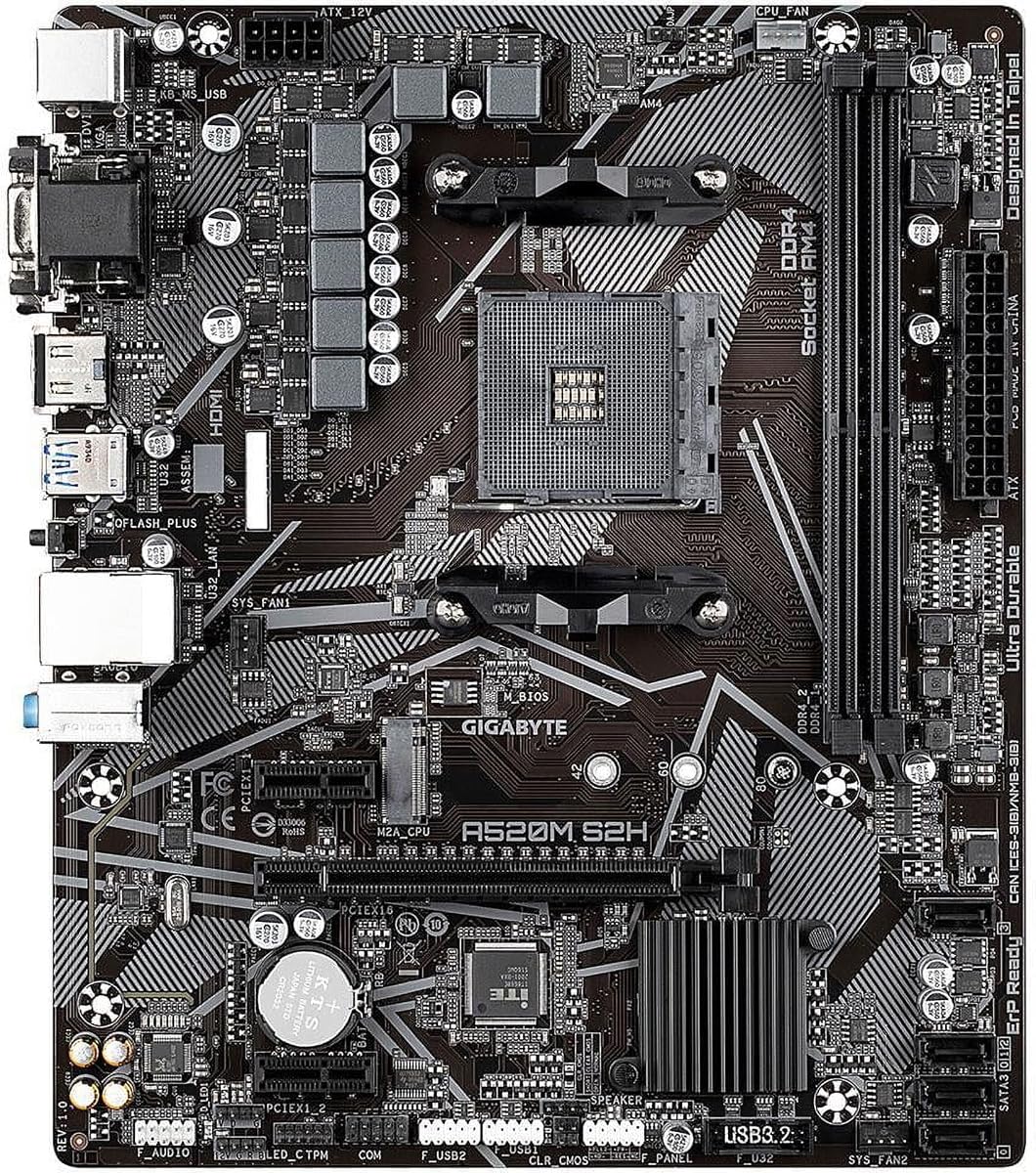
The MSI Gaming B350 is an entry-level micro-ATX board designed for AMD Ryzen processors. It holds a 3.9-star rating reflecting mixed user experiences with basic features.
We may earn a commission when you buy through this link, at no additional cost to you.
It supports DDR4 memory overclocking up to 3200MHz and includes VR Ready technology for smoother gaming performance. The EZ Debug LED helps troubleshoot boot issues quickly.
While functional, the lower rating suggests potential reliability or feature limitations compared to newer models. It is best for budget builds where cost is the primary concern.
Buy this if you need a basic AM4 socket board for older Ryzen chips without extra bells and whistles.
Includes optimized audio and connectivity for virtual reality headsets.
LED indicators simplify diagnosing RAM or CPU errors.
We may earn a commission when you buy through this link, at no additional cost to you.
The ASUS Prime B350-Plus stands out as the most reliable B350 board available. With a 4.4-star rating, it offers robust protection features and solid connectivity.
We may earn a commission when you buy through this link, at no additional cost to you.
It includes a dedicated M.2 slot for fast NVMe storage and SafeSlot Core for heavy GPU protection. FanXpert 2+ ensures optimal cooling for your components.
As an older chipset, it lacks some modern USB Gen 2 speeds found on B450 or B550 boards. However, it remains a stable choice for standard Ryzen builds.
Choose this for a balanced mix of reliability, protection, and value for AM4 systems.
5X Protection III ensures long-term component longevity.
FanXpert 2+ manages fan speeds for efficiency.
We may earn a commission when you buy through this link, at no additional cost to you.
The ASUS Prime B450M-A is a compact micro-ATX board with an impressive 4.6-star rating. It combines solid build quality with modern USB connectivity options.
We may earn a commission when you buy through this link, at no additional cost to you.
It supports USB 3.1 Gen2 for faster data transfer and includes an Aura Sync RGB header for customization. Corporate Stable Model ensures long lifecycle support.
The small form factor limits expansion slots compared to ATX boards. This trade-off is acceptable for small form factor builds prioritizing size.
Select this for compact gaming PCs needing reliable AM4 performance with RGB features.
USB 3.1 Gen2 ports offer faster peripheral speeds.
Aura Sync RGB allows synchronized system lighting effects.
We may earn a commission when you buy through this link, at no additional cost to you.
The GIGABYTE B450 AORUS PRO Wi-Fi brings wireless connectivity to your Ryzen build. It earns a 4.5-star rating for its robust thermal and storage features.
We may earn a commission when you buy through this link, at no additional cost to you.
Dual M.2 slots with thermal guards keep high-speed NVMe drives cool. Audio quality is enhanced with the Alc1220 codec and WIMA capacitors.
Wi-Fi driver support is limited to specific Windows versions. Despite this, the wireless convenience and storage flexibility are significant advantages.
Pick this for builds needing reliable Wi-Fi and multiple M.2 storage options.
M.2 thermal guards prevent drive overheating.
Enhanced codec delivers studio-quality sound output.
We may earn a commission when you buy through this link, at no additional cost to you.
The ASUS ROG Strix B550-F represents high-end AM4 performance with PCIe 4.0. It holds a 4.6-star rating due to exceptional power delivery and modern networking.
We may earn a commission when you buy through this link, at no additional cost to you.
It supports 5000 series Ryzen CPUs and includes WiFi 6E and a 2.5Gb Ethernet port. The 12+2 power stages ensure stable overclocking for demanding workloads.
While expensive, the future-proofing via PCIe 4.0 justifies the price. Older Ryzen CPUs might need BIOS updates for full compatibility.
Opt for this if you need top-tier specs and future upgrade potential.
WiFi 6E offers ultra-fast and low-latency networking.
12+2 power stages handle high-power CPUs easily.
We may earn a commission when you buy through this link, at no additional cost to you.
The GIGABYTE B550M K is a budget-friendly micro-ATX board supporting 5000 series Ryzen CPUs. It has a 4.4-star rating for delivering essential modern features affordably.
We may earn a commission when you buy through this link, at no additional cost to you.
It includes a PCIe 4.0 x16 slot and supports two M.2 drives. The Q-Flash feature simplifies BIOS updates without needing a CPU installed.
The basic power design limits heavy overclocking headroom. However, it handles standard Ryzen performance efficiently for general use.
Buy this for compact budget builds needing B550 features without extra cost.
Gen 4.0 support enables faster GPU and SSD speeds.
Q-Flash allows BIOS flashing without CPU or RAM.
We may earn a commission when you buy through this link, at no additional cost to you.
The GIGABYTE B550 Gaming X V2 balances performance and features for mainstream users. It holds a 4.5-star rating for robust power delivery and connectivity options.
We may earn a commission when you buy through this link, at no additional cost to you.
Its 10+3 power phase supports higher-end Ryzen 5000 series CPUs well. Q-Flash Plus simplifies BIOS updates using just a USB stick.
It lacks 2.5Gb LAN found in premium boards, offering standard 1GbE. Still, it covers most gaming and productivity needs effectively.
Choose this for a versatile ATX board with solid power and connectivity.
10+3 phases ensure stable performance under load.
Q-Flash Plus allows easy updates without CPU.
We may earn a commission when you buy through this link, at no additional cost to you.
The MSI B550M PRO-VDH WiFi combines essential B550 features at a competitive price. With a 4.5-star rating, it offers excellent value for wireless connectivity.
We may earn a commission when you buy through this link, at no additional cost to you.
Core Boost technology ensures precise power delivery for Ryzen processors. The Flash BIOS Button allows easy updates even without a CPU installed.
Audio uses an older codec compared to high-end boards. Still, the performance and connectivity make it a top budget choice.
Opt for this for reliable performance and wireless features at a low cost.
Core Boost ensures stable power for all CPUs.
Flash BIOS Button simplifies updates without CPU.
We may earn a commission when you buy through this link, at no additional cost to you.
The MSI PRO B550M-P supports memory overclocking up to 4400 MT/s. It has a 4.3-star rating for focusing on performance features over extras.
We may earn a commission when you buy through this link, at no additional cost to you.
Frozr AI Cooling adjusts fans based on CPU and GPU temperatures automatically. Steel Armor protects the primary PCIe slot from heavy GPUs.
It lacks advanced networking found in more expensive models. But for memory enthusiasts, it offers excellent tuning options.
Pick this if maximizing RAM speed is your primary goal.
Supports 4400+ MT/s for high-speed performance.
Frozr AI cooling optimizes fan speeds automatically.
We may earn a commission when you buy through this link, at no additional cost to you.
The Gigabyte A520M S2H is an affordable entry point for Ryzen AM4 builds. With a 4.5-star rating, it delivers solid basic features for budget users.
We may earn a commission when you buy through this link, at no additional cost to you.
It includes Q-Flash Plus for easy BIOS updates and RGB Fusion for visual customization. Despite being lower-end, it handles standard processors well.
It lacks PCIe 4.0 and has limited M.2 connectivity. This makes it unsuitable for next-gen GPUs or multiple M.2 drives.
Choose this for simple, low-cost builds without high-speed storage needs.
Q-Flash Plus allows BIOS updates without CPU installed.
RGB Fusion 2.0 supports lighting customization.
We may earn a commission when you buy through this link, at no additional cost to you.
Selecting the right motherboard depends on specific performance needs and budget constraints.
Ensure the motherboard supports your specific Ryzen CPU generation. Newer chipsets like B550 offer better performance and features.
Always check manufacturer CPU support lists before purchasing.
ATX boards offer more expansion slots while Micro-ATX save space. Select based on your PC case size requirements.
Smaller cases limit component upgrades due to size.
High-performance CPUs require robust VRMs to maintain stability. Look for boards with higher phase counts for overclocking.
Basic boards may throttle CPU speeds under heavy loads.
Check supported RAM speeds and capacity. DDR4 overclocking significantly boosts gaming performance.
Verify dual-channel support for optimal bandwidth.
Ensure enough M.2 slots for NVMe drives. PCIe 4.0 support doubles SSD speeds compared to Gen3.
Larger builds need multiple storage options easily.
Wi-Fi integrated motherboards reduce cable clutter. 2.5Gb Ethernet provides faster wired connections.
Basic Gigabit LAN is sufficient for most casual users.
High-end codecs like ALC1220 provide immersive sound. Budget boards use standard codecs for basic audio.
Check headphone amp support for high-impedance headphones.
Consider how long you plan to keep the system. Newer chipsets support more CPU generations.
PCIe 4.0 prepares you for future GPUs and storage.
Always ground yourself before touching internal components to prevent static damage. Install the CPU and RAM before placing the motherboard in the case.
Connect all power cables securely to prevent boot issues. Use a screwdriver to tighten standoffs properly.
Keep vents clear of dust for optimal cooling. Regularly update BIOS through manufacturer software.
B350 boards are budget-friendly but lack modern PCIe 4.0 speeds. Consider B450 or B550 for better longevity and performance.
Most B450 and B550 boards support Ryzen 5000 series with BIOS updates. B350 boards generally do not support them.
Built-in Wi-Fi is convenient for laptops or cramped desks. Wired LAN is still faster and more stable for gaming.
Most support up to 128GB of DDR4 memory. Check specific motherboard manuals for detailed capacity limits.
ATX boards are larger with more slots. Micro-ATX boards are smaller but often cost less and fit more cases.
B350 and B450 boards allow basic overclocking. B550 boards offer better VRMs for significant CPU frequency boosts.
Use manufacturer software like Q-Flash or Flash BIOS Button. Ensure stable power during the update process.
Yes, AM4 boards support most Ryzen generations. Always verify compatibility lists for older 1st Gen CPUs.
This guide reviewed ten AM4 motherboards offering various features. Our top picks balance price, performance, and modern connectivity.
Prioritize B450 or B550 models for future-proofing and better power delivery. Entry B350 boards suit budget builds with basic needs.
Always verify current pricing and stock availability as deals change rapidly.