
KOTIN Prebuilt Gaming PC
4.2Editor score
Ryzen 7 9700X Processor
RTX 5060 Ti Graphics
360mm ARGB Liquid Cooling
This guide compares the top liquid cooled prebuilt gaming PCs for October 2026, evaluating cooling performance, specs, and value to help you choose the best
Liquid cooled prebuilt gaming PCs offer superior thermal management and aesthetics for enthusiasts. They eliminate thermal throttling and support high-performance components like latest GPUs and CPUs. Choosing the right system ensures smooth gaming and long-term reliability.
We evaluated ten top models based on cooling efficiency, component quality, and overall value. Each system features advanced all-in-one liquid cooling solutions. Our analysis covers everything from entry-level builds to premium flagship configurations.
Each pick highlights specific strengths like raw power or compact design. Note that prices and availability change frequently. Always verify current specifications before purchasing to ensure you get the exact configuration you expect for your setup.
4.2Editor score

4.5Editor score
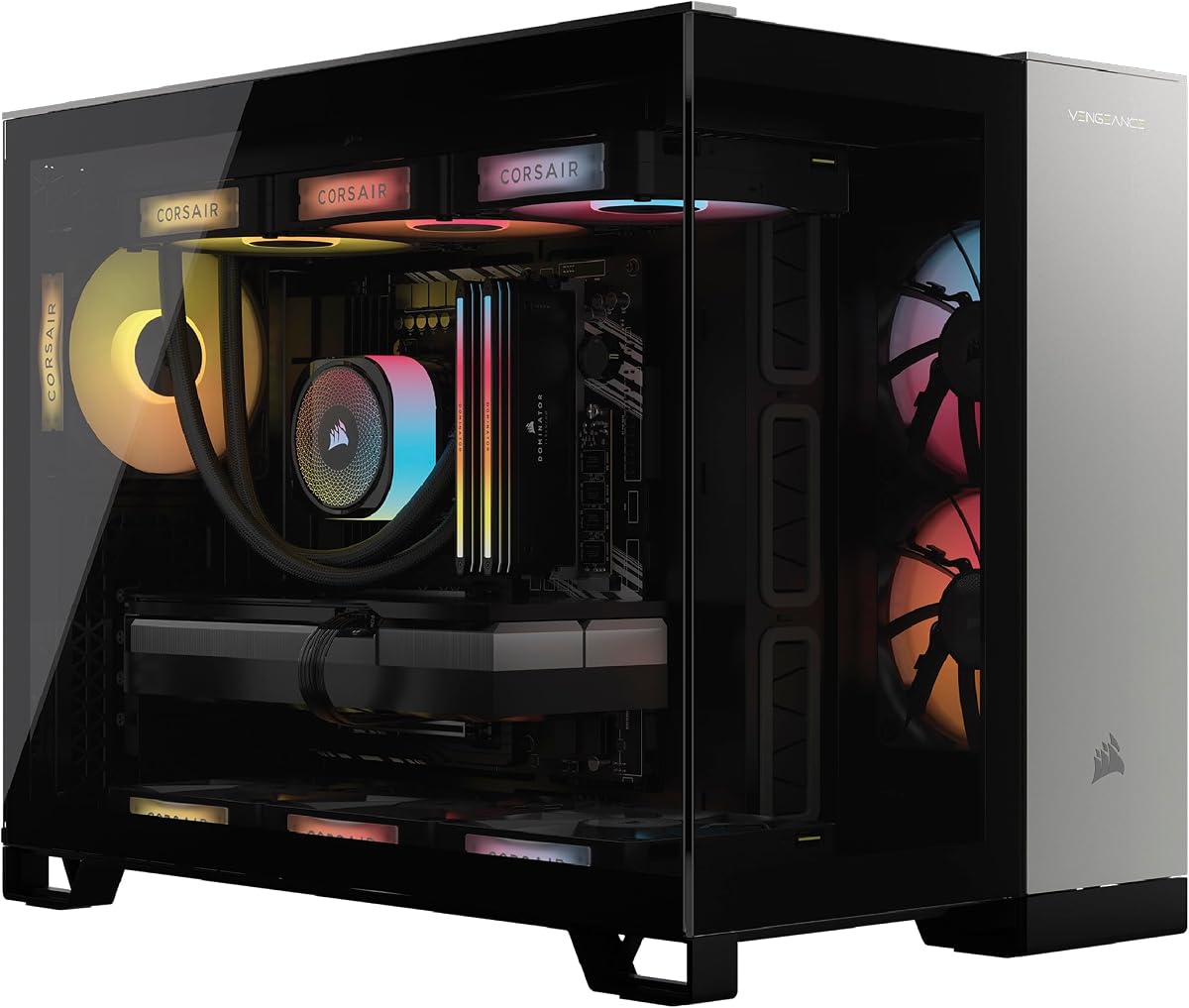
4.0Editor score
Below is a side-by-side comparison of all ten liquid cooled prebuilt gaming PCs. This table helps you quickly identify key specifications and differences between models to find the best fit for your needs.


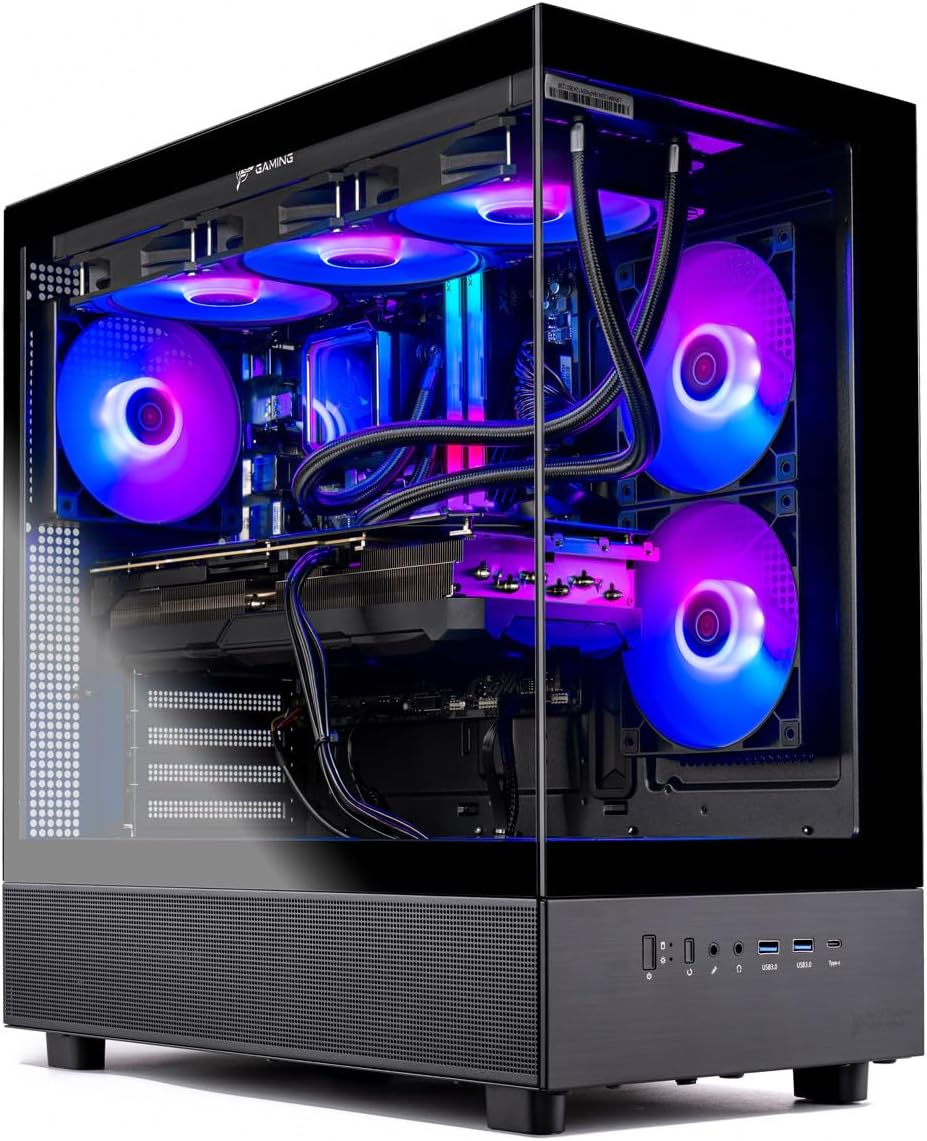
The KOTIN Prebuilt Gaming PC stands out as a top budget-friendly option. It boasts a rating of 4.2 and excels in delivering smooth 1440p gaming. The Ryzen 7 9700X paired with RTX 5060 Ti ensures responsive gameplay.
We may earn a commission when you buy through this link, at no additional cost to you.
Its standout feature is the built-in secondary smart display. This shows real-time CPU and GPU temperatures. It also offers ARGB lighting synced with the motherboard for a premium look without extra costs.
While 16GB DDR5 RAM is standard now, some power users might prefer 32GB. Upgrading is possible. The 360mm liquid cooler handles heat efficiently ensuring stable performance even during heavy workloads.
This system is ideal for gamers wanting high performance without premium prices. If you need solid 1440p gaming and modern connectivity like WiFi 7, this KOTIN build offers excellent value for your investment today.
The smart display provides instant access to vital system stats. You can monitor temperatures and usage without installing third-party software.
With WiFi 7 and Bluetooth 5.4, this PC is ready for next-gen networks and peripherals. This ensures longevity and reduced latency for online gaming.
We may earn a commission when you buy through this link, at no additional cost to you.
The Skytech Gaming O11 Vision earns our Editor's Choice award. It combines powerful components with a premium aesthetic. The rating of 4.5 reflects strong user satisfaction. Its design focuses on both visual appeal and raw gaming performance.
We may earn a commission when you buy through this link, at no additional cost to you.
Powered by the RTX 5070 and Ryzen 7 7700X, this system handles demanding titles with ease. The 32GB DDR5 RAM ensures multitasking is smooth. The 850W Gold ATX 3.0 PSU offers efficiency and upgrade headroom.
The Lian Li O11 Vision case is a highlight. It showcases components beautifully. However, the price is higher than entry-level options. Still, the build quality and component selection justify the investment for enthusiasts.
Ideal for gamers seeking a balance between looks and power. The included accessories like keyboard and mouse add value. This build is perfect for those wanting a standout desktop that delivers consistent high frame rates.
The RTX 5070 supports advanced features like DLSS 4. This significantly boosts frame rates in supported games.
The case design allows maximum visibility of internals. ARGB fans enhance the look without cluttering the setup.
We may earn a commission when you buy through this link, at no additional cost to you.
This Gaming PC Desktop Liquid Cooled boasts a perfect 5.0 rating. It focuses on raw CPU power for streaming and creation. The Core i9-13900KS is a powerhouse. It handles heavy workloads alongside gaming efficiently.
We may earn a commission when you buy through this link, at no additional cost to you.
The 32GB DDR5 RAM supports seamless multitasking. Whether editing videos while gaming, performance remains smooth. The TITAN-X9 cooling system ensures stability. RGB airflow adds a modern touch to the desktop.
Some might note the RTX 5060 Ti is modest for an i9. It is sufficient for 1440p gaming though. The balanced specs make it versatile for creators who game during downtime.
Buy this if CPU performance is your priority. It offers strong multitasking capabilities. The perfect rating suggests high reliability. This system serves both gamers and content creators effectively.
The i9 processor excels in rendering and encoding. This makes it ideal for streaming setups.
Liquid cooling ensures the i9 stays cool under load. This prevents throttling during long sessions.
We may earn a commission when you buy through this link, at no additional cost to you.
The Thermaltake LCGS View i570 offers enthusiast-level specs. It features a strong i9-14900KF CPU. This ensures top-tier gaming and content creation performance. The RTX 5070 handles graphics well for high resolutions.
We may earn a commission when you buy through this link, at no additional cost to you.
The 32GB DDR5 RAM runs at fast speeds. This supports smooth multitasking. Thermaltake builds provide reliability. The system includes WiFi and Windows 11 pre-installed. It is ready to use out of the box.
The 240mm cooling might struggle with an i9 under extreme loads. Still, it is sufficient for most users. The price reflects the premium components. It is a solid choice for power users.
This desktop is for those who demand top speeds. The combination of i9 and DDR5 6000MT/s is notable. It suits users needing fast performance without custom tuning.
DDR5 6000MT/s RAM reduces load times. It enhances system responsiveness significantly.
Thermaltake is known for reliable builds. This gives confidence in long-term stability.
We may earn a commission when you buy through this link, at no additional cost to you.
The Corsair ONE i600 redefines compact gaming PCs. It packs power into a small form factor. The wood dark finish adds elegance. It fits seamlessly into home entertainment setups or clean desk environments.
We may earn a commission when you buy through this link, at no additional cost to you.
Powered by the latest Core Ultra CPU and RTX 50 Series GPU, it handles modern titles. Dual 240mm liquid coolers keep it cool. The Tri-spoke case design aids airflow. It is efficient and quiet.
The price is high due to custom engineering. Upgrading is limited. But the aesthetics and performance balance are unmatched. It offers a unique look for those valuing design as much as power.
Ideal for space-conscious gamers with high budgets. The CORSAIR ONE Dashboard software allows fine-tuning. It delivers a premium experience without bulky tower sizes.
The wood finish and compact size make it a centerpiece. It suits living room PC builds well.
Dual liquid coolers ensure thermal stability. This keeps noise low even under load.
We may earn a commission when you buy through this link, at no additional cost to you.
The ORIGIN PC Neuron combines performance with premium components. It uses CORSAIR parts for reliable operation. The iCUE software provides deep control over lighting. This is ideal for users wanting a cohesive RGB ecosystem.
We may earn a commission when you buy through this link, at no additional cost to you.
With 2TB storage, game libraries are easily accommodated. The Core Ultra 7 265K offers dynamic performance. Liquid cooling maintains stability during extended sessions. The system is ready for high-end gaming right away.
While costly, the build quality justifies it. The RGB lighting reacts to games. This adds immersion. ORIGIN PC support ensures a smooth experience for buyers.
Buy this for the CORSAIR integration. It simplifies management. The storage size is generous. It suits those seeking a high-performance, visually connected PC.
iCUE links all components. This creates synchronized light shows.
2TB means more games installed. No need for external drives.
We may earn a commission when you buy through this link, at no additional cost to you.
The Thermaltake LCGS Avalanche delivers strong gaming performance. The RTX 4070 Ti handles demanding titles well. Paired with a powerful i7 CPU, it ensures smooth frame rates. The 32GB DDR5 RAM supports multitasking.
We may earn a commission when you buy through this link, at no additional cost to you.
The 360mm radiator ensures excellent cooling. It prevents thermal throttling. The 2TB NVMe SSD offers plenty of space for games. WiFi connectivity keeps you connected wirelessly.
While the GPU is previous gen, it is still highly capable. The build is solid and reliable. Thermaltake quality is evident in the components.
This is a great choice for high-resolution gaming. It balances performance and storage effectively. It suits users needing a robust machine for long gaming sessions.
360mm radiator handles heat well. This allows sustained high performance.
NVMe SSD ensures fast load times. This enhances gameplay experience.
We may earn a commission when you buy through this link, at no additional cost to you.
The HP OMEN 45L features a powerful CPU. The i7-12700KF supports smooth multitasking. It boasts a 4.8 rating for reliability. The system is designed for everyday use with gaming in mind.
We may earn a commission when you buy through this link, at no additional cost to you.
The GTX 1660 SUPER handles casual gaming. It supports 1080p titles well. The 32GB RAM ensures no slowdowns. The cooling system is efficient. This keeps the desktop quiet.
The GPU is a limitation for modern AAA titles. But for lighter games it is sufficient. The price reflects this balance. It is reliable for basic needs.
Ideal for casual gamers or workstations. The OMEN software helps manage performance. It is a dependable system for mixed use.
Advanced cooling maintains temperatures. This ensures longevity of parts.
The i7 processor handles tasks well. It supports heavy multitasking.
We may earn a commission when you buy through this link, at no additional cost to you.
The Skytech Gaming Azure 3 offers a solid mid-range build. It features a Ryzen 7 9700X CPU. This ensures responsive performance. The RTX 5060 GPU supports smooth gameplay in modern titles.
We may earn a commission when you buy through this link, at no additional cost to you.
The 360mm ARGB AIO provides effective cooling. It keeps temps low. The included peripherals add value. However, the rating is lower than competitors. This may indicate mixed user feedback.
The 16GB DDR5 RAM is decent but not exceptional. It works for most gaming. The price is competitive. It is a good option for budget-conscious gamers.
Ideal for 1080p or 1440p gaming. The setup is easy. It is a practical choice for entry-level enthusiasts.
Keyboard and mouse included. This saves extra cost.
AIO cooler ensures stability. This reduces noise levels.
We may earn a commission when you buy through this link, at no additional cost to you.
The Corsair Vengeance a5100 is a flagship desktop. It uses the RTX 5080 GPU. This delivers top performance. The Ryzen 7 7800X3D CPU is optimized for gaming. It ensures high frame rates.
We may earn a commission when you buy through this link, at no additional cost to you.
The Dominator Titanium RGB RAM adds aesthetics. It is fast and reliable. The Titan RX cooler maintains stable temps. This system is for enthusiasts seeking ultimate power.
It is pricey and large. But the components justify the cost. The 2TB SSD ensures ample space. It is built to last.
Buy this if budget is not a constraint. It offers the best performance available. It is a dream machine for high-end gaming setups.
RTX 5080 handles 4K gaming. This ensures future readiness.
Dominator Titanium is top-tier. It ensures reliability and looks.
We may earn a commission when you buy through this link, at no additional cost to you.
Selecting the right liquid cooled prebuilt gaming PC requires attention to several factors. This guide helps you evaluate components to match your gaming goals.
The processor determines multitasking and game logic speed. Look for latest generation cores. Higher core counts help in streaming and creation.
Prioritize newer chips for longevity. Ensure it matches your GPU to avoid bottlenecks.
Graphics cards handle visual rendering. For 1440p or 4K, choose powerful models. Check VRAM for texture quality.
Balance GPU with budget. RTX 50 series offers advanced features like DLSS.
All-in-one (AIO) coolers are common in prebuilts. Larger radiators like 360mm handle heat better. They reduce noise too.
Check radiator size. Ensure the case supports it for optimal airflow.
Memory affects how many apps run smoothly. 32GB is ideal for heavy use. 16GB suits casual gaming.
Look for DDR5 for faster speeds. Ensure capacity fits your workflow.
NVMe SSDs load games faster. Aim for 1TB or more. Speeds impact boot times and asset loading.
Prioritize PCIe 4.0 drives. This ensures quick access to files.
Chassis design affects cooling and durability. Cases with tempered glass show components. Check for airflow features.
Choose reputable brands. Reliable builds reduce failure risk.
Prebuilt PCs should come with warranties. Look for parts and labor coverage. Lifetime support is a plus.
Check terms before buying. This protects your investment.
Modern PCs need fast connectivity. WiFi 7 is available in newer models. Ports like USB-C are essential.
Ensure it supports your peripherals. Good connectivity reduces lag.
Always connect your monitor to the GPU ports not the motherboard to ensure correct display output. This prevents black screens or low resolutions.
Regularly clean dust from fans and radiators. Use compressed air to maintain airflow and cooling efficiency.
Update drivers and BIOS periodically. This keeps performance stable and fixes potential security issues.
Liquid cooled systems offer better heat dissipation which reduces noise and throttling. They allow components to sustain higher performance during long sessions. Aesthetically they look cleaner with fewer large fans.
Yes, modern AIO coolers are designed to be leak-proof. They undergo testing to ensure safety. However, always check warranty terms and handle with care during transport.
Most allow RAM and storage upgrades. GPU swaps depend on case size and power supply. CPU upgrades may require BIOS updates or new sockets.
Clean dust every 3 to 6 months. This prevents airflow blockage and maintains cooling performance. Over time dust buildup can cause overheating.
DDR5 offers higher speeds and bandwidth which can improve frame rates in CPU-bound titles. It is more future-proof. However, DDR4 is still sufficient for many games.
Standard warranties cover 1 to 3 years. Look for labor coverage as well. Some brands offer extended options for extra peace of mind.
The top picks include KOTIN for budget, Skytech for balance, and Corsair for premium power. Each offers unique strengths for different needs.
Prioritize GPU and cooling if you game heavily. For creators focus on CPU and RAM. Ensure connectivity fits your setup.
Prices change often so check current deals before buying. This ensures you get the best value for your choice today.