
Keyboard Brush, 10 Pcs Mini Anti Static Brush
4.4Editor score
Ten different sizes
Anti-static protection
Soft bristles available
This expert guide compares the top laptop fan cleaning kits including electric dusters and tool sets to help you choose the right solution for your device
Keeping your laptop running cool requires regular maintenance of its internal cooling system. Dust buildup in fans and vents can cause overheating and throttling. A proper cleaning kit helps you remove debris safely without damaging sensitive components inside your machine.
We evaluated ten leading products designed for cleaning electronics and cooling fans. Our comparison covers cordless electric air dusters, traditional canned air alternatives, and comprehensive tool sets. Each option was analyzed for power, portability, battery life, and accessory variety.
Each product pick highlights specific strengths for different cleaning scenarios and user needs. You will find detailed reviews showing performance metrics and real-world use cases. Please note that availability and pricing may change over time so check current listings.
4.4Editor score

4.9Editor score
4.4Editor score
The following table presents a side by side comparison of all ten products including their key specifications and features to help you make an informed decision quickly.



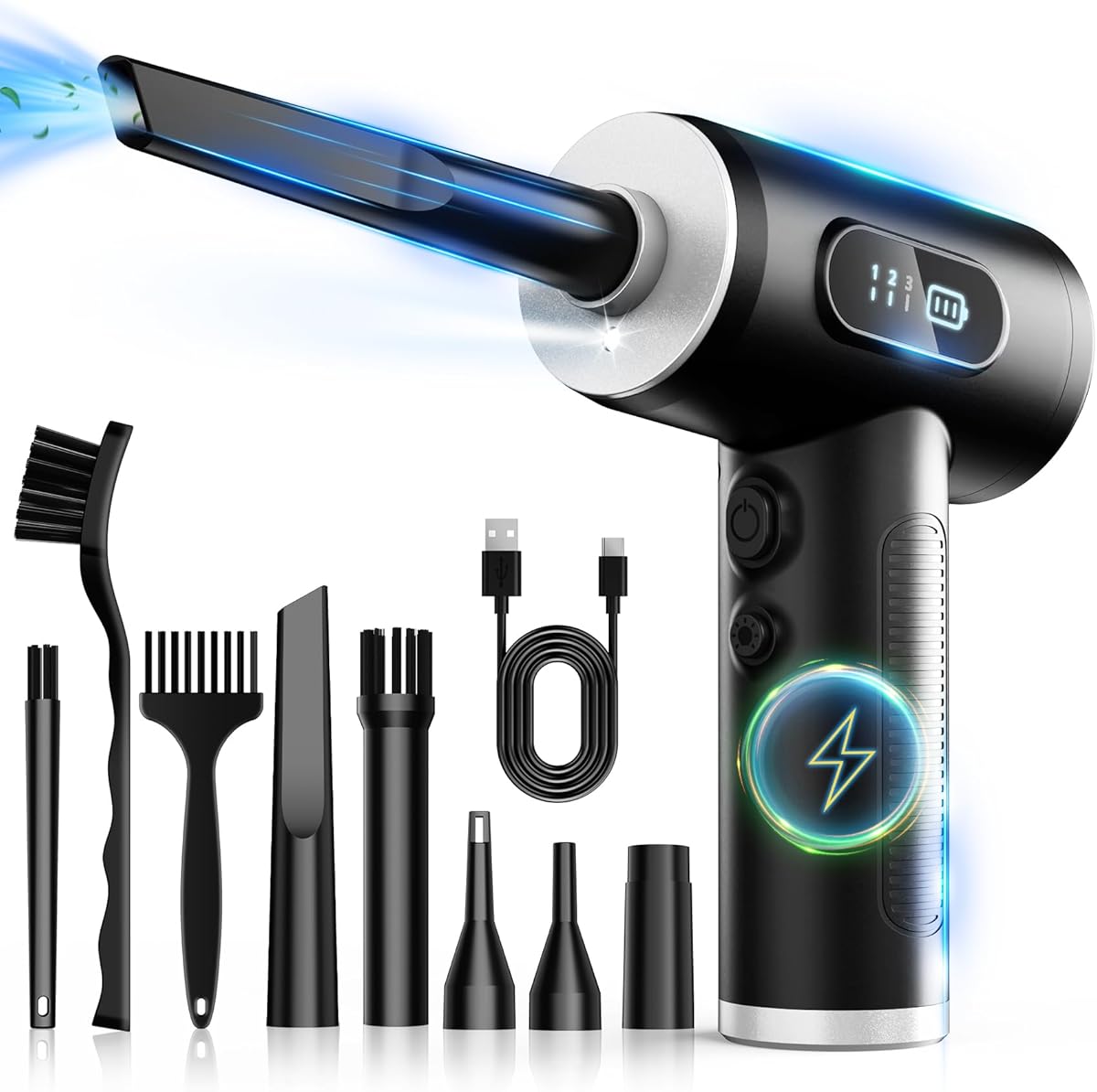
The FRESMOL Compressed Air Duster stands out as a premium rechargeable solution for laptop fan maintenance. With a solid four point four star rating it offers reliable performance for electronic cleaning. Its standout quality lies in the powerful cordless motor that eliminates the need for disposable cans.
We may earn a commission when you buy through this link, at no additional cost to you.
This unit features a robust motor delivering up to one hundred thousand RPM for effective debris removal. The three adjustable speeds let you choose gentle airflow for screens or strong blasts for deep cleaning. The smart LED display keeps you informed about battery levels and selected speed modes.
One trade-off is the battery capacity which may require frequent recharging during extensive cleaning sessions. Additionally finding a dedicated storage spot for the five included nozzles can be slightly challenging. However these minor issues are acceptable given the overall performance and convenience.
Tech enthusiasts and professionals seeking a reliable electric duster should consider this pick. It provides excellent value by replacing multiple disposable cans and offers features like the built-in light for dark corners.
The high-speed motor ensures efficient dust removal from tight spaces like keyboard gaps and cooling vents.
The LED display provides instant feedback on battery status and speed settings to prevent unexpected power loss.
We may earn a commission when you buy through this link, at no additional cost to you.
The iFixit Laptop Cleaning Kit earns the Editor's Choice badge with an impressive four point nine star rating. This all-in-one set covers all aspects of laptop maintenance from screen care to dust removal. It is ideal for users wanting a comprehensive toolkit without needing separate tools.
We may earn a commission when you buy through this link, at no additional cost to you.
Key strengths include the high-quality microfiber cloths and specialized tools like the anti-static brush. The dust blower is sufficient for clearing loose debris from fans and keyboards. Every essential is neatly stored in a compact pouch perfect for travel or desk organization.
A trade-off is the lack of an electric motor which means manual effort for tougher dust. The brush head is also smaller than dedicated electric dusters. These limitations are acceptable for routine maintenance where precision is more important than raw power.
Students and professionals who need reliable tools for general device care will find this kit invaluable. It offers peace of mind with proven quality and a complete range of accessories for different cleaning tasks.
This kit provides everything needed to clean screens keyboards and vents efficiently in one organized package.
The included tool pouch keeps all accessories safe and organized making it easy to transport anywhere.
We may earn a commission when you buy through this link, at no additional cost to you.
This electric air duster offers exceptional power with a motor reaching up to two hundred eighty thousand RPM. The high-performance turbo fan makes short work of stubborn dust in laptops and PCs. Its smart LCD screen adds a premium touch with real-time battery and speed tracking.
We may earn a commission when you buy through this link, at no additional cost to you.
Users benefit from four adjustable speed settings and a runtime of up to one hundred fifty minutes on low speed. The Type-C fast charging ensures you spend less time waiting for power. This unit serves well as a multi-purpose tool for cars and cameras too.
Trade-offs include a larger and heavier body compared to standard electric dusters. The weight can make prolonged handheld use tiring for some. However the sheer power and long battery life make these drawbacks acceptable for heavy-duty cleaning tasks.
Gamers and tech enthusiasts needing maximum airflow for deep cleaning should consider this powerful duster. It is a robust choice for those who prioritize performance and advanced features over portability.
The 280000 RPM motor delivers intense pressure to dislodge deep-seated dust from electronic components.
With up to 150 minutes of usage on low settings you can clean multiple devices without stopping.
We may earn a commission when you buy through this link, at no additional cost to you.
The WOLFBOX MegaFlow 50 balances power and portability effectively for daily cleaning tasks. Weighing only point point four five pounds it feels light in hand during extended use. It delivers strong airflow with three adjustable gear settings to suit different needs.
We may earn a commission when you buy through this link, at no additional cost to you.
Its long-lasting battery supports up to two hundred forty minutes of use on the lowest setting. The fast charging feature ensures quick turnaround between tasks. Four included nozzles allow for detailed work in tight corners and vents.
A trade-off is that high power settings consume battery faster than low settings. The display lacks the advanced features seen in pricier models. These compromises are acceptable given the high runtime and very light weight.
Frequent travelers or anyone needing a lightweight cleaning tool will appreciate this model. It offers excellent value with reliable performance and long battery life for routine maintenance.
Weighing just 0.45 lbs this duster is easy to hold for long periods without fatigue.
The battery supports up to 240 minutes of continuous use on low settings for multiple devices.
We may earn a commission when you buy through this link, at no additional cost to you.
The Ordilend Keyboard Cleaner Kit offers a wide array of tools for comprehensive laptop maintenance. It includes essential items like a keycap puller and metal pen tip for detailed work. The set is designed to handle everything from screens to stubborn stains.
We may earn a commission when you buy through this link, at no additional cost to you.
Features like the retractable brush and flocking sponge add versatility for different surfaces. The soft plastic lens pen protects delicate areas like camera lenses. Many replacement cloths ensure you always have a clean cloth ready.
The lack of an electric blower is a trade-off limiting deep dust removal capabilities. The brushes are standard quality but not specialized for heavy debris. Still the variety of tools makes it a good general-purpose kit.
Users wanting a full set of tools for all around cleaning should find this kit useful. It is particularly good for removing stains and organizing keycaps without needing extra purchases.
The kit includes specialized tools like pen tips and sponges for cleaning delicate and hard to reach areas.
Included tools allow you to safely remove and clean keycaps on mechanical and gaming keyboards.
We may earn a commission when you buy through this link, at no additional cost to you.
This electric duster combines a powerful motor with a high capacity battery for efficient cleaning. It delivers air speeds up to fifty two meters per second to blast away dust quickly. The four gear settings provide precise control over airflow intensity.
We may earn a commission when you buy through this link, at no additional cost to you.
With ten detail brushes included it offers great versatility for intricate tasks. The eight thousand mAh battery supports long runtimes and charges quickly via Type-C. Safety chips protect against overcharge and overheating.
Trade-offs include a standard nozzle selection compared to others with more variations. The charging time is slightly longer than fastest competitors. However the safety features and brush variety make these small issues manageable.
Anyone seeking a balance of power and safety for electronic maintenance will appreciate this unit. It is a reliable workhorse for both home and professional cleaning tasks.
The 130K RPM motor generates strong winds to clear dust from tight gaps and vents effectively.
Advanced protection chips ensure safe charging and prevent overheating during extended cleaning sessions.
We may earn a commission when you buy through this link, at no additional cost to you.
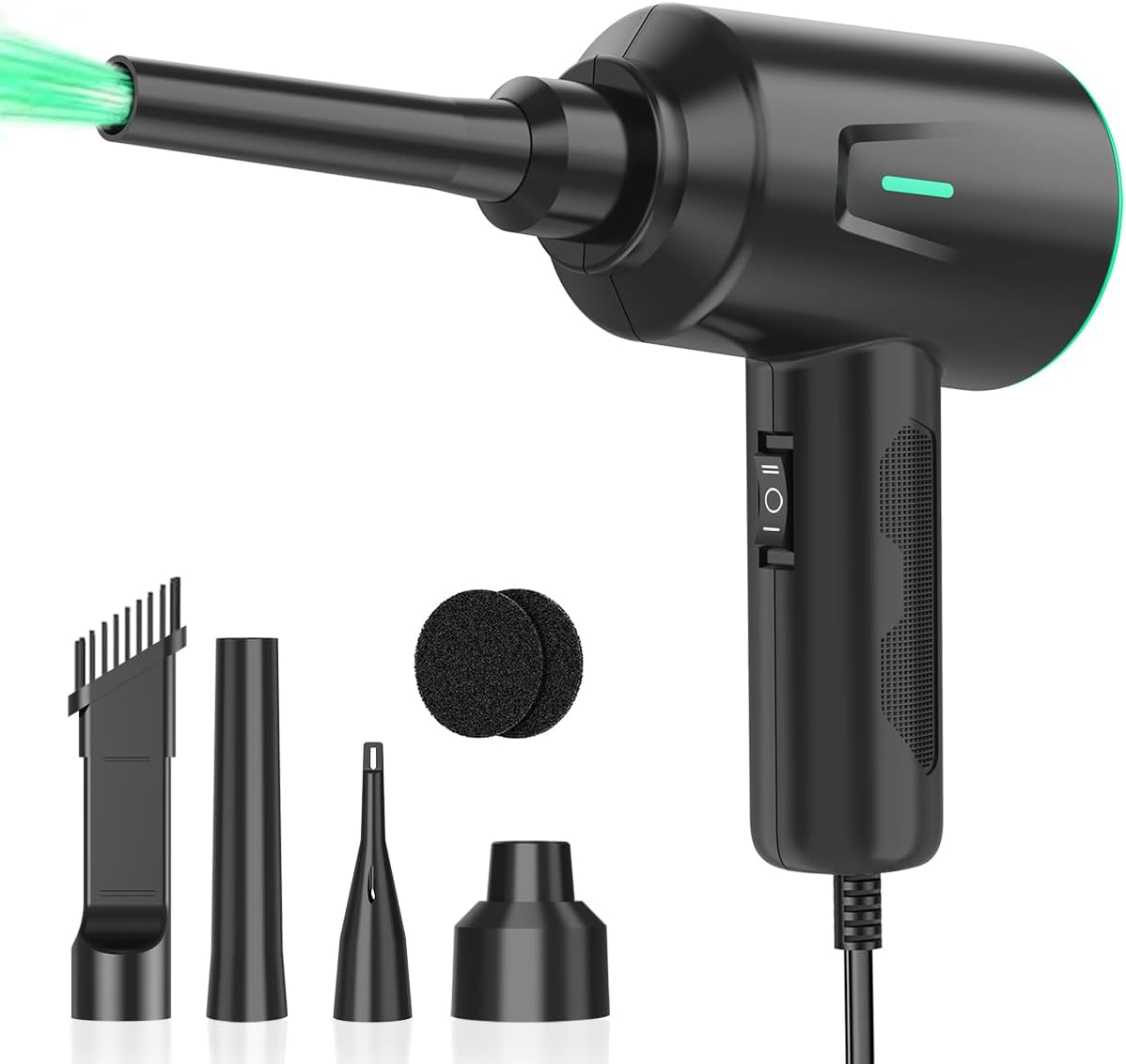
The Meudeen Air Duster stands out by offering constant power without battery limitations. Its five hundred watt motor provides consistent high pressure airflow for deep cleaning. The extended cord allows movement without needing to recharge constantly.
We may earn a commission when you buy through this link, at no additional cost to you.
Two speed settings make it easy to switch between gentle and heavy-duty tasks. Multiple brushes help handle various surfaces from keyboards to car interiors. The design focuses on durability and steady performance.
Trade-offs include the weight and the lack of cordless freedom. Users must work near a power outlet which limits portability. However for desktop work the constant power is a major advantage.
Home office users with easy power access will find this duster a great investment. It eliminates the frustration of running out of battery during big cleaning projects.
The corded design ensures you never face downtime due to dead batteries during cleaning.
The 500W motor delivers strong air to remove stubborn dust from electronics and mechanical parts.
We may earn a commission when you buy through this link, at no additional cost to you.
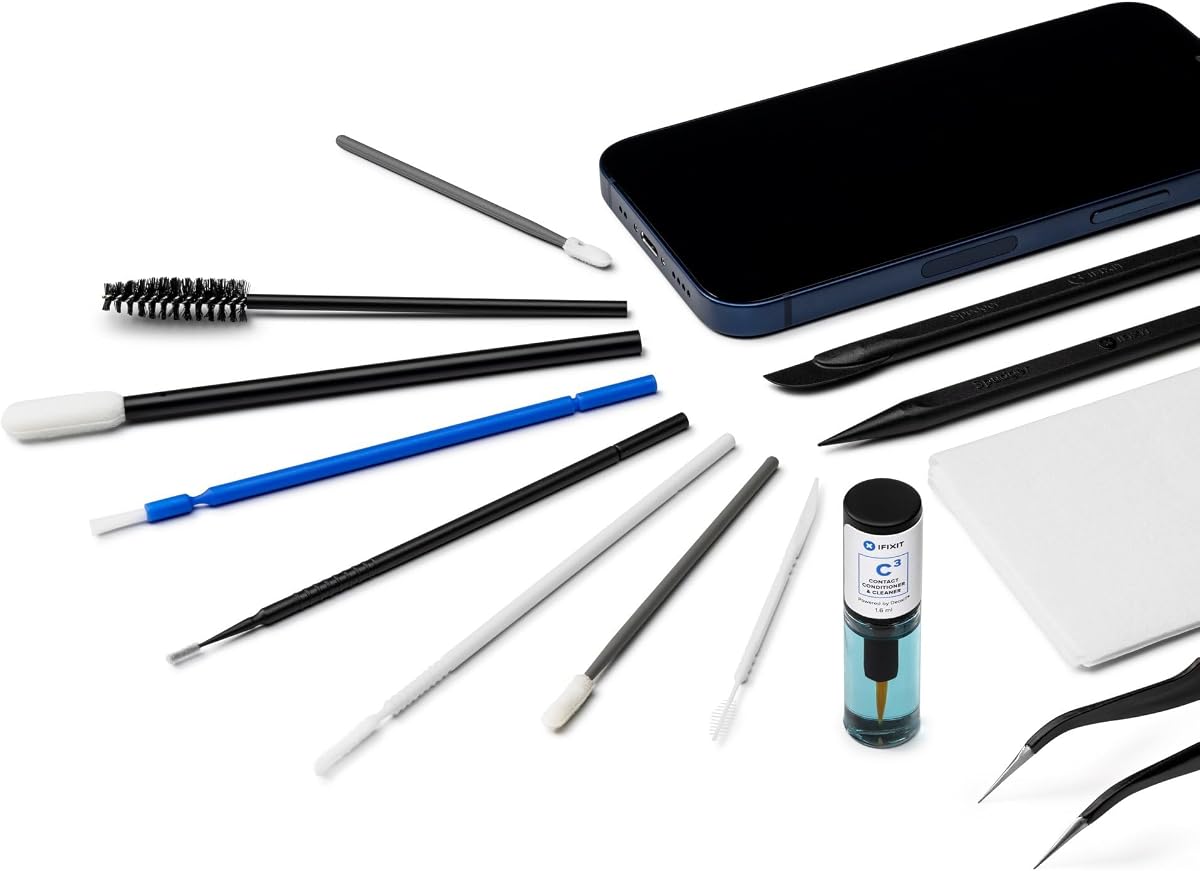
The iFixit Precision Cleaning Kit focuses on detailed maintenance and repair needs. It includes specialized tools like angled tweezers and spudgers to access internal components safely. The included DeoxIT solution helps clean electrical contacts effectively.
We may earn a commission when you buy through this link, at no additional cost to you.
Lint-free wipes ensure no residue is left on sensitive surfaces. The set is ideal for users who open devices or need precise touch for maintenance. Professional grade build quality ensures longevity.
A trade-off is the lack of an air blower for general dust removal. The tools are focused on fine cleaning rather than bulk debris. Still the precision is unmatched for technical tasks.
Repair technicians and hobbyists who need exact tools for component care will value this kit. It complements air dusters by offering tools for what comes after blowing out dust.
Precision tweezers and spudgers allow safe handling of small components during maintenance or repair.
The included DeoxIT solution helps clean oxidized contacts to ensure proper electrical connectivity.
We may earn a commission when you buy through this link, at no additional cost to you.
This brush set offers exceptional value as an affordable cleaning solution for fans and keyboards. With ten different sizes you can reach almost any gap or crevice safely. The anti-static bristles protect sensitive components from electrical discharge.
We may earn a commission when you buy through this link, at no additional cost to you.
The mix of hard and soft bristles handles different surface types well. They are perfect for gentle cleaning on cameras or screens without scratching. The set is compact and easy to keep in a drawer.
Trade-offs include no air blowing capability so dust must be brushed out manually. Brush bristles may wear out faster than high-end tools. But for the price this is a great budget option.
Budget-conscious users and students looking for simple tools will find this set perfect. It provides essential cleaning gear without breaking the bank.
Most brushes are anti-static to prevent electrical damage to sensitive motherboard and electronic components.
With ten different brush sizes you can target dust in any hard to reach corner effectively.
We may earn a commission when you buy through this link, at no additional cost to you.
This electric blower serves as a versatile all-rounder for multiple cleaning scenarios. It handles electronics well and also works on inflatables or sofas. The built-in LED light is a useful feature for dark corners.
We may earn a commission when you buy through this link, at no additional cost to you.
Three speed settings and a comfortable grip make it easy to control. The battery lasts long enough for typical cleaning sessions. It offers a great alternative to canned air at a reasonable cost.
Trade-offs include average build quality compared to premium units. The nozzles feel slightly flimsy when using strong pressure. Still it delivers solid performance for the price.
Anyone looking for a practical tool for home and car cleaning will appreciate this duster. It is a cost-effective solution for general dust removal tasks.
The built-in LED helps illuminate dark spots to ensure dust is visible before cleaning.
Beyond electronics it works well for inflatables and car interiors offering true multi-purpose utility.
We may earn a commission when you buy through this link, at no additional cost to you.
Selecting the right cleaning kit involves considering power source, accessories, and portability to match your specific maintenance needs and budget.
Electric dusters offer convenience and avoid the waste of disposable cans but require charging. Corded models provide constant power but limit movement. Consider your typical environment to decide between wireless freedom or unlimited runtime.
Choose cordless for mobility and corded for stationary heavy-duty work.
Higher RPM means stronger pressure to dislodge dust from fans and heatsinks. Look for adjustable speeds to protect sensitive components like screens. Most kits offer three to four gear settings for versatility.
Prioritize models with adjustable speeds to handle different surfaces safely.
For cordless dusters check the runtime on low and high settings. A battery lasting over two hours on low speeds reduces interruptions. Fast charging features are also a valuable addition.
Look for at least 90 minutes of runtime on low settings.
Various attachments let you target narrow gaps and large areas efficiently. Anti-static brushes prevent electrical damage during cleaning. Ensure the kit includes enough tips for all your needs.
Aim for at least five different nozzles and brushes.
Lightweight designs are easier to hold during long cleaning sessions. Compact kits fit in backpacks or drawers for easy storage. Consider weight and size if you travel often.
Select lightweight models for frequent travel or use.
Durable materials ensure the duster withstands regular use without breaking. Metal parts are often more robust than plastic. Check reviews for feedback on longevity and sturdiness.
Choose sturdy materials for long-lasting performance.
Comprehensive kits may include wipes screens swabs or contact cleaners. These extras simplify the cleaning process. Decide if you need a full kit or just an air blower.
Look for kits that offer useful add-ons like wipes.
Prices vary based on power and features. Budget options may lack advanced displays or high RPM. Invest in a reliable model that fits your cleaning frequency.
Balance cost with features you will actually use.
Always power off your laptop and unplug it before starting any cleaning process. Hold the device firmly and aim the air nozzle at vents or fan grilles at an angle.
Use short bursts of air rather than continuous blowing to prevent moisture or debris from getting trapped inside. Allow the device to cool down completely after cleaning.
Store the kit in a dry place and clean nozzles after each use. Charge rechargeable models fully before the next cleaning session.
Yes dust buildup restricts airflow causing overheating and reduced performance. Regular cleaning helps extend your laptop's lifespan. Using proper tools prevents damage to internal components.
Traditional cans work but can spray moisture or freeze parts. Electric dusters avoid this risk and are more environmentally friendly. They also save money over time by being reusable.
Anti-static brushes are specifically designed to prevent electrical discharge on sensitive parts. Standard brushes may cause static damage. Always check if brushes are anti-static before use.
Cleaning every six to twelve months is recommended for average users. Heavy users or those in dusty environments should clean more frequently. Signs include louder fans or higher temperatures.
High-pressure air directly on screens can cause physical damage. Always use the lowest setting and hold the nozzle at a distance. Use microfiber cloths for screen wiping instead.
Most kits are versatile enough for cameras, consoles, and car electronics. The nozzles allow precision for smaller gadgets. Always test on a small area first.
We have reviewed ten top kits ranging from professional repair sets to powerful electric dusters. The iFixit kit offers complete coverage while electric models provide superior airflow performance. Each option serves different cleaning needs effectively.
When choosing prioritize battery life and adjustable speeds to ensure safe and efficient cleaning. A variety of nozzles and anti-static tools are crucial for thorough maintenance. Match the kit to your device types.
Always verify current availability and pricing before purchasing as these change frequently. Investing in the right cleaning kit protects your investment and keeps devices running smoothly.