
Canon PIXMA TR4720
3.9Editor score
Affordable entry-level price
Auto document feeder included
Compact home office design
This guide compares the top all in one printer with fax models for 2026, evaluating speed, ink costs, and connectivity to help you choose the right device.
Finding a reliable all in one printer with fax can streamline your office workflow significantly. Modern devices combine printing, scanning, copying, and faxing into a single compact unit, saving space and reducing clutter on your desk while maintaining professional output quality.
We evaluated ten leading models based on performance, connectivity options, and overall value. Our analysis considers print speed, ink efficiency, and user-friendly features to ensure you find a device that meets your specific business or home office needs without unnecessary complexity.
Each selection highlights key strengths and potential limitations to guide your decision-making process. Remember that prices fluctuate frequently, so verify current offers before purchasing. This list provides a comprehensive overview to help you invest wisely in technology that supports your communication requirements.
3.9Editor score

3.9Editor score

4.3Editor score
The following table provides a side-by-side comparison of all ten selected models to help you quickly identify key differences in speed, capacity, and connectivity options.






The HP OfficeJet Pro 9125 stands out as a top choice for small offices needing reliable fax capabilities alongside standard printing tasks. With a rating of 3.9 stars, it delivers professional-quality color documents efficiently. Its standout quality lies in the integration of AI to optimize print formatting, reducing wasted paper.
We may earn a commission when you buy through this link, at no additional cost to you.
Key strengths include fast print speeds reaching up to 22 pages per minute for black documents and 18 for color. The 2.7-inch touchscreen offers a phone-like user interface that simplifies navigation for all users. Additionally, dual-band Wi-Fi ensures stable connections, while HP Wolf Pro Security protects your network from cyber threats effectively.
Honest trade-offs involve the requirement for original HP cartridges which may limit third-party options. The Instant Ink trial expires after three months, leading to a monthly fee unless cancelled. Despite this, the efficiency gains and professional output make these constraints acceptable for business environments prioritizing reliability.
This model is ideal for office workers who frequently send faxes and need high-volume color printing without compromising speed. If you value security and ease of use, this device meets those needs comprehensively. We recommend it for businesses seeking a durable all-in-one solution with advanced features.
HP AI optimizes print formatting to ensure web pages and emails print precisely without awkward layouts.
HP Wolf Pro Security bolsters network defense to protect sensitive data from potential cyber threats.
We may earn a commission when you buy through this link, at no additional cost to you.
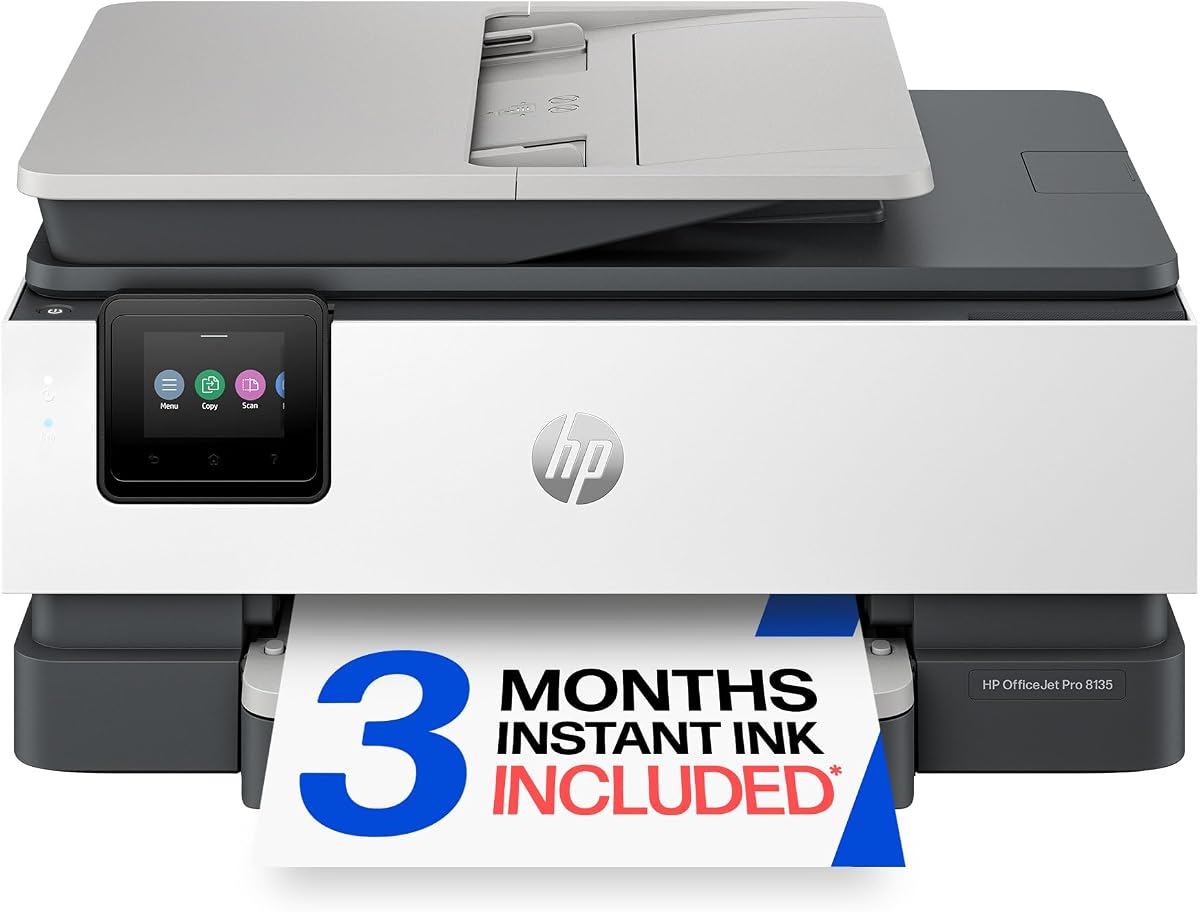
The HP OfficeJet Pro 8135 is tailored for home offices requiring professional-quality documents like reports and flyers. It holds a 3.9 rating and offers a balance of speed and affordability. This model excels in delivering sharp color prints while maintaining essential fax functions for home business needs.
We may earn a commission when you buy through this link, at no additional cost to you.
Strengths include a 20 ppm black print speed and a 225-sheet input tray which reduces frequent reloading. The 2.7-inch touchscreen provides intuitive navigation similar to a smartphone. Wireless printing via the HP app allows you to print directly from smartphones, enhancing flexibility for remote workers.
One trade-off is the slightly slower color speed compared to higher-end models like the 9125. Also, the requirement for original HP chips may increase long-term costs if non-HP cartridges are preferred. However, for typical home office volumes, these limitations are minor compared to the device's reliability.
Buyers looking for a compact solution that handles fax and scan tasks efficiently will find this model suitable. It is particularly good for freelancers or small businesses operating from home. We recommend it for those prioritizing ease of use and solid performance without enterprise-level features.
The HP app enables printing and faxing directly from your smartphone with easy-to-use controls.
Made with over 45% recycled plastic content to support environmentally conscious manufacturing practices.
We may earn a commission when you buy through this link, at no additional cost to you.
The Epson EcoTank ET-4800 introduces innovative cartridge-free printing with high-capacity ink tanks. With a rating of 3.8 stars, it aims to reduce waste and ink costs over time. This device stands out by eliminating tiny ink cartridges in favor of large tanks that can be refilled easily.
We may earn a commission when you buy through this link, at no additional cost to you.
Key strengths include the Micro Piezo Heat-Free Technology which produces sharp text and vibrant photos on various paper types. The built-in scanner and copier offer high-resolution output for professional document management. EcoFit ink bottles make the refilling process simple and safe for users.
Trade-offs involve a higher initial purchase price compared to traditional cartridge printers. Print speeds may also be slower than inkjet models designed for high volume. However, for users printing frequently, the long-term savings on ink often justify the initial investment effectively.
This model is perfect for creative professionals or businesses with high print volumes who want to avoid constant cartridge replacements. It is also suitable for eco-conscious buyers reducing landfill waste. We recommend it for those looking to streamline ink management and reduce operational costs over time.
High-capacity ink tanks mean no more tiny expensive cartridges and reduce waste significantly.
Micro Piezo technology delivers sharp text and impressive color graphics on any paper type.
We may earn a commission when you buy through this link, at no additional cost to you.
The HP OfficeJet Pro 8125 is designed for home offices needing reliable color document printing and scanning. With a 3.9 rating, it supports business documents and presentations efficiently. Note that this model lacks a fax function despite previous context, so verify needs before purchasing.
We may earn a commission when you buy through this link, at no additional cost to you.
Strengths include fast color printing speeds up to 20 ppm for black documents. The 2.7-inch touchscreen ensures navigation is quick and intuitive. Wireless connectivity through dual-band Wi-Fi automatically resolves issues, keeping your network stable. The HP app facilitates mobile printing without needing a computer.
A significant trade-off is the absence of a fax capability which distinguishes it from other models in this guide. The input tray holds fewer sheets than larger office units. However, for users prioritizing space and basic multi-function tasks, this model offers a robust solution.
This printer is best for home users who need quality scanning and printing without fax requirements. It suits small setups where compact size matters. We recommend it for those valuing ease of use and HP ecosystem integration within a budget.
Print and manage tasks easily from your smartphone using the HP app.
HP Wolf Essential Security helps protect your network from potential cyber threats.
We may earn a commission when you buy through this link, at no additional cost to you.
The HP Smart Tank 7603 offers a compelling value proposition with up to three years of ink included in the box. With a 3.9 rating, it supports high-volume printing without frequent cartridge changes. It is designed for home offices needing fax and scanning without constant maintenance.
We may earn a commission when you buy through this link, at no additional cost to you.
Key strengths include a mess-free refill system that simplifies replenishing ink. The magic touch control panel offers intuitive navigation for various tasks. Wireless and mobile printing ensure flexibility, while the auto document feeder handles multi-page jobs efficiently. Sharp text and rich colors enhance document quality.
Trade-offs involve a higher initial investment compared to standard cartridge printers. Refilling ink bottles requires some care to avoid spills despite the design. However, for users printing hundreds of pages monthly, the long-term savings and convenience outweigh the setup complexities.
This model is ideal for busy home offices or small businesses needing reliable fax functions without ink worries. It suits those who prefer bulk ink over cartridges. We recommend it for cost-conscious buyers planning long-term use of the device.
Get up to 3 years of HP Ink included right out of the box for lower costs.
Mess-free refill system allows easy ink replenishment without squeezing or spilling.
We may earn a commission when you buy through this link, at no additional cost to you.
The HP OfficeJet Pro 9135 targets offices needing speed and high capacity with a 4.0 rating. It excels in print speeds up to 25 ppm for black documents and 20 for color. Fax capabilities are integrated seamlessly for professional document management.
We may earn a commission when you buy through this link, at no additional cost to you.
Strengths include two 250-sheet input trays which reduce downtime from reloading paper. The 4.3-inch touchscreen simplifies navigation for busy users. Single-pass 2-sided scanning increases efficiency on multi-page documents. HP Wolf Pro Security safeguards data against cyber threats effectively.
Trade-offs include a higher price point compared to entry-level models. The Instant Ink subscription applies after the trial period which may affect long-term costs. Yet, for heavy users prioritizing speed and capacity, these features justify the investment significantly.
This model is perfect for medium-sized businesses needing robust fax and printing performance. It suits teams managing high document volumes. We recommend it for those seeking reliability and speed in a professional office environment.
Two 250-sheet trays ensure less reloading and continuous operation.
Single-pass 2-sided scanning speeds up multi-page document processing.
We may earn a commission when you buy through this link, at no additional cost to you.
The Canon PIXMA TR4720 is a solid budget choice offering wireless printing scanning copying and faxing. With a 3.9 rating, it provides essential features for home users without breaking the bank. It includes an auto document feeder which is rare at this price point.
We may earn a commission when you buy through this link, at no additional cost to you.
Strengths include borderless photo printing and integration with Alexa for smart reorders. The 100-sheet capacity fits smaller desks while maintaining performance. Print speeds are adequate for occasional use making it a reliable choice for personal tasks.
Trade-offs involve slower speeds compared to premium models. The capacity is limited for high-volume needs. However, for home users needing fax without overspending, these limitations are acceptable for general use.
This model suits home users needing occasional fax and printing on a budget. It is best for light usage environments. We recommend it for those seeking value and compact design for home use.
Alexa notifications and smart reorders ensure you never run out of ink unexpectedly.
Designed for easy installation and replacement in space-constrained home environments.
We may earn a commission when you buy through this link, at no additional cost to you.
The Canon PIXMA TR8620a delivers excellent photo quality alongside standard faxing capabilities. With a 4.0 rating, it is ideal for home offices needing sharp images and professional documents. Voice command support adds convenience for daily workflows.
We may earn a commission when you buy through this link, at no additional cost to you.
Strengths include a 200-sheet capacity and a Micro SD slot for direct printing. The auto 2-sided printing reduces paper usage. Alexa integration ensures ink management is seamless. High duty cycle and energy efficiency support reliable operation.
Trade-offs involve slower print speeds compared to laser models. Reliance on smart reorder features may be seen as a restriction. However, for users prioritizing photo quality and voice control, these factors are acceptable trade-offs.
This model suits creative professionals needing both document and photo faxing solutions. It is best for users invested in smart home ecosystems. We recommend it for those valuing versatile media handling and voice control.
Just say Alexa discover my printer to connect and print using voice commands.
Micro SD slot allows direct printing from memory cards without a computer.
We may earn a commission when you buy through this link, at no additional cost to you.
The HP OfficeJet Pro 8139 offers a distinct advantage with a one-year trial of Instant Ink. With a 4.0 rating, it supports home offices with fax and color printing. The extended trial provides significant value over the standard three-month offer found elsewhere.
We may earn a commission when you buy through this link, at no additional cost to you.
Strengths include a 20 ppm black print speed and 225-sheet input tray. The 2.7-inch touchscreen ensures intuitive navigation. HP Wolf Essential Security protects data from threats. AI features optimize formatting to reduce waste and improve precision.
Trade-offs involve the need for specific HP chips and periodic firmware updates. The subscription becomes mandatory after a year. However, for users seeking reliable fax with long-term ink value, this model remains a strong contender.
This model is ideal for home office owners needing fax and consistent printing for long-term use. It suits those wanting extended ink support. We recommend it for buyers seeking value through extended service trials.
Get a one-year trial of Instant Ink for long-term cost savings.
Made with over 45% recycled plastic content to support sustainable manufacturing.
We may earn a commission when you buy through this link, at no additional cost to you.
The Brother MFC-L2820DW is a premium monochrome laser printer with a 4.3 rating. It delivers fast print speeds up to 36 ppm and scan speeds up to 23.6 ipm. The compact design fits small offices while maintaining professional fax capabilities.
We may earn a commission when you buy through this link, at no additional cost to you.
Strengths include secure dual-band wireless and Ethernet connectivity options. The 50-page auto document feeder saves time on scanning and faxing. The 2.7-inch touchscreen enables easy navigation with cloud app integration. Toner subscription trials offer significant savings.
Trade-offs include lack of color printing which limits use cases. However, for text-heavy environments faxing is efficient and cost-effective. The premium reliability justifies the investment for those prioritizing speed.
This model is perfect for businesses needing high-volume black and white faxing. It suits professional offices prioritizing speed and security. We recommend it for users needing a reliable monochrome laser solution.
Produces black and white documents quickly with up to 36 ppm speeds.
Dual-band wireless and Ethernet ensure secure connectivity for sensitive fax data.
We may earn a commission when you buy through this link, at no additional cost to you.
Selecting the right printer involves evaluating several key factors to ensure it meets your specific business or home office needs.
Print speed is crucial for offices handling high document volumes. Look for devices with speeds above 20 pages per minute for black documents to maintain efficiency. Consider the duty cycle which indicates how many pages the printer can handle monthly without wear.
Higher speed ensures timely delivery of faxes and reports especially during peak times. Prioritize models with robust duty cycles if your office prints hundreds of pages daily.
Operating costs often exceed the initial purchase price so evaluate ink or toner costs carefully. Tank-based systems offer lower costs per page but higher upfront prices while cartridges may be cheaper initially but expensive over time. Check if subscriptions like Instant Ink are included.
Choose a system that aligns with your budget and print volume. Tank systems suit high volume needs while standard cartridges may work for occasional users.
Modern printers must connect seamlessly to various devices. Look for dual-band Wi-Fi and Ethernet options for stability. Wireless printing via mobile apps adds flexibility for remote work or printing from smartphones.
Ensure the printer supports secure protocols to protect sensitive fax data. A robust connection ensures uninterrupted workflow and data security.
Fax capabilities vary across models so check if the device supports digital faxing over phone lines. Auto document feeders allow batch faxing which is essential for businesses. Verify compatibility with your existing phone line infrastructure.
Prioritize models with reliable fax transmission and error reporting. This ensures all documents are delivered accurately without re-sending attempts.
Paper trays should hold enough sheets to avoid constant refilling. A capacity of at least 250 sheets is ideal for office settings. Check if multiple trays are available for different paper sizes.
Higher capacity minimizes interruptions during busy workflows. Ensure the input tray size matches your common paper requirements.
Sensitive documents require robust protection against cyber threats. Look for features like HP Wolf Security or similar data encryption tools. Secure printing options ensure documents are only printed when authorized.
Security features protect client data and maintain compliance. Prioritize models with built-in network protection to safeguard your office.
Desk space varies so consider the physical size of the device. Compact models fit better in home offices without sacrificing features. Check dimensions against your workspace to ensure proper placement.
A smaller footprint maximizes desk utility. Ensure the design supports easy access to all functional components.
An intuitive touchscreen simplifies navigation for all users. Look for large displays with clear menus to reduce training time. Support for mobile apps enhances usability for remote workers.
Easy controls reduce operational errors. Choose a device with a user-friendly interface for efficient daily use.
Begin by installing the printer in a dry area away from direct sunlight to protect internal components. Connect the device to your network using Wi-Fi or Ethernet and install drivers or apps provided by the manufacturer for optimal performance.
Regularly check ink or toner levels to avoid interruptions. Use the auto document feeder carefully to prevent paper jams and clean the rollers periodically to maintain smooth operation. Update firmware regularly to benefit from security patches and performance improvements.
For faxing send documents by scanning them and selecting fax as the destination. Verify the recipient number before sending to ensure delivery. If you encounter issues consult the user manual or contact support for troubleshooting guidance.
For small businesses the HP OfficeJet Pro 9135 offers a balance of speed security and fax capabilities. Its fast print speeds and dual paper trays make it efficient for high-volume workflows. Additionally HP Wolf Pro Security protects sensitive business data from cyber threats effectively.
Traditional faxing requires an analog phone line but many modern printers support internet-based fax services. Check your specific model to see if it supports VoIP faxing or if you need a physical line connection. Some services allow you to send faxes via email instead.
To reduce costs consider models with tank systems like the Epson EcoTank ET-4800 or HP Smart Tank 7603. These allow refilling instead of buying cartridges. Alternatively subscribe to services like HP Instant Ink which delivers ink based on usage.
Yes most modern all in one printers allow scanning directly to email via network settings. You can configure scan destinations through the printer's interface or management software. This eliminates the need to attach files manually from your computer.
Wireless printing can be secure if you use strong passwords and secure protocols like WPA2. Many printers include built-in security features that encrypt data and prevent unauthorized access. Ensure your network is protected with firewalls to enhance safety.
Frequent jams often result from dirty rollers or improper paper loading. Clean the paper path regularly and ensure you use quality paper within the specified weight range. Check for torn pieces inside the paper tray or output area to resolve the issue.
Choosing the right all in one printer with fax depends on your specific needs for speed capacity and budget. The top picks like the HP OfficeJet Pro 9125 and Brother MFC-L2820DW offer robust features for business environments while models like the Canon PIXMA TR4720 serve home offices well.
Prioritize factors such as ink costs and connectivity when making your decision. High-speed performance and security features are vital for professional settings where reliability matters most. Ensure the model supports your volume and workflow requirements without excessive maintenance.
Remember that prices and availability change frequently so verify current offers before purchasing. This guide provides a reliable overview to help you find a device that enhances productivity. Select a model that aligns with your long-term operational needs.