
ASUS NUC 15 Pro Barebone Kit
5.0Editor score
Intel Core Ultra 5 225H Processor
Intel Wi-Fi 7 Connectivity
Supports Up to Four 4K Displays
Compare the top 10 barebone mini PC models for performance and value. Our guide helps you choose the right DIY desktop for gaming, work, or media.
Barebone mini PCs offer a flexible foundation for custom computing setups. These compact systems let you select compatible RAM, storage, and operating systems to match specific performance needs without paying for pre-installed components.
We evaluated ten leading barebone mini PC models based on processor power, connectivity options, thermal design, and expandability. Each unit was assessed for its ability to handle demanding tasks while maintaining a small footprint.
Every pick highlights key strengths and trade-offs to guide your decision. Note that availability and pricing fluctuate frequently, so verify current stock and offers before purchasing to ensure you get the best value available.
5.0Editor score

4.0Editor score

4.2Editor score
This side-by-side comparison details the core specifications and key features of each barebone mini PC model reviewed in this guide.




The AOOSTAR MACO is a powerful barebone mini PC built around the AMD Ryzen 7 PRO 8845HS processor. With a rating of 4.0, it stands out for its robust CPU performance and advanced connectivity options suited for gaming and productivity.
We may earn a commission when you buy through this link, at no additional cost to you.
This model features the Radeon 780M integrated graphics which handle demanding visual tasks efficiently. The inclusion of OCuLink provides lower latency for external GPU connections compared to USB4, while dual USB4 ports support high-speed data and multiple display outputs.
Although it offers excellent performance, buyers should note that memory and storage are sold separately. This customization allows flexibility but requires additional investment upfront. The thermal design maintains stable performance under load without excessive noise.
Ideal for power users wanting a compact DIY system with room to grow, the AOOSTAR MACO balances raw speed with modern interface standards. It is recommended for those who need reliable high-end performance in a small form factor.
OCuLink and dual USB4 ports enable versatile external device connections for expanded graphics and storage needs.
The chassis uses recycled aluminum and advanced cooling for environmental responsibility and consistent operation.
We may earn a commission when you buy through this link, at no additional cost to you.
The ASUS NUC 15 Pro Barebone Kit is a premium DIY mini PC powered by the latest Intel Core Ultra 5 225H processor. It holds a perfect rating of 5.0, reflecting high customer satisfaction with its performance and build reliability.
We may earn a commission when you buy through this link, at no additional cost to you.
This unit integrates Intel Arc 130T Graphics and supports Wi-Fi 7 for extremely fast wireless connectivity. The tool-less chassis allows quick upgrades to storage or memory without tools, enhancing maintainability. It also connects to four 4K displays for multi-monitor setups.
Despite its premium features, the lack of included RAM or storage means additional costs for assembly. The Intel platform ensures strong compatibility with business software but limits options for AMD-focused builders. Durability is ensured through MIL-STD certification.
For professionals seeking a top-tier workstation in a small chassis, the NUC 15 Pro offers exceptional reliability and modern features. Its design prioritizes seamless integration and longevity in demanding environments.
Wi-Fi 7 and Intel Core Ultra processors deliver faster data transfer and optimized AI task handling.
Tool-less chassis design simplifies component swaps for future expansions without hassle.
We may earn a commission when you buy through this link, at no additional cost to you.
The ASRock DeskMini X300 2.5G Series provides an affordable barebone foundation for DIY desktops. With a solid 4.2 rating, it is recognized for its value proposition and compact design fitting into tight spaces.
We may earn a commission when you buy through this link, at no additional cost to you.
It supports AMD AM4 Ryzen processors from multiple generations allowing flexibility in CPU selection. The 1.92L chassis is among the smallest available while offering triple display output via HDMI, DP, and VGA ports. Network connectivity includes a fast 2.5G LAN.
Budget buyers should consider that memory uses DDR4 standard rather than newer DDR5. Also it lacks support for external GPUs via OCuLink limiting expansion to internal components. However it remains robust for office and home tasks.
This model is ideal for budget-conscious users who want a tiny desktop capable of everyday computing. Its compatibility with older but capable CPUs makes it a cost-effective choice for many scenarios.
Ultra-compact chassis saves desk space while supporting essential multi-tasking features.
Supports multiple Ryzen generations allowing cost-efficient upgrades or reuse of existing CPUs.
We may earn a commission when you buy through this link, at no additional cost to you.
The MINISFORUM X1 Lite-255 is a barebone mini PC focused on gaming and multimedia tasks. Rated 3.9, it offers strong integrated graphics and modern connectivity features for users building custom systems.
We may earn a commission when you buy through this link, at no additional cost to you.
Equipped with the AMD Ryzen 7 255 and Radeon 780M, it handles 4K video playback and light gaming smoothly. Full USB4 ports provide high data speeds and display support. OCuLink is supported for external GPU connectivity though adapters are needed.
Performance is good but the lower rating suggests potential variability in build quality. The need for additional adapters for OCuLink adds complexity to setup. Still storage expansion is generous with dual M.2 slots.
This model suits gamers wanting a compact system with external GPU potential. It balances cost and features effectively for those willing to manage minor setup requirements.
OCuLink support enables high-performance external GPU connections for gaming.
Multiple USB4 and HDMI/DP outputs ensure versatile peripheral connections.
We may earn a commission when you buy through this link, at no additional cost to you.
The ASRock DeskMeet X300 stands out for including a 500W power supply in the barebone package. It has a high rating of 4.8, indicating strong user satisfaction with its design and functionality.
We may earn a commission when you buy through this link, at no additional cost to you.
This model supports AMD AM4 Ryzen 5000 series CPUs and includes a PCIe 3.0 x16 slot for expansion cards. It offers dual M.2 and SATA3 ports providing flexible storage options. The included PSU simplifies assembly significantly.
Its form factor is larger than most mini PCs but still compact compared to towers. The reliance on DDR4 RAM limits memory bandwidth compared to newer standards. However this suits general workstation tasks well.
Recommended for users who want desktop-grade expansion in a smaller chassis without sourcing a power supply separately. The robust platform supports versatile workloads efficiently.
Included 500W PSU and mounting hardware streamline the build process.
PCIe slot allows for additional hardware cards if needed.
We may earn a commission when you buy through this link, at no additional cost to you.
AOOSTAR GEM12+ delivers solid multimedia and business performance in a tiny chassis. It holds a 4.5 rating for its balanced features targeting home and office use cases.
We may earn a commission when you buy through this link, at no additional cost to you.
Powered by Ryzen 7 PRO 8845HS with Radeon 780M, it handles video editing and multitasking efficiently. The OCuLink port operates independently without occupying M.2 slots. Triple display outputs are supported via HDMI DP and USB4 for versatile setups.
Cooling is handled by vapor chamber technology ensuring thermal stability under load. The energy-saving design reduces power consumption slightly compared to similar systems. Setup requires purchasing memory and drives separately.
This PC fits professionals needing powerful visuals in limited space. Its design emphasizes efficiency and clean operation without excessive noise.
Vapor chamber cooling maintains low temperatures even during intensive tasks.
Quad 4K output capabilities enable productive multi-monitor environments.
We may earn a commission when you buy through this link, at no additional cost to you.
Another variant of the NUC 15 Pro featuring the Intel Core Ultra 7 255H processor. It shares a 5.0 rating and focuses on workstation reliability and connectivity for professional users.
We may earn a commission when you buy through this link, at no additional cost to you.
This model offers Intel Arc 140T graphics which enhance rendering performance. It supports headless emulation and sync power-off features for energy savings. The chassis remains tool-less for quick maintenance and upgrades.
Cost may be higher than budget alternatives but reliability justifies investment for business use. Assembly requires separate RAM and storage selection. Overall performance is consistent and stable.
Ideal for users needing a powerful workstation mini PC with future-proofing features. It provides seamless operation in office environments.
Core Ultra 7 delivers advanced processing for demanding multitasking and AI tasks.
Sync power-off reduces energy use during inactivity.
We may earn a commission when you buy through this link, at no additional cost to you.
AOOSTAR GEM12+ PRO enhances security with fingerprint unlock features alongside its standard performance specs. Rated 4.1 it targets users who prioritize data protection and gaming performance.
We may earn a commission when you buy through this link, at no additional cost to you.
The fingerprint reader simplifies login without passwords. OCuLink is available for external GPUs without occupying M.2 slots. Customizable built-in display allows monitoring real-time system data via dedicated software.
Build quality is robust though OCuLink does not support hot-swapping requiring safe disconnections. The vapor chamber cooling ensures stability. This model is suitable for private or business environments.
Recommended for those needing quick secure access to their mini PC. It balances modern security with robust hardware capabilities.
Fingerprint unlock simplifies access while enhancing device security.
Custom display software allows real-time tracking of system vitals.
We may earn a commission when you buy through this link, at no additional cost to you.
This third variant of the NUC 15 Pro series emphasizes durability with MIL-STD-810H certification. It holds a 5.0 rating for its enterprise-grade reliability.
We may earn a commission when you buy through this link, at no additional cost to you.
Intel Core Ultra 5 processor ensures consistent performance. Wi-Fi 7 enables faster wireless transfers. Eco-friendly packaging and design reflect sustainability goals. Tool-less chassis simplifies deployment in multiple units.
Although priced higher than typical mini PCs the certifications and support justify the investment for businesses. RAM and storage must be sourced separately to match corporate standards.
Perfect for businesses needing reliable and durable computing in small spaces. It offers streamlined deployment features for IT departments.
MIL-STD-810H ensures device resilience in harsh environments.
Eco-friendly packaging supports green procurement policies.
We may earn a commission when you buy through this link, at no additional cost to you.
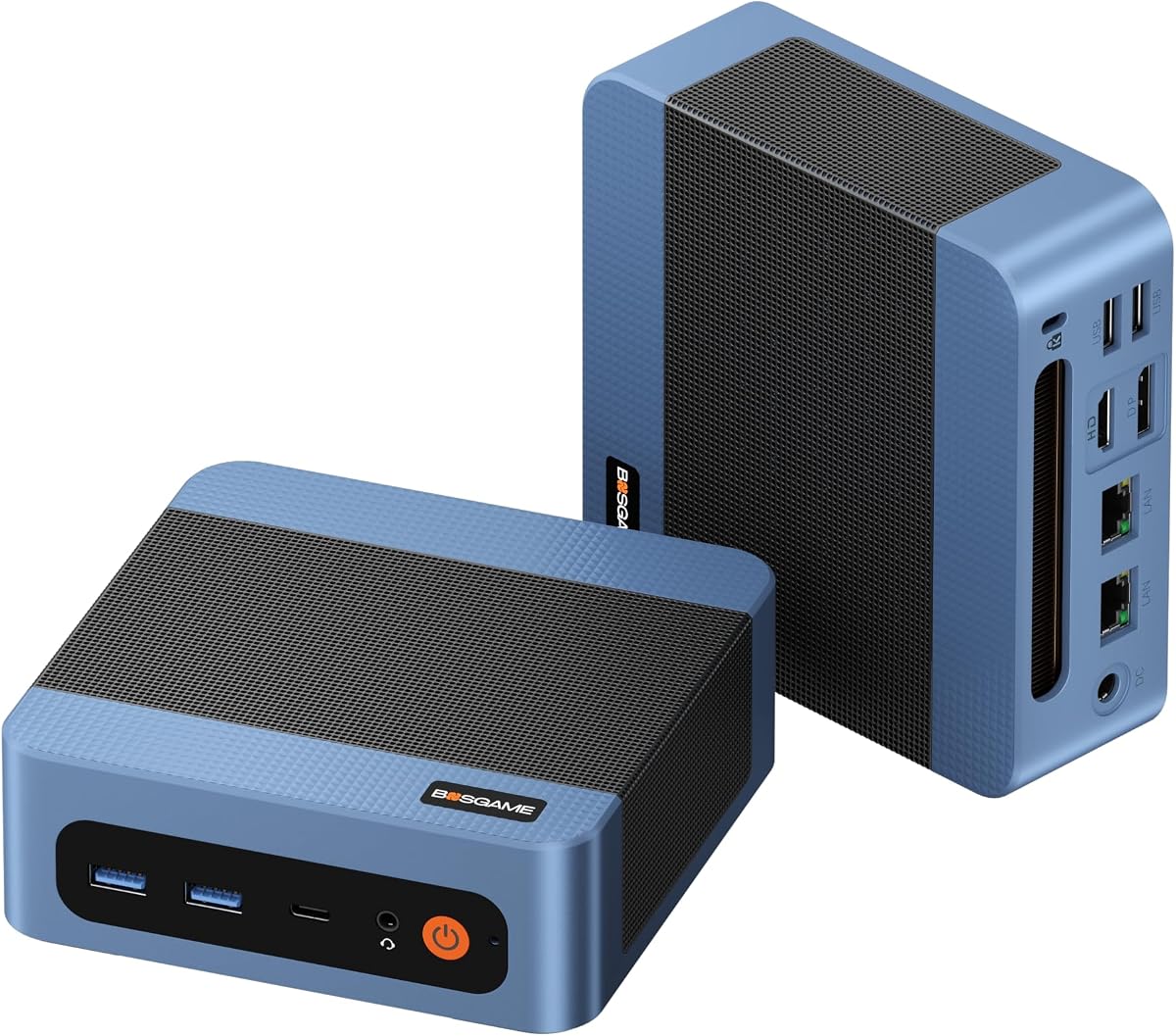
BOSGAME E5 11 Pro is an entry-level barebone mini PC offering basic office functionality. It carries a 4.3 rating and provides a straightforward computing solution for general use.
We may earn a commission when you buy through this link, at no additional cost to you.
Powered by Ryzen 3 5300U with Radeon Graphics, it handles web browsing and document tasks well. Dual 2.5GbE LAN ports make it suitable for networking experiments. Triple display support aids productivity.
Compared to higher-end models performance is modest but sufficient for office tasks. The inclusion of pre-installed OS simplifies setup but requires checking specific licensing details. It remains compact and quiet.
Ideal for budget office setups or secondary computers where high speed is not critical. The multiple LAN ports add unique utility for tech users.
Dual 2.5GbE ports support advanced networking configurations and traffic control.
Designed for everyday office applications with reliable performance.
We may earn a commission when you buy through this link, at no additional cost to you.
Selecting the right barebone mini PC depends on your performance needs, expansion plans, and usage scenarios.
The processor is the core of your system. Look for modern architectures like AMD Zen 4 or Intel Core Ultra for better efficiency. Multi-core count matters for multitasking and productivity workloads.
Integrated graphics like Radeon 780M or Intel Arc handle light gaming and media well. For heavy gaming, check for OCuLink support for external GPU connections. This flexibility is vital for expandability.
Check the number and type of memory slots. DDR5 offers faster speeds than DDR4. For storage, prioritize M.2 slots supporting PCIe 4.0 SSDs. More slots mean better long-term upgradeability.
USB4 ports provide high data transfer and display support. Ensure enough USB-A ports for peripherals. Ethernet LAN ports at 2.5G or faster improve wired network speeds significantly.
Compact systems can overheat under load. Look for vapor chambers or large heatsinks. Low noise fans are preferable for office environments to maintain comfort during long use.
Some barebone kits include a power supply. Check wattage to ensure stability for your planned components. Energy-saving features help reduce electricity costs and heat output.
MIL-STD certifications and recycled materials indicate robust construction. These features ensure the device withstands daily use and environmental stressors over time.
A warranty period of 3 years is common for premium models. Good customer support ensures you get assistance quickly if hardware issues arise during the product lifecycle.
Install compatible RAM and SSD modules carefully according to the manufacturer manual. Ensure connections are secure before powering the system for the first time to prevent damage.
Keep the chassis clean by dusting vents regularly. Use compressed air to prevent dust buildup that can block airflow and cause overheating over time.
Place the mini PC in a well-ventilated area. Avoid enclosing it in tight cabinets without air circulation to maintain stable performance and hardware longevity.
A barebone mini PC is a compact computer that comes with a motherboard, case, and power supply but excludes memory, storage, and operating system. You install those components yourself to customize performance and cost.
Basic technical skills are helpful but not required. Many kits come with simple instructions. Installing RAM and SSDs usually involves sliding components into slots and securing them with screws.
Yes, most barebone mini PCs allow future upgrades. Check the number of available slots before purchasing. Adding more memory or a second SSD is straightforward in most models.
You choose the operating system. Some kits offer Windows licenses. Others support Linux. Install your preferred OS onto the SSD after setting up the hardware.
Many newer models include OCuLink or USB4 ports that support external GPU enclosures. This lets you boost gaming performance by connecting a dedicated graphics card externally.
These devices often occupy less than 2 liters of space. They fit behind monitors or on shelves freeing up significant desk area compared to standard desktop towers.
Entry models work for casual gaming. For AAA titles look for high-performance CPUs with strong integrated graphics or OCuLink ports to connect external GPUs for full gaming power.
Warranties usually range from one to three years depending on the brand. Premium models often offer longer coverage with dedicated support for technical inquiries and replacements.
We reviewed ten top barebone mini PC models ranging from budget office units to high-end workstation builds. The AOOSTAR MACO and ASUS NUC 15 Pro stand out for performance and reliability.
Consider your primary use cases before buying. Gaming or editing needs higher graphics power while office tasks favor compact size and low noise. Always verify component compatibility early.
Prices and availability change often so check the latest offers before purchasing. We hope this guide helps you build a compact computing setup that meets your exact needs.