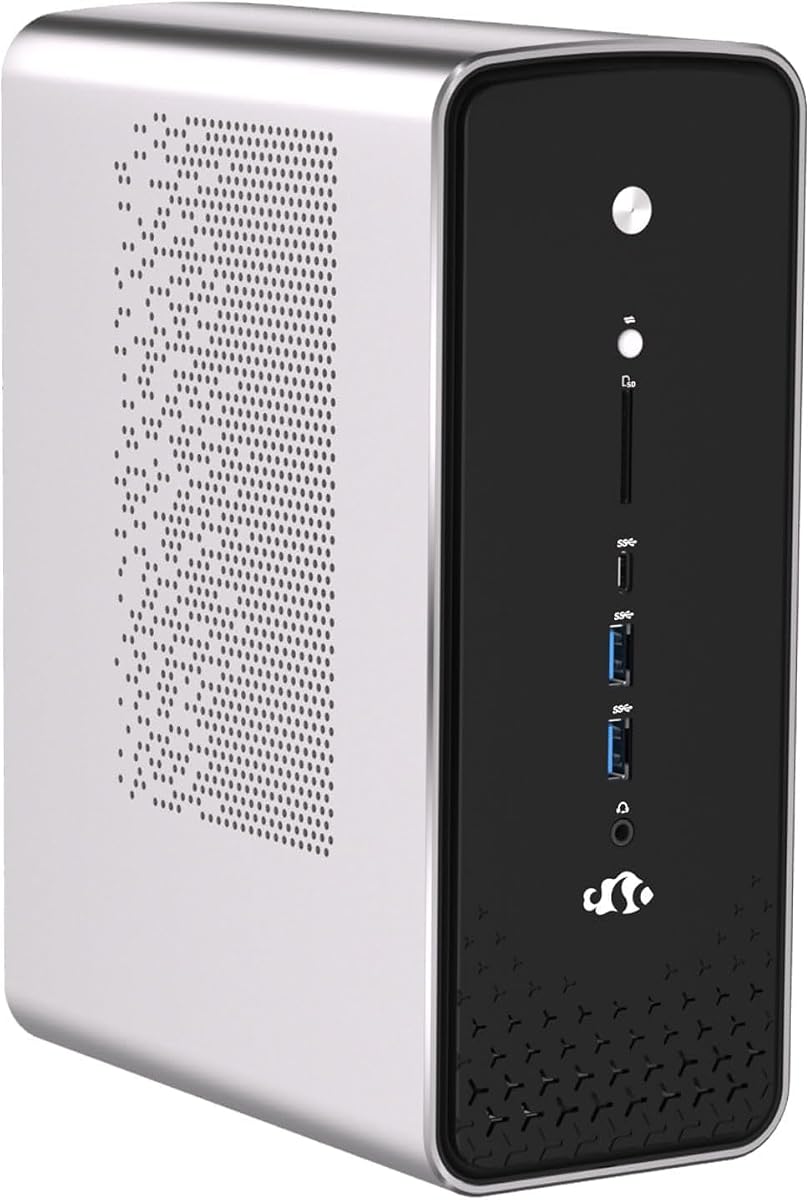
NIMO Mini PC AMD Ryzen AI Max+ 395
5.0Editor score
Dual OS Win11 Pro and Linux Ubuntu
AMD Ryzen AI Max+ 395 Processor
Triple Display Output with 4K Clarity
Discover the top Desktop PC with Ubuntu Pre Installed models for developers and professionals. Compare specs, performance, and value in this comprehensive
Finding a Desktop PC with Ubuntu Pre Installed can streamline your workflow by eliminating setup hassles. These systems offer a stable, open-source environment ready for development, server tasks, or general productivity without the overhead of proprietary software.
We compared ten distinct models ranging from compact mini PCs to business towers. Our analysis focuses on hardware compatibility, processor power, memory capacity, and the quality of the pre-installed Linux distribution to ensure you get a machine that works out of the box.
Each pick highlights specific strengths like AI acceleration, triple display support, or budget-friendly pricing. Please note that product availability and prices change frequently, so verify current details before purchasing to ensure you get the best deal available today.
5.0Editor score

4.0Editor score
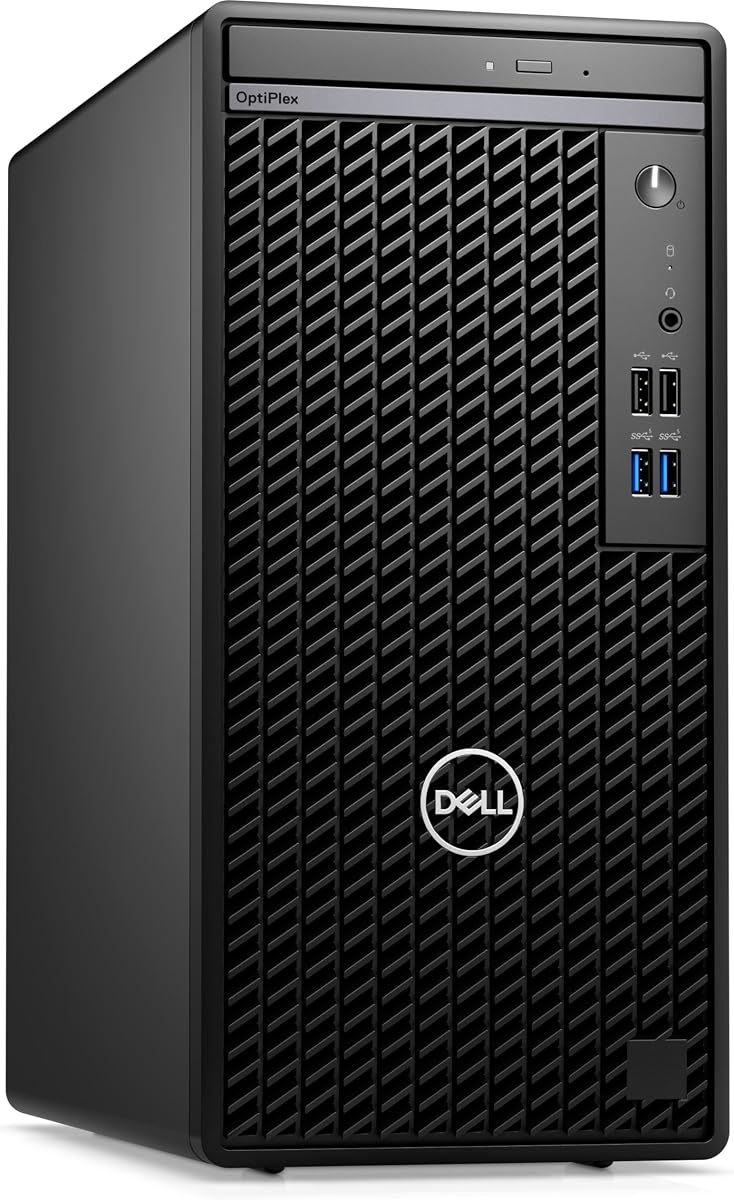
This side-by-side comparison highlights the key specifications of each desktop computer to help you make an informed decision based on your specific computing needs and budget constraints.






The Beelink Mini PC SER9 Pro stands out as a top choice for those seeking a Desktop PC with Ubuntu Pre Installed. Its combination of high-performance hardware and a ready-to-use Linux environment makes it ideal for developers and power users.
We may earn a commission when you buy through this link, at no additional cost to you.
This mini PC features the AMD Ryzen 7 255 processor with 8 cores and 16 threads, delivering smooth multitasking capabilities. The 24GB LPDDR5X memory ensures fast application launches, while the 1TB PCIe4.0 SSD provides ample storage for large datasets and projects.
While the system offers impressive AI integration through Openclaw, users might need to spend time exploring its features. Additionally, the pre-installed OS limits immediate use of Windows applications without dual booting or virtualization setup.
If you need a compact workstation capable of handling heavy computational tasks without the bloat of proprietary operating systems, this unit is an excellent investment. Its triple display support further enhances productivity for multi-monitor setups.
The system supports 12 major application scenarios including AI and LLMs which enhances productivity for modern workflows.
With Radeon 780M graphics and 4K 240Hz triple display support this PC handles AAA titles and high-resolution media effortlessly.
We may earn a commission when you buy through this link, at no additional cost to you.
The Dell OptiPlex 7070 SFF is a robust business desktop known for its reliability and high-end specifications. While it ships with Windows 11 Pro, its hardware quality makes it a strong candidate for users planning to install Ubuntu Linux themselves.
We may earn a commission when you buy through this link, at no additional cost to you.
Equipped with an Intel i7-9700 processor and 32GB of DDR4 RAM, this machine handles multitasking with ease. The 1TB NVMe M.2 SSD ensures rapid boot times and data access, which is critical for professional environments requiring speed.
One notable drawback for this specific guide is that it does not come with Ubuntu pre-installed. Users must be prepared to format the drive and install a Linux distribution which adds a step to the setup process.
Despite this, the renewed condition offers excellent value for those seeking enterprise-grade durability. It is suitable for home offices or businesses needing a powerful tower that can easily support Linux via a clean installation.
The blazing fast 1TB M.2 NVMe SSD stores important files and applications supporting faster Boot speed and higher storage rates.
Includes 5 USB 3.1 ports 4 USB 2.0 ports and 2 display ports supporting flexible connectivity for various peripherals.
We may earn a commission when you buy through this link, at no additional cost to you.
The NIMO Mini PC represents the pinnacle of pre-configured Linux systems. It offers a seamless experience with both Windows 11 Pro and Ubuntu pre-installed, allowing users to switch between productivity and development environments without hassle.
We may earn a commission when you buy through this link, at no additional cost to you.
Powered by the AMD Ryzen AI Max+ 395 processor, this device features Zen 5 architecture and a dedicated NPU for accelerated AI workflows. This makes it exceptionally powerful for machine learning tasks and local LLM execution without relying on cloud servers.
The primary trade-off is the price, which is significantly higher than standard desktop PCs. However, for professionals requiring extreme performance and ready-to-use Linux tools, the investment is justified by the time saved on configuration.
This system is perfect for developers and creators who need both operating systems available immediately. The triple display output ensures you can maintain a expansive workspace for complex projects across multiple monitors.
Advanced Zen 5 architecture and multi-threaded performance are engineered for heavy multitasking AI deployment and complex computational tasks.
Designed with an upgraded copper cooling module and silent high-airflow fan system ensuring optimal heat dissipation and stable performance.
We may earn a commission when you buy through this link, at no additional cost to you.
The Dell Optiplex 7010 is an excellent budget option for those seeking a Desktop PC with Ubuntu Pre Installed. It comes with Ubuntu Linux 22.04 pre-installed allowing users to get started with their Linux workflow immediately upon unboxing.
We may earn a commission when you buy through this link, at no additional cost to you.
The 13th Gen i5-13500 processor offers 14 cores and 20 threads providing significant processing power for its class. This CPU ensures smooth operation for web development, server management, and general office tasks.
However, the system only includes 8GB of RAM and a 256GB SSD which may require upgrades for more demanding workloads. Users might need to add more memory or storage to fully leverage the processor capabilities.
Despite these limitations, it remains a top pick for entry-level Linux users and those needing a reliable office machine. The included keyboard and mouse make it ready to use right out of the box.
The 13th Gen i5-13500 2.50GHz Processor up to 4.8 GHz with 24MB Cache delivers high-speed multitasking capabilities.
256GB PCIe NVMe SSD provides fast boot times and data access for essential applications and documents.
We may earn a commission when you buy through this link, at no additional cost to you.
The Dell Optiplex 7050 SFF is a renewed business desktop offering substantial memory and storage. While it ships with Windows 11 Pro, its hardware configuration supports a smooth transition to Linux with minimal bottlenecks.
We may earn a commission when you buy through this link, at no additional cost to you.
With 32GB of DDR4 RAM and a 1TB SSD, this unit is ready for virtualization tasks often used in Linux development environments. The small form factor saves desk space while still providing enough power for daily tasks.
One drawback is the older Intel i7-7700 processor which may struggle with modern heavy workloads compared to newer generations. Additionally, you will need to install Ubuntu yourself as it is not pre-loaded on the drive.
This model is best suited for users who prioritize memory and storage over raw CPU speed. It offers a great starting point for building a custom Linux workstation without spending premium prices.
Equipped with 32GB DDR4 Ram and 1TB Solid State Drive for fast boot and storage capabilities.
Includes USB 3.0/2.0 ports HDMI DisplayPort and Ethernet for versatile connectivity options.
We may earn a commission when you buy through this link, at no additional cost to you.
The DELL Optiplex 7060 SFF is a reliable office desktop featuring modern connectivity and ample RAM. It comes with Windows 11 Pro but provides the hardware strength to run Ubuntu effectively if manually installed.
We may earn a commission when you buy through this link, at no additional cost to you.
Its 8th Gen i7-8700 processor offers 6 cores for balanced performance in multi-threaded tasks. The 32GB RAM and 512GB NVMe SSD combination ensures quick data access and smooth switching between applications during work sessions.
Users looking for a pre-installed Linux option should look elsewhere as this model does not include Ubuntu. However, the renewed condition and wireless peripherals make it a convenient choice for setting up a custom OS.
Ideal for home offices needing a compact and quiet machine, this desktop balances performance and space efficiency. The built-in WiFi simplifies network setup without needing extra cables.
Blazing-fast new 512GB M.2 NVMe solid-state drive stores files and applications supporting faster boot speeds and higher data transfer rates.
Includes 5 USB 3.0 ports and 2 DisplayPort ports supporting dual-monitor connections for enhanced workspace flexibility.
We may earn a commission when you buy through this link, at no additional cost to you.
The Dell Optiplex 5050 SFF offers a compact solution for desktop computing. While it runs Windows 11 Pro, its quad-core processor and decent RAM make it a viable candidate for a lightweight Linux installation.
We may earn a commission when you buy through this link, at no additional cost to you.
With 16GB DDR4 Memory and 512G NVME SSD storage, this unit handles typical office and development tasks efficiently. The slim form factor allows it to fit in tight spaces without compromising on essential connectivity.
A significant limitation for this guide is the lack of pre-installed Ubuntu. Users must be comfortable with OS installation processes to convert this machine to a Linux environment effectively.
This desktop is best for small businesses or home offices where space is at a premium. Its renewed status provides a budget-friendly way to access reliable business-grade hardware.
Intel Core i7-7700 3.6GHz Turbo up to 4.2 Ghz 64 bit Quad-Core Processor delivers consistent performance for daily tasks.
Slim Small form factor SFF saves desk space while including a wired black keyboard and mouse bundle.
We may earn a commission when you buy through this link, at no additional cost to you.
The Dell Pro Micro QCM1250 is an AI business mini desktop featuring a modern processor and pre-installed Linux. It ships with Ubuntu Linux 18.04 though users may wish to upgrade to a newer version for better security.
We may earn a commission when you buy through this link, at no additional cost to you.
Powered by the Ultra 5-235T with 14 cores, this device offers high performance in a tiny footprint. The 512GB PCIe NVMe SSD ensures fast loading times for applications and files essential for daily work.
While the 8GB DDR5 memory is fast, it might be limiting for heavy multitasking or running multiple virtual machines. Users should consider upgrading RAM if they plan on running demanding development tools.
This mini PC is suitable for small workspaces needing connectivity. Its compact design allows for flexible placement while providing the power needed for routine office and administrative tasks.
Ultra 5-235T 2.20GHz Processor up to 5 GHz with 24MB Cache 14-Cores delivers high performance in small desktop.
Includes Wi-Fi 6E Bluetooth 5.4 and USB-C for versatile modern connectivity options.
We may earn a commission when you buy through this link, at no additional cost to you.
The ASUS NUC 14 Pro delivers cutting-edge performance with a pre-installed Linux Mint environment. This open-source setup is ideal for developers seeking privacy and stability without the need for custom installation steps.
We may earn a commission when you buy through this link, at no additional cost to you.
Equipped with the Intel Core Ultra 7 155H processor and 16GB DDR5 RAM, this system handles heavy coding loads and virtualization. The Intel Arc graphics and AI boost features enable efficient local AI model training.
Despite its powerful specs, the user rating is low which may indicate potential reliability issues. Buyers should weigh the advanced features against potential risks or consider checking warranty terms carefully.
This machine is best for power users who need maximum connectivity including Thunderbolt 4. Its efficient cooling design supports 24/7 operation for server-like tasks in an office setting.
Open-source Linux Mint environment ensures secure and clutter-free experience ideal for developers and power users.
Includes Thunderbolt 4 and multiple Type-C ports supporting up to four 4K HDR displays for seamless multitasking.
We may earn a commission when you buy through this link, at no additional cost to you.
The ASUS PB64 is a security-focused business desktop featuring the latest Core Ultra 7 processor. Although it runs Windows 11 Pro, its hardware security features make it a strong candidate for secure Linux environments.
We may earn a commission when you buy through this link, at no additional cost to you.
With 16GB DDR5 RAM and a 512GB SSD this unit provides fast performance for business applications. The dTPM 2.0 protects data with advanced authentication and encryption suitable for handling sensitive information.
Users looking for Ubuntu will need to install it themselves as this device ships with Windows. However, the toolless chassis access allows for easy upgrades and maintenance without needing specialized tools.
This mini PC is perfect for professional environments prioritizing security and reliability. Its support for headless display emulation makes it ideal for use as a server or remote workstation.
Powered by latest Series 2 Intel Core Ultra 7 265 processor with 16GB DDR5 RAM and 512GB NVMe SSD.
dTPM 2.0 comprehensively protects your data and personal information with advanced authentication and encryption.
We may earn a commission when you buy through this link, at no additional cost to you.
Selecting the right desktop requires considering several key factors that directly impact your workflow and satisfaction. This guide outlines what to prioritize to ensure compatibility and long-term value.
Always check which version of Ubuntu or Linux is pre-installed. Newer versions like 22.04 or 24.04 offer better security updates and kernel support for modern hardware.
Prefer systems with current LTS releases to avoid compatibility issues with new peripherals and software packages.
Ensure the CPU architecture supports 64-bit computing which is standard for modern Linux distributions. Intel Core and AMD Ryzen processors typically have good open-source driver support.
Look for newer generations to benefit from improved power efficiency and instruction sets that accelerate development tasks.
Linux is generally lightweight but modern development tools and browsers consume significant RAM. Aim for at least 16GB of memory to run virtual machines and multiple applications smoothly.
Higher RAM allows for better multitasking and future-proofing your system against increasing software requirements.
Solid State Drives SSDs are essential for fast boot times and responsive file operations. NVMe SSDs are faster than SATA SSDs and preferred for system drives.
At least 512GB of storage is recommended to hold the OS applications and project files without running out of space quickly.
Integrated graphics like Intel Iris Xe or AMD Radeon Vega usually have stable drivers in Linux. NVIDIA cards may require proprietary drivers for full functionality.
Choose a GPU that aligns with your workload whether it is basic display output or AI acceleration using CUDA.
Verify the availability of USB ports HDMI or DisplayPort connections and Ethernet. High-speed networking like WiFi 6E or 2.5G LAN improves productivity.
Multiple display outputs are beneficial for developers needing multiple screens for coding and documentation simultaneously.
Consider how much desk space you have. Mini PCs save space but might lack upgrade options compared to towers.
Look for units with extra slots for RAM or SSDs if you plan to upgrade the system later to extend its lifespan.
Check if the vendor provides Linux-specific support or documentation. A solid warranty ensures you have recourse if hardware fails.
Business grade systems often offer better long-term reliability and easier part replacement than consumer models.
After connecting peripherals like monitors and keyboards power on the unit and proceed through the initial setup wizard. Ensure all drivers are up to date using the Software Updater tool within the system settings.
Maintain system performance by regularly cleaning temporary files and updating packages via the terminal or GUI manager. Avoid filling the storage drive beyond 80 percent capacity to prevent slowdowns.
Keep the device in a well-ventilated area to prevent overheating. Dust the vents occasionally and avoid placing the computer in direct sunlight or humid environments to prolong hardware life.
Yes, pre-installed systems ensure hardware compatibility from the start. Manufacturers often configure drivers to work correctly with the specific components reducing the risk of setup errors.
Most systems allow dual booting but you may need to adjust BIOS settings for boot order. Ensure you back up your data before modifying partitions to avoid data loss.
Mini PCs typically lack internal PCIe slots but some models with Thunderbolt ports support external GPU enclosures. Check the product specs for Thunderbolt compatibility before purchasing.
You can run Windows applications using compatibility layers like Wine or virtualization software like VirtualBox. Alternatively dual booting Windows provides native support for proprietary software.
Most common components like WiFi and audio have open-source drivers included in the kernel. However proprietary components might require manual driver installation for full functionality.
Use the built-in Software Updater or terminal commands like sudo apt update and sudo apt upgrade. These tools keep the system secure and up to date with the latest features.
We have reviewed ten diverse options ranging from compact mini PCs to powerful business towers. Each offers a unique balance of performance and price to suit different professional needs.
Prioritize hardware specs like RAM and processor cores if you plan to run complex development environments. A system with Ubuntu pre-installed saves setup time and ensures immediate productivity.
Remember that prices and availability change so verify the current details on the product pages before purchasing. Choosing the right model will enhance your workflow with a reliable open-source computing experience.