
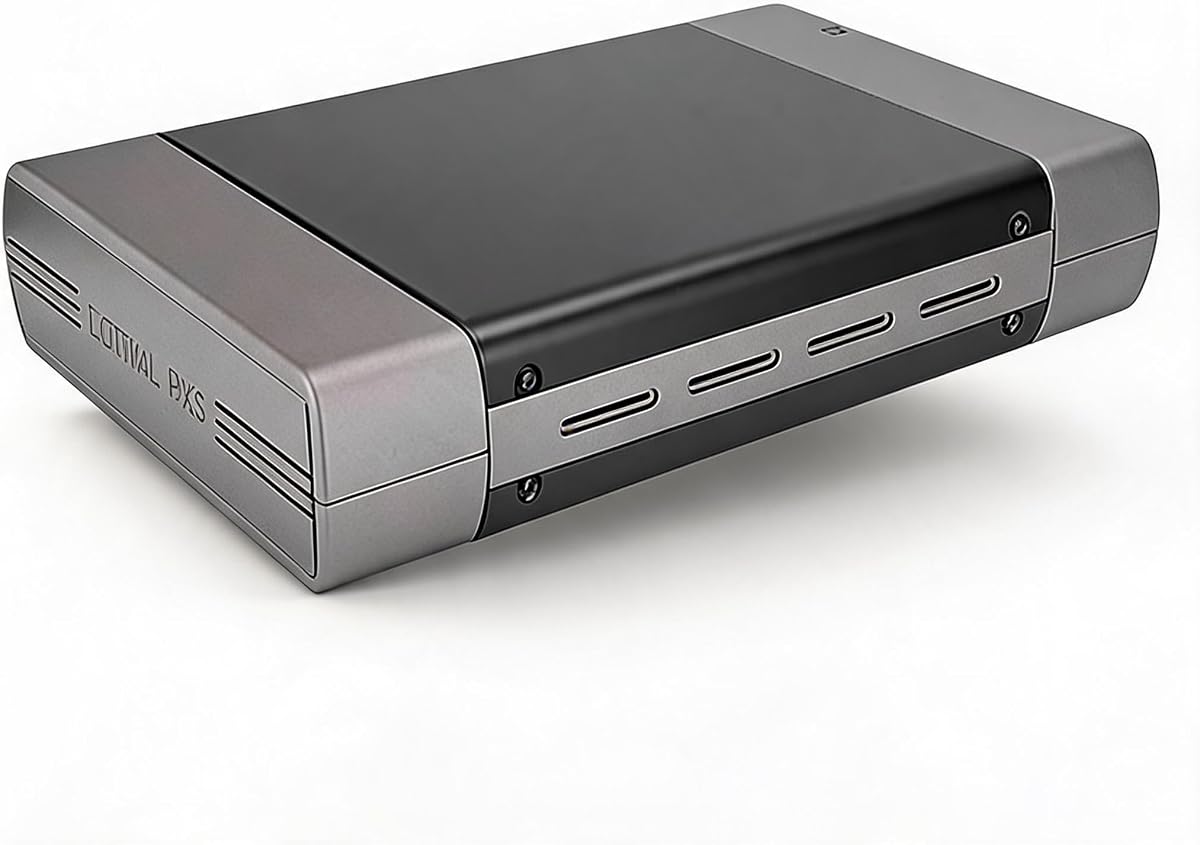
External Optical Drive Enclosure with USB 3.0 Type C
Tool-free detachable design
5Gbps data transfer speed
Slim lightweight profile
External optical drive enclosures allow you to transform internal drives into portable USB devices. They are essential for accessing discs on modern laptops lacking built-in readers. Choosing the right one ensures stable data transfer and long-lasting performance.
We evaluated ten top-rated models based on connectivity options, build materials, and ease of installation. Our analysis focuses on USB 3.0 speeds, aluminum versus plastic casings, and support for various drive thicknesses. This list covers desktop and slim laptop solutions.
Each pick highlights key specifications and real-world usability for home or office setups. Prices and availability change frequently so verify current deals before purchasing. We aim to provide clear guidance for repurposing your existing SATA optical drives.
4.6Editor score

4.6Editor score
As an Amazon Associate we earn from qualifying purchases.
The following table provides a side-by-side comparison of all ten selected enclosures. Review key specifications like interface type, drive compatibility, and material construction to find the best match for your specific optical drive.




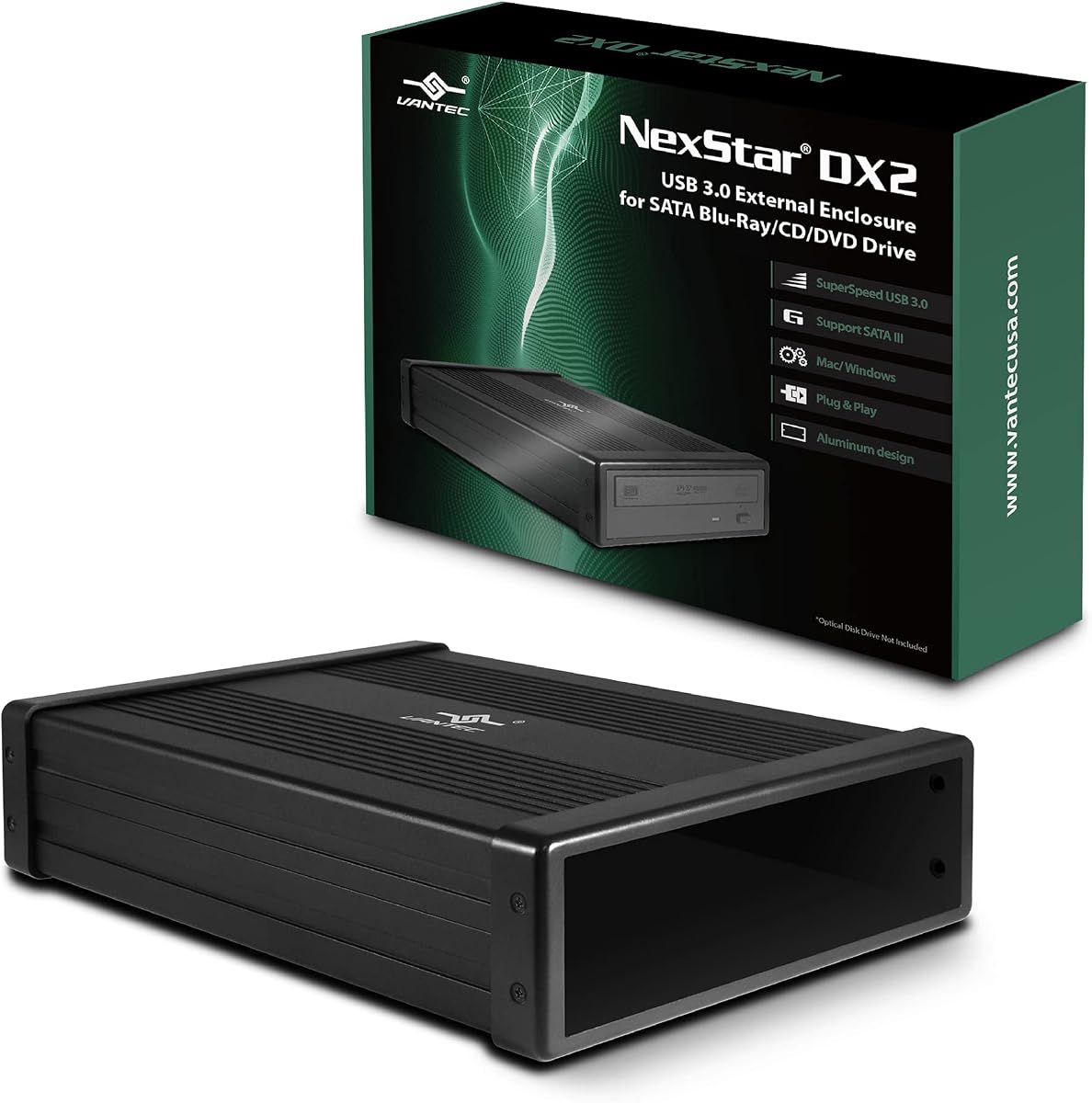
The NexStar DX2 stands out as the top choice for its universal fit and robust build. It earns a high rating for accommodating any drive depth up to 185mm which solves common compatibility issues. The aluminum casing ensures heat dissipation and reduces noise during operation.
We may earn a commission when you buy through this link, at no additional cost to you.
This enclosure features a flexible internal SATA cable that connects easily regardless of drive interface position. It supports USB 3.0 speeds for smooth read and write performance. The included 12V 3A adapter powers most optical drives reliably without needing extra accessories.
While the size is bulky compared to slim enclosures it ensures compatibility with full desktop units. The power adapter adds to the footprint but guarantees stable operation. For users needing reliable access to any optical drive this trade-off is acceptable.
We recommend this for offices or home setups where drive depth varies. It is ideal for those who need a durable solution that works with legacy 5.25 inch drives. The hot swappable feature allows quick removal without restarting the system.
This enclosure accepts any depth optical drive up to 185mm making it versatile for old or new models.
The aluminum alloy casing reduces vibration and noise while providing excellent heat management during long sessions.
We may earn a commission when you buy through this link, at no additional cost to you.
This model offers a strong balance of features and affordability for 5.25 inch drives. It connects via USB A or C ports giving flexibility for modern and older computers. The aluminum body helps manage heat effectively during prolonged use.
We may earn a commission when you buy through this link, at no additional cost to you.
Users benefit from hot swappable capability which allows changes without shutting down the system. The enclosure supports drive depths up to 171mm covering most standard models. Installation instructions include a video guide to assist with screw alignment issues.
Some users might find the screw holes hard to align without checking the video guide first. However once installed it provides stable performance. The lack of external power requirement for some drives makes it simpler to use.
Choose this if you need a reliable enclosure with dual USB options. It works well for transferring data and media playback. The build quality ensures durability over time without breaking the budget.
The enclosure supports both USB A and C interfaces ensuring compatibility with a wide range of modern and legacy computers.
Made from aluminum alloy the casing dissipates heat efficiently to protect your drive during extended reading or burning sessions.
We may earn a commission when you buy through this link, at no additional cost to you.
The Zunate enclosure is designed specifically for slim 9mm laptop drives. It is perfect for users wanting to repurpose a spare laptop drive for external use. The USB 3.0 and Type C support ensures fast transfer rates up to 5Gbps.
We may earn a commission when you buy through this link, at no additional cost to you.
Its compact design makes it easy to carry in a laptop bag without adding bulk. The embedded cable folds inside the enclosure for clean storage. It works with Windows and OS X systems without requiring driver installations.
Keep in mind that this model only supports 9mm drives so verify your drive thickness before buying. It does not support external power which limits it to low power drives. For travel this limitation is often acceptable.
We suggest this for frequent travelers needing occasional optical access. It is ideal for accessing data CDs or DVDs on modern thin laptops. The simple installation process saves time and frustration.
The slim profile and embedded cable make this enclosure ideal for carrying in a laptop bag while on the move.
With 5Gbps transfer speeds it ensures quick data access when reading or burning discs efficiently.
We may earn a commission when you buy through this link, at no additional cost to you.
JOTEC offers a robust enclosure for 12.7mm SATA drives with dual cable options. You get both USB 3.0 and Type C cables in the box for immediate use. The aluminum alloy housing is sturdy and helps dissipate heat effectively.
We may earn a commission when you buy through this link, at no additional cost to you.
It supports a wide range of operating systems including Linux and Mac OS. The non-slip feet keep the drive stable during operation. Setup is plug and play which is convenient for non technical users.
Ensure your drive is 12.7mm thick before purchasing to avoid fit issues. The cables are separate which can be a nuisance to manage. However the build quality compensates for this minor inconvenience.
This enclosure is suitable for home and office desktop use. It provides a reliable connection for burning DVDs or reading data discs. The wide compatibility makes it a safe choice for diverse setups.
Comes with both USB 3.0 and Type C cables ensuring you have the right connector for any modern port.
Non-slip feet on the bottom keep the enclosure steady even during active data transfers.
We may earn a commission when you buy through this link, at no additional cost to you.
Tbest provides flexibility by accommodating both 12.7mm and 9.5mm drives. This makes it a good option if you have multiple drive types. The 5Gbps speed ensures smooth performance for media playback and data transfer.
We may earn a commission when you buy through this link, at no additional cost to you.
It supports a wide range of operating systems including older Windows versions. The dual SATA interface support covers various standards. This broad compatibility is useful for users with older equipment.
Customer ratings suggest occasional issues with fit or stability. Verify dimensions carefully before ordering to ensure proper fit. It may require extra care during installation compared to premium brands.
Choose this if you need to support different drive sizes affordably. It is best for occasional use where cost is a priority. Check reviews for your specific drive model before buying.
Designed to work with both 12.7mm and 9.5mm drives offering flexibility for different internal drive sizes.
Compatible with Linux and various Windows versions ensuring it works in many legacy environments.
We may earn a commission when you buy through this link, at no additional cost to you.
Vantec offers a high performance adapter that optimizes SATA I II and III speeds. It supports UASP for faster data transfers compared to standard USB. The compact design is great for saving space on a desk.
We may earn a commission when you buy through this link, at no additional cost to you.
The included anti-slip mat protects drives and reduces vibration noise. Hot swappable support means you can swap drives without rebooting. It works with multiple OS without needing extra drivers.
Power requirements should be checked as some drives need higher amps. If the 12V 2A adapter is insufficient you may need an upgrade. For most optical drives it provides stable power.
We recommend this for users needing reliable speed and flexibility. It suits tech enthusiasts who value performance. The build quality ensures long term durability for heavy use.
Support for UASP allows faster data transfers compared to standard USB 3.0 protocols.
Works with SATA I II and III ensuring compatibility with various optical drive generations.
We may earn a commission when you buy through this link, at no additional cost to you.
This basic enclosure handles standard 5.25 inch drives with ease. It includes all necessary cables and an adapter for immediate use. The aluminum housing protects the drive and adds a professional look.
We may earn a commission when you buy through this link, at no additional cost to you.
USB 2.0 connection works well for media playback and data access. Setup is simple with a plug and play design. It is suitable for home office use where speed is not critical.
Speed limitations may be noticeable for large file transfers. If you need fast transfers consider USB 3.0 models. However for occasional use this is sufficient.
Choose this for simple desktop optical drive repurposing. It is ideal for reading backup discs or playing movies. The included accessories make setup straightforward and quick.
Includes optical drive box manual screws USB cable adapter and power cable for immediate setup.
Lightweight aluminum housing protects the installed drive from everyday wear and accidental bumps.
We may earn a commission when you buy through this link, at no additional cost to you.
Bewinner offers a portable solution for 9.5mm slim drives. The detachable design allows you to swap panels easily. It comes with a woven cable that resists damage during travel.
We may earn a commission when you buy through this link, at no additional cost to you.
The eject key helps prevent discs from getting stuck. Setup is simple with just replacing the panel and inserting the drive. It is ideal for users needing a portable solution.
Ensure your drive is exactly 9.5mm before buying. Some users may find instructions sparse. However the design is intuitive enough for most.
We suggest this for travelers needing occasional disc access. It works well with laptops and supports multiple OS. The compact size makes it easy to carry.
The included woven cable minimizes interference and signal loss ensuring stable data transfer.
Replace the front panel and insert the drive to convert an internal drive to external easily.
We may earn a commission when you buy through this link, at no additional cost to you.
This lightweight enclosure supports 9mm drives with fast USB 3.0 speeds. The detachable cable with Type C ensures modern connectivity. It is designed for easy insertion with a secure front panel.
We may earn a commission when you buy through this link, at no additional cost to you.
Brushed finish gives a stylish look while protecting the device. The anti-interference cable ensures stable performance. Plug and play detection works without extra drivers.
It does not support external power so low power drives are required. For slim laptop drives this is usually sufficient. The foldable cable keeps it compact for travel.
Choose this for portable optical access on modern laptops. It suits users who prioritize size and speed. Verify drive thickness before ordering to ensure a proper fit.
Detachable cable with USB 3.0 and Type C connectors ensures compatibility with new and old ports.
Foldable cable and slim design make it easy to carry in a bag without taking up space.
We may earn a commission when you buy through this link, at no additional cost to you.
This budget friendly option uses tool-free design for quick setup. It supports 12.7mm drives and offers USB 3.0 and Type C ports. The brushed ABS material resists scratches and keeps a clean look.
We may earn a commission when you buy through this link, at no additional cost to you.
Setup requires no screws just slide the drive and snap the cover. This saves time for users wanting quick access. It includes all necessary accessories for immediate use.
ABS plastic is lighter than aluminum but less durable. It works fine for occasional use. Check your drive thickness before purchasing to ensure compatibility.
Choose this for affordable optical drive conversion. It is great for home use where durability is less critical. The ease of use makes it ideal for non technical users.
Tool-free detachable design lets you swap drives without tools for immediate external access.
5Gbps data transfer ensures quick access to discs and files without long waits.
We may earn a commission when you buy through this link, at no additional cost to you.
Selecting the right enclosure depends on your specific drive type and connection needs. Understanding key factors helps you avoid compatibility issues and ensure smooth operation.
Most optical drives come in standard 5.25 inch or slim 9mm sizes. Check your drive thickness carefully as some enclosures only fit specific ranges. For example 12.7mm or 9.5mm requires distinct models to avoid installation issues.
Always verify your drive's exact dimensions before purchasing to ensure a perfect fit.
USB 3.0 offers faster speeds up to 5Gbps compared to USB 2.0. Type C ports are essential for modern laptops. Some models provide both A and C cables for maximum flexibility.
Choose a model with USB 3.0 and Type C for best performance and future proofing.
Aluminum alloy casings dissipate heat better and reduce noise during operation. Plastic or ABS housings are lighter and cheaper but may retain heat. Consider where you will use the enclosure most often.
Aluminum is preferred for heavy use while plastic works for occasional travel.
Some optical drives need external 12V adapters while others draw power from USB. Verify if the included adapter meets your drive's needs. Insufficient power can cause read errors.
Look for enclosures that include a compatible adapter if external power is required.
Ensure the enclosure supports your operating system like Windows or macOS. Most modern models are plug and play on major OS. Check for specific driver needs for older systems.
Plug and play support simplifies setup and avoids extra software installation.
Tool-free designs allow quick drive swapping without screws. Enclosures with detachable panels save time during setup. Consider how often you may need to change drives.
Tool-free models are best for users who swap drives frequently.
Slim and lightweight designs fit easily into laptop bags. Embedded cables reduce clutter and prevent loss. If you travel often prioritize compact models with foldable cables.
Small enclosures with integrated cables are ideal for on-the-go use.
Check for warranty length and customer support availability. Reputable brands offer better after-sales service. Read reviews for common issues like connection drops or installation challenges.
A solid warranty ensures protection against manufacturing defects and gives peace of mind.
Start by checking your drive dimensions to ensure compatibility with the enclosure. Use the included tools to insert the SATA drive into the housing. If a tool-free design is present slide the drive until it clicks securely.
Connect the USB cable to your computer and wait for the OS to detect the drive. Use optical disc software to play or burn files. Ensure you eject discs properly using the physical or software button.
Store the enclosure in a dry place to prevent corrosion. Dust the ports regularly to maintain connection quality. Avoid dropping the device to keep internal components intact.
Many desktop optical drives require external 12V power while slim laptop drives often run on USB power. Check your drive specs to see if it needs extra voltage. Enclosures that include adapters are safer for all drive types.
Modern enclosures include USB C cables to connect directly to new ports. Older models may only support USB A which requires an adapter. Always verify cable inclusion before buying to match your laptop.
USB 3.0 offers up to 5Gbps transfer rates which are faster than USB 2.0. This speed helps when copying large files or burning discs. Look for 5Gbps rated models for best performance.
Most enclosures are plug and play on macOS without extra drivers. Check product descriptions to confirm OS support explicitly. Linux and Windows are also commonly supported across all models.
Slide the drive into the housing and secure it with screws if needed. Some models have tool-free clips for quick installation. Follow included instructions to align SATA ports correctly.
These enclosures only support SATA interfaces not older IDE connections. Confirm your drive has a SATA connector before purchasing. IDE drives need different adapters that are less common.
Hot swappable models allow drive changes without restarting the computer. Some have detachable panels for quick access. This feature saves time if you use multiple drives.
Check that all connections are secure and power is sufficient. Try a different USB port or cable. Ensure the OS recognizes the drive in disk management tools.
Our top picks highlight versatility speed and durability. The NexStar DX2 leads with universal fit while the Vantec offers premium performance. Budget choices like the External Optical Drive Enclosure with USB 3.0 Type C provide value.
Prioritize compatibility and power needs when selecting a model. Aluminum enclosures work best for heavy use whereas slim cases suit travelers. Ensure your drive thickness matches the product specs.
Prices vary by retailer so compare current offers before finalizing. We recommend checking user feedback for real-world reliability. This guide helps you repurpose old drives effectively.