
Ubiquiti Unifi Security Appliance
4.5Editor score
VLAN support for segmentation
QoS for enterprise VoIP
Integrated Unifi Controller
This guide compares the top firewall appliances for security and performance, helping you choose the right network protection device for your needs.
Secure your network with the right firewall appliance designed to protect against threats and manage traffic efficiently for your specific environment needs.
We evaluated ten top models based on performance, security features, connectivity options, and value to help you find the ideal solution quickly.
Each pick highlights key strengths and weaknesses so you can decide wisely. Note that product prices may change without notice over time.
4.5Editor score

4.4Editor score

4.7Editor score
This side-by-side comparison highlights the key specifications and capabilities of each model to help you identify the best fit for your network requirements.



The Protectli Vault FW4B is a highly rated micro appliance designed for users seeking flexibility and strong security hardware. With a 4.6 star rating, it stands out for its ability to run various open-source firewall software.
We may earn a commission when you buy through this link, at no additional cost to you.
Its Intel Quad Core processor with AES-NI support ensures efficient data encryption and decryption. The inclusion of 8GB RAM and multiple Gigabit Ethernet ports makes it suitable for medium-sized networks needing robust throughput without excessive power consumption.
While the unit comes without a pre-installed operating system, this allows users to choose their preferred software like pfSense or OPNsense. The setup may require technical knowledge, but the benefit is a truly customized network security environment.
This appliance is ideal for IT professionals and enthusiasts who want control over their firewall rules. The silent operation and compact size make it perfect for home offices or small business environments where noise and space are concerns.
Users can install any compatible open-source OS, allowing for tailored security configurations that match specific network needs.
AES-NI technology accelerates encryption tasks, ensuring secure traffic handling without slowing down overall network performance.
We may earn a commission when you buy through this link, at no additional cost to you.
The FortiGate-60F offers extensive connectivity with ten Gigabit Ethernet ports, making it a top choice for businesses requiring flexible network layouts. It delivers solid performance with high throughput for security scanning.
We may earn a commission when you buy through this link, at no additional cost to you.
Built with purpose-built security processors, it provides industry-leading SSL inspection and robust SD-WAN functionality. This ensures that encrypted traffic is thoroughly checked without creating significant latency for users.
Management is simplified through a user-friendly console that supports network automation. However, the appliance is sold without a security subscription, meaning additional costs are needed to activate full threat protection features.
Ideal for small to medium businesses, this unit balances performance and connectivity. Organizations willing to invest in the necessary subscriptions will find it a reliable cornerstone for their network security infrastructure.
Ten Ethernet ports offer the flexibility to connect multiple zones or devices directly without needing extra switches for basic setups.
Leveraging AI-powered FortiGuard Labs, the appliance identifies unknown threats continuously to maintain robust security across all traffic.
We may earn a commission when you buy through this link, at no additional cost to you.
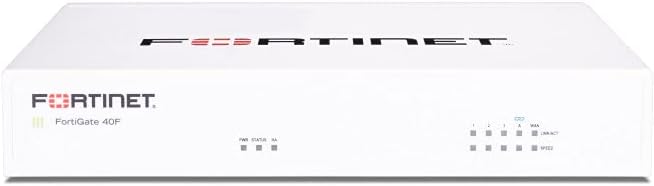
Designed for small businesses, the FortiGate-40F combines a compact form factor with essential security capabilities. It features five Gigabit ports and a fanless design for quiet operation in office environments.
We may earn a commission when you buy through this link, at no additional cost to you.
The appliance delivers high-performance security using Fortinet’s purpose-built processor technology. It effectively handles encrypted traffic and identifies threats using integrated AI-driven intelligence from FortiGuard Labs.
While it lacks the extra ports of larger models, it provides sufficient connectivity for basic setups. Users must purchase a separate subscription to activate full threat protection and firmware updates.
This model is a smart choice for small offices needing reliable security without high costs. Its simplicity and efficient design make it easy to deploy and manage for IT staff with limited resources.
The fanless desktop design minimizes space usage and noise, making it ideal for open office environments or small server rooms.
Integration with Fortinet’s Security Fabric allows for streamlined deployment, reducing the time required to get the network secure.
We may earn a commission when you buy through this link, at no additional cost to you.
The Ubiquiti Unifi Security Appliance is tailored for users already invested in the Unifi ecosystem. It integrates directly with the Unifi Controller for centralized management and monitoring of network traffic.
We may earn a commission when you buy through this link, at no additional cost to you.
It provides solid firewall performance and supports VLANs for network segmentation. Quality of Service features help prioritize VoIP traffic, ensuring clear communication for business applications.
While it has fewer ports than competitors, its ease of use is a major benefit. It is best suited for small to medium setups where managing a unified network system is a priority.
For those seeking simplicity and a clean interface, this appliance is a strong contender. It offers a balance of performance and usability that appeals to both home and small business users.
Integrating with the Unifi Controller allows users to manage security alongside other network devices from a single intuitive dashboard.
Built-in QoS features ensure voice over IP calls remain clear and uninterrupted by other network traffic congestion.
We may earn a commission when you buy through this link, at no additional cost to you.
The SonicWall TZ280 delivers impressive speeds with up to 2.5 Gbps firewall inspection capability. It is designed for small businesses and branch offices that require high-performance network security.
We may earn a commission when you buy through this link, at no additional cost to you.
Driven by the Reassembly-Free Deep Packet Inspection engine, it provides robust protection against threats while maintaining high throughput. The appliance includes multiple Gigabit Ethernet and SFP ports for versatile connectivity.
Management can be done on-box or via the cloud Network Security Manager. However, security services and firmware updates require a separate subscription to activate and keep the system secure.
For networks needing reliable bandwidth and strong protection, this model is an excellent investment. The combination of speed and advanced features makes it a premium choice for growing businesses.
The RFDPI engine analyzes traffic deeply to detect and block threats without slowing down network speeds significantly.
Zero-touch deploy and cloud management options simplify administration for distributed sites and remote workers.
We may earn a commission when you buy through this link, at no additional cost to you.
The Netgate 1100 comes pre-loaded with pfSense+ software, allowing users to start securing their network immediately. It is a compact gateway suitable for home and small business use.
We may earn a commission when you buy through this link, at no additional cost to you.
Powered by a dual core ARM processor, it delivers near gigabit routing performance for common traffic. The device includes three switched ports to configure separate WAN and LAN networks easily.
It benefits from included technical support and a hardware warranty which provides peace of mind. The low power draw ensures it can run silently on a desktop or wall mount.
This unit is ideal for those who want a hassle-free pfSense experience. While throughput is modest, it is sufficient for many standard home or small office network security needs.
Users receive lifetime software updates and technical assistance through the Netgate Technical Assistance Center available 24/7.
Its low power and silent operation allow it to remain unnoticed in any office or home setting without generating heat or noise.
We may earn a commission when you buy through this link, at no additional cost to you.
The Fortinet FG-100E is a network security appliance designed to protect against known exploits and malware. It holds a high rating reflecting its effective performance in maintaining network integrity.
We may earn a commission when you buy through this link, at no additional cost to you.
It features capabilities to identify thousands of applications and detect unknown attacks. This application awareness helps in enforcing security policies based on what is running on the network.
Users benefit from robust protection against malicious websites and external threats. The appliance integrates well with other Fortinet security tools for a comprehensive defense strategy.
This model is a solid choice for those prioritizing security depth over raw port numbers. It provides reliable protection for networks needing strong malware and exploit defenses.
Advanced detection technologies help identify and block malicious software before it can compromise network systems or data.
The device can identify thousands of applications allowing administrators to control access based on specific app usage policies.
We may earn a commission when you buy through this link, at no additional cost to you.
The Palo Alto PA-220 brings next-generation firewall capabilities to a compact form factor. It is designed to provide advanced security features typically found in larger enterprise devices.
We may earn a commission when you buy through this link, at no additional cost to you.
It includes eight ports for flexible network connections. This model is suitable for environments that require modern security protocols without extensive rack space or complex setups.
While user ratings are mixed compared to other top picks, the brand reputation remains strong. It offers a range of advanced security features for those seeking a robust next-gen solution.
Consider this appliance if you need Next-gen features in a smaller unit. It balances modern security requirements with a space-efficient design.
Advanced inspection capabilities allow for deeper analysis of network traffic to identify complex threats.
Its small footprint makes it easy to fit into existing network setups without requiring major infrastructure changes.
We may earn a commission when you buy through this link, at no additional cost to you.
The Protectli Vault FW4C stands out for its support of 2.5 Gigabit Ethernet ports. It is a compact micro appliance designed for users who need faster networking speeds within a small footprint.
We may earn a commission when you buy through this link, at no additional cost to you.
Powered by an Intel J3710 processor with AES-NI support, it handles encryption efficiently. The unit includes four Gigabit ports and a fanless design for silent operation in any space.
While it has 4GB RAM and 32GB SSD storage, it remains versatile for standard firewall software like pfSense. Users must install their own operating system which adds flexibility to the hardware choice.
This appliance is ideal for home labs or small offices upgrading to faster Ethernet standards. The combination of speed and silence makes it a practical choice for quiet environments.
Support for 2.5G ports ensures compatibility with modern high-speed network adapters and switches without needing expensive 10G hardware.
The fanless design ensures the unit operates silently which is perfect for noise-sensitive areas like home offices.
We may earn a commission when you buy through this link, at no additional cost to you.
This bundle includes the FortiGate-60F appliance along with one year of FortiCare Premium and FortiGuard Unified Threat Protection. It offers a complete solution for medium-sized businesses needing immediate security coverage.
We may earn a commission when you buy through this link, at no additional cost to you.
The inclusion of UTP secures against advanced online threats with comprehensive web filtering and anti-botnet technologies. This ensures the network is protected from the moment of activation without extra setup.
Premium support provides high-quality service continuity ensuring any issues are resolved quickly. This reduces the burden on internal IT staff who might lack specialized firewall troubleshooting skills.
While the price is higher than the hardware alone, the included services add significant value. It is an excellent choice for businesses that prefer an all-in-one package to simplify budgeting and management.
UTP provides a layered defense against threats including web filtering and anti-botnet technologies to secure all outbound and inbound traffic.
FortiCare Premium ensures high-quality support and service continuity to keep your business secure and operational at all times.
We may earn a commission when you buy through this link, at no additional cost to you.
Selecting the right firewall appliance depends on understanding your network needs budget and desired security features.
Throughput measures how much traffic the firewall can process securely without slowing down connections. Ensure the appliance supports your internet bandwidth and internal traffic peaks.
Choose a model that exceeds your peak bandwidth usage to avoid bottlenecks during heavy network activity.
Different appliances offer varying numbers and types of ports such as Gigabit or 2.5G. Match these to your physical network infrastructure and zoning needs.
Look for enough ports to connect your WAN LAN and any DMZ zones directly without needing extra switches.
Some appliances come with pre-installed software while others require you to install open-source systems like pfSense. Consider your technical expertise and management preferences.
Pre-installed systems save setup time while open-source options offer more customization for advanced users.
Key features include intrusion prevention deep packet inspection and SSL inspection. These capabilities determine how well the firewall protects against modern threats.
Prioritize appliances with advanced threat intelligence to detect both known and unknown risks effectively.
Many advanced security services require annual subscriptions. Check if the appliance works standalone or if it needs extra licenses for full protection.
Factor in the cost of subscriptions when calculating the total price of ownership over several years.
Compact fanless models are ideal for home offices while rack-mounted units suit server rooms. Consider where the appliance will be placed.
A silent device is essential if the unit will be in a shared or noisy environment.
Reliable technical support can save significant downtime during security issues. Check the warranty length and availability of support resources.
Opt for brands with responsive support teams and clear warranty policies to ensure peace of mind.
Choose a device that can grow with your network requirements. Consider if the model supports future upgrades or SD-WAN integration.
A scalable solution prevents the need to replace the firewall soon after purchase.
Connect your appliance correctly by placing it between your modem and router to ensure all traffic is inspected. Proper cabling is essential for network stability and security performance.
Update firmware regularly to keep security features current and protected against emerging threats. Enable automatic updates if available to ensure your system remains patched.
Monitor logs and alerts to identify potential issues early. Regular maintenance includes checking connection status and verifying rules are working as intended.
A firewall appliance is a dedicated hardware device designed to secure network traffic by filtering and monitoring data. It sits between your internal network and the internet to block unauthorized access.
Many advanced security features require annual subscriptions for threat intelligence and updates. Hardware-only units may work without them but lack real-time protection capabilities.
Not all hardware is compatible. Ensure the device has supported network cards and processors. Pre-built appliances simplify this by testing hardware compatibility beforehand.
Hardware firewalls are dedicated devices protecting entire networks while software firewalls protect individual devices. Hardware offers better performance for larger setups.
Select a firewall with throughput higher than your internet speed to prevent bottlenecks. This ensures security scanning does not slow down your connection.
Most appliances are plug-and-play if you have basic networking knowledge. Some require configuration of software or settings which may need technical assistance.
We explored ten top firewall appliances offering a range of security features and performance levels. Each model provides unique benefits for different network sizes and technical requirements.
Prioritize throughput and security features that match your specific needs. Consider whether you prefer open-source flexibility or proprietary integrated solutions.
Check current prices and availability before making a decision. Prices may change so ensure you review the latest offers for the best value.