
VPFET HDMI Audio Extractor 4K
4.1Editor score
4K at 30Hz Support
Optical and 3.5mm Output
Low Energy Consumption
Wide Device Compatibility
This guide compares the top HDMI Audio Extractor models for 2026, evaluating performance, compatibility, and features to help you choose the right device.
An HDMI Audio Extractor allows you to separate audio signals from HDMI sources, enabling connection to external sound systems or headphones. This is essential for users with TVs lacking dedicated audio outputs or those seeking higher fidelity sound experiences.
We have analyzed ten leading models based on resolution support, audio format compatibility, and ease of use. Our comparison focuses on real-world performance, including HDR pass-through, ARC support, and reliability across various devices.
Each pick highlights specific strengths like budget value, premium features, or niche compatibility. Note that product availability and specific model configurations may vary, so verify details before purchasing to ensure compatibility with your setup.
4.1Editor score

4.2Editor score

4.5Editor score
The following comparison table outlines the key specifications for each of the ten selected HDMI Audio Extractor models, helping you identify the best fit for your specific audio and video requirements.


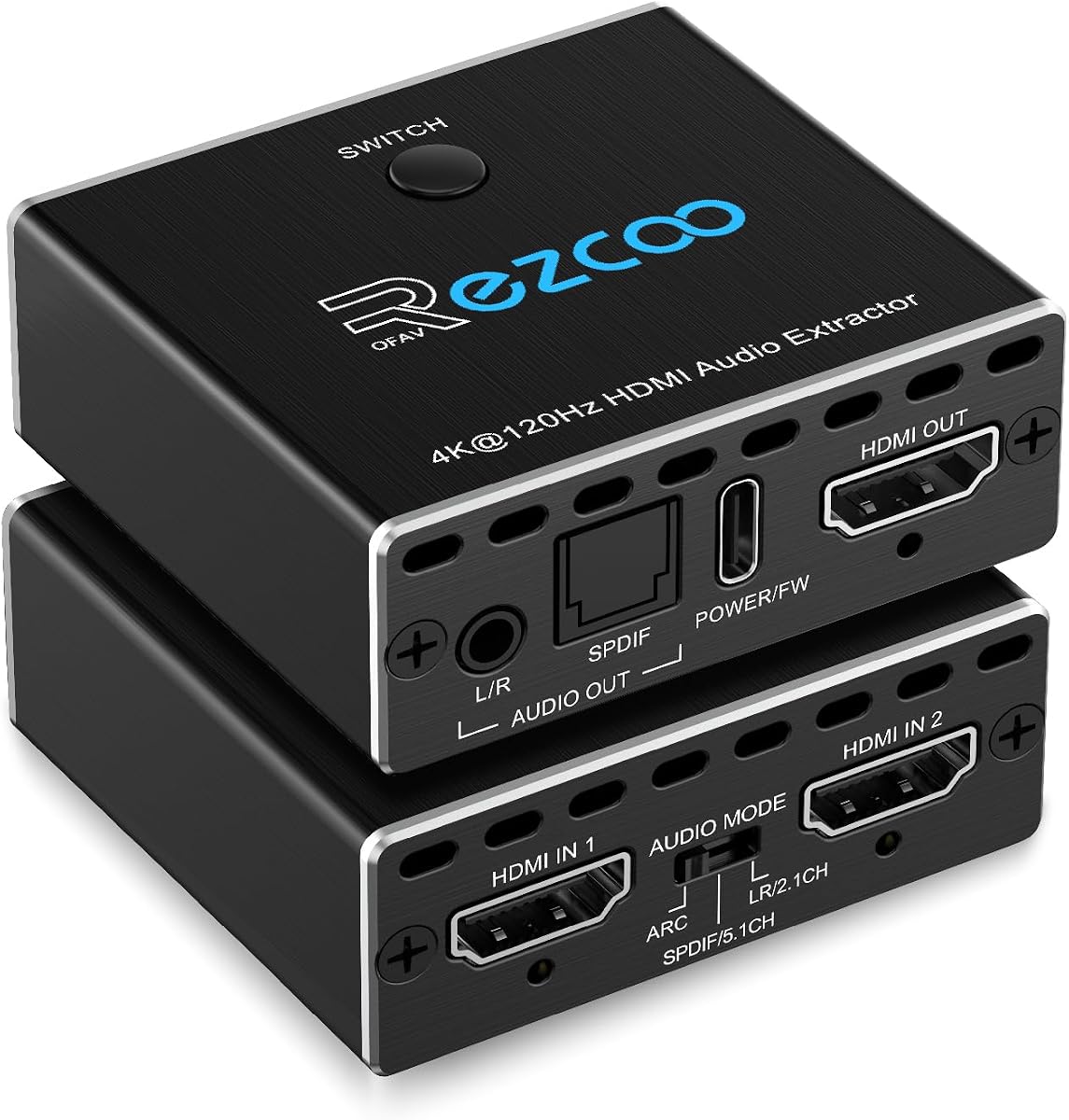


The VPFET HDMI Audio Extractor is a budget-friendly solution for those needing basic audio separation. It handles 4K video at 30Hz and offers both optical and 3.5mm outputs for flexibility.
We may earn a commission when you buy through this link, at no additional cost to you.
It supports HDCP 1.4 and DTS 5.1 over optical, making it suitable for Blu-ray players and older consoles. The low energy consumption means it runs efficiently on standard USB power.
While it lacks ARC support, which limits its use with modern TVs, it is effective for source devices like game consoles. Users should note that Fire TV and Apple TV may only output 1080p through this device.
This device is ideal for budget-conscious buyers who prioritize basic HDMI 1.4 functionality. It is a reliable choice for separating audio from devices without dedicated digital audio outputs.
This model offers a cost-effective way to extract audio without breaking the bank, suitable for casual home theater setups.
With both optical and 3.5mm ports, you can connect to soundbars or speakers depending on your existing equipment.
We may earn a commission when you buy through this link, at no additional cost to you.
The OREI HDMI Audio Extractor ARC is a robust device for modern setups requiring 4K at 60Hz. It supports ARC, allowing audio extraction from TVs where other methods fail.
We may earn a commission when you buy through this link, at no additional cost to you.
It handles HDR formats and offers audio downmixing, ensuring compatibility with stereo systems even when the source is 5.1. The CEC pass-through simplifies control between devices.
Users should be aware that the TV remote will not control the volume on the optical outputs. This is a trade-off for the convenience of ARC connectivity in many setups.
This extractor is best for users needing 60Hz video and ARC support without spending on premium flagship models. It balances performance and features well.
The ARC feature allows you to pull audio directly from your TV, which is crucial for setups using built-in streaming apps.
Pass-through of HDR10 and Dolby Vision ensures your image quality remains uncompromised while audio is extracted.
We may earn a commission when you buy through this link, at no additional cost to you.
This OREI converter focuses on high-fidelity audio extraction with support for Dolby Atmos and DTS:X. It maintains 4K at 60Hz with full HDR pass-through capabilities.
We may earn a commission when you buy through this link, at no additional cost to you.
The device is built with a durable metal housing and includes international power adapters. It is compatible with a wide range of sources from PS5 to Apple TV.
While it lacks ARC, it serves well for external source devices. Users must note specific resolution limitations for high refresh rates like 1440p at 120Hz.
Ideal for audiophiles looking for Atmos support on a budget, this unit delivers reliable performance for standard 4K setups.
Support for Atmos and DTS:X allows for true surround sound experiences even when extracting audio to an optical output.
High bandwidth ensures that video quality is not sacrificed for audio separation, keeping the signal clean and stable.
We may earn a commission when you buy through this link, at no additional cost to you.
The eSynic Professional extractor stands out for its support of eARC and ARC, which are essential for modern TV audio return. It supports high sampling rates up to 192KHz.
We may earn a commission when you buy through this link, at no additional cost to you.
This device is designed specifically for HDTVs with ARC/eARC ports, ensuring high-quality PCM audio extraction. The indicators help users verify the working status easily.
Users must note that it only supports PCM formats, not Dolby. This means it is best for users with compatible receivers or systems that do not require Dolby decoding.
This is the top choice for those prioritizing audio quality from TV ARC connections. It offers a premium experience for specific setup needs.
The high sampling rate ensures that audio is captured with precision, delivering lossless sound from your TV's streaming apps.
This unit is built specifically to bridge the gap between TV ARC outputs and external audio systems efficiently.
We may earn a commission when you buy through this link, at no additional cost to you.
The J-Tech Digital extractor is a strong contender for gaming setups due to its support for 1080p at 144Hz. It also handles standard 4K at 60Hz well.
We may earn a commission when you buy through this link, at no additional cost to you.
It features CEC bypass to allow control between devices without interference. The unit is built to pass through HDR10 signals to your display effectively.
Note that this unit does not decode Dolby Digital to analog output; the source must be set to PCM. It is also incompatible with older Apple TV models.
This device is perfect for gamers who need high refresh rates on their displays while still separating audio for a soundbar.
Support for 144Hz at 1080p makes this a viable choice for competitive gaming setups using older monitors.
CEC bypass ensures that your remote control signals pass through cleanly without being blocked by the extractor.
We may earn a commission when you buy through this link, at no additional cost to you.
This VPFET model is unique for offering both optical and coaxial outputs, which is rare at this price point. It is designed exclusively for TV ARC and eARC ports.
We may earn a commission when you buy through this link, at no additional cost to you.
It supports 192KHz sampling rates, ensuring high-quality audio for digital systems. The coaxial output provides flexibility for older receivers that use RCA digital inputs.
Users should note that this device does not support CEC, meaning volume control must be adjusted on the audio device. It is strictly for TV audio separation.
Ideal for users with digital audio systems needing coaxial inputs, this extractor provides a solid bridge for modern TV audio.
The inclusion of a coaxial port allows compatibility with a wider range of legacy digital audio receivers and sound systems.
High sampling rates ensure that digital audio is transmitted with minimal loss, suitable for hi-fi setups.
We may earn a commission when you buy through this link, at no additional cost to you.
The OREI 8K extractor is designed for future-proof setups, supporting 8K at 60Hz and HDMI 2.1 protocols like ALLM and VRR. It is a top choice for advanced home theaters.
We may earn a commission when you buy through this link, at no additional cost to you.
It includes ARC and CEC support, making it versatile for both TVs and external devices. The metal enclosure ensures efficient heat dissipation during high-bandwidth usage.
While it lacks eARC, it is robust for standard ARC use cases. Users must use HDMI 2.1 cables to unlock the full resolution potential of this device.
This is the ultimate pick for those investing in 8K displays or needing the latest HDMI features for gaming and streaming.
With 8K support, this unit ensures your audio extraction setup will not become obsolete when you upgrade your display.
Support for 48Gbps FRL bandwidth allows for uncompressed video and audio pass-through without signal degradation.
We may earn a commission when you buy through this link, at no additional cost to you.
This device combines a switcher with an extractor, allowing two sources to connect while outputting audio separately. It supports 8K video and HDMI 2.1 gaming features.
We may earn a commission when you buy through this link, at no additional cost to you.
It is perfect for gamers with multiple consoles like PS5 and Xbox, as it can switch inputs while sending audio to a sound system. The build is compact and portable.
Users should note it only supports switching inputs, not splitting one input to two outputs. Ensure you have a quality HDMI 2.1 cable for best results.
This is a versatile choice for console owners needing both switching and audio separation in a single compact unit.
The dual functionality saves space and cost by replacing two separate devices with one unit for gaming setups.
Support for Variable Refresh Rate ensures smooth gameplay on compatible TVs without tearing or stuttering.
We may earn a commission when you buy through this link, at no additional cost to you.
This extractor offers three operating modes: Pass, R/L, and SPDIF, giving users control over audio handling. It supports 8K and 4K at 120Hz video pass-through.
We may earn a commission when you buy through this link, at no additional cost to you.
The Pass mode maintains multi-channel formats while other modes downmix. It is compatible with a wide range of sources including Fire TV and Apple TV.
Note that this unit is for TV audio extraction and does not support TV as an input source directly for video. It requires specific HDMI cable standards.
This is a robust choice for users needing flexible audio output modes and high resolution video pass-through without eARC complexity.
The ability to switch between Pass and Downmix modes allows for customized audio handling based on your speaker system.
Video pass-through includes Dolby Vision, ensuring high dynamic range content is displayed correctly on your monitor.
We may earn a commission when you buy through this link, at no additional cost to you.
The HDMI Audio Extractor Splitter is a simple device focused on analog audio extraction to 3.5mm. It supports 4K at 30Hz and 3D video formats.
We may earn a commission when you buy through this link, at no additional cost to you.
It comes with a USB power cable and an HDMI cable, making it ready for immediate use. It is compatible with various devices like Switch and Fire TV.
Due to its analog-only focus, it is not suitable for users needing optical output for surround sound. It is a basic plug-and-play solution.
This device is best for users who need to connect a PC or console to a simple speaker system or headphones.
Ideal for casual users who just need to route sound to a 3.5mm speaker without complex digital setups.
The package includes necessary cables, reducing the need for additional purchases and streamlining installation.
We may earn a commission when you buy through this link, at no additional cost to you.
Choosing the right HDMI Audio Extractor depends on your specific audio and video requirements. This guide outlines the key factors to consider.
Ensure the extractor supports the resolution and refresh rate of your source device. For 4K at 60Hz, look for HDMI 2.0b. For 8K or 4K at 120Hz, look for HDMI 2.1.
Check for bandwidth specifications to confirm the device can handle your desired video signal without downscaling.
If you plan to extract audio from a TV using its built-in apps, ensure the device supports ARC or eARC. Source-only extractors will not work with TV HDMI inputs.
ARC support allows for seamless audio return from the TV, while eARC offers higher bandwidth for lossless formats like Dolby Atmos.
Determine the type of audio output you need. Optical (Toslink) is ideal for digital audio systems, while 3.5mm or RCA is better for analog speakers.
Dual output models allow flexibility to connect multiple audio devices simultaneously.
HDCP compliance is necessary to decrypt protected content. Ensure the extractor supports HDCP 2.2 or 2.3 for 4K content from services like Netflix.
Incompatible HDCP versions can result in black screens or no audio output.
Check if the device supports the audio formats you use, such as Dolby Digital, DTS, or PCM. Some units downmix multi-channel audio to stereo.
Lossless support is critical for audiophiles wanting full surround sound experiences.
CEC pass-through allows device control via a single remote. Look for CEC bypass or support to avoid remote control conflicts.
This feature simplifies setup by letting your TV remote control the audio device.
Some extractors require external power adapters while others use USB. Ensure you have the necessary power source available near your setup.
Reliable power ensures stable signal transmission and prevents audio dropouts.
Connect the HDMI input from your source device to the HDMI IN port on the extractor. Connect the HDMI output from the extractor to your display or projector.
Connect your audio device using the appropriate cables to the Optical or Analog ports. Ensure the device is powered on via USB or an adapter.
Adjust your source device settings to output the correct audio format, such as PCM for analog or bitstream for optical. Keep the extractor in a well-ventilated area to prevent overheating.
Not all extractors work with TVs. Only those with ARC or eARC support can extract audio from a TV's HDMI port. Standard extractors work with game consoles and Blu-ray players.
Yes, if the extractor supports multi-channel formats like Dolby Digital. However, analog outputs usually downmix to stereo, so use optical for true surround sound.
ARC supports compressed surround formats like Dolby Digital, while eARC supports uncompressed high-quality audio like Dolby Atmos and DTS-HD Master Audio.
For 4K at 60Hz or higher, use High-Speed HDMI cables. For 8K, use Ultra High-Speed cables to ensure stable signal transmission.
Analog outputs often require PCM audio settings. Change your source device audio settings to PCM or stereo to enable analog audio output.
Most extractors work with Apple TV, but some may limit resolution to 1080p. Check the product specs for compatibility with Apple TV models.
The OREI 8K HDMI Audio Extractor stands out for its future-proof performance and ARC support. The VPFET offers a budget-friendly alternative for basic needs.
When choosing, prioritize compatibility with your source devices and required video resolutions. Ensure you need ARC if you plan to use it with a TV.
Prices and availability can change. Check current listings and verify specifications before purchase to ensure the device meets your specific needs.