
HDMI iSilencer 2
4.6Editor score
Up to 40dB noise reduction
Compact smaller design
Includes HDMI extension cable
Advanced ANC technology
This guide compares the top 10 HDMI noise filters including ferrite cores, iSilencers, and caps to help you reduce interference and improve audio video signal
HDMI noise filters are essential tools for enthusiasts and professionals who demand pristine audio and video quality from their home theater setups. They work by reducing electromagnetic and radio frequency interference that can degrade signals transmitted between devices. Choosing the right filter depends on your specific setup and the types of cables you use daily.
We compared ten highly rated products ranging from advanced active noise cancellation devices to affordable ferrite bead kits. Our analysis focused on noise reduction capabilities, compatibility with modern HDMI standards like 8K and 4K 120Hz, ease of installation, and build quality. This list covers solutions for every budget and technical requirement.
Each pick in this guide highlights unique features such as surge protection, jitter elimination, and wide compatibility with various devices. We also provide detailed reviews and a buying guide to help you make an informed decision for your system. Keep in mind that prices and availability can change frequently so check current listings before purchasing.
4.6Editor score

3.6Editor score

4.2Editor score
The following table provides a side-by-side comparison of all ten products reviewed in this guide. It highlights key specifications and features to help you quickly identify the best option for your specific HDMI noise reduction needs and budget constraints.



The iFi HDMI iSilencer is designed for high-end setups that require top-tier performance. It features active noise cancellation technology that significantly reduces system noise for a cleaner audio-visual experience. Users report enhanced video detail in dark scenes and lower background audio noise. This makes it a strong candidate for those investing in premium home theater equipment.
We may earn a commission when you buy through this link, at no additional cost to you.
Key strengths include jitter elimination which enhances video clarity and dynamics. The built-in surge protection guards your system against voltage surges and transients. It supports Ultra HD HDR 8K/60Hz and 4K/120Hz when used with an Ultra High-Speed HDMI cable. Wide compatibility ensures it works seamlessly with HDMI 2.1 and earlier versions.
One trade-off is its size which may not fit as easily in tight spaces compared to smaller adapters. The price point is also higher than passive solutions like ferrite beads. However for users with dedicated AV amplifiers and large 4K TVs the benefits often justify the cost. The noise reduction is most noticeable in complex signal chains.
This product is ideal for enthusiasts who prioritize signal integrity and system protection. It offers a comprehensive solution combining noise reduction with surge protection in one device. If you have a large setup and need reliable performance across various resolutions this is a recommended choice. Always ensure you use a compatible high-speed HDMI cable for best results.
The active noise cancellation technology actively reduces interference within the HDMI signal path. This results in a cleaner signal that improves both audio and video quality significantly.
Integrated transient voltage suppressor technology protects connected devices from unexpected power spikes. This adds a layer of security for expensive AV components.
We may earn a commission when you buy through this link, at no additional cost to you.
The HDMI iSilencer 2 improves on the original with a smaller lighter design. It fits better into tight spaces allowing use with a wider range of HDMI devices. The advanced ANC technology achieves up to 40dB noise reduction for a cleaner stable signal. This makes it highly effective for reducing interference in modern home theater systems.
We may earn a commission when you buy through this link, at no additional cost to you.
It effectively eliminates jitter throughout the HDMI signal chain helping restore fine image details. The built-in TVS protection safeguards your HDMI devices from unexpected voltage spikes. Support for 8K/60Hz and 4K/120Hz ensures it meets high bandwidth needs. An included HDMI extension cable adds installation flexibility for various setups.
While the performance is excellent the price might be a consideration for budget-conscious buyers. Ensuring you have compatible Ultra High-Speed HDMI cables is important for achieving the best results. The compact design addresses the bulk issues of the previous generation making it more versatile. It is a premium choice for those seeking the best signal quality.
This device is perfect for users with high-resolution displays and complex AV setups. It balances performance with practical design improvements like size and included accessories. If you want maximum noise reduction and device protection this model delivers consistent results. Check your cable compatibility to fully utilize its advanced features.
Being smaller and lighter allows the iSilencer 2 to fit in tight spaces where larger adapters may not. This improves installation options for various device configurations.
Supporting HDMI signal transmission at 8K/60Hz and 4K/120Hz ensures future-proofing for high-bandwidth content. It maintains signal integrity even at the highest resolutions.
We may earn a commission when you buy through this link, at no additional cost to you.
This kit offers 24 ferrite cores in 5 sizes suitable for various cable diameters. It provides a universal fit for USB HDMI power cords and data cables. The snap-on design allows for tool-free installation making it easy to use without damaging wires. It is an excellent solution for general noise suppression across multiple devices.
We may earn a commission when you buy through this link, at no additional cost to you.
The ferrite choke technology blocks electromagnetic and radio-frequency interference effectively. This enhances signal integrity for TVs routers speakers and other electronics. The Ni-Zn ferrite material combined with locking clips ensures durability and performance. A sturdy plastic case keeps everything organized for easy access when needed.
While it is a passive solution it covers a wide range of cable types and sizes. The price point is very accessible making it a great first step for noise reduction. Some users may need to experiment with positions for optimal results. It is a practical choice for DIY enthusiasts and IT pros.
This kit is ideal for those looking to tackle interference issues without a large investment. The variety of sizes ensures you can find a fit for most common cables in your setup. If you have multiple devices with cable interference this kit offers broad coverage. It is a reliable tool for maintaining clean signal paths.
The five sizes range from 3.5mm to 13mm diameter fitting a wide variety of cable thicknesses. This versatility makes the kit useful for many different electronic devices.
The snap-on rings are removable and reusable without causing wire damage. This allows you to move them between devices as needed over time.
We may earn a commission when you buy through this link, at no additional cost to you.
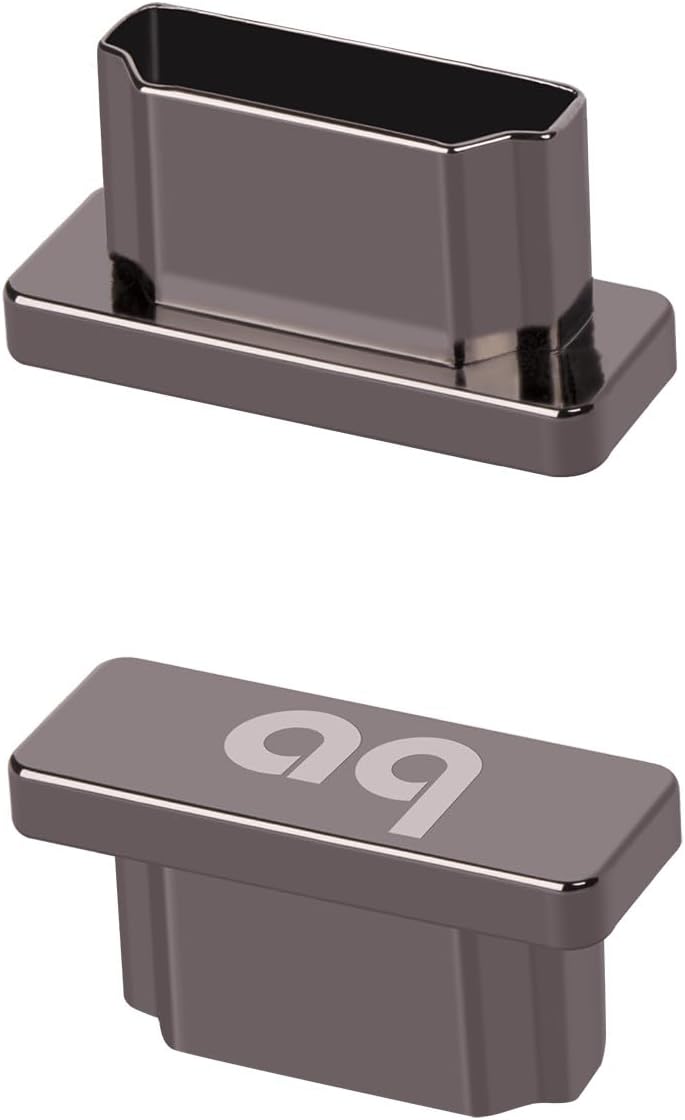
These caps are designed to block RFI and EMI noise from entering unused HDMI ports. They also protect unused inputs and outputs from dust corrosion and physical damage. This helps preserve clean signal paths and maintain the performance of your audio video setup. They are easy to use with a snug fit that requires no tools.
We may earn a commission when you buy through this link, at no additional cost to you.
Ideal for home theater and HiFi gear they are compatible with TVs AV receivers and gaming consoles. By preventing unwanted interference from open ports they improve overall AV system integrity. The simple design ensures they stay in place without interfering with connected cables. This is a proactive approach to maintaining signal quality over time.
One limitation is that they only work on unused ports and do not filter active signals. They are best used as a supplement to other noise reduction solutions for connected devices. However for protecting valuable equipment from environmental factors they are highly effective. The set of four provides enough for multiple devices.
This product is perfect for users who want to protect their equipment from dust and interference. It is a simple affordable way to extend the life of your HDMI ports. If you have multiple unused ports on your TV or receiver these caps are a great addition. They complement other noise filters by securing potential entry points.
By covering unused ports these caps prevent dust and corrosion from accumulating inside. This extends the life of your HDMI connections and maintains performance.
The caps block radio-frequency and electromagnetic interference from entering through open ports. This reduces potential noise contamination in your AV system.
We may earn a commission when you buy through this link, at no additional cost to you.
This 3-pack features a 13mm inner diameter making it suitable for thicker cables. It is effective in suppressing electromagnetic interference and radio frequency interference during transmission. The snap-on opening structure requires no tools allowing quick and safe installation. It is a versatile option for shielding against external interference on various cable types.
We may earn a commission when you buy through this link, at no additional cost to you.
Compatible with most common cable specifications including HDMI USB and network cables it offers strong versatility. The durable ferrite material combined with a robust shell provides long-lasting protection. It prevents equipment malfunctions and signal distortion due to interference. This makes it a reliable choice for both home and office environments.
The large inner diameter means it may not fit thinner cables without adapters. Users should measure their cables to ensure a proper fit before purchasing. However for standard power and data cables it works very well. The ease of installation and reuse adds to its value as a noise solution.
This product is ideal for users dealing with interference on larger cables. It provides a straightforward way to improve signal stability without complex modifications. If you have thick HDMI or power cables experiencing noise issues this is a solid choice. Always check the cable diameter to match the core size for best results.
The core is designed to flexibly adapt to various cables including power USB and network types. This solves interference problems for different devices easily.
The snap-on structure allows you to install and remove the core by hand without tools. This ensures the internal structure of the cable is not damaged.
We may earn a commission when you buy through this link, at no additional cost to you.
This kit includes 22 snap-on ferrite ring cores with five different sizes. The sizes accommodate various cable thicknesses from 1.5mm to 13mm ensuring a good fit for most cables. The clip-on design allows for easy installation and change without tools. All pieces come in a reusable transparent box for easy organization and storage.
We may earn a commission when you buy through this link, at no additional cost to you.
The plastic housing helps to reduce EMI and RFI on AC Power Lines and other cables. It is widely used on data cables telephone lines and network cables to shield from interference. Improving signal integrity is the primary goal of these cores. They are a practical tool for maintaining clean signals in home office setups.
While the housing is basic it is durable enough for everyday use. You may need to find the right size for each cable to ensure a tight fit. The transparent box helps you quickly locate the correct size for your needs. It is a versatile kit for general noise suppression tasks.
This product is best for users who need a variety of sizes for different cables. The organization provided by the storage box adds value to the package. If you deal with multiple types of cables and want a comprehensive solution this kit works well. It is an affordable way to address interference issues broadly.
With 22 pieces and five different sizes you have plenty of cores for multiple devices. The range ensures you can fit almost any common cable in your setup.
All pieces come in a reusable transparent box for easy organization and storage. This helps you keep track of the different sizes for future use.
We may earn a commission when you buy through this link, at no additional cost to you.
This filter features a 7.0mm inner diameter suitable for cables between 0.2 and 0.27 inch. It is superb at reducing EMI RFI high-frequency interference caused by home appliances. The ferrite core noise filter effectively screens electromagnetic interference and filters out high-frequency noise pulses. This improves signal quality for audio and video significantly.
We may earn a commission when you buy through this link, at no additional cost to you.
The detachable and reusable design allows for easy installation with double snap clips. You can dismount it and get clearer signal and audio sound quality. Installation instructions suggest placing it near the interference source or on both sides of a cable if needed. It is great for speaker and amplifier setups where noise can be problematic.
The fit is specific to 7mm diameter cables so it may not work with all cable types. Users should measure their cables carefully to ensure compatibility before buying. The packaging includes ten pieces which is sufficient for multiple connections. Customer service is offered to ensure satisfaction with the product.
This product is ideal for home audio devices and video cables experiencing noise. It provides a straightforward solution for filtering out high-frequency interference effectively. If you have thick HDMI audio cables that fit the size this filter is a good choice. Proper placement near the source maximizes its noise suppression benefits.
These ferrite cores are designed to reduce EMI and RFI high frequency interference caused by home appliances. This leads to clearer signal and improved audio sound quality.
Place the ferrite cores near the interference source such as the import and export of shielding case. If both sides need protection install one at each end for best results.
We may earn a commission when you buy through this link, at no additional cost to you.
These snap-on cores are made with high-grade UI1000 nickel-zinc ferrite material. They offer superior suppression of electromagnetic and radio-frequency interference for optimal signal integrity. Perfectly sized to clamp onto cables with 3.5–5mm diameter they ensure tight contact. This makes them ideal for computers routers and common HDMI cables.
We may earn a commission when you buy through this link, at no additional cost to you.
The two-piece clamp design makes installation quick and safe without cutting soldering or rewiring. They are engineered to reduce noise on USB HDMI power lines and video cables. The tight contact ensures consistent magnetic permeability for reliable long-term performance. Professional noise filtering is achieved for home and industrial use alike.
The 5mm inner diameter limits use to standard thinner cables. Users with thicker cables may need a larger size. However for most consumer electronics this size is common and effective. The perfect fit ensures consistent performance without slipping off the cable.
This product is best for users needing high-quality suppression for standard cables. The material quality and ease of use make it a reliable choice for signal integrity. If you have USB or thin HDMI cables this filter provides consistent results. Always check cable diameter to ensure it fits within the range.
The UI1000 nickel-zinc ferrite material offers superior suppression of interference. This ensures optimal signal integrity for connected devices effectively.
Perfectly sized to clamp onto cables with 3.5–5mm diameter it ensures tight contact. This maintains consistent magnetic permeability for reliable performance.
We may earn a commission when you buy through this link, at no additional cost to you.
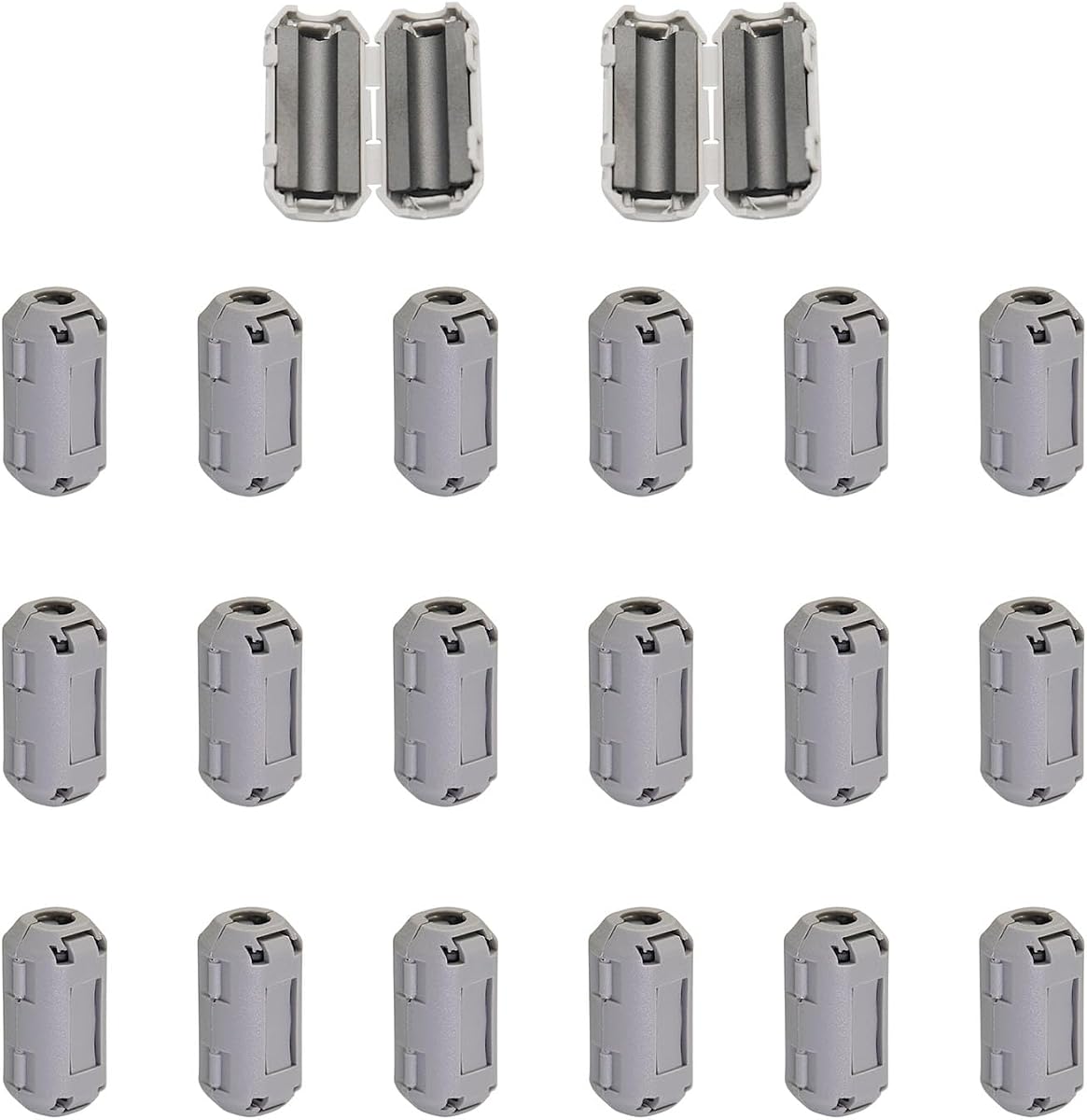
This package includes 20 pieces of 5mm inner diameter cable clips. They are made of plastic housing and ferrite core to improve the electromagnetic field. The closer they are to the electromagnetic source the more effective they are. They are suitable for 3.5-5mm diameter cables and offer wide application compatibility.
We may earn a commission when you buy through this link, at no additional cost to you.
The clips filter out high-frequency noise that can degrade signal quality in home systems. They are widely used in power cords data cables and USB cables. The compact dimensions provide optimal fit for standard cables while maintaining a low profile. This makes them easy to use without cluttering your setup.
With 20 pieces you have plenty for all your devices in one order. The inner self-adaption clip can be mounted on cables tightly for good contact. It is a practical choice for bulk noise suppression needs. Ensure you measure cables to fit the 5mm range properly.
This product is ideal for users with multiple devices requiring cable management. The large quantity ensures you can cover all HDMI USB and power cables easily. If you want effective noise reduction in a compact form this kit works well. It helps improve signal quality across all connected equipment.
These clips reduce EMI and RFI improving signal integrity and reducing high-frequency noise. The closer placement to the source increases effectiveness.
The clips feature 25x13mm outer diameter with 5mm inner diameter providing optimal fit. This maintains a low profile while still filtering noise effectively.
We may earn a commission when you buy through this link, at no additional cost to you.
This pack contains 10 ferrite beads with a 3MM inner diameter. They are easy to install with double snap clips and work great on thin cables. The purpose is to cut noise on USB HDMI audio and video cables. You will get clearer signal and faster data transmission after clipping them on.
We may earn a commission when you buy through this link, at no additional cost to you.
The material consists of plastic housing and a ferrite core which is effective for basic noise suppression. They are great for Firewire Phone Power Cord and Coaxial cables as well. The simple design allows for quick application without complex tools. It is a cost-effective way to try noise filtering.
The 3MM size limits use to very thin cables such as some charging cords or thin data cables. Ensure you measure your cable before purchasing to avoid fit issues. For thicker HDMI cables this size may not work well. It is best for small electronics that require light interference protection.
This product is best for users with thin cables needing basic noise suppression. It is an affordable option to test if ferrite beads improve your signal. If your cables fit the 3mm diameter it provides a simple solution for interference. Keep in mind this is best for thinner cables only.
Clipping on these ferrite beads helps get clearer signal and faster data transmission. They are great for cutting noise on various cable types including USB and HDMI.
You receive 10 x 3MM Ferrite Beads with double snap clips for easy installation. The black color and plastic housing make them discreet on most devices.
We may earn a commission when you buy through this link, at no additional cost to you.
Selecting the right HDMI noise filter requires understanding your specific setup and the type of interference you are facing. This guide outlines the most important factors to consider before making a purchase.
Identifying whether your issue is EMI (electromagnetic interference) or RFI (radio frequency interference) helps narrow down the best filter type. Active filters like the iSilencer target system noise while passive ferrite beads target cable emissions.
Look for products that specifically mention reducing the type of interference you are experiencing in your setup.
Ferrite cores come in specific inner diameters to match cable thickness. A core that is too small will not fit while one that is too large will be loose and ineffective. Always measure your cable's diameter before choosing a core kit.
Check the product specs for inner diameter ranges to ensure a snug fit on your cables.
Active filters use electronics to cancel noise and often require power. Passive filters like ferrite beads rely on magnetic properties and need no power. Active filters generally offer stronger reduction but cost more.
Choose active for high-end setups and passive for budget-friendly basic noise reduction.
Ensure the filter supports the HDMI version you are using such as 2.1 for 8K or 4K at 120Hz. Some filters may not pass high bandwidth signals if not designed for them. Compatibility is crucial for maintaining video resolution and refresh rates.
Verify the product description explicitly states support for your required HDMI standard and bandwidth.
Higher quality ferrite materials like nickel-zinc offer better suppression than generic composites. Look for durable plastic housing that withstands repeated snapping and unsnapping. Build quality affects how long the filter performs effectively.
Prioritize products with reputable brands and detailed material specs for longevity.
Snap-on designs allow for tool-free installation which saves time and effort. Avoid products that require soldering or cutting cables unless you are comfortable with permanent modifications. Reusable designs offer flexibility for different cables.
Choose filters that are simple to install and remove if you plan to move them often.
Some advanced filters include built-in surge protection to guard devices against voltage spikes. This adds value by protecting expensive equipment beyond just noise reduction. Check if the product lists transient voltage suppressor (TVS) technology.
Look for models that combine noise reduction with surge protection for a comprehensive solution.
Buying in a kit with multiple sizes ensures you have options for different cables. A larger pack means you can cover all HDMI USB and power cables at once. Consider how many devices you need to protect before purchasing.
Choose kits with enough pieces and size variety to cover all your cables.
Start by measuring your cable diameter to select the correct ferrite core size. The core must fit snugly around the cable without gaps for maximum effectiveness. If using a kit, test different sizes to find the one that fits best.
Install the filter near the source of interference or the device receiving the signal. For power cables, place it close to the power supply. For data cables, position it near the HDMI port of your TV or console. This placement helps block noise before it travels along the cable.
Handle the snap-on clips gently to avoid breaking the housing over time. While reusable, frequent removal may loosen the fit eventually. Keep unused cores in a storage container to prevent loss and make them easy to find when needed for new devices.
Yes, HDMI noise filters can improve picture quality by reducing signal interference that causes artifacts or flickering. They work best when there is significant electromagnetic interference in your environment. However, if your setup is already clean, the improvements may be subtle. Active filters generally show more noticeable results in complex setups.
Most snap-on ferrite beads are designed to be reusable and detachable. You can remove them from one cable and attach them to another as needed. However, avoid forcing them open or snapping them too hard as this can damage the housing. Proper handling ensures they last for multiple uses.
Yes, you can use multiple filters on one cable if interference persists after one installation. Place them at different points along the cable, such as near both ends. This increases the filtering effect and helps block noise from multiple sources. Be mindful not to overload the cable with too many bulky devices.
Active filters use electronics to cancel noise and often require power for operation. Passive filters like ferrite beads work using magnetic materials without needing power. Active filters typically offer stronger noise reduction but cost more. Passive filters are simpler and cheaper but may be less effective in high-interference environments.
Not every cable needs a filter. Focus on cables connected to devices experiencing interference issues like HDMI or power cables. Cables that are short or shielded may not need extra filtering. Prioritize connections that carry audio or video signals to maximize performance.
No, HDMI noise filters are designed to protect your equipment rather than damage it. They reduce electrical noise and some models include surge protection. Using these devices can actually extend the life of your TV by keeping the signal clean. Ensure you use a compatible filter to avoid any potential issues.
Look for signs like screen flickering audio dropouts or static in your audio. These issues often indicate signal interference that a filter can reduce. If you have many electronic devices near your cables, interference is more likely. Testing with a ferrite bead can confirm if it helps before investing in an active filter.
Yes, ferrite cores are generally compatible with 8K HDMI cables as long as the inner diameter fits. They do not alter the signal bandwidth but reduce interference that can affect high-speed transmission. Ensure the core does not add bulk that might interfere with port connections.
We reviewed ten excellent options ranging from advanced active filters to affordable ferrite bead kits. Each product offers unique benefits suited to different budgets and setup needs. The iFi HDMI iSilencer and its successor stand out for performance while ferrite kits offer great value.
Prioritize compatibility with your HDMI standard and cable diameter when selecting a product. Active solutions are best for high-end setups while passive filters work well for general use. Consider additional features like surge protection for added security.
Prices and availability can change so always check the latest listings before buying. We hope this guide helps you find the perfect noise filter to improve your home theater experience. Investing in signal quality ensures better enjoyment of your favorite content.