
HP 16X DVD-ROM Drive – DVD-ROM – Serial ATA – Internal
5.0Editor score
High-speed 16X DVD-ROM reading
Serial ATA interface
Original HP manufacturing quality
This guide compares the top internal DVD drives for laptops, evaluating speed, compatibility, and features to help you choose the right optical drive for your
Finding the right internal DVD drive for laptop upgrades is essential for users who still rely on optical media. A high-quality drive ensures smooth playback and reliable data burning without compromising your system performance or noise levels.
We evaluated ten top-rated internal optical drives based on compatibility, read and write speeds, and user feedback. Each model was assessed for its ability to handle various disc formats and its ease of installation in common laptop chassis designs.
Each pick highlights key specifications and real-world performance traits to help you decide which drive fits your needs. Please note that availability and pricing can change quickly, so always verify details before completing your purchase online.
5.0Editor score

4.4Editor score
3.8Editor score
The following table provides a side-by-side comparison of all ten internal DVD drives reviewed in this guide. Use this overview to quickly compare specifications and features before diving into the detailed analysis of each model.




The Hitachi-LG GTC2N stands out as a reliable choice for users needing robust internal optical solutions. With a strong rating, it delivers consistent performance across various media types and provides essential features for data security.
We may earn a commission when you buy through this link, at no additional cost to you.
This drive offers superior data protection through M-DISC support, which ensures files remain readable for decades. Its Silent Play technology minimizes noise during movie playback, making it ideal for quiet environments like home offices or bedrooms.
While it is a slightly thicker 12.7mm unit, its compatibility with older laptop chassis remains a significant advantage. Users who need a balance of speed and silence will find this model meets their expectations without compromise.
If your laptop has a standard 12.7mm bay and you value long-term data storage, this drive is highly recommended. It balances performance, durability, and ease of use effectively for a wide range of daily tasks.
The M-DISC technology creates a rock-like recording surface that withstands heat and humidity better than standard organic dye discs.
Silent Play adjusts disc spin speed based on media type, significantly reducing operational noise during video playback.
We may earn a commission when you buy through this link, at no additional cost to you.
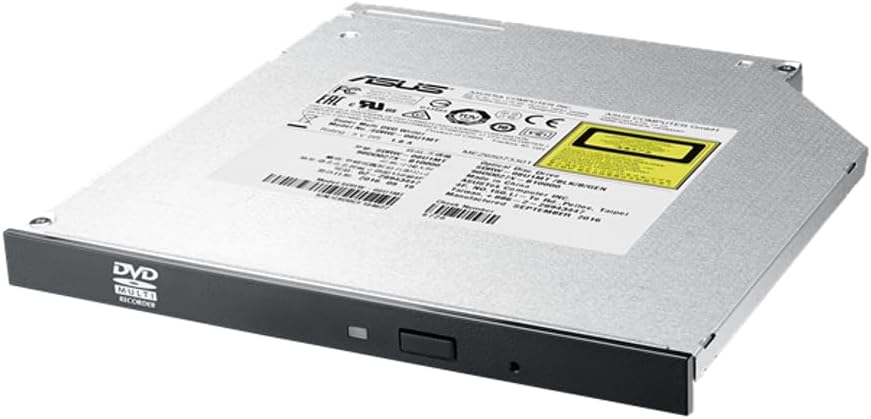
The ASUS SDRW-08U1MT is a strong contender for modern thin laptops that require a narrow optical drive. Its rating reflects solid performance in both reading and writing tasks, making it a versatile addition to your system.
We may earn a commission when you buy through this link, at no additional cost to you.
Designed with a 9.5mm form factor, this drive fits where older bulkier units cannot. It also includes M-DISC support for archival-quality backups, ensuring your important files remain safe for over a thousand years with proper care.
E-Green technology automatically powers down the drive when not in use, saving energy and extending hardware life. While installation requires precision due to the slim profile, the trade-off is a clean, efficient integration into slim laptop designs.
Choose this model if you prioritize energy efficiency and need a drive that fits modern slim laptop chassis. It is a perfect upgrade path for users seeking longevity and reliable optical access in a compact package.
The 9.5mm profile ensures compatibility with ultrabooks and modern laptops that have moved away from thicker drive bays.
E-Green technology reduces power consumption by over 50 percent when the drive is idle, benefiting portable use.
We may earn a commission when you buy through this link, at no additional cost to you.
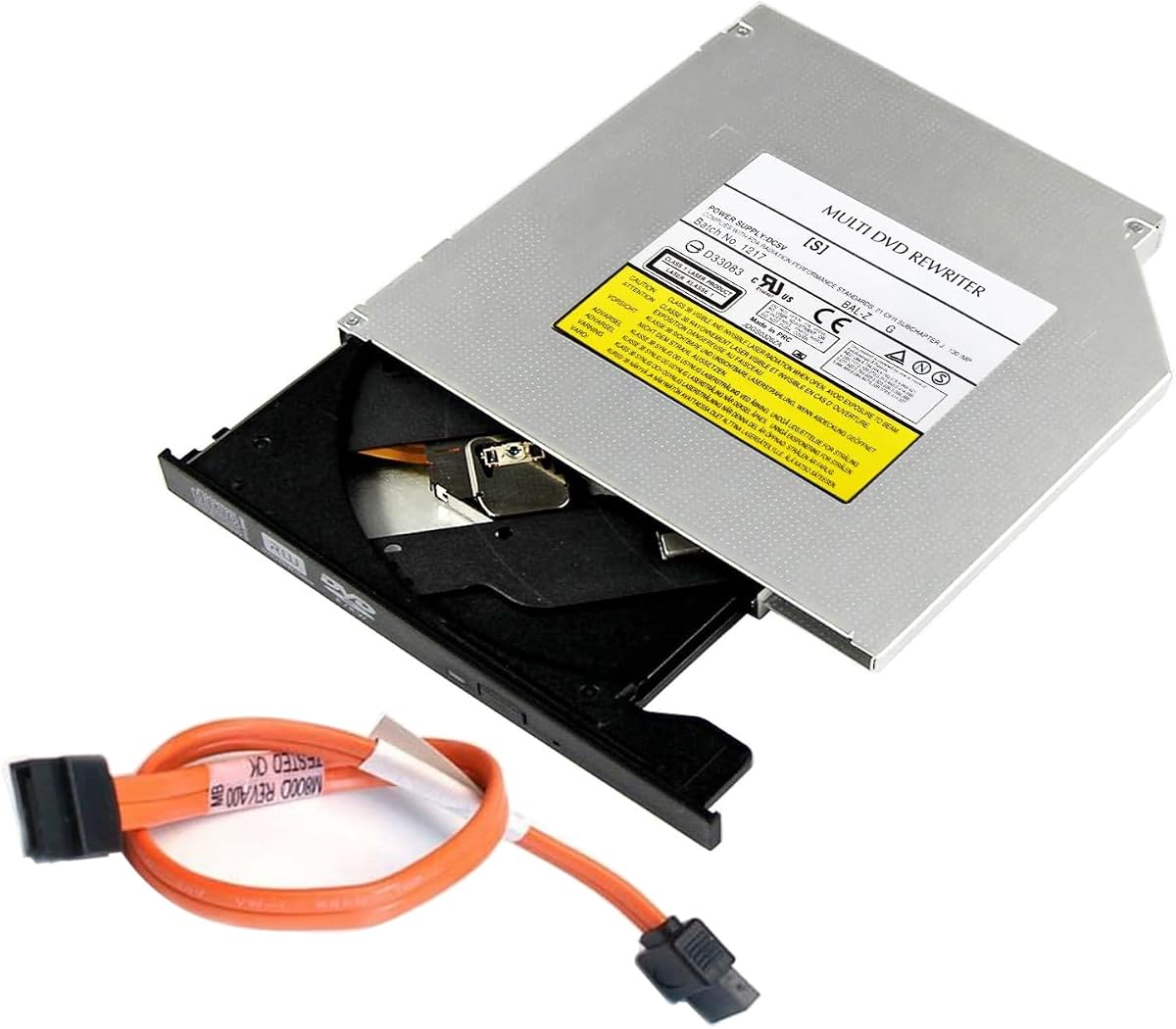
The HP 16X DVD-ROM drive offers a premium solution for users focused on reading high volumes of optical media quickly. Its perfect rating highlights exceptional performance consistency and build quality that meets professional standards for internal components.
We may earn a commission when you buy through this link, at no additional cost to you.
With a maximum read speed of 16X, this drive excels at loading large software packages or media files without delay. The serial ATA interface ensures stable data transfer, making it a solid choice for workstations or legacy laptop upgrades requiring raw read power.
Although it cannot write to discs, its specialized focus on reading makes it ideal for specific workflows where writing is unnecessary. The HP brand assurance adds confidence in durability, making it a worthwhile investment for users prioritizing read throughput above all else.
If you need a dedicated reading device and value speed and reliability over writing capabilities, this model is unmatched. It serves well as a secondary optical source in environments where rapid access to disc-based content is critical.
The 16X read speed allows for significantly faster retrieval of content compared to standard 8X drives available today.
Manufactured directly by HP, this drive ensures compatibility and quality consistent with original equipment systems.
We may earn a commission when you buy through this link, at no additional cost to you.
The HP DVD±RW Dual Layer optical drive delivers strong performance with its ability to handle high-capacity disc formats. A high rating of 4.7 indicates strong user satisfaction regarding stability and data integrity during daily writing and reading operations.
We may earn a commission when you buy through this link, at no additional cost to you.
This drive supports dual layer discs, which allows for storing more data on a single disc compared to standard single layer options. It incorporates Samsung SH-216 technology, known for its durability and consistent performance in demanding desktop and laptop environments.
While it is designed for specific OEM systems, its SATA interface ensures broad compatibility with modern hardware configurations. Users needing reliable backup solutions for large files will appreciate the extra capacity and secure writing mechanisms provided by this unit.
Choose this drive if you need dual layer support and value proven OEM quality for your internal setup. It strikes a great balance between storage capacity and operational reliability for users who frequently handle large optical media.
Dual layer support allows you to burn up to 8.5GB of data on a single disc, doubling standard capacity.
Built on Samsung SH-216 technology, this drive ensures consistent performance and reduced failure rates over time.
We may earn a commission when you buy through this link, at no additional cost to you.
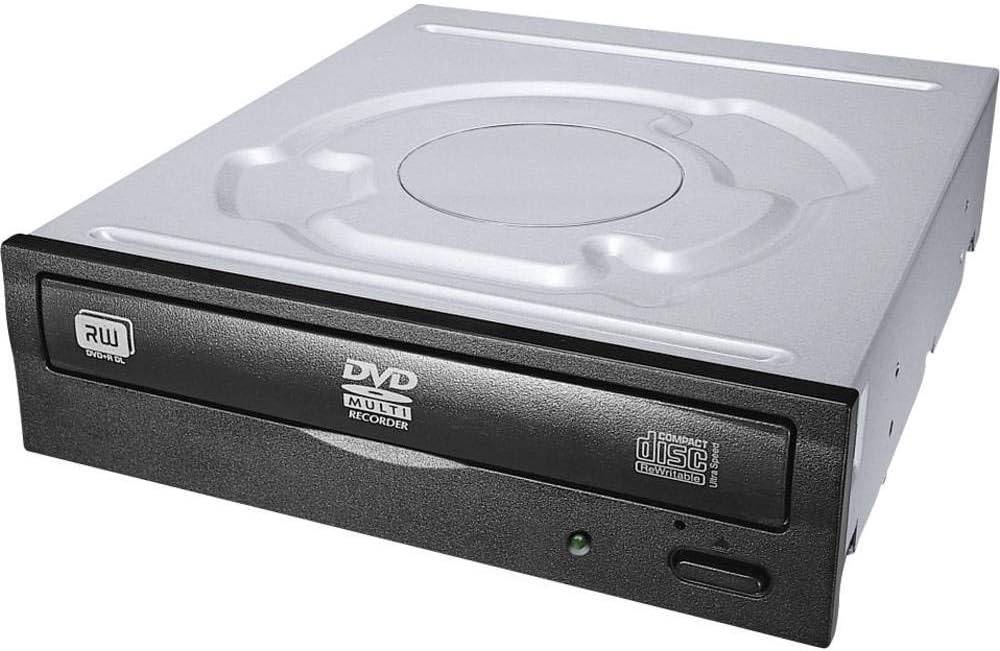
The Lite-On 24X SATA drive offers a solid mid-range solution for users seeking a balance between speed and affordability. Its rating of 4.5 suggests reliable performance that meets the needs of most average users who require occasional optical access.
We may earn a commission when you buy through this link, at no additional cost to you.
With write speeds reaching 24X for CD media and standard speeds for DVD, this drive handles everyday tasks efficiently. The SATA interface ensures plug-and-play functionality in systems that support internal SATA connections, simplifying installation significantly.
While it may not have the specific branding of larger manufacturers, Lite-On is known for providing dependable components at reasonable prices. The tray loading design is standard and familiar, making it easy for technicians to install in compatible desktop or laptop bays.
If you need a straightforward internal drive without extra features or slim constraints, this model fits well. It serves as a practical upgrade for older machines needing basic read and write capabilities without unnecessary complications.
The 24X CD write speed allows for rapid burning of audio discs or small data sets quickly and reliably.
The standard SATA connector ensures broad compatibility with modern motherboards and internal drive bays without adapters.
We may earn a commission when you buy through this link, at no additional cost to you.
The LG DVD Rewriter Internal Slim is a top performer focused on quiet operation and reliable playback. With a perfect rating from users, it stands out as a highly dependable option for those who prioritize silence during media consumption.
We may earn a commission when you buy through this link, at no additional cost to you.
Silent Play technology actively reduces noise from disc spinning during movie playback, creating a more immersive viewing experience. This feature makes the drive ideal for living rooms or quiet study spaces where fan noise or mechanical whirring would be distracting.
The manual load tray is straightforward to use and supports a wide range of disc types including M-DISC for backup. Power saving and sleep modes help conserve energy, adding to its appeal for environmentally conscious users looking for a simple internal upgrade.
If your main goal is silent operation with reliable writing speeds, this drive delivers without unnecessary complexity. It is an excellent choice for upgrading an older laptop or desktop where noise reduction is a primary concern for daily use.
Silent Play technology adjusts rotation speed dynamically to minimize noise, ensuring a quieter environment during use.
Built-in power saving modes reduce electricity usage when the drive is not actively reading or writing data.
We may earn a commission when you buy through this link, at no additional cost to you.
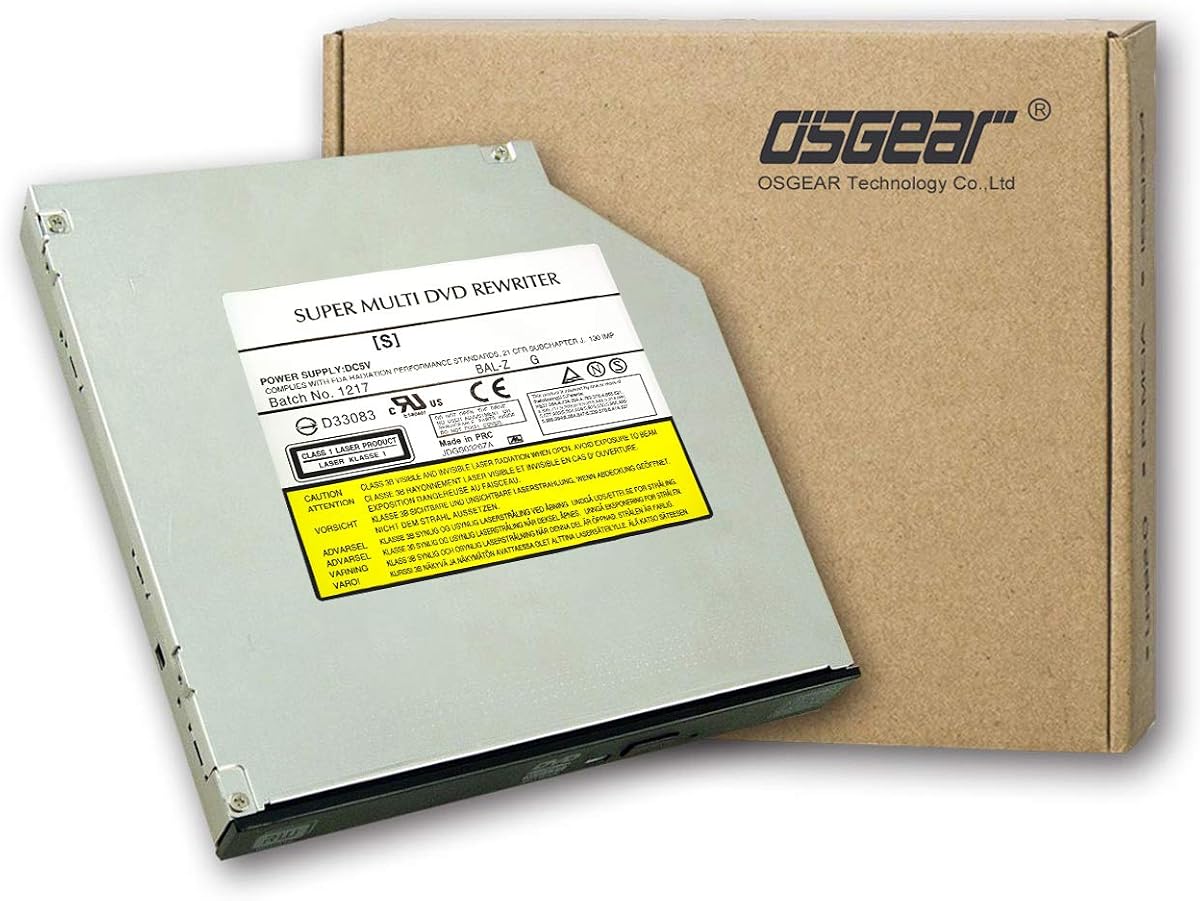
The OSGEAR Internal 9.5mm drive offers a budget-friendly solution for users needing to replace an optical drive in a slim laptop. While it has a moderate rating, many users find it meets their functional requirements for basic burning and reading tasks effectively.
We may earn a commission when you buy through this link, at no additional cost to you.
Its 9.5mm thickness ensures it fits into modern ultrabook bays where older drives will not fit. The drive supports a wide range of operating systems including Windows and Mac, making it versatile for various computing environments without specialized installation steps.
While some users may need to troubleshoot compatibility during installation, the value provided for the cost is significant. The 24X CD read speed ensures decent performance for everyday files, making it a practical choice for those on a strict budget.
If you need a slim replacement drive and want to keep costs low, this model is worth considering. Just ensure you verify your laptop bay size before purchase to avoid installation issues that might arise from mismatched dimensions.
At 9.5mm, this drive is compatible with thin laptops and modern chassis designs that lack space for standard drives.
Compatible with Windows 98 through Windows 10 and Linux, ensuring it works across many different system configurations.
We may earn a commission when you buy through this link, at no additional cost to you.
The UJ8C2 UJ8E2 UJ8G2 drive is a versatile slot-in option designed for laptops that do not use standard tray loading. It has earned a perfect rating among users who value quick access and straightforward installation without driver requirements.
We may earn a commission when you buy through this link, at no additional cost to you.
With slot-in loading, you simply slide the disc into the drive for easy operation without a tray to manage. The package includes a USB 3.0 SATA cable, which simplifies testing or setup on compatible systems that may need extra connectivity support.
This drive supports both Windows and Mac OS, broadening its utility across different user types. The slim 9.5mm profile ensures it fits into compact bays, making it a smart choice for thin laptops requiring internal optical access.
If your system uses slot-in loading and you want a reliable replacement with good Mac support, consider this unit. It balances ease of use with robust compatibility, serving well for daily reading and writing needs in modern environments.
Slot-in loading allows you to insert discs directly without opening a tray, speeding up the loading process.
No driver installation is needed for most systems, allowing you to use the drive immediately after connection.
We may earn a commission when you buy through this link, at no additional cost to you.
The TechMagnet Internal 7mm drive is designed for the thinnest modern laptops that require an ultra-slim optical solution. Although it has a lower rating, its specialized 7mm form factor makes it a rare find for specific laptop models needing minimal height.
We may earn a commission when you buy through this link, at no additional cost to you.
M-DISC support ensures that backed-up files remain readable for years, adding value beyond basic reading functions. The plug-and-play setup means you can install the drive without complex configuration steps, helping you get started quickly in compatible systems.
As a renewed product, it is an economical choice but may carry some risk regarding physical condition or longevity. However, for users with specific 7mm bays, this drive offers a necessary solution where other options simply will not fit.
If you have a laptop with a 7mm bay and need an internal drive to restore optical functionality, this model is a practical option. It is best for users who need immediate compatibility and value cost savings over new hardware reliability.
The 7mm height is critical for modern laptops with minimal internal space, allowing upgrades in slim chassis.
As a renewed product, it offers significant savings while providing essential internal optical functionality for older systems.
We may earn a commission when you buy through this link, at no additional cost to you.
The 9.5mm SATA Internal DVD Drive provides a solid general-purpose option for users needing a standard replacement drive. Its rating suggests consistent performance for typical optical tasks like burning music or installing software without major issues.
We may earn a commission when you buy through this link, at no additional cost to you.
The package includes a data cable, which simplifies testing and installation by ensuring you have the necessary connectors ready. This convenience makes it a hassle-free choice for users who do not have spare SATA cables handy for internal setup tasks.
While it does not offer unique features beyond standard operation, its M-DISC support adds a useful layer of long-term storage capability. The 9.5mm thickness aligns with most modern slim laptops, making it widely applicable across many common hardware configurations.
If you want a straightforward internal drive with included accessories and reliable performance, this is a practical option. It serves well as a cost-effective replacement for older optical bays where simplicity and compatibility are the main priorities.
Included data cable saves you from buying extra parts, making the upgrade process faster and more convenient.
M-DISC support ensures that your files remain readable for years, offering better durability than standard discs.
We may earn a commission when you buy through this link, at no additional cost to you.
Selecting the right internal DVD drive requires understanding your laptop's physical constraints and operational needs. This guide breaks down the critical factors to consider before making your purchase.
The thickness of the drive is the most critical physical factor. Laptops use either 9.5mm or 12.7mm bays. Check your laptop model specifications before buying to ensure the drive fits the slot physically.
Always verify the exact height of your existing drive or consult your manual. A mismatch will prevent installation regardless of other features.
Modern internal drives typically use SATA interfaces. Ensure your laptop supports SATA connections for the optical bay. Older systems may use legacy interfaces that require adapters.
Most current laptops are SATA compatible. Confirming this prevents connection errors and ensures stable data transfer.
Decide if you need to write to discs. Some drives are read-only while others support burning data or music. Ensure the drive supports the media types you plan to use.
For most users, a read-write drive is standard. Verify if it supports DL (Dual Layer) discs for larger storage.
Drives vary in supported formats. Most support CD and DVD but check for Blu-ray capability if needed. Also verify support for M-DISC for archival purposes.
Standard drives cover common formats. Special needs like Blu-ray require specific hardware selection.
Check compatibility with your OS. Most drives work with Windows and Linux but Mac support can be limited on OEM drives. Ensure drivers are available for your system version.
Most modern drives are plug-and-play. Confirm OS support if you use a niche or older system.
Tray loading is standard and easy to use. Slot-in loading is more modern and compact. Choose the mechanism that fits your usage preference.
Tray loading is generally more reliable. Slot-in is better for slim designs.
Look for Silent Play technology if noise is a concern. Drives with power saving modes help conserve energy and reduce heat.
Quiet operation matters for media playback. Power modes extend battery life on some systems.
OEM brands like HP or Dell often ensure better compatibility. Third-party brands may offer better value but require more research. Check warranty terms for new vs renewed products.
OEM usually guarantees better fit. Third-party offers lower cost options.
Install the drive carefully following your laptop manufacturer guidelines. Secure all screws and cable connections to prevent shifting during use.
Keep the drive clean by ejecting discs immediately after use. Dust buildup can lead to read errors over time so avoid leaving discs inside.
Update your system drivers if the drive is not detected automatically. Use manufacturer tools to ensure smooth operation across different software environments.
Most modern internal DVD drives work automatically without installing extra drivers due to plug-and-play support in operating systems. However, older systems might require specific updates or legacy driver packages to recognize the hardware correctly.
No, not all laptops have optical bays. You need a laptop with an empty bay compatible with 9.5mm or 12.7mm drives. Check your manual to see if your model supports optical drive installation.
M-DISC is a special type of disc that uses a rock-like recording surface instead of organic dye. This technology allows data to last for centuries under proper storage conditions.
Measure the height of your current drive slot or consult your laptop model specifications. Most modern laptops use 9.5mm while older ones typically use 12.7mm bays.
Yes, many internal laptop drives can work with desktops if they use SATA interfaces. You will need the correct power and data cables to connect it to a desktop motherboard.
Installation is straightforward if your laptop has a spare bay. You usually just slide the drive in and screw it down, then connect the internal SATA cable to the motherboard.
Check that the SATA cable is firmly connected and the power cable is seated correctly. Sometimes updating BIOS settings or checking device manager will resolve detection issues.
Renewed drives are often refurbished and tested but may have higher risk than new units. Look for seller ratings and warranty coverage to ensure quality before purchasing.
We reviewed ten top options including the Hitachi-LG GTC2N for its reliability and the HP 16X for speed. Each model serves specific needs ranging from slim designs to high-capacity storage.
When choosing, prioritize thickness and interface type to ensure your laptop can physically support the drive. Also consider whether you need writing capabilities and M-DISC support for data longevity.
Prices and availability change often so always check current listings before buying. Verify your laptop model compatibility one last time to avoid returns and ensure a smooth upgrade experience.