
UGREEN 8K@60Hz HDMI Displayport KVM Switch 3 Monitors 2 Computers
3.9Editor score
DP 1.4 HDMI 2.1 ports
Aluminum housing build quality
Wide gaming sync support
This guide compares the top KVM Switch for Triple Monitors options available in October 2026 to help professionals and gamers find the perfect multi display
Finding the right KVM Switch for Triple Monitors can transform your workflow by allowing seamless switching between multiple computers without cluttering your desk. A good solution supports high resolutions like 4K and 8K while maintaining stable USB connectivity for all your peripherals efficiently.
We evaluated the latest models based on video performance, USB speeds, build quality, and ease of use. Our list covers a range of options from budget-friendly HDMI setups to advanced docking stations that support USB-C laptops and desktop PCs equally effectively.
Each pick highlights key features, pros, and cons to help you decide quickly. Please note that availability and specific model details may change over time so always verify the latest specs before making your final purchasing decision for your setup.
3.9Editor score

4.9Editor score

The following table provides a side-by-side comparison of the top KVM Switch for Triple Monitors models to help you compare key specifications at a glance.





The AV Access KVM Switch 3 Monitors 2 Computers KVM Docking 8K@60Hz is an advanced solution designed for professionals who need high performance and extensive connectivity. It stands out with its ability to support 8K resolutions and integrate docking station features like 100W Power Delivery for USB-C laptops.
We may earn a commission when you buy through this link, at no additional cost to you.
This model offers exceptional versatility by allowing users to share three displays, USB peripherals, and even network connections between two computers. The inclusion of high-speed USB 3.2 ports ensures fast data transfers, while the Ethernet pass-through feature ensures uninterrupted downloads and updates on the unselected machine.
While it is more expensive than standard switches, the added functionality replaces the need for a separate dock and hub. Users should note that macOS support is limited to mirrored displays only, which may affect Mac users seeking extended mode across multiple screens.
This KVM dock is ideal for content creators, developers, and IT professionals who manage complex workstations. If you value a clean desk with minimal cables and need powerful performance, this is a top recommendation for serious multi-computer setups.
The USB-C connection handles video data and charging simultaneously reducing cable clutter on your desk significantly.
Ethernet connectivity remains active on both systems ensuring background tasks continue without interruption during switching.
We may earn a commission when you buy through this link, at no additional cost to you.
The UGREEN 8K@60Hz HDMI Displayport KVM Switch brings premium build quality to the table with its aluminum housing and extensive port options. It supports high resolutions and refresh rates making it suitable for both productivity and high-performance gaming scenarios where visual fidelity is critical.
We may earn a commission when you buy through this link, at no additional cost to you.
This switch supports advanced gaming features like VRR FreeSync and G-Sync to eliminate screen tearing across three monitors. It is driver-free and works with Windows and Linux systems seamlessly. The package includes necessary DP and HDMI cables making it ready to use out of the box.
While it offers excellent hardware, users must ensure their computers support the required port configurations for all three monitors. It is not designed for users with limited GPU ports who rely on adapters or docking stations for additional outputs.
This KVM switch is best for users who want a durable and high-performance switching solution for mixed setups. If you need high refresh rate support and reliable signal transmission for multiple displays, this model offers premium value for your investment.
FreeSync and G-Sync support ensures smooth visuals without tearing during intensive gaming sessions on multiple screens.
The aluminum build provides better heat dissipation and physical protection compared to plastic alternatives.
We may earn a commission when you buy through this link, at no additional cost to you.
This HDMI KVM Switch provides an affordable entry point for users looking to manage three monitors across two computers. It supports 4K@60Hz resolutions and includes a wired remote for easy switching without reaching behind the desk.
We may earn a commission when you buy through this link, at no additional cost to you.
It offers standard USB 3.0 connectivity for sharing mice and keyboards which is sufficient for most office tasks. The switch supports both extended and duplicate display modes allowing flexibility in how screens are used during work or presentations.
While it lacks advanced features like high refresh rates or hotkey toggles it delivers reliable performance for general use. Users should ensure their GPUs support three independent displays before purchasing to avoid compatibility issues with multi-monitor setups.
This is an excellent choice for small businesses or home offices on a budget. If you need a straightforward solution to switch between two workstations with three screens this model delivers solid value for its price.
The wired controller lets you place the button anywhere for convenient access during daily switching tasks.
4K@60Hz support ensures crisp visuals for productivity and media consumption without lag or blur.
We may earn a commission when you buy through this link, at no additional cost to you.
This KVM switch is unique in its ability to connect four computers to three monitors making it perfect for environments where multiple machines need to be accessible from one desk. It supports high resolution outputs including 8K@60Hz for future-proofing your display investment.
We may earn a commission when you buy through this link, at no additional cost to you.
The package is generous including four USB 3.0 cables and a wired remote which simplifies installation significantly. It uses a mix of HDMI and DisplayPort inputs to ensure compatibility with a wide range of graphics cards and monitor types found in modern workstations.
Managing four inputs adds complexity but the remote control helps streamline the switching process. Users should verify their computers can output triple signals individually since this switch does not enable extra displays on machines that only support dual or single outputs.
This model is ideal for IT professionals or power users who need to test or manage multiple workstations. If you require access to more than two computers from one monitor setup this switch offers a rare and functional solution.
Connecting four systems allows teams to test workflows across different configurations without re-cabling.
Four USB cables are included which saves cost and hassle during the initial setup process.
We may earn a commission when you buy through this link, at no additional cost to you.
This KVM switch combines DisplayPort and HDMI inputs to support both high refresh rates and high resolutions. It is built with a dedicated power switch and clear LED indicators to help users quickly identify which computer is active on the monitors.
We may earn a commission when you buy through this link, at no additional cost to you.
It supports 4K@144Hz on DP and 4K@120Hz on HDMI making it versatile for gaming and creative work. The device is designed to work with native video ports ensuring stable signal transmission without relying on passive adapters that might degrade quality.
Users should be mindful that short cable lengths may require extensions for larger desks. The power switch allows for easy resets if signal issues occur which is helpful for troubleshooting without unplugging devices manually.
This switch is great for users who have mixed monitor setups or need higher refresh rates for gaming. Its clear indicators and power controls make it user-friendly and reliable for daily switching between two computers.
The physical power switch allows quick resets of the device if signal issues occur during use.
Support for 144Hz and 120Hz ensures smooth motion for gaming and fast-paced applications.
We may earn a commission when you buy through this link, at no additional cost to you.
This AV Access KVM docking station is designed for professionals who need both switching and expansion capabilities. It allows one USB-C laptop and one desktop to share three displays and peripherals without needing multiple separate docks or hubs.
We may earn a commission when you buy through this link, at no additional cost to you.
The Ethernet pass-through feature is particularly useful for keeping background tasks running on the unselected machine. USB 3.2 ports provide up to 10Gbps speeds for fast data transfers which is essential for large file workloads and modern storage devices.
While it offers premium features, it comes with a higher price tag compared to standard KVMs. Mac users should note that extended display support is limited to mirrored mode only which might not suit all creative workflows.
If you need a compact solution that replaces multiple accessories this docking station is a strong choice. It helps streamline workspaces while maintaining high performance for demanding professional tasks across two computers.
Combines SD card access and charging into one device reducing the number of dongles needed.
10Gbps USB ports ensure fast file movement for external drives and storage devices.
We may earn a commission when you buy through this link, at no additional cost to you.
This HDMI-only KVM switch is designed for users who prioritize 4K and 8K visuals without needing DisplayPort compatibility. It supports up to 8K@60Hz on HDMI ensuring crisp high resolution outputs for modern monitors and media centers.
We may earn a commission when you buy through this link, at no additional cost to you.
It includes a wired controller to make switching convenient and comes with a 12V adapter for stable power. The USB 3.0 ports allow for quick file sharing and peripheral sharing making it a practical choice for office environments.
While it lacks gaming-specific features like high refresh rates for competitive play it offers solid performance for general productivity. The included power adapter helps maintain stability which is vital when connecting external drives or high power USB devices.
This switch is ideal for home offices and multimedia setups where HDMI is the standard. If you need reliable 8K performance without extra complexity this model offers good value for its price.
Pure HDMI design simplifies setup for users who do not need DisplayPort connectivity.
The included adapter ensures stable performance even when multiple USB devices are connected.
We may earn a commission when you buy through this link, at no additional cost to you.
This KVM switch allows three computers to share three monitors and USB devices making it perfect for small office environments where multiple machines are present. It supports 8K@60Hz and 4K@144Hz outputs ensuring high quality visuals across all connected screens.
We may earn a commission when you buy through this link, at no additional cost to you.
The package includes three USB 3.0 cables and a wired remote to make installation straightforward. Its plug and play design works with most operating systems requiring no drivers to be installed for basic functionality.
It is important that each computer supports the required triple monitor output to take advantage of the switch. Users should also note that the remote controller is compact and may need to be placed carefully for easy access.
This model is a strong choice for setups needing three inputs without resorting to multiple switches. If you manage three different systems and want a clean centralized viewing experience this switch offers a practical solution.
Allows switching between three computers from one desk without needing multiple keyboards.
No drivers are needed making installation quick for users with limited technical experience.
We may earn a commission when you buy through this link, at no additional cost to you.
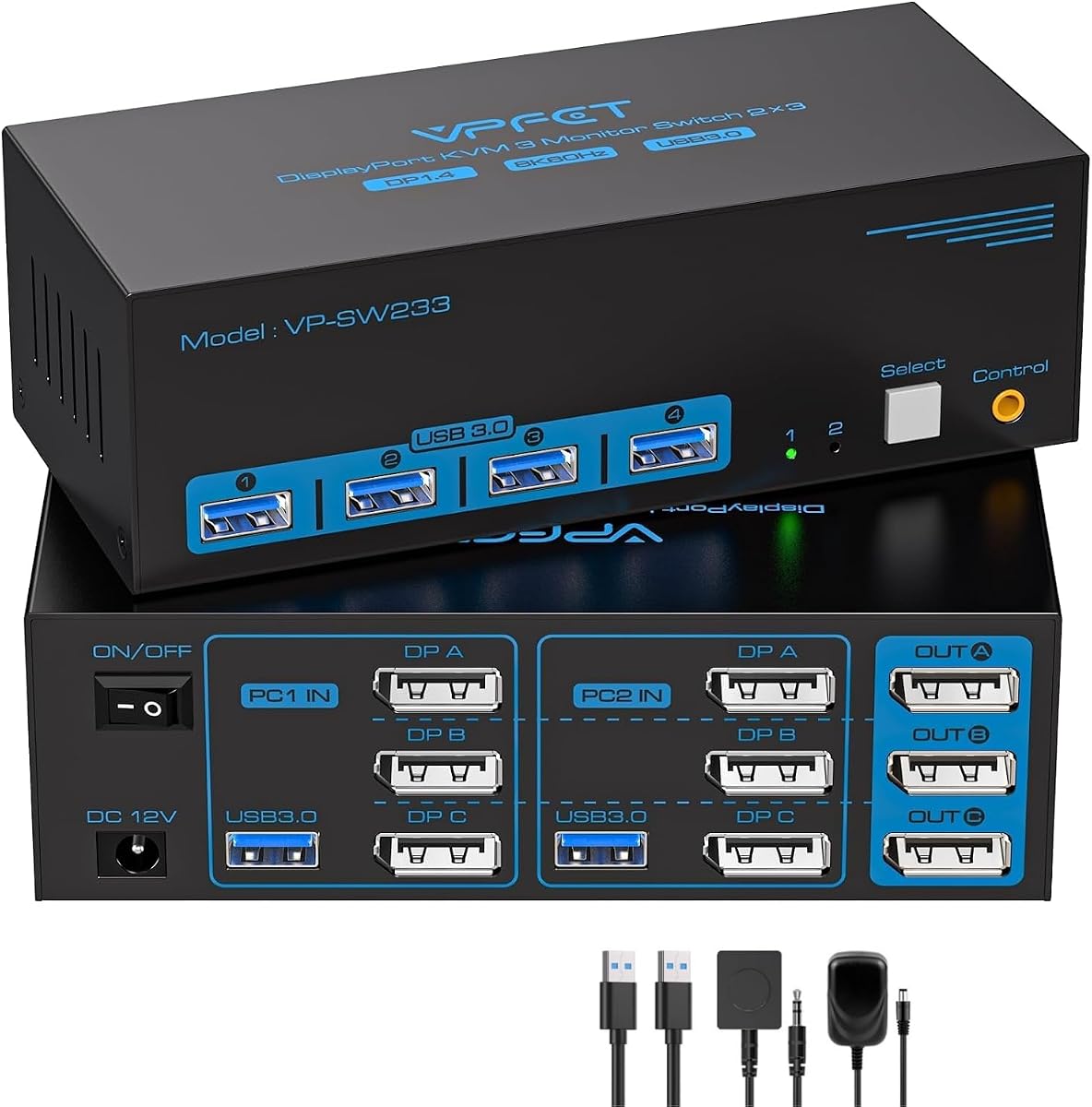
This DisplayPort only KVM switch is optimized for users who prioritize high refresh rates and stable signal transmission. It supports up to 4K@144Hz making it suitable for creative work and high-end gaming setups that rely on DisplayPort connections.
We may earn a commission when you buy through this link, at no additional cost to you.
The wired controller allows quick switching between two computers ensuring you can stay focused on tasks. It features USB 3.0 ports for sharing peripherals and file access which keeps your desk organized and efficient.
Since it does not support HDMI users must ensure their monitors and GPUs have DisplayPort outputs. However, for those with DP-only setups this switch provides reliable performance without the need for adapters that might introduce signal loss.
This model is excellent for video editors and gamers who need smooth motion across multiple screens. If your hardware supports DisplayPort and you want a dedicated high performance switch this is a solid choice.
DisplayPort inputs ensure stable signal transmission suitable for demanding professional graphics applications.
Support for 144Hz ensures fluid motion for fast-paced visual tasks and gaming experiences.
We may earn a commission when you buy through this link, at no additional cost to you.
This KVM switch offers a mix of HDMI and DisplayPort inputs supporting high resolutions like 8K@60Hz and 4K@144Hz. It comes with a comprehensive kit of cables and a remote making it ready to use immediately after unboxing.
We may earn a commission when you buy through this link, at no additional cost to you.
The device supports both panel and wired remote switching giving users flexibility on how they manage their workflows. It requires an external power supply which ensures stable performance even when connecting multiple high power USB devices like hard drives.
Users should ensure their computers support triple monitor output to use all displays simultaneously. This switch is designed for standard setups and may have compatibility issues with complex docking stations or signal converters.
With its high rating and included accessories this model offers great value for general multi-monitor users. If you need a reliable switch that handles high refresh rates and provides all necessary cables this is a strong option.
HDMI and DP cables are provided to reduce the need for additional purchases during setup.
Both panel buttons and a remote are available for flexible control options.
We may earn a commission when you buy through this link, at no additional cost to you.
Choosing the right KVM switch involves checking resolution support, port types, and USB features to match your hardware.
Ensure the KVM switch supports the maximum resolution and refresh rate your monitors can handle. Look for models supporting 8K@60Hz or 4K@144Hz if you need high fidelity and smooth motion.
Check whether your monitors and graphics cards use HDMI or DisplayPort connections. Some switches only support one type so match the inputs to your existing hardware to avoid needing adapters.
Determine how many computers you need to connect. While most switches support two inputs, some models allow three or four which is useful for shared workspaces with multiple systems.
Look for USB 3.0 ports to ensure fast data transfer and reliable peripheral connection. More ports allow you to share printers and storage devices easily across your computers.
Verify if the switch requires an external power adapter. External power ensures stability when connecting power-hungry USB devices like external hard drives without draining your computers.
Consider how you want to switch between computers. Models with wired remotes let you place the control button anywhere on your desk for easier access during work.
Ensure the switch works with your operating system like Windows Linux or MacOS. Most are plug and play but some may have limitations with specific OS features.
Aluminum housings provide better heat dissipation and durability compared to plastic units. This is important if you plan to use the switch daily for long periods.
Connect your monitors and USB devices to the output ports on the switch ensuring all cables are secure before turning on your computers.
Use the remote control or panel button to switch between your active computer. Press the button once to toggle control to the other system.
Keep the switch clean and avoid bending the cables excessively. Regularly check connections to ensure stable signal and prevent dust buildup.
Yes many KVM switches support both laptop and desktop connections. Ensure your laptop has the correct video output ports or use adapters that are compatible with the switch.
Most modern KVM switches are plug and play and do not require drivers. They work directly with your operating system for seamless switching.
If a computer cannot output three signals only the supported displays will activate. Extra monitors connected to that input will remain black or inactive.
Active adapters are supported but passive adapters are not recommended as they may cause signal issues. Always test adapters before use to ensure compatibility.
Ensure USB input cables are connected to both computers. Reboot the KVM or check USB connections if devices are not recognized immediately.
Advanced docking KVM switches often include Ethernet pass-through which keeps both computers connected to the network while switching active control.
The AV Access KVM Docking Station is our top pick for its versatility and advanced docking features. It offers the most comprehensive solution for professionals needing high performance and connectivity.
For budget-conscious users the standard HDMI KVM switch provides solid value with 4K support. If you need multiple inputs consider models designed for three or four computers.
Always verify your computers support triple display output before purchasing. Checking current availability and specs ensures you get the right match for your workspace.