
HP OmniBook 3 17 inch FHD Laptop
5.0Editor score
Affordable price for students and home use
Wi-Fi 7 connectivity included standard
12 hours of battery life
Modern computing demands faster wireless connections to handle cloud workflows and streaming. Laptops with WiFi 7 offer unprecedented speed and lower latency for seamless multitasking and reliable connectivity across all your devices.
We analyzed ten real models focusing on processor power, memory capacity, and wireless standards. Each entry was selected to represent different user needs from students to professionals seeking next-generation network performance.
Every pick highlights key strengths and trade-offs to help you decide quickly. Prices and availability change frequently so check the official links for the most current deals before making your final purchase decision today.
5.0Editor score

5.0Editor score

4.7Editor score
As an Amazon Associate we earn from qualifying purchases.
The following table offers a side-by-side comparison of all ten laptops to help you quickly identify which model fits your specific performance and connectivity requirements.




This device stands out as the top choice for users seeking powerful performance and the latest wireless technology. It delivers exceptional speed with its Intel Core Ultra 7 processor and offers a massive 32GB of RAM for heavy multitasking.
We may earn a commission when you buy through this link, at no additional cost to you.
The inclusion of Wi-Fi 7 ensures that you get the fastest possible internet speeds available on modern networks. The 17.3-inch touchscreen provides ample workspace for creative professionals who need to view detailed content or use touch gestures for efficiency.
While the device is robust and feature-rich, it does carry a higher price tag compared to entry-level options. The weight is also a consideration for those who travel frequently, but the performance trade-off is often worth it for stationary workstations.
It is highly recommended for power users and creative professionals who need maximum reliability and speed. If you want a machine that future-proofs your workflow with top-tier specs, this model is an excellent investment.
The built-in AI capabilities allow for smarter workflows and real-time assistance without cloud dependency.
With Thunderbolt 4 ports, users can connect to high-speed storage and external displays effortlessly.
We may earn a commission when you buy through this link, at no additional cost to you.
This laptop offers an incredible value proposition by including Wi-Fi 7 at a price point accessible to most students. It balances cost and modern features effectively making it a strong contender for budget-conscious buyers who need connectivity.
We may earn a commission when you buy through this link, at no additional cost to you.
The 17.3-inch display provides a comfortable viewing experience for media consumption and standard office work. Combined with a solid battery life of up to 12 hours you can get through a full day of classes without hunting for an outlet.
The main limitation is the 8GB of RAM which might struggle with very heavy multitasking or advanced creative software. However for general productivity and web browsing it handles daily tasks smoothly and efficiently.
It is the perfect choice for students and casual users who prioritize value and connectivity. If you need a reliable machine for schoolwork and web surfing without breaking the bank this is a top recommendation.
The 17.3-inch Full HD screen offers vibrant visuals with good color accuracy for general tasks.
The efficient processor and battery design ensure you can stay productive on the go.
We may earn a commission when you buy through this link, at no additional cost to you.
The 2026 MacBook Air represents the pinnacle of portable performance with its M5 chip and integrated AI capabilities. It is designed for users who want a thin device that can handle demanding tasks without sacrificing battery longevity or build quality.
We may earn a commission when you buy through this link, at no additional cost to you.
Its Wi-Fi 7 support ensures that wireless speeds are maximized for streaming and large file transfers. The display is stunning with rich colors and sharp detail which makes it ideal for creative work and media consumption on the go.
While it lacks some of the port variety found in Windows laptops the inclusion of MagSafe charging helps offset that limitation. The price is higher than average but the efficiency and build quality often justify the investment for professionals.
It is best suited for Apple ecosystem users and creatives who need a highly portable and powerful machine. If you value long battery life and a premium design this laptop is a top-tier choice in the market.
The M5 chip packs blazing speed and powerful AI capabilities into an incredibly portable design.
Features Thunderbolt 4 ports and supports up to two external displays for flexible setups.
We may earn a commission when you buy through this link, at no additional cost to you.
This model delivers strong performance for business tasks with its Intel Core Ultra 7 processor and 16GB of RAM. It is designed to handle demanding workflows smoothly making it a good fit for professionals who need reliability.
We may earn a commission when you buy through this link, at no additional cost to you.
The inclusion of Wi-Fi 7 ensures that your internet connection keeps up with high-speed demands. The 1TB SSD offers ample space for storing large files and applications without worrying about running out of storage quickly.
The design is practical but not flashy focusing more on function than form. The webcam is functional for standard video conferencing but does not offer high-end features found in premium models.
It is a solid choice for everyday business users who need a balance of power and storage. If you require a machine for spreadsheets and meetings with fast connectivity this laptop meets those needs well.
The 17.3-inch Full HD display provides sharp visuals and comfortable viewing for work.
Designed for modern professionals with high-speed ports and efficient workflow tools.
We may earn a commission when you buy through this link, at no additional cost to you.
This laptop brings new AI experiences to productivity and creativity with its Intel Core Ultra 7 processor. It is designed to be portable yet powerful enough to handle everyday computing tasks with ease.
We may earn a commission when you buy through this link, at no additional cost to you.
The 14-inch WUXGA display offers a vibrant view for entertainment and work. The lightweight aluminum chassis makes it easy to carry around for students and professionals who are often on the move.
While it supports Wi-Fi 6E it is slightly behind the latest Wi-Fi 7 standard in terms of peak speed. However for most users the performance difference may not be noticeable in daily browsing scenarios.
It is a great option for those who want a balance of AI features and portability. If you prioritize design and battery life over the absolute fastest network speeds this model is a strong contender.
Discover the power of Recall and improved Windows search for better productivity.
The breathtaking 14-inch display is a canvas for entertainment and creativity.
We may earn a commission when you buy through this link, at no additional cost to you.
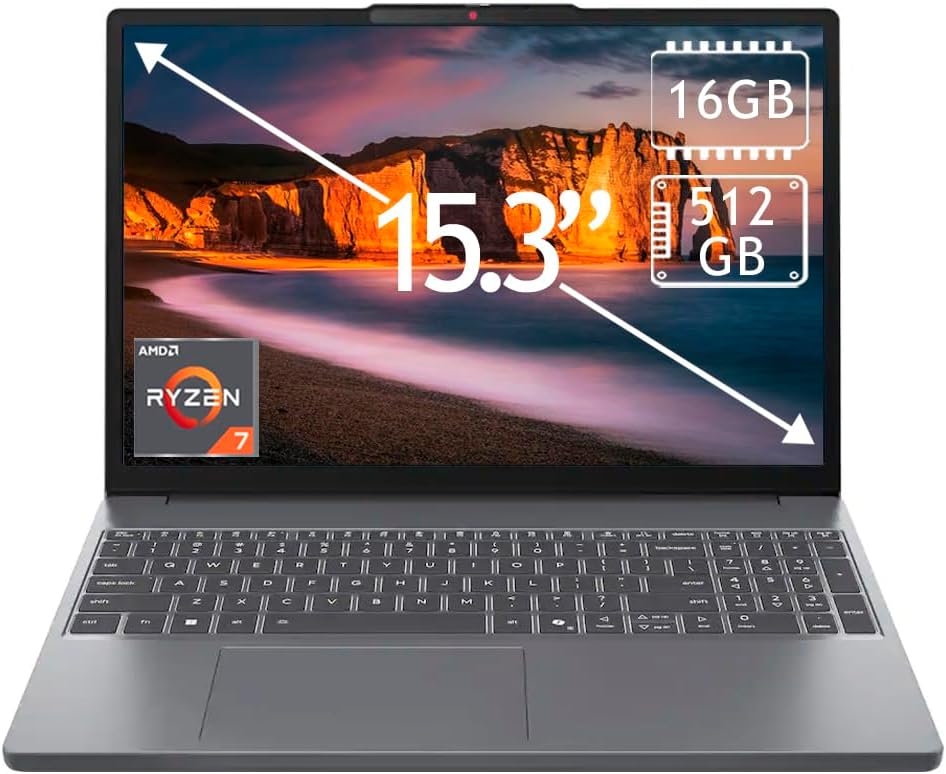
This device features a sharp 2K touchscreen that delivers vibrant colors and smooth interactions. It is powered by a fast Ryzen 7 processor and 16GB of RAM which ensures smooth multitasking for daily tasks.
We may earn a commission when you buy through this link, at no additional cost to you.
The 2K resolution on a 15.3-inch screen provides a lot of workspace for detailed work. The touch functionality adds convenience for navigating menus and viewing content interactively.
Although it uses Wi-Fi 6 instead of the newer Wi-Fi 7 it still offers reliable and stable connectivity. For most users the wireless performance is sufficient for streaming and video conferencing needs.
It is an excellent choice for users who want a modern design with a responsive touchscreen. If you value visual quality and touch input this laptop is a great pick for personal or student use.
The 2K touchscreen delivers sharp visuals and vibrant colors for a great experience.
Equipped with DDR5 RAM and PCIe SSD for quick boot times and rapid file access.
We may earn a commission when you buy through this link, at no additional cost to you.
This laptop is built for professional productivity with an Intel Core Ultra 9 processor and 32GB of RAM. It supports demanding workloads and features business-class security for reliable performance in corporate environments.
We may earn a commission when you buy through this link, at no additional cost to you.
The inclusion of Wi-Fi 7 ensures that data transfers and cloud sync are incredibly fast. The 16-inch touchscreen provides a good balance of screen real estate and portability for users on the go.
While it is a premium device the high cost is reflected in its robust build and performance. It is a great option for those who need top-tier specs for complex tasks without compromising on connectivity.
It is recommended for business professionals and power users who need high reliability. If you require a machine that can handle heavy processing and fast network speeds this model fits the bill.
Modern design with AI capabilities and vPro platform for enhanced security.
Wi-Fi 7 supports 2×2/160 Gig+ speeds for fast and stable internet.
We may earn a commission when you buy through this link, at no additional cost to you.
This laptop focuses on providing ample memory and storage for users who work with large files. The 32GB of RAM and 1TB SSD allow for multiple applications to stay open without slowdowns.
We may earn a commission when you buy through this link, at no additional cost to you.
The AMD Ryzen 7 processor handles daily tasks and multitasking with ease. It is designed for students and professionals who need a responsive machine for a range of productivity tasks.
The touchscreen adds a layer of convenience for navigating the interface quickly. However the device uses Wi-Fi 6 which is stable but slightly slower than the newer Wi-Fi 7 standard.
It is a good option for users who prioritize internal specs over the latest wireless tech. If you need a machine that can handle heavy data loads efficiently this model is a solid choice.
Handles demanding tasks with 8 cores and 16 threads for smooth performance.
Features essential ports like USB-C and HDMI for daily workspace connections.
We may earn a commission when you buy through this link, at no additional cost to you.
This model delivers responsive multitasking for work and everyday computing. The Ryzen 7 processor and 16GB of RAM ensure that you can stream and work simultaneously without lag.
We may earn a commission when you buy through this link, at no additional cost to you.
The lightweight chassis makes it easy to carry around for casual use. The display offers sharp visuals and wide viewing angles which are great for home entertainment and browsing.
It supports Wi-Fi 6 which provides stable connectivity for most home networks. While it is not Wi-Fi 7 it is a reliable choice for users who do not require extreme bandwidth.
It is an affordable option for home users and students who need a dependable machine. If you want a balance of speed and portability without a high price this laptop is suitable.
Delivers responsive multitasking for work and productivity while maintaining efficiency.
Stay connected with Wi-Fi 6 and Bluetooth for daily productivity tasks.
We may earn a commission when you buy through this link, at no additional cost to you.
This laptop focuses on smooth performance with its Ryzen 7 processor and 16GB of memory. It is designed to support everyday AI assistance features to help you get tasks done quicker.
We may earn a commission when you buy through this link, at no additional cost to you.
The 15.6-inch display offers a detailed view for streaming and browsing. It includes features like blue light shield to reduce eye strain during long work sessions.
The Gen4 SSD ensures that boot times and file access are fast. While the Wi-Fi 6 is standard it is reliable for most household and office connections.
It is a good choice for users who want an AI ready laptop at a reasonable price. If you need a machine that balances performance and value this model is worth considering.
Do more quicker with centralized generative AI assistance of Copilot in Windows.
Perfect for casual browsing and movies with sharp detailed view.
We may earn a commission when you buy through this link, at no additional cost to you.
Selecting a laptop with WiFi 7 requires considering several factors to ensure you get the best value and performance for your needs.
Ensure the laptop explicitly supports the latest WiFi 7 standard to take advantage of the fastest wireless speeds and lowest latency. This feature is becoming more common but still distinguishes premium models from older units.
Check the specifications for clear mentions of WiFi 7 to avoid buying a device that relies on older standards.
The processor is the brain of your laptop and determines how well it handles multitasking and heavy applications. Look for modern chips like Intel Core Ultra or AMD Ryzen 7 to ensure smooth performance over time.
A powerful processor ensures that your device remains relevant and fast for several years of use.
Aim for at least 16GB of RAM to handle modern web browsers and multiple applications without lag. Storage should ideally be an SSD with 512GB or more to provide fast boot times and ample space for files.
Higher memory and storage capacities help maintain speed and efficiency as your digital library grows.
A high-resolution display makes a big difference in how you view content and work on projects. Look for screens with good color accuracy and brightness to ensure comfort during long use.
Touchscreens offer added convenience for navigating menus and interacting with content directly.
If you plan to use your laptop away from a power source check the rated battery life to ensure it meets your daily needs. Aiming for 10 hours or more is ideal for students and travelers.
Efficient processors and good battery management help you stay productive throughout the day.
Verify that the laptop has enough ports for your peripherals such as USB-A USB-C and HDMI. Having the right connections saves you from needing extra dongles or adapters.
A balanced set of ports ensures you can connect to monitors and storage easily.
A durable chassis and a comfortable keyboard are essential for long sessions of typing and carrying the device. Look for lightweight designs if portability is a priority for your lifestyle.
Good build quality also ensures that the laptop can withstand daily use without damage.
Determine your budget beforehand and compare models to find one that offers the best value. Sometimes paying a bit more for better specs or a newer standard saves money in the long run.
Balance cost with the features you actually need to avoid overspending on unnecessary power.
Always keep your operating system and drivers updated to ensure that your WiFi 7 connection works at peak performance. Manufacturers often release updates that improve stability and security for wireless adapters.
Avoid placing the laptop on soft surfaces like beds while it is running to prevent overheating. Ensure that the air vents remain clear to maintain proper airflow and extend the life of the internal components.
Regularly clean the screen and keyboard with a microfiber cloth to remove dust and oils. This simple maintenance habit helps keep the device looking new and ensures touch inputs remain responsive.
WiFi 7 offers significantly faster speeds and lower latency which benefits streaming and online gaming. For regular browsing it might not be a huge difference but it future-proofs your device for coming network upgrades.
To get the full benefits of WiFi 7 you need a compatible router. However even with older routers the connection will remain stable but you won't see the maximum speed improvements.
Many modern laptops have soldered RAM so you cannot upgrade it later. Check the specifications before buying to see if the memory is upgradable or fixed at the purchase time.
Most models in this range offer between 10 to 18 hours of battery life depending on usage. Heavy tasks like video editing will drain the battery faster than basic web browsing.
Yes many of these models are designed with students in mind offering long battery life and lightweight designs. The fast connectivity also ensures smooth virtual classes and online research.
Look for mentions of NPUs or Copilot+ PC in the specifications. These terms indicate that the device has hardware specifically designed to run AI tasks locally.
For standard browsing and office work 16GB is usually sufficient. 32GB is beneficial if you run heavy software or keep many applications open simultaneously.
Brands like HP Apple and Dell are known for quality control and support. These manufacturers often include the latest connectivity standards in their newer product lines.
Our top picks include the HP OmniBook 7 AI Touchscreen Laptop for overall performance and the HP OmniBook 3 17 inch FHD Laptop for budget seekers. The Apple 2026 MacBook Air 13-inch Laptop stands out as a premium choice for creatives.
Prioritize your specific needs such as portability or screen size when making your final decision. Ensure that the model you choose supports WiFi 7 to future-proof your connectivity for years to come.
Remember that prices and stock can vary so check the current listings before buying. By selecting the right model you can enjoy a seamless and efficient computing experience today.