
Light Gaming Laptop Ryzen 7 430U
4.6Editor score
AMD Ryzen 7 430U Processor
16GB DDR4 RAM Included
Fast 512GB NVMe SSD
Choosing the right laptop for emulators requires careful consideration of processor power, memory capacity, and graphics capabilities. Emulation demands significant resources to run legacy software smoothly on modern hardware. A well-chosen device ensures lag-free gaming experiences across various systems.
We evaluated ten top-rated laptops focusing on their ability to handle demanding emulation tasks. Our analysis covers processor architecture, RAM speed, storage types, and display quality. Each model was assessed for its potential to deliver consistent performance without thermal throttling issues.
Each pick highlights specific strengths tailored to different user needs and budget ranges. Prices and availability can change frequently so verify current details before purchasing. Our goal is to provide clear, factual insights to help you make an informed decision.
4.6Editor score

4.2Editor score

5.0Editor score
As an Amazon Associate we earn from qualifying purchases.
The following table provides a side-by-side comparison of all ten selected laptops. It highlights key specifications like processor type, memory amount, storage capacity, and display size to help you quickly identify the best fit for your emulation setup.

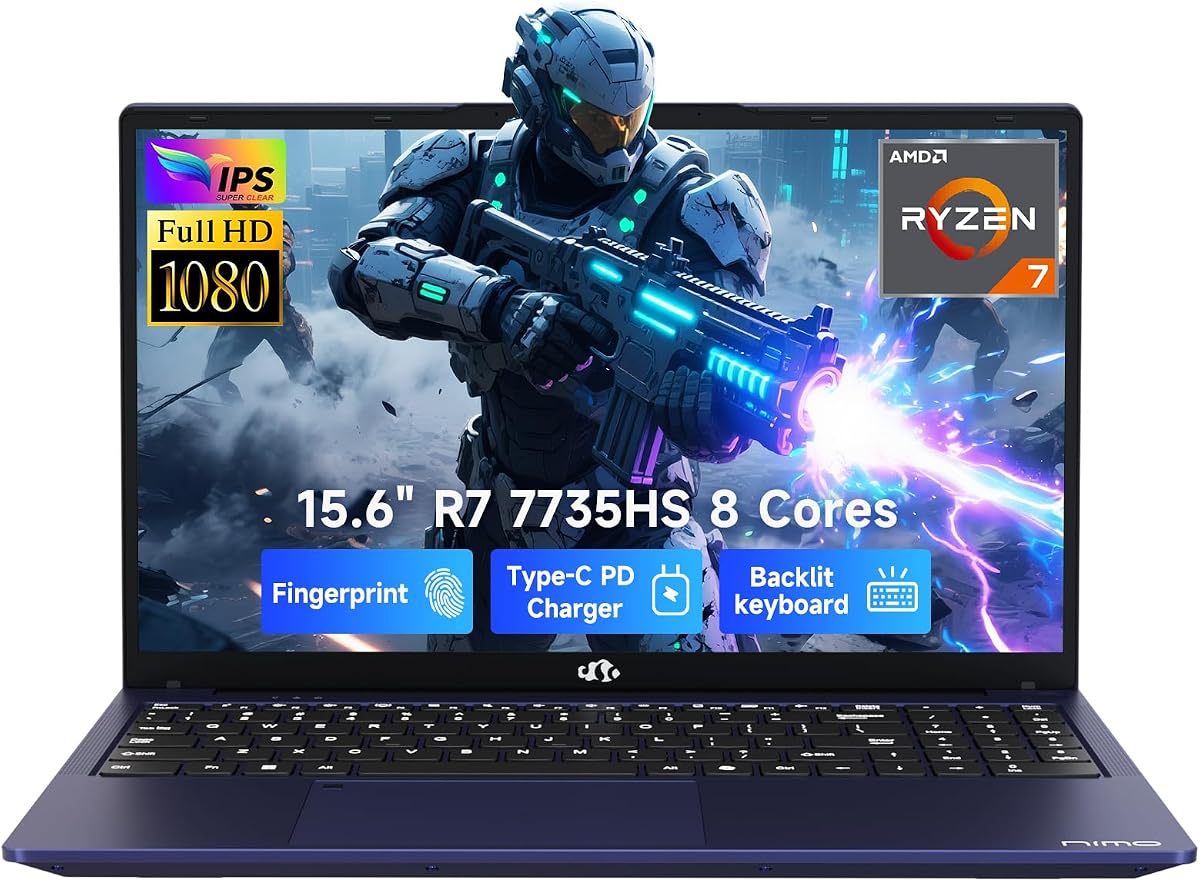


This NIMO Light Gaming Laptop stands out for its powerful AMD Ryzen 7 7735HS processor which delivers excellent multitasking capabilities essential for running emulators alongside other applications. With a rating of 4.4 stars it reflects strong user satisfaction regarding performance and reliability. The integration of Radeon 680M graphics ensures smooth rendering for many retro gaming emulators without requiring heavy hardware.
We may earn a commission when you buy through this link, at no additional cost to you.
The standout feature is its future-proof architecture featuring dual DDR5 SO-DIMM slots that allow users to upgrade RAM as emulation demands increase. Emulators often benefit from high bandwidth memory to handle texture loading and complex physics simulations efficiently. Additionally the 100W PD fast charging ensures you stay productive during long gaming sessions without being tethered to a specific power source.
While it lacks a discrete GPU the integrated graphics are surprisingly capable for most console emulators up to modern generations. The trade-off is slightly reduced performance for the most demanding AAA game emulation but it remains acceptable for casual users. The 180 degree hinge and backlit keyboard add practical value for varied usage environments.
Ideal for students and professionals needing a versatile laptop that doubles as a capable emulation station. The 2-year warranty provides peace of mind for long-term use. This model balances portability with raw processing power making it a top contender for those prioritizing CPU performance over graphical fidelity.
The 8-core Ryzen 7 7735HS ensures emulation threads run smoothly without system lag during multitasking.
Dual DDR5 slots allow users to increase RAM capacity beyond the base configuration for heavier workloads.
We may earn a commission when you buy through this link, at no additional cost to you.
The KAIGERR Light Gaming Laptop offers a compelling entry point for those seeking emulation capabilities without a large investment. Boasting a 4.6 rating it is highly regarded for its value proposition. The AMD Ryzen 7 430U processor provides sufficient power for emulating older console systems and managing everyday computing tasks efficiently.
We may earn a commission when you buy through this link, at no additional cost to you.
Its 16GB of DDR4 RAM ensures that multiple browser tabs and emulation software can run simultaneously without slowdowns. The 512GB NVMe SSD contributes to quick boot times and rapid application loading which is crucial when switching between different emulator profiles. The thin bezel design maximizes screen real estate for a more immersive gaming experience.
While the integrated UHD graphics clocked at 1200MHz may struggle with high-demand 3D emulators it performs well for 2D and older 3D titles. Users should expect limitations when running complex modern emulators compared to higher-end models. However the compact design makes it an excellent choice for on the go gaming.
This laptop is ideal for students or casual gamers looking for a budget-friendly solution for light emulation. The combination of reasonable performance and low cost makes it a smart pick for those not requiring top-tier graphics. It delivers consistent performance for standard tasks and basic retro gaming needs.
Users get reliable processing power at a fraction of the cost of premium gaming laptops.
Compact dimensions allow for easy transport to coffee shops or dorms for study and play.
We may earn a commission when you buy through this link, at no additional cost to you.
This NIMO gaming laptop represents the pinnacle of integrated graphics performance with its AMD Ryzen 7 8745HS processor and Radeon 780M graphics. With a perfect 5.0 rating it is highly recommended for users needing raw power for emulation and content creation. The desktop class architecture ensures that even the most demanding emulators run smoothly without stuttering or lag.
We may earn a commission when you buy through this link, at no additional cost to you.
The inclusion of 64GB DDR5 RAM is exceptional allowing for extensive multitasking and large-scale emulation projects. You can run multiple VMs alongside emulators with ease. The 2TB PCIe 4.0 SSD provides ample storage for a vast library of games and ROMs while ensuring quick load times for all applications.
Although it is a premium device the value provided by its specifications justifies the investment for serious enthusiasts. The 100W USB-C PD fast charging keeps the device ready for use with minimal downtime. While it may be heavier than ultra light models the metal chassis ensures durability during travel.
Ideal for creators and hardcore gamers who need a single device for everything from video editing to high-end emulation. The warranty and return policy add further confidence to this purchase. It delivers top tier performance that rivals dedicated desktop setups in a portable form factor.
The Radeon 780M handles modern console emulation with significantly improved frame rates.
Two terabytes of SSD space means no need to constantly delete games or files.
We may earn a commission when you buy through this link, at no additional cost to you.
The NIMO 17.3 inch laptop offers a spacious workspace that is ideal for emulation setups requiring multiple windows. It holds a 4.2 rating reflecting solid performance for its class. The AMD Ryzen 5 6600H processor delivers consistent multi-core performance capable of handling various emulation tasks alongside office work or streaming.
We may earn a commission when you buy through this link, at no additional cost to you.
With 32GB of DDR5 RAM this machine is well-equipped to manage heavy workloads. The ability to upgrade to 64GB ensures future longevity as software demands increase. The 17.3 inch anti-glare display reduces eye strain during long sessions making it comfortable for extended use. Connectivity is robust with HDMI and USB-C ports supporting external monitors.
The physical webcam shutter and fingerprint reader enhance security and privacy which is crucial for users handling sensitive data. While the processor is a mid-range option it still beats many U-series CPUs in sustained performance. The main compromise is portability due to the larger chassis and weight.
This model suits home users or those in a fixed office space who want a large screen without building a desktop. The expandability makes it a smart choice for those planning to upgrade RAM later. It balances screen real estate with performance for a versatile computing experience.
The 17.3 inch display provides enough room for emulator windows and configuration tools side by side.
Dual SO-DIMM slots allow for RAM expansion to 64GB as needs evolve over time.
We may earn a commission when you buy through this link, at no additional cost to you.
This NIMO model combines the powerful Ryzen 7 7735HS processor with 32GB of DDR5 RAM for a balanced experience. It has a 4.3 rating indicating reliable performance for general users and gamers alike. The integration of Radeon 680M graphics allows for smooth emulation of most legacy systems without needing discrete graphics hardware.
We may earn a commission when you buy through this link, at no additional cost to you.
The 32GB RAM configuration ensures that you can run multiple emulators and applications without memory bottlenecks. The 100W GaN II Type-C charger provides rapid power replenishment keeping you productive while traveling. Fingerprint unlock adds a layer of security and convenience for accessing your machine quickly.
While it does not feature a dedicated GPU it remains one of the most capable integrated graphics laptops on the market. The anti-glare display ensures clear visuals even in bright environments. The trade-off is battery life which may deplete faster during intensive tasks compared to standard office laptops.
Ideal for users who need a portable yet powerful machine for work and play. The USA assembled aspect and warranty add confidence to the purchase decision. It is a strong contender for those seeking high performance without the cost of a full gaming rig.
The 100W GaN charger is compact and efficient reducing the burden of carrying heavy power bricks.
Integrated fingerprint sensor allows for quick secure login to protect personal files and games.
We may earn a commission when you buy through this link, at no additional cost to you.
The KAIGERR laptop powered by the Ryzen 7 5700U delivers consistent performance for mid-tier emulation tasks. With a 4.6 rating users appreciate its reliability and value. The Zen 3 architecture ensures efficient power usage which translates to better battery life compared to older generations. It is well suited for running retro consoles and casual games.
We may earn a commission when you buy through this link, at no additional cost to you.
Equipped with 16GB DDR4 RAM and a 512GB NVMe SSD it handles day-to-day multitasking well. The thin bezel display enhances the viewing experience for media consumption. WiFi 6 and Bluetooth 5.2 provide fast and stable wireless connectivity for downloads and peripherals. The USB 3.2 ports allow for quick data transfers.
While the integrated graphics are capable they may struggle with high-end modern emulation. The lack of DDR5 support is a limitation for future proofing. However for the price point it offers a solid foundation for basic gaming and productivity needs. The durable build ensures longevity despite its compact size.
Best for users needing a portable laptop for occasional emulation. The 12 hour support promise adds customer confidence. It is a dependable choice for students and home users who want a mix of productivity and entertainment capabilities.
The Zen 3 design balances power and efficiency for longer usage without constant charging.
WiFi 6 ensures fast downloads for large ROM files and updates without delay.
We may earn a commission when you buy through this link, at no additional cost to you.
This laptop offers a robust solution for office and gaming with its Intel Core i7 processor. It has a 5.0 rating reflecting high satisfaction for its complete package. The inclusion of Windows 11 Pro and Office software makes it ready for productivity tasks right out of the box. Emulation support is available though performance depends on the specific titles.
We may earn a commission when you buy through this link, at no additional cost to you.
With 16GB RAM and 512GB SSD storage it handles standard applications smoothly. The Full HD display provides clear text and images for detailed work. The backlit keyboard ensures visibility in dimly lit environments. The battery life supports mobile lifestyles with 5000mAh capacity for daily use.
While the graphics are not specialized for high-end gaming the i7 processor can handle lighter emulation workloads. The 180 day free return policy offers significant peace of mind for buyers. It is a practical choice for users who need a single device for both work and entertainment.
Ideal for professionals and students requiring a reliable Windows environment. The warranty coverage ensures protection against defects. It balances business readiness with gaming capabilities at an accessible price point.
Windows 11 Pro offers enhanced security and management tools for serious users.
Office included means you can start working immediately without additional software costs.
We may earn a commission when you buy through this link, at no additional cost to you.
The ASUS ROG Strix G16 stands out with its dedicated NVIDIA GeForce RTX 5060 GPU which is unmatched for high fidelity emulation. It holds a 4.4 rating reflecting strong performance in gaming and creation. The Intel Core i7 14650HX processor ensures that emulation software runs without bottlenecks. The 165Hz display delivers fluid motion for competitive gaming.
We may earn a commission when you buy through this link, at no additional cost to you.
With 16GB DDR5 memory and 1TB Gen 4 SSD it offers fast boot times and ample space for games. The vapor chamber cooling keeps temperatures low during long sessions. Wi-Fi 7 ensures the fastest possible download speeds for large ROM files. The RGB lightbar adds style but can be turned off for a sleek look.
While the 16GB RAM is standard it is not easily expandable on all models. The price reflects the premium graphics and build quality. For users needing maximum performance this laptop provides the most robust emulation experience on the list. It is designed for serious gamers and creators.
Best for enthusiasts who want the highest possible frame rates in emulation. The cooling system ensures stability under load. It is a top-tier choice for those who prioritize raw performance above all else.
The RTX 5060 enables advanced emulation features and ray tracing support.
165Hz screen ensures fluid motion for competitive gaming and fast-paced emulation.
We may earn a commission when you buy through this link, at no additional cost to you.
The HP OmniBook 3 offers a large display and long battery life ideal for general use. It has a 4.5 rating highlighting its reliability and efficiency. The AMD Ryzen 3 30 processor is sufficient for light multitasking and casual emulation. The 14 hour battery life ensures you stay away from chargers for most of the day.
We may earn a commission when you buy through this link, at no additional cost to you.
With 8GB LPDDR5 RAM it handles standard office apps well. The 512GB SSD provides adequate storage for documents and media. The AI noise reduction feature improves conference call clarity which is useful for remote work. Wi-Fi 6 ensures stable connectivity for streaming and downloads.
However the 8GB RAM may limit heavy multitasking or running multiple emulators simultaneously. The integrated graphics are designed for basic tasks and light gaming. For users needing portability and battery life this is a solid option but not for high-end emulation. The screen size adds to media consumption quality.
Best for casual users who prioritize battery and screen size over raw power. The AI tools add modern convenience to daily tasks. It is a reliable daily driver for those who do not require heavy computing performance.
Up to 14 hours of usage means you can work or play all day without interruption.
Noise reduction and Copilot integration enhance productivity and communication quality.
We may earn a commission when you buy through this link, at no additional cost to you.
This KAIGERR laptop offers a high-value package with strong user ratings for reliability. It holds a 4.7 rating indicating consistent satisfaction. The Ryzen 7430U processor provides a boost compared to standard office chips making it suitable for light gaming. The 16GB DDR4 RAM ensures smooth operation for most applications.
We may earn a commission when you buy through this link, at no additional cost to you.
The 16 inch display offers a larger viewing area than standard 15.6 inch models. WiFi 6 connectivity ensures fast download speeds for emulation software. The webcam cover slide adds a layer of privacy for users concerned about security. Support is available for 12 months to assist with any technical issues.
While the battery life is average it remains portable enough for light travel. The integrated graphics handle retro emulation well but may lag with complex 3D titles. It is a cost-effective choice for those who need a balance of size and performance without premium pricing.
Ideal for budget conscious users seeking a larger screen and decent performance. The unlimited support adds value to the purchase. It is a practical choice for casual gamers and students needing an affordable laptop.
The 16 inch display provides more workspace for games and applications.
Webcam cover slide ensures your privacy is protected during meetings and breaks.
We may earn a commission when you buy through this link, at no additional cost to you.
Selecting the right laptop for emulation requires understanding several key hardware factors that influence performance and compatibility.
Emulation is CPU intensive so a processor with multiple cores and high clock speeds is essential. Look for at least a Ryzen 5 or i5 with 6 cores for smooth performance. Modern architectures like Zen 3 or 4 provide better efficiency and power for demanding emulators.
Choose a CPU with high boost clock speeds to handle legacy instruction translation without lag.
Random Access Memory determines how many applications you can run simultaneously. 16GB is the minimum standard for comfortable emulation while 32GB ensures future proofing. Faster DDR5 RAM improves data transfer speeds which helps reduce texture loading times.
Prioritize at least 16GB of RAM to prevent bottlenecks when running emulation and background apps.
Integrated graphics like Radeon 680M are capable for most retro emulation but dedicated GPUs excel at modern titles. If you plan to emulate newer consoles check for models with dedicated NVIDIA or AMD GPUs. Higher refresh rates on the display also contribute to smoother visual experiences.
Opt for a laptop with strong integrated graphics or a dedicated GPU for best visual quality.
Solid State Drives are crucial for fast boot times and quick application launches. A 512GB SSD is recommended to store multiple emulator packages and large game files. NVMe SSDs offer faster read write speeds compared to SATA SSDs which improves overall system responsiveness.
Ensure your laptop has an NVMe SSD with at least 512GB capacity for efficient storage.
The screen should offer good color accuracy and resolution to make games look their best. Full HD resolution is standard and IPS panels provide better viewing angles. Anti-glare coatings are beneficial if you play in bright rooms to reduce reflections and eye strain.
Look for an IPS display with Full HD resolution for sharp and vibrant visuals.
If you intend to use your laptop for emulation on the go consider the weight and battery life. Lightweight models under 4 pounds are easier to transport but may have less cooling. Battery life should ideally last through a work day to avoid constant plugging in during travel.
Check the weight and battery capacity to ensure it fits your mobile lifestyle needs.
Modern laptops should offer a variety of ports to connect controllers and external monitors. USB-C and HDMI ports are essential for connecting to large screens or docks. Wi-Fi 6 support ensures fast downloads for ROMs and updates without lag.
Verify that the laptop has enough USB and video output ports for your peripherals.
A reliable warranty protects your investment against hardware defects. Look for at least a 2-year warranty which covers most potential issues. Good customer support channels ensure you can resolve technical problems quickly if they arise.
Choose a laptop with a solid warranty and responsive support team for peace of mind.
To get the best performance from your laptop for emulation ensure you install the latest graphics drivers. This improves compatibility with emulation software and reduces graphical glitches. Keep your operating system updated to maintain security and performance stability.
Manage your storage by organizing ROMs and emulator profiles into separate folders. This helps maintain an organized system and speeds up file access. Use external drives for archiving large game collections if internal space becomes limited.
Clean your laptop regularly using compressed air to remove dust from vents. Overheating can throttle performance and shorten the lifespan of the device. Use a cooling pad if you plan on gaming for extended periods to maintain optimal temperatures.
The most important specifications are processor speed and cores, RAM capacity, and graphics performance. A multi-core CPU like the Ryzen 7 is ideal for handling the demands of emulation. At least 16GB of RAM ensures smooth multitasking and system stability.
A dedicated GPU is not strictly necessary for most retro emulation as modern integrated graphics are quite capable. However for emulating newer consoles or demanding games a dedicated NVIDIA or AMD GPU provides better performance. Integrated options like Radeon 680M work well for casual users.
16GB of RAM is the recommended minimum for smooth emulation performance. This allows you to run multiple emulator applications simultaneously without system lag. 32GB is better for heavy multitasking and future-proofing your setup.
Most modern laptops can run emulation software to some extent depending on their hardware. Older or very low spec laptops may struggle with demanding emulators. It is best to choose a laptop with a strong CPU and sufficient RAM for a good experience.
Lag can occur due to insufficient RAM, slow storage, or outdated drivers. Ensure your graphics drivers are updated and your storage is an SSD. Closing background applications can also free up resources for smoother emulation performance.
A larger screen provides a more immersive experience for visual games but is not required. High resolution and color accuracy are more important than size alone. Portable laptops with 15.6 inch screens offer a good balance for most users.
Most modern controllers connect via Bluetooth or USB-C which are standard on current laptops. Ensure your Bluetooth is active or use a USB adapter if needed. Most emulation software supports popular controllers automatically once connected.
Yes laptops with better cooling systems prevent thermal throttling which can slow down performance. Efficient cooling ensures the CPU and GPU run at optimal speeds for longer periods. Vapor chamber or advanced fan designs help maintain stability during long gaming sessions.
The laptops listed above offer a wide range of options to suit various budgets and performance needs. From the budget-friendly Light Gaming Laptop to the premium NIMO 15.6 model there is a device for everyone. The ASUS ROG Strix G16 stands out for those requiring top-tier graphics power.
When making your decision prioritize the CPU and RAM that match your specific emulation goals. If you plan to run many applications simultaneously higher RAM will ensure a smooth experience. Also consider the display quality and portability based on where you plan to use your device.
Prices and availability are subject to change so always verify the current details before purchasing. Check for ongoing deals or discounts that might make these options even more affordable. With the right laptop you can enjoy a high-quality emulation experience anywhere.