
Light Gaming Laptop
4.6Editor score
AMD Ryzen 7 430U processor
16GB RAM and 512GB SSD
Integrated Radeon graphics for smooth tasks
Choosing the right laptop for Enscape requires balancing graphics performance, processing power, and display quality to ensure smooth real-time rendering. Whether you are an architect or a designer, your hardware directly impacts productivity and creative output in demanding 3D environments.
We evaluated ten top-rated laptops based on processor speed, memory capacity, graphics capabilities, and screen fidelity. Our analysis focuses on how each device handles complex scenes, viewport navigation, and export tasks without lag or thermal throttling during extended use.
Each selection highlights specific strengths like battery life, portability, or raw performance tailored to different workflow needs. Prices and availability fluctuate frequently, so verify current deals before purchasing to ensure you get the best value for your specific design requirements.
4.6Editor score

4.5Editor score

4.4Editor score
As an Amazon Associate we earn from qualifying purchases.
The following table provides a side-by-side comparison of all ten selected laptops highlighting their key specifications and suitability for Enscape rendering tasks.






This HP 17 inch laptop stands out as an exceptional choice for Enscape users who prioritize screen real estate and processing power. With a 4.5 rating from verified buyers, it consistently delivers reliable performance for architectural visualization and rendering tasks without breaking the bank. The combination of an AMD Ryzen 5 processor and 16GB of RAM ensures that complex scenes render smoothly without frequent stuttering.
We may earn a commission when you buy through this link, at no additional cost to you.
The large 17.3 inch FHD anti-glare display provides ample space for viewing detailed models and navigating complex project files. This is critical for professionals who spend hours refining textures and lighting in Enscape. Additionally, the integrated AMD Radeon graphics handle moderate rendering loads efficiently, while the 512GB SSD ensures quick boot times and fast project file access during work sessions.
While it excels in performance, it does have some trade-offs such as its weight which may not suit users who travel frequently to client sites. The battery life is decent but can decrease significantly under heavy rendering loads typical of 3D modeling software. However, for a stationary workstation replacement, these issues are minor compared to the value and productivity gains it offers.
This laptop is ideal for architects, designers, and students who need a robust machine for daily design work without investing in high-end gaming hardware. Its full-size keyboard and numeric keypad also make it practical for data-heavy tasks beyond just rendering. Overall, it strikes a great balance between price and performance for serious Enscape users.
The expansive screen reduces the need for external monitors when working on intricate designs remotely or on the go.
Upgrading to 16GB RAM allows more applications to run simultaneously while keeping Enscape responsive during export processes.
We may earn a commission when you buy through this link, at no additional cost to you.
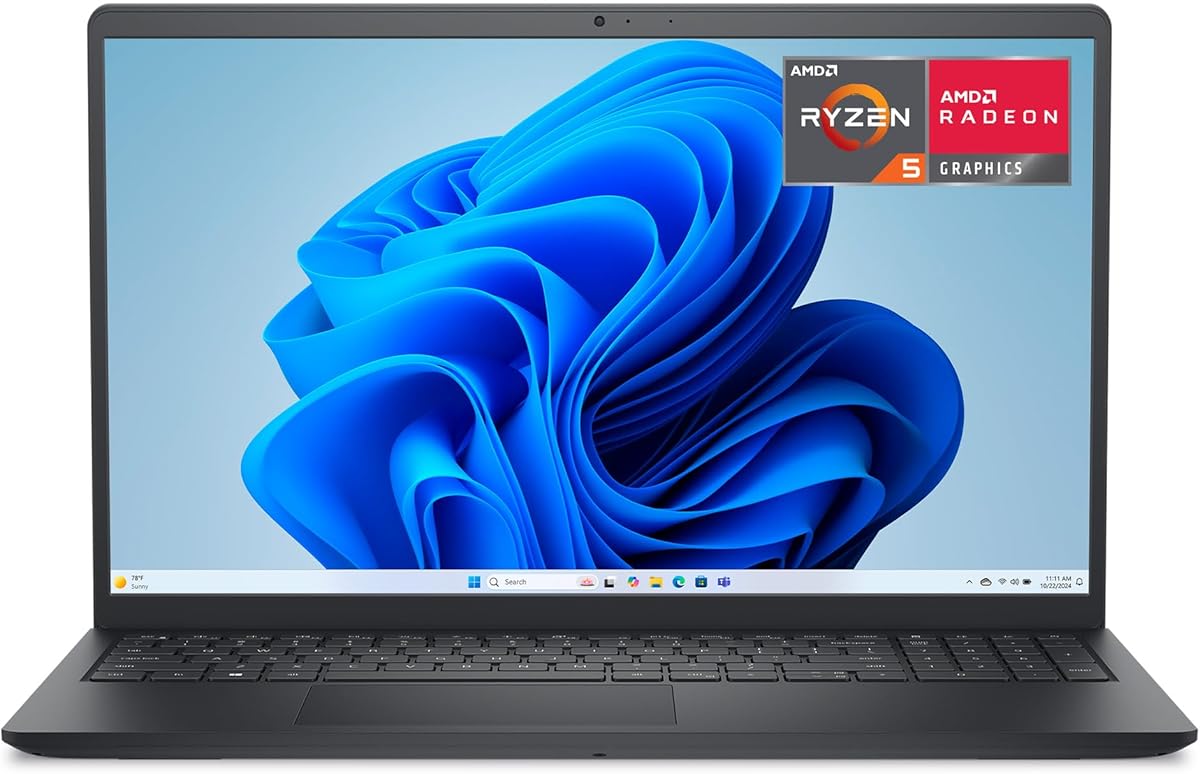
The Light Gaming Laptop offers impressive value for those looking to enter 3D rendering without overspending on hardware. With a 4.6 rating, users appreciate its ability to handle moderate Enscape projects efficiently thanks to its AMD Ryzen 7 430U processor. It balances cost and capability effectively making it a strong contender for students or freelancers starting their design careers.
We may earn a commission when you buy through this link, at no additional cost to you.
Equipped with 16GB of RAM and a 512GB NVMe SSD, this machine ensures smooth multitasking and quick access to large design files. The integrated Radeon graphics are capable enough for basic rendering and viewport navigation though they may struggle with extremely complex scenes. The thin-bezel design maximizes screen space which helps when managing multiple windows during complex modeling tasks.
The main limitation is that it relies on integrated graphics which means it might not sustain heavy rendering workloads for extended periods without thermal throttling. Additionally the build materials are functional but not premium so durability under rough handling may be a concern. For users on a budget who can accept these compromises it remains a solid tool for entry level work.
This laptop is best suited for students learning Enscape or professionals handling lighter design tasks on a tight budget. Its portability makes it easy to carry between classes or meetings while still providing enough power for core rendering functions. Overall it is a highly recommended option for budget conscious buyers seeking performance per dollar.
Priced lower than many competitors it delivers surprising power for everyday design tasks and moderate rendering needs.
NVMe SSD technology ensures that projects load quickly reducing wait times between rendering and editing cycles.
We may earn a commission when you buy through this link, at no additional cost to you.
The HP Laptop 14 is a compact option for users who need basic portability and simple computing tasks alongside light design work. Its 4.3 rating reflects user satisfaction with its ease of use and daily reliability. While it is not powerful enough for heavy Enscape rendering it can handle very simple models or 2D design tasks comfortably.
We may earn a commission when you buy through this link, at no additional cost to you.
Powered by an Intel N150 processor and 4GB of LPDDR5 RAM this laptop is best suited for web browsing document editing and lightweight design viewing. The 128GB storage is minimal so users should rely on cloud storage or external drives for larger project files. The HD display provides acceptable clarity but lacks the detail needed for precise color grading or high resolution texturing.
Its main drawbacks include the limited RAM which can cause slowdowns when running multiple applications and the low screen resolution which limits visual accuracy. It is also not recommended for any serious 3D rendering work due to the hardware constraints. However for users who primarily view rendered output or manage project files it serves as a reliable companion device.
This laptop is ideal for students or professionals who need a secondary device for travel or basic administrative tasks. Its portability and battery life make it great for on-the-go productivity though it should be paired with a more powerful desktop for heavy rendering. Overall it is a practical choice for specific low-demand scenarios.
Its light weight and compact size make it perfect for carrying along when you only need to check files or emails.
For simple tasks like word processing or web-based design tools it performs adequately without draining battery quickly.
We may earn a commission when you buy through this link, at no additional cost to you.
The HP OmniBook 3 14 offers a stunning visual experience with its 2K OLED display which brings colors and contrast to life for design work. With a 4.1 rating it has gained attention for its unique processor and battery efficiency making it a compelling choice for creative professionals who value screen quality. The Snapdragon processor ensures fast AI performance and long battery life for extended work sessions away from power outlets.
We may earn a commission when you buy through this link, at no additional cost to you.
This device features 16GB of RAM and a 256GB SSD providing enough memory for multitasking and quick file access. The OLED screen provides deep blacks and vibrant colors which are beneficial for color critical design work though Enscape performance depends on GPU capability. The Adreno GPU handles standard graphics tasks well but may not match dedicated graphics cards in raw rendering power.
A notable limitation is software compatibility on Snapdragon platforms which might affect certain professional 3D tools depending on optimization. Additionally while the battery life is excellent the GPU power is moderate compared to Intel based models for heavy rendering. Users should weigh the benefits of battery life and screen quality against potential performance trade-offs in specialized applications.
This laptop is best for designers who prioritize visual fidelity and mobility over raw rendering power. It excels as a premium travel companion for reviewing models and managing projects. For heavy 3D rendering it may be better suited to lighter workflows or cloud based solutions. Overall it is a strong option for modern portable productivity.
The OLED panel delivers rich color accuracy and deep contrast which enhances the visual quality of design previews.
Built-in AI tools assist with task management while efficient power use ensures all day work without constant recharging.
We may earn a commission when you buy through this link, at no additional cost to you.
The Lenovo V15 Gen 4 is designed with business professionals in mind offering robust performance and reliability for demanding workflows. With a 4.3 rating it satisfies users who need a consistent machine for office and design tasks. The Intel Core i5-13420H processor provides strong multi-core performance which helps when running multiple design applications or compiling large scenes.
We may earn a commission when you buy through this link, at no additional cost to you.
This laptop includes 16GB of RAM and a 512GB SSD ensuring smooth multitasking and fast storage access for project files. The numeric keypad is a useful addition for data entry tasks which is common in architectural calculations and planning. The 15.6 inch FHD display provides a standard viewing area though color accuracy might not be studio level for critical design work.
While it performs well for general business and light rendering tasks the integrated graphics may limit complex 3D visualization speed. The build quality is durable but the display brightness could be better for working in brighter environments. However for a business focused machine that needs to handle mixed workloads it offers solid value and dependability.
This laptop is ideal for architects and engineers who need a reliable business laptop with enough power for design software. It balances professional features with practical performance making it a good choice for hybrid work environments. For pure 3D rendering it may require external GPU assistance but for general use it is a capable workstation.
Windows 11 Pro and extra connectivity ports support advanced corporate security and peripheral needs efficiently.
The Core i5 processor delivers reliable speed for everyday tasks and moderate 3D workflows without excessive power use.
We may earn a commission when you buy through this link, at no additional cost to you.
The HP 2025 17 inch laptop stands out for its impressive storage and memory capacity which is ideal for users managing large project archives. With a 4.2 rating it offers a compelling value proposition for those who need significant data space without external drives. The 32GB RAM allows for extensive multitasking and handling complex Enscape scenes with reduced memory bottlenecks.
We may earn a commission when you buy through this link, at no additional cost to you.
It includes a 1TB internal SSD plus a 512GB portable SSD giving users flexible storage options for backups and transfers. The 17.3 inch screen provides a spacious workspace for viewing detailed blueprints and rendering results side by side. The Ryzen 5 7430U processor supports smooth general operations though heavy GPU tasks rely on integrated graphics.
The main trade-offs are the weight and size which make it less portable for frequent travel compared to smaller laptops. Additionally while the RAM is generous the integrated graphics may still limit rendering speed in high-fidelity scenes. For stationary workstations or home offices however the storage and memory advantages make it a practical choice.
This laptop is best for professionals who store many project files locally and need robust memory for virtual machines or multiple apps. Its large screen and storage make it a great central hub for design workflows. While not the lightest option it delivers high capacity performance for demanding users who prioritize internal resources.
With over 1TB of internal storage and 32GB RAM you can keep entire project libraries loaded locally for quick access.
The included portable SSD ensures you can safely back up or transfer large assets between locations without worry.
We may earn a commission when you buy through this link, at no additional cost to you.
The HP OmniBook 3 16 offers a versatile touchscreen experience that enhances interaction with design interfaces and visual tools. With a 4.5 rating it is appreciated for its vivid display and smooth responsiveness in daily tasks. The 2K resolution provides sharp details which help when zooming into complex models or reviewing textures closely.
We may earn a commission when you buy through this link, at no additional cost to you.
It comes with 8GB of RAM and a 256GB SSD offering adequate performance for light design and browsing activities. The touchscreen adds convenience for navigating menus and selecting tools without relying solely on the trackpad. However for heavier Enscape workloads the limited RAM may result in slower switching between large projects.
A potential downside is that touchscreen use can increase battery consumption which may impact all-day portability. The Ryzen 3 processor is efficient for general tasks but may not sustain intense rendering sessions effectively. Users should consider this device primarily for visual review and light design work rather than full production rendering.
This laptop is ideal for creatives who value touch interaction and a high quality screen for presentations or digital art. It excels as a portable tool for client meetings where visual impact matters. For heavy rendering it is best paired with a desktop solution. Overall it is a stylish and functional choice for modern workflows.
The touchscreen allows intuitive navigation through 3D spaces and model editing options for a more engaging workflow.
The 2K resolution ensures that text and graphical elements remain sharp even when zoomed in on detailed work.
We may earn a commission when you buy through this link, at no additional cost to you.
The Dell 15.6 laptop is built to offer reliable performance and durability for daily professional use including moderate design work. With a 4.3 rating it is trusted by users for its solid construction and consistent operation. The adaptive thermal management keeps the system cool during extended use which is vital when running software like Enscape for long periods.
We may earn a commission when you buy through this link, at no additional cost to you.
It features an AMD Ryzen 5 processor and 8GB of RAM which supports smooth web browsing and basic design tasks. The ergonomic hinge lifts the keyboard to a comfortable typing angle reducing strain during long documentation or coding sessions. However the RAM and GPU may limit its ability to handle complex 3D rendering without performance drops.
While it is a dependable device for standard tasks it is not optimized for heavy graphical workloads due to integrated graphics. The screen is functional but lacks advanced color calibration or high brightness for critical design reviews. For those prioritizing reliability and service support over raw performance it remains a practical choice.
This laptop is well suited for professionals who need a dependable machine for mixed office and light design work. The onsite service adds peace of mind for business users who cannot afford downtime. For serious Enscape rendering a more powerful GPU is recommended but for general use it is a reliable tool.
Robust materials and hinge design ensure this laptop can withstand daily transport and usage without easy wear.
The raised keyboard angle helps reduce wrist strain which is essential for long hours of typing and data entry.
We may earn a commission when you buy through this link, at no additional cost to you.
The Dell 16 Laptop combines a large high resolution display with powerful processing for a premium productivity experience. With a 4.4 rating it is praised for its visual comfort and efficient performance in multitasking environments. The Intel Core 7 processor and 16GB RAM ensure that complex Enscape scenes load and navigate smoothly without lag.
We may earn a commission when you buy through this link, at no additional cost to you.
Its 16 inch FHD+ display offers edge-to-edge clarity and ComfortView Plus to reduce blue light during long work sessions. This is beneficial for designers who need accurate color and detail when reviewing architectural models or rendering results. The SSD storage ensures fast boot times and quick project access enhancing overall workflow efficiency.
While it offers excellent performance for general tasks the integrated graphics may limit high-end 3D rendering capabilities. The premium pricing may also be a barrier for budget conscious users despite the solid features. However for professionals seeking a reliable high-end business laptop for mixed workloads it is a strong contender.
This laptop is ideal for architects and designers who value screen quality and processing speed for daily tasks. It balances performance and portability well making it suitable for both office and remote work. For heavy rendering a dedicated GPU model might be better but for general design work it is a solid choice.
ComfortView Plus technology reduces eye strain during extended rendering and design sessions which improves productivity.
The FHD+ resolution provides sharp visuals and more screen real estate for viewing complex blueprints and renders.
We may earn a commission when you buy through this link, at no additional cost to you.
The HP OmniBook 3 17 offers a large 17 inch display that provides ample workspace for design and productivity tasks. With a 4.5 rating it is popular for its balance of screen size and affordability. The IPS technology ensures wide viewing angles and vibrant colors which help when presenting models or working in varied lighting.
We may earn a commission when you buy through this link, at no additional cost to you.
It includes 8GB of RAM and a 512GB SSD providing sufficient storage and memory for everyday computing and light rendering. The Ryzen 3 processor handles basic tasks smoothly but may not sustain heavy 3D rendering for long periods. This makes it a good option for those who prioritize screen real estate over raw processing power.
The main limitations are the moderate CPU and RAM which can slow down complex multitasking or heavy scene exports. While the display is large it may not match high-end color-accurate screens for critical grading work. For users needing a large screen for office work and simple design tasks it remains a practical choice.
This laptop is best for users who want a large screen for presentations or dual window work without breaking the budget. It is a good travel size for those who need bigger display clarity. For heavy rendering it is better suited for light tasks or paired with a desktop. Overall it is a solid value option.
The wide 17 inch screen allows more content to be visible at once reducing the need to switch tabs constantly.
IPS technology ensures that the display looks consistent from different angles which helps during collaborative reviews.
We may earn a commission when you buy through this link, at no additional cost to you.
Selecting the right laptop for Enscape requires balancing performance specs with portability needs to ensure smooth real-time rendering.
A fast multi-core processor is essential for handling complex 3D scenes and rendering tasks without lag. Look for Intel Core i5/i7 or AMD Ryzen 5/7 equivalents to ensure smooth navigation and export speeds.
Prioritize high-frequency CPUs to maintain performance during intense design sessions and heavy data processing.
At least 16GB of RAM is recommended to allow smooth multitasking between Enscape and other design software. More memory ensures that large models do not cause system slowdowns during editing.
Choose 32GB if you work with extremely large scenes or run multiple applications simultaneously.
Integrated graphics can handle light tasks but a dedicated GPU is best for high-fidelity rendering and complex lighting effects. Ensure the graphics card supports modern rendering engines efficiently.
Check for models with higher-end GPUs if you plan to work on commercial projects with detailed textures.
A high-resolution screen with good color accuracy helps in viewing detailed designs and textures clearly. Aim for at least 1080p FHD resolution with IPS technology for wide viewing angles.
Consider OLED or higher resolution displays if color fidelity is critical for your professional workflow.
NVMe SSDs provide fast boot times and quick project loading which improves overall workflow efficiency. Avoid slower HDDs as they can bottleneck data transfer speeds.
Look for at least 512GB of storage to keep project files organized without needing external drives constantly.
Long battery life is important for professionals who work away from power outlets regularly. Opt for devices with efficient processors that balance power and performance.
Check reviews for real-world battery duration to ensure it meets your daily work duration needs.
Weight and size matter if you carry your laptop between client sites or offices daily. Balance screen size with overall chassis weight for practical use.
Compact models are better for travel while larger screens suit stationary office setups.
Ensure the laptop has enough USB ports and HDMI for connecting external monitors or peripherals. Reliable Wi-Fi is also crucial for transferring large files to the cloud.
Look for Thunderbolt or USB-C ports if you need fast data transfer with external storage devices.
Always update your graphics drivers to ensure compatibility with the latest Enscape features and optimizations for performance.
Maintain a clean working environment to prevent dust buildup which can cause overheating during long rendering sessions.
Use cooling pads if you frequently run heavy applications to extend the lifespan of your device hardware components.
Enscape recommends a minimum of 8GB RAM but 16GB is highly recommended for smooth performance with complex scenes. Less RAM may cause crashes or slow navigation during rendering.
Integrated graphics can run basic Enscape tasks but dedicated GPUs are better for high-quality rendering and large projects. Integrated graphics may struggle with high-fidelity textures.
Yes an SSD significantly reduces loading times for large project files and improves overall system responsiveness. HDDs can cause long wait times when opening or saving models.
A resolution of 1920×1080 (FHD) is a good starting point for detailed work but higher resolutions provide more clarity. Color accuracy is also important for design consistency.
A larger screen helps visualize complex models but external monitors can supplement smaller laptops. The display size should match your workspace and portability needs.
Keep your laptop plugged in during heavy rendering tasks to prevent battery drain. Use power-saving settings when not rendering to extend battery longevity.
Choosing the right laptop depends on balancing your budget with performance needs for seamless 3D rendering. Our top picks offer strong performance across different price points ensuring everyone can find a suitable device.
Prioritize processing power and memory to avoid lag during complex design sessions. Also consider display quality for accurate visualization of your creative work.
Remember to check current pricing and availability as deals change frequently to get the best value for your needs.