
HP Everyday Business Paper
4.5Editor score
Glossy finish for pro docs
32 lb weight standard
150 sheets per pack
This guide compares the top laser printer photo paper options for 2026, evaluating gloss levels, weight, compatibility, and print quality to help you choose
Choosing the right laser printer photo paper can transform your documents from standard to stunning. You need paper that handles heat without bubbling, delivers vibrant colors, and resists smudges. Whether for brochures or photos, the right stock ensures professional results every time you print.
We compared ten leading options based on weight, finish, compatibility, and user feedback. Our analysis focuses on sheets designed specifically for laser fusers, ensuring reliable feeding and sharp output. We looked at bulk packs and premium selections to cover various business and home printing needs effectively.
Each pick below highlights key strengths and trade-offs to help you decide quickly. We include detailed specs and real-world performance notes for every product listed. Please note that prices and availability change frequently, so always check the current listing before ordering your next supply.
4.5Editor score

4.6Editor score

4.4Editor score
The table below provides a side-by-side view of all ten products. It highlights key specifications like weight, sheet count, and finish type so you can quickly identify the right fit for your specific printing requirements and budget constraints.


This paper delivers a professional finish that impresses clients and colleagues. Rated highly by users, it balances weight and cost effectively for regular printing tasks. The glossy surface enhances photos and graphics without excessive glare under office lighting.
We may earn a commission when you buy through this link, at no additional cost to you.
At 200 gsm, it feels substantial like cardstock yet runs smoothly through standard laser trays. The finish dries fast, reducing the risk of smearing if you handle documents immediately after printing. It holds toner well for crisp text and vibrant image edges.
While it is excellent, very dark images may show slight transparency on the back side. You should avoid touching the surface directly to prevent fingerprints before the toner fully sets. These minor issues do not outweigh the value of bulk availability.
Choose this if you need reliable, high-gloss results for brochures or invitations. It fits well for home offices and small businesses seeking a quality upgrade over standard copy paper. Always test a few sheets for your specific printer model before large runs.
The high gloss coating gives printed materials a premium feel that standard paper cannot match. This is ideal for proposals, marketing flyers, or event programs where presentation matters significantly.
Engineered for laser heat, this paper resists curling and jams during fusing. Users report consistent feeding even in high-volume batches without constant tray clearing.
We may earn a commission when you buy through this link, at no additional cost to you.
HP offers a trusted option for users needing glossy prints without premium costs. This pack provides plenty of sheets for routine office projects or school assignments. The finish is bright enough to make text and colors stand out clearly.
We may earn a commission when you buy through this link, at no additional cost to you.
At 32 lb, it is lighter than cardstock but feeds easily in most laser printers. You can print two-sided documents with minimal show-through for professional reports or flyers. The paper is optimized for HP Smart app workflows too.
Since it is lighter, it lacks the rigidity of heavier stock for standing displays. You should avoid using it for items requiring structural strength like cover pages. The cost savings make it perfect for high-volume internal documents.
Pick this if you prioritize quantity and brand consistency over heavy texture. It works well for meeting handouts or draft presentations where a glossy look adds polish. Check your printer settings for glossy mode to get the best toner bonding.
Designed to work seamlessly with HP printers and apps, this paper ensures reliable performance. You benefit from optimized feeding paths and color calibration for consistent results across jobs.
The opacity reduces bleed-through even on lighter stock, making it great for double-sided financial documents. You can print reports that look clean on both sides without worrying about shadow text.
We may earn a commission when you buy through this link, at no additional cost to you.
This premium option brings print-shop quality to your desk with a sturdy 52 lb weight. Users love the rich color reproduction and sharp graphics it produces on glossy surfaces. It feels substantial in hand, elevating brand materials like brochures and plans.
We may earn a commission when you buy through this link, at no additional cost to you.
The thicker stock holds its shape well for covers or displays that need to stand up. Sourced from sustainably managed forests, it aligns with eco-friendly procurement goals. The glossy finish is vibrant without being too shiny for screen viewing.
You may find it slightly more challenging to fold without scoring due to thickness. The cost per sheet is higher but justified for high-impact marketing materials. It is not ideal for high-speed drafts where weight does not matter.
Choose this for client-facing work that demands a touch of elegance and durability. It suits businesses needing reliable two-sided glossy prints for annual reports or presentations. Always use the recommended media type setting to avoid heat issues.
This paper mimics professional outputs, making it ideal for branded materials. The finish ensures colors pop while maintaining sharp edges on complex logos and text.
Sourced from FSC-certified forests, this paper supports environmental standards. It is fully recyclable as mixed paper, helping reduce office waste without compromising quality.
We may earn a commission when you buy through this link, at no additional cost to you.
Koala offers a balanced semi-gloss finish that suits designs needing less shine. This paper provides true color reproduction with excellent ink absorption for clear images. Users find it flat and stiff enough for smooth printing with minimal jams.
We may earn a commission when you buy through this link, at no additional cost to you.
The double-sided coating allows you to print on both sides without bleeding. It is perfect for greeting cards or event flyers where matte and glossy extremes feel off. The finish dries quickly, ready for folding or handling right away.
It may lack the punch of full gloss for high-contrast vibrant photos. You might not want to use it for heavy covers since it is not true cardstock. The trade-off is better for text-heavy designs needing readability.
Select this if you want a professional look without harsh reflections. It works well for reports, calendars, or DIY albums where subtle finish is preferred. Check compatibility with your laser fuser for consistent heat tolerance.
The semi-gloss surface cuts glare, making text easy to read under bright lights. This suits office reports or informational flyers where comfort viewing is key.
Advanced coating ensures images reproduce accurately without color shifts. You get sharp details suitable for graphics and photos that need precision.
We may earn a commission when you buy through this link, at no additional cost to you.
This bulk pack offers 200 sheets for high-volume home or office needs. The 200 GSM weight feels like a durable cover stock for stands. Cards. Users appreciate the smudge-proof surface that locks toner instantly for clean handling.
We may earn a commission when you buy through this link, at no additional cost to you.
Engineered to resist high heat, it runs through laser fusers without bubbling or peeling. The double-sided semi-gloss finish adds versatility for multi-page brochures or menus. It is a good staple for DIY projects requiring substantial weight.
Some users note handling can be stiff for precise folding without creasing. The mixed rating suggests checking your printer model compatibility before large buys. It may not suit delicate photo projects needing ultra-smooth feel.
Choose this for marketing inserts or event materials where bulk value matters. It fits small businesses needing affordable heavy stock for covers or postcards. Ensure your printer supports 52 lb media to prevent feeding issues.
Instant dry technology prevents streaks and blurs even after heavy handling. This ensures clean documents ready for immediate packaging or mailing without smears.
Advanced coating withstands intense laser fuser heat reliably. You avoid bubbling or peeling issues common with non-specialized photo stocks.
We may earn a commission when you buy through this link, at no additional cost to you.
This 80lb text paper delivers vibrant, double-sided gloss for color laser jobs. It ensures reliable feeding without jams thanks to smooth acid-free construction. Users praise its 96 brightness for rich, true-to-screen color on marketing materials.
We may earn a commission when you buy through this link, at no additional cost to you.
Engineered specifically for laser and digital printers, it avoids the moisture risks of inkjet stock. Each pack is boxed to protect sheets from humidity or damage during transit. This consistency is vital for uniform outputs in business proposals.
It is not compatible with inkjet machines, so verify printer type before buying. The 50-sheet count may require multiple packs for larger projects. Thinner than cardstock by design, it suits standard documents over heavy covers.
Pick this for high-volume color documents needing a professional gloss finish. It fits well for flyers, presentations, or photo prints at home or work. Check your printer settings for media type to maintain smooth feeding paths.
C2S gloss coating on both sides delivers sharp, brilliant color. This suits flyers or brochures needing consistent impact from every angle without.
Acid and lignin-free construction prevents yellowing or fading. Prints stay vivid over time, ensuring archival safety for important documents or memories.
We may earn a commission when you buy through this link, at no additional cost to you.
This smaller pack offers 30 sheets for quick projects or testing before bulk. It shares the same 200 gsm glossy quality as larger options at lower cost. Users find the smooth finish dries quickly for crisp, sharp results.
We may earn a commission when you buy through this link, at no additional cost to you.
Ideal for those needing a few high-gloss prints without buying bulk. The 200 gsm weight gives a premium feel for photos that matter most. It fits well for personal invitations or small office tasks.
Count is limited for large runs, requiring multiple orders. You should store sheets flat to avoid curling from ambient humidity. It is best for sporadic use rather than daily production.
Select this if you want to sample quality without committing to large packs. It suits home users needing professional prints occasionally. Always check printer settings for media type to prevent feeding errors.
A value pack perfect for small batches of high-quality photos. You get professional finish without surplus waste or upfront costs.
Same smooth finish and weight as bulk packs ensure predictable results. Print those that matter with reliable drying and ink absorption every time.
We may earn a commission when you buy through this link, at no additional cost to you.
This 80lb text paper promises high-quality glossy output for color laser. Users benefit from 96 brightness for vibrant full-color prints. The acid-free and lignin-free design ensures prints stay crisp and do not fade.
We may earn a commission when you buy through this link, at no additional cost to you.
Optimized performance for color and B&W lasers avoids jams reliably. You can focus on design proposals without worrying about feeding issues. The 100-sheet pack offers good bulk value for professional needs.
It is not compatible with inkjet printers, so verify machine type. Weight may feel light compared to true cardstock for heavy covers. The finish is smooth but not super glossy for premium looks.
Pick this for consistent, high-brightness color documents in bulk. It fits proposals, posters, or event flyers needing reliable quality. Always store in a cool, dry place to prevent moisture issues.
99.99% jam-free performance ensures trouble-free runs. You get rich color and superior quality without constant maintenance.
Acid-free construction prevents fading and brittleness. Prints last longer, maintaining quality appearance for future reference.
We may earn a commission when you buy through this link, at no additional cost to you.
This thin 30lb semi-gloss paper suits menus, invitations, and brochures. It is flat with good stiffness, ensuring smooth feeding and no jams. Users appreciate the absence of watermarks on the back for writing.
We may earn a commission when you buy through this link, at no additional cost to you.
It absorbs ink and toner well to show color and detail beautifully. The finish sits between glossy and matte, ideal for designs needing subtlety. It is a great choice for DIY party favors or reports.
Since it is thin, it may feel flimsy for heavy use. You cannot print on the back for double-sided documents. Handle with care to avoid creasing during folding.
Choose this for lightweight projects needing semi-gloss aesthetics. It fits well for event handouts or casual prints. Check your printer settings for thin media to prevent feeding issues.
Ideal for printing menus and invitations requiring less bulk. You get smooth printing and good stiffness without heavy weight.
No watermarks on the back let you write notes freely. This suits reports or designs needing a writable reverse side.
We may earn a commission when you buy through this link, at no additional cost to you.
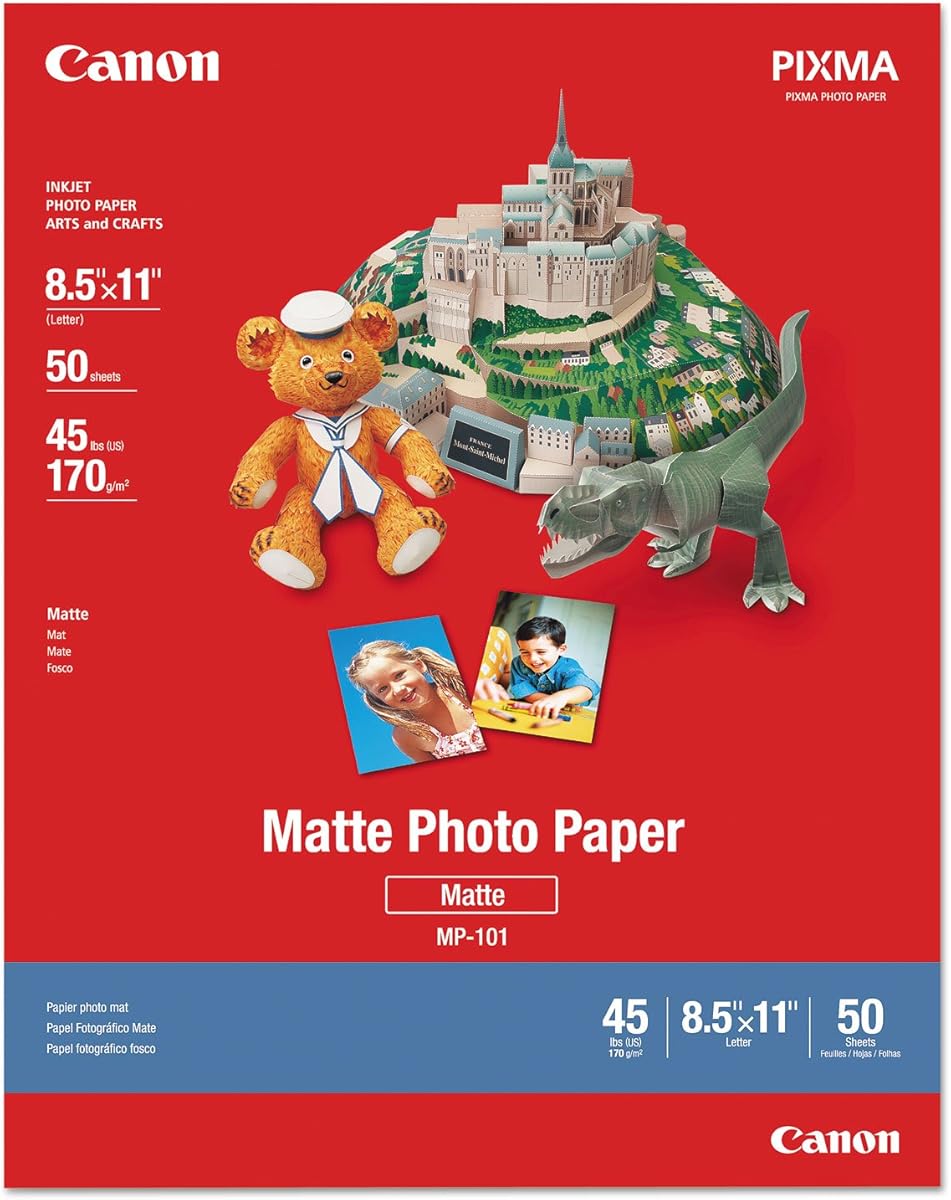
This Canon-branded matte paper offers excellent photo results with vibrant colors. Users find it delivers professional looks without shiny glare under lights. It suits documents needing a classic, refined finish over glossy.
We may earn a commission when you buy through this link, at no additional cost to you.
Optimized for Canon printers, it ensures precise toner and ink bonding. The matte surface reduces fingerprints and reflections for easy reading. It comes in a 50-sheet pack, convenient for smaller tasks.
It lacks the versatility of glossy finishes for some photo types. You might want to check compatibility with non-Canon laser models. The matte texture can feel less smooth compared to high-gloss options.
Pick this if you need a non-reflective finish for presentations. It suits portfolios or art prints needing subtlety. Always set printer media type to photo to get best output.
Excellent photo results with vibrant colors stand out nicely. The finish ensures rich tonal ranges without unwanted glare.
Matte finish suits documents needing a classic, refined look. You get professional photos without the shine of glossy options.
We may earn a commission when you buy through this link, at no additional cost to you.
Selecting the right paper involves understanding weight, finish, and compatibility. Here are key factors to consider for successful laser prints.
Weight determines how the paper handles and feeds. Heavier stocks like 52 lb feel more premium but may jam in some trays. Lighter options like 30 lb suit menus but lack structure for covers.
Choose based on whether you need standing displays or just flat docs.
Finish affects how images appear and how much light they reflect. Glossy offers high vibrancy but shows fingerprints easily. Matte reduces glare for text-heavy documents.
Semi-gloss balances both for versatility. Pick based on your content and lighting.
Laser printers require heat-resistant coatings to prevent bubbling. Verify the pack states laser compatibility. Inkjet papers can melt in laser fusers causing damage.
Always check product labels for laser fuser support before buying.
Brightness values like 96 indicate how white the base paper is. Higher brightness improves color contrast and toner clarity. This is vital for full-color flyers and proposals.
Look for 95+ brightness for professional, vibrant results.
Pack sizes vary from 30 to 200 sheets. Buying bulk reduces cost per sheet but takes storage space. Small packs suit sporadic use or testing new stocks.
Assess project volume to avoid frequent reordering.
Acid-free papers resist yellowing and fading over time. This is crucial for documents needing long-term preservation. Lignin-free adds to archival safety.
Choose acid-free for important documents or photo memories.
Double-sided stock needs opacity to avoid show-through. This saves paper and costs for two-sided brochures. Ensure both sides are coated for consistent quality.
Check coating descriptions to confirm both sides print well.
Cost per sheet varies with brand and weight. Premium packs cost more but deliver better results. Budget options may trade texture for quantity.
Balance quality needs with your total print budget.
Store packs in a cool, dry place to prevent moisture absorption. Keep them in their original sealed packaging until ready to use for consistent results.
Fan sheets gently before loading to separate them and reduce jams. Always use clean hands or gloves to avoid fingerprints on the print surface.
Set your printer to the correct media type for glossy or photo paper. Allow prints to cool fully before handling to ensure toner sets properly.
No, inkjet paper lacks the heat-resistant coating needed for laser fusers. Using it can cause melting, jamming, or damage to your printer. Always choose paper labeled for laser compatibility to ensure safe operation and consistent results.
A weight around 48 lb to 52 lb offers a good balance between stiffness and feedability. This range feels premium without excessive bulk. Heavier weights suit covers, while lighter options work for interior pages.
Ensure the paper is fully separated before loading and set the tray to match its weight. Fan sheets to reduce static and check for humidity buildup. Using trays designed for heavier media also helps.
It depends on your purpose. Glossy enhances photos and graphics with vibrant colors, while matte suits text-heavy documents by reducing glare. Semi-gloss is a versatile middle ground for mixed content.
Smudging often occurs when toner hasn't cooled enough to set on the paper. Wait a few seconds before handling glossy sheets. Also verify the printer media settings match the stock type.
This stock has a glossy coating on both sides, allowing printing on each side. It suits brochures needing a professional finish front and back. Ensure opacity is high enough to prevent show-through.
Keep packs sealed in a cool, dry environment away from direct sunlight. Humidity can cause curling and jams, so avoid damp areas. Storing flat prevents warping and maintains consistent feeding.
Most are recyclable as mixed paper after printing, but check local guidelines. Some coatings may require special handling. Look for sustainably sourced options to support eco-friendly disposal practices.
We reviewed ten top options offering varied finishes, weights, and bulk sizes for laser printing. Whether you need premium cardstock or budget-friendly packs, there is a match for your specific use case.
Prioritize compatibility and weight to ensure reliable feeding and professional results. Consider finish type based on whether your content demands vibrant color or reduced glare for readability.
Always verify current prices and availability before placing your order. Checking settings and storage tips will help you get the most out of your chosen paper supply.