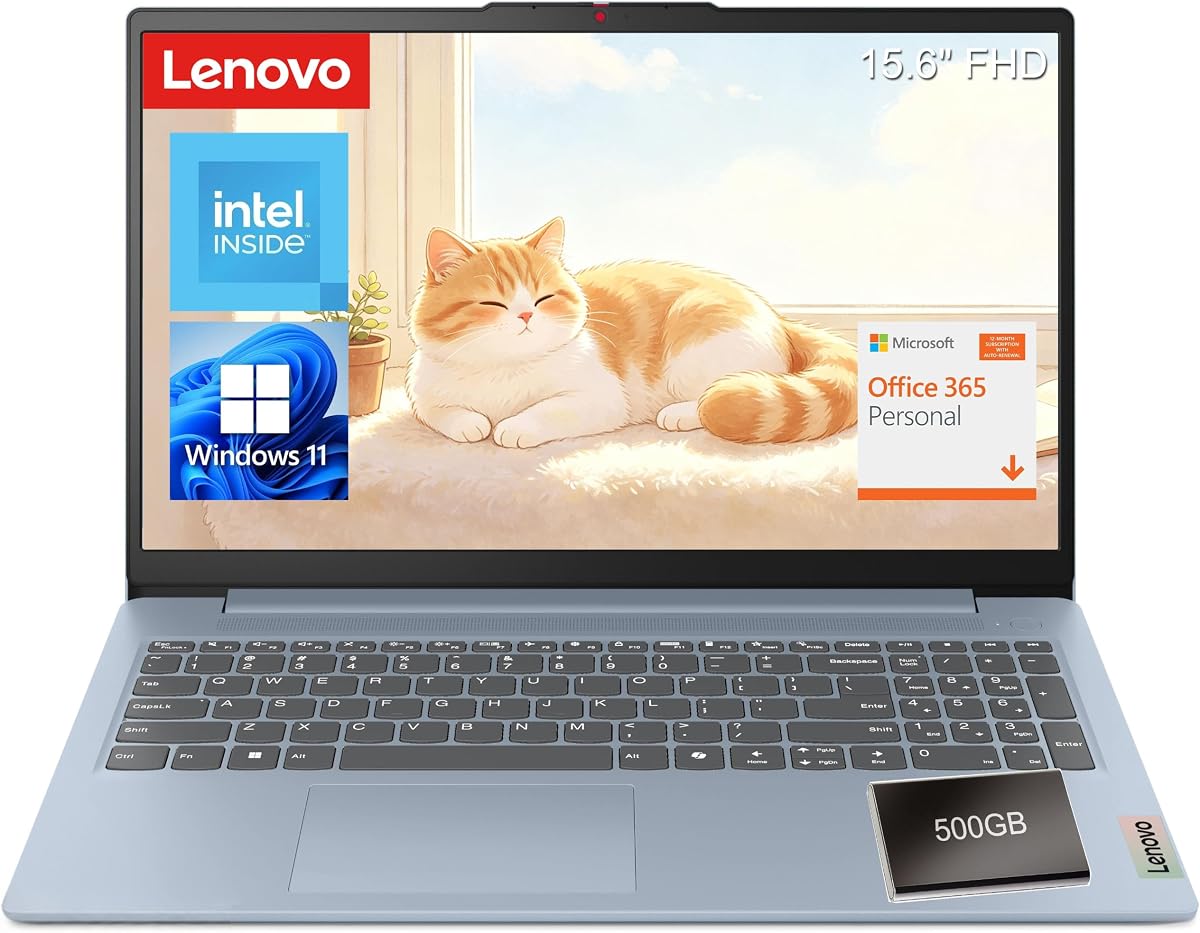
Lenovo Laptop Computer with 1-Year Office 365
4.4Editor score
Intel N150 Processor
8GB LPDDR5 RAM
15.6 FHD Display
This guide compares the top Lenovo Thinkpad Laptop models for 2026, evaluating performance, durability, and features to help you choose the right business
Lenovo Thinkpad laptops are renowned for their reliability and professional design. They serve executives and students with robust build quality and efficient performance across various workflows.
We evaluated ten models based on processor speed, memory capacity, display quality, and security features. This comparison highlights the strengths of each unit to assist your decision.
Each pick details specific specs and ideal use cases. Prices fluctuate often, so verify current listings before purchasing to ensure you get the best value for your needs.
4.4Editor score

4.4Editor score

5.0Editor score
The following table provides a side-by-side overview of the top ten Lenovo Thinkpad laptops available this month. Each entry summarizes key specifications to help you quickly identify the model that fits your specific requirements.


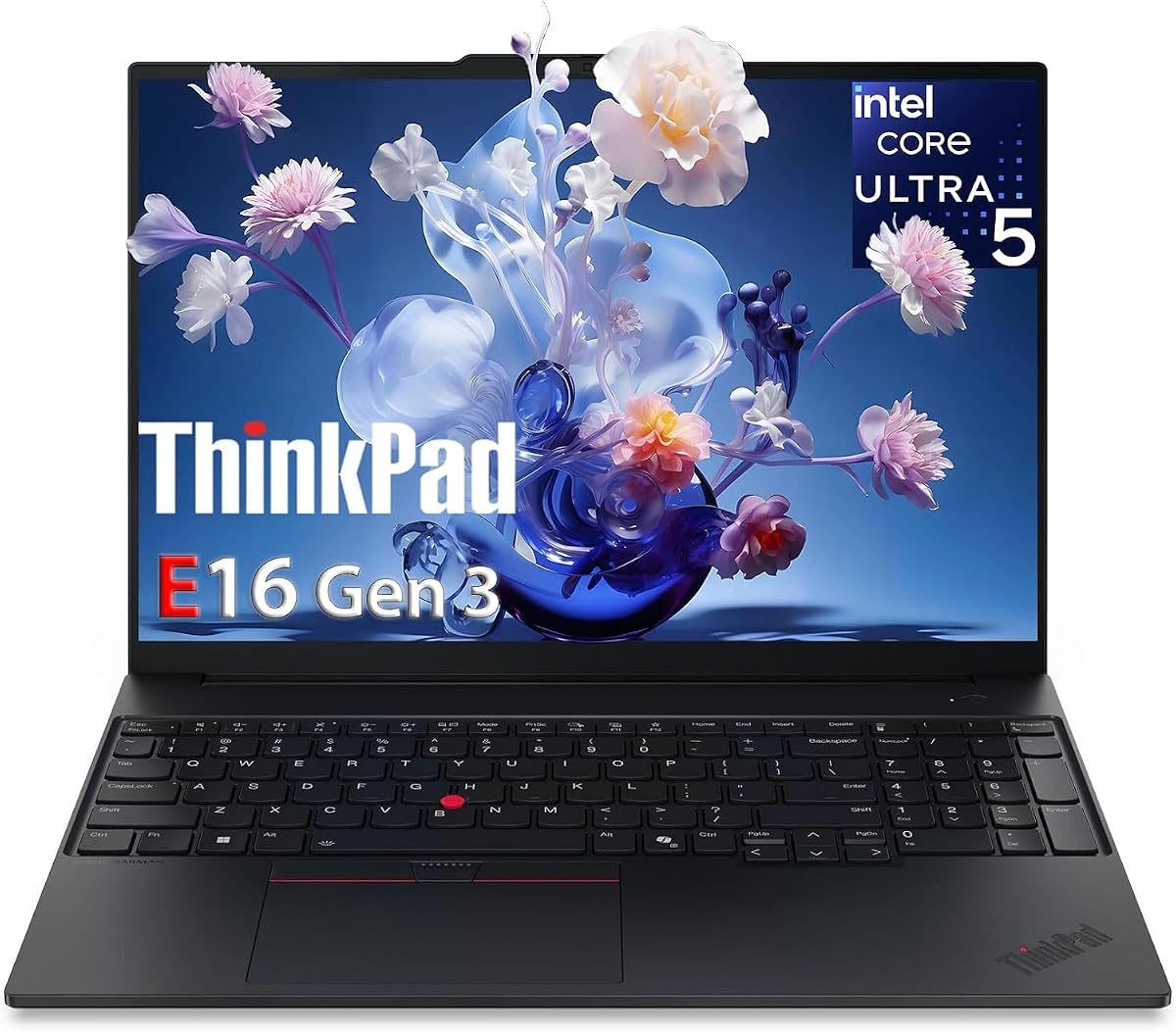


This Lenovo ThinkPad E16 Gen 3 laptop stands out as a top choice for modern business professionals. It combines robust AI capabilities with professional security tools to ensure smooth operations. The rating reflects high satisfaction among users who prioritize efficiency and reliability in their daily tasks.
We may earn a commission when you buy through this link, at no additional cost to you.
The Intel Ultra 5 225H processor delivers exceptional multitasking performance, making it ideal for demanding applications like data analysis and video conferencing. The 16GB DDR5 RAM ensures you can run multiple spreadsheets and virtual machines without slowdowns. The fingerprint reader integrated into the power button adds a layer of security that protects sensitive corporate data effectively.
While the display offers clear visuals with anti-glare technology, the 300 nits brightness might be limiting in very bright environments. However, the Intel Arc graphics handle light CAD work and presentations well enough for most office scenarios. The connectivity options, including Thunderbolt 4 and WiFi 6E, provide versatile networking capabilities.
Executives and analysts seeking a durable workstation should consider this model. It balances performance and cost effectively without sacrificing essential business features. If you need a reliable partner for your daily work, this ThinkPad offers the stability you require.
The integrated AI Boost NPU accelerates data analysis and creative tasks for faster results.
TPM 2.0 chip and fingerprint reader safeguard your data against unauthorized access attempts.
We may earn a commission when you buy through this link, at no additional cost to you.
This model offers a compelling alternative for users who prefer AMD architecture. The Ryzen 7 7735HS provides significant processing power suitable for heavy workloads. With a strong rating, it proves to be a reliable choice for business environments where speed is critical.
We may earn a commission when you buy through this link, at no additional cost to you.
The 16GB DDR5 RAM supports seamless multitasking across various applications. The 512GB SSD ensures quick boot times and ample space for files and software. The 16 inch WUXGA display provides ample screen real estate for detailed spreadsheets and multi-window workflows effectively.
The inclusion of a 5-in-1 Type-C hub addresses common connectivity needs, allowing you to connect peripherals easily. However, relying on the hub for basic ports can be inconvenient if it is lost or misplaced. Users should ensure they keep the hub with the laptop for full functionality.
If you value raw processing speed and battery efficiency, this laptop is a strong contender. It is particularly well-suited for professionals who need consistent performance during travel. The combination of power and portability makes it a versatile tool for modern work.
The 8-core Ryzen 7 processor handles demanding business apps with exceptional speed and efficiency.
The bundled hub expands port options immediately, reducing the need for separate adapters.
We may earn a commission when you buy through this link, at no additional cost to you.
This ThinkPad P14s model is designed for professionals who need certified performance for engineering and design software. It carries ISV certifications that guarantee compatibility with applications like AutoCAD and SOLIDWORKS. A perfect rating highlights its exceptional build quality and reliability in demanding settings.
We may earn a commission when you buy through this link, at no additional cost to you.
The AMD Ryzen AI 7 PRO 450 processor accelerates local AI workflows without heavy cloud dependency. With 32GB of RAM and a massive 1TB SSD, you have significant resources for data-heavy tasks and large file storage. The display offers 100% sRGB color accuracy for precise visual output in project work.
While the price reflects its premium status, the investment ensures longevity and stability for your workflow. Security features like ThinkShield and Pluton safeguards are layered to protect corporate assets effectively. The battery life supports full-shift operations, making it reliable for hybrid office scenarios.
Engineers and architects who require robust hardware will find this laptop indispensable. It meets corporate ESG procurement requirements with sustainable materials. For high-stakes professional work, this model provides the assurance and performance needed to succeed.
ISV validation ensures your CAD and engineering software run without compatibility issues.
Multiple layers of hardware and software security keep sensitive business data secure.
We may earn a commission when you buy through this link, at no additional cost to you.
This budget-friendly laptop is perfect for students and home users needing basic computing power. It comes with a complimentary Microsoft 365 subscription, adding significant value to the purchase. The rating shows high approval from users looking for an affordable entry point into productivity.
We may earn a commission when you buy through this link, at no additional cost to you.
The Intel N150 processor handles web browsing and media streaming efficiently. The 8GB RAM ensures smooth performance for daily tasks, while the 128GB storage provides enough space for essential apps. The lightweight chassis makes it easy to carry around for study or casual work.
Storage may be a constraint for users with large media libraries, but external drives can help. The non-backlit keyboard might be less ideal for typing in low light, but it works fine for typical usage. The included warranty and certifications offer peace of mind for buyers.
If you need a reliable device for school or light office work without breaking the bank, this is a smart choice. It offers essential features and productivity tools right out of the box. It is an excellent solution for budget-conscious users.
The one-year Office 365 subscription provides Word, Excel, and PowerPoint at no extra cost.
Weighing just over 3 pounds, this laptop is easy to carry in any backpack.
We may earn a commission when you buy through this link, at no additional cost to you.
This ThinkPad E16 configuration is tailored for professionals seeking reliable productivity tools. It features a powerful Intel Ultra 5 processor that handles business applications with ease. The consistent rating reflects its solid performance and dependability in daily enterprise environments.
We may earn a commission when you buy through this link, at no additional cost to you.
With 16GB DDR5 RAM, you can run multiple business apps without lag. The backlit keyboard allows comfortable typing even in dimly lit conference rooms. The fingerprint reader provides quick and secure access, enhancing your workflow efficiency significantly.
Battery life can be inconsistent depending on usage intensity, so charging access is important. The Windows 11 Pro OS offers enterprise management tools that IT departments appreciate. The overall build quality aligns with ThinkPad expectations for durability and design.
Entrepreneurs and remote workers will find this machine supportive of their needs. It balances performance with essential features like security and comfort. For consistent business productivity, this ThinkPad is a trustworthy choice to rely on.
The fingerprint reader in the power button ensures fast and secure access to your data.
The backlit keyboard ensures visibility and comfort during late night work sessions.
We may earn a commission when you buy through this link, at no additional cost to you.
This model is built for users who require extensive display connectivity and memory. It supports triple 4K output, making it ideal for financial analysts and traders. The high rating indicates strong user satisfaction with its connectivity and multitasking capabilities.
We may earn a commission when you buy through this link, at no additional cost to you.
The 32GB DDR5 RAM allows seamless operation across complex spreadsheets and virtual meetings. Storage is generous with a 1TB NVMe SSD for fast file access. Thunderbolt 4 connectivity ensures high-speed data transfers and flexible docking options for your setup.
The cost is higher than standard models but is justified by the advanced connectivity and capacity. The anti-glare screen ensures clear visibility even in bright office lighting conditions. This level of connectivity is rare in standard business laptops today.
Analysts and data professionals who need multiple screens will benefit greatly from this laptop. It eliminates bottlenecks associated with limited ports and memory. For heavy visual workflows, this device provides the necessary horsepower and flexibility.
Connect up to three external 4K monitors to expand your workspace significantly.
32GB of DDR5 RAM ensures your system remains responsive under heavy loads.
We may earn a commission when you buy through this link, at no additional cost to you.
This laptop offers a portable solution for users prioritizing weight and price. The slim profile makes it easy to slip into any bag. It boasts a high rating for its value proposition and user-friendly design in the entry-level market.
We may earn a commission when you buy through this link, at no additional cost to you.
The 15.6-inch FHD display maximizes viewing area with a high screen-to-body ratio. Dolby Audio speakers enhance entertainment quality during breaks or media consumption. The built-in privacy shutter protects your webcam when not in use.
Internal storage is limited, but the bundled 500GB external drive compensates for this. It is a complete package for students or travelers who do not need heavy processing power. The durability certification ensures it can withstand minor bumps during transit.
For those on the move, this device offers reliable performance without bulk. The external drive adds immediate storage utility. If you need a lightweight companion for browsing and light tasks, this is an excellent choice.
The slim bezels provide a larger viewing area for a compact 15.6-inch form factor.
The included 500GB external drive gives you extra space right out of the box.
We may earn a commission when you buy through this link, at no additional cost to you.
This renewed ThinkPad offers a cost-effective way to access business-class hardware. The Ryzen 5 PRO processor delivers efficient performance for standard corporate tasks. Although the rating is modest, it reflects a budget-friendly alternative to brand-new models.
We may earn a commission when you buy through this link, at no additional cost to you.
The 16GB DDR4 RAM allows smooth operation for common office applications. The inclusion of the iconic TrackPoint helps users who prefer precision navigation over touchpads. Windows 11 Pro ensures you have access to necessary enterprise security and management tools.
Since it is renewed, the physical condition may vary slightly from unit to unit. Buyers should inspect the device upon arrival to ensure it meets their expectations. The warranty provided by the seller offers some protection against defects.
Businesses looking to equip staff on a budget will find this unit useful. It retains the core ThinkPad functionality while reducing costs. If you prefer a proven platform without the new price tag, this model works well.
Renewed units offer a fraction of the price while keeping essential enterprise features intact.
The TrackPoint allows for precise cursor control without removing your hands from the home row.
We may earn a commission when you buy through this link, at no additional cost to you.
This ThinkPad T14s Gen 1 is a compact machine suitable for frequent travelers. Despite its age, the 10th Gen processor remains capable for daily tasks. The rating indicates that users find it a solid choice for reliable, budget-friendly performance.
We may earn a commission when you buy through this link, at no additional cost to you.
The 14-inch form factor keeps the laptop lightweight and easy to store in small bags. With 16GB of RAM and a 512GB SSD, you have enough storage and speed for most productivity needs. The backlit keyboard ensures usability in low-light settings.
Compared to newer models, the processing speed is lower, but it suffices for basic work. Renewed conditions mean you get a great deal on durable hardware. It is a practical option for those who do not need the latest cutting-edge technology.
If you need a portable workhorse that fits easily into your commute, this ThinkPad fits the bill. It offers the classic ThinkPad build quality at a reduced cost. For basic business tasks, this model remains relevant and useful.
The 14-inch chassis makes it easy to carry anywhere without adding bulk to your bag.
The 512GB SSD provides plenty of space for files and applications on a compact device.
We may earn a commission when you buy through this link, at no additional cost to you.
This model rounds out the list with balanced features suitable for general business use. It delivers smooth performance and essential security tools. The rating reflects steady satisfaction from users who appreciate its overall functionality and build.
We may earn a commission when you buy through this link, at no additional cost to you.
Extended battery life keeps you productive through long meetings and travel. Fast charging technology minimizes downtime when you are on the go. The Windows 11 Pro system provides the enterprise features you need for management.
The webcam quality is standard but adequate for typical virtual meetings. This laptop is designed for reliability rather than extreme multimedia tasks. Its durable design ensures it will last through daily business routines without issue.
For most professionals, this laptop strikes the right balance of power and reliability. It is a dependable choice for daily operations and communication. If you need a tool that just works, this ThinkPad is a solid fit.
Long-lasting battery allows you to work through meetings without needing a charger nearby.
Quick charging gets your laptop back to full power efficiently during short breaks.
We may earn a commission when you buy through this link, at no additional cost to you.
Selecting the right ThinkPad requires understanding your specific workflow needs and performance requirements. This guide breaks down the critical factors to consider before making a purchase.
Modern ThinkPads feature Intel Ultra or AMD Ryzen processors that vary in speed and efficiency. Higher core counts benefit multitasking and data-heavy applications, while newer generations include AI acceleration features for enhanced productivity.
RAM capacity determines how many applications you can run simultaneously. Aim for at least 16GB for business work, and consider SSD size based on your file storage needs. Upgradability is also a key consideration for long-term use.
Screen resolution and brightness impact your viewing experience during work. Look for IPS panels with high brightness ratings for outdoor use. Touchscreen options add versatility but may consume more battery life.
If you travel frequently, a lighter chassis is essential. The 14-inch models are more portable than 16-inch ones. Weigh the screen size against the weight to find a balance that suits your travel habits.
Check for the ports you need, such as HDMI, USB-A, and Thunderbolt. WiFi 6E support is becoming standard for faster wireless speeds. The presence of an Ethernet port is useful for stable network connections.
Business laptops often include fingerprint readers, IR cameras, and TPM chips. ThinkPad specific security suites like ThinkShield provide additional layers of protection. These features are vital for protecting corporate data during travel.
Windows 11 Pro offers advanced management tools compared to Home editions. Ensure the OS version supports your required enterprise software. Updates and security patches are more robust in professional versions.
Many ThinkPads are MIL-STD-810H tested to withstand harsh environments. Look for spill-resistant keyboards and durable hinges. These features ensure your device lasts longer under daily wear and tear.
Keep your ThinkPad clean by using a soft microfiber cloth to wipe the screen and keyboard regularly. Avoid using harsh chemicals that might damage the finish. Store it in a protective sleeve when transporting it to prevent scratches.
Manage your battery health by avoiding extreme temperatures and keeping it plugged in for extended periods if stationary. Use the power settings to balance performance and battery life based on your needs. Update your BIOS and drivers to ensure optimal power management.
Protect your data by utilizing the built-in security features like the fingerprint reader and BitLocker. Set up a strong login password and enable automatic updates. Regularly backup your files to an external drive or cloud service to prevent data loss.
Yes, ThinkPad laptops are industry standards for business due to their durable construction and security features. They offer robust performance and reliability essential for corporate environments.
Most current models ship with Windows 11 Pro by default. This version includes advanced features like BitLocker and Remote Desktop that are useful for businesses.
It depends on the specific model. Newer models often have soldered RAM, while older or higher-end ones may have slots for upgrades. Check the manual before purchasing to confirm.
The T series is premium with better build quality and more features. The E series is more budget-friendly while retaining many core ThinkPad traits like the TrackPoint.
Most business ThinkPad models include backlit keyboards for typing in low light. This feature is standard across many ThinkPads to aid productivity in various environments.
Battery life varies by model and usage but typically lasts between 8 to 12 hours on a single charge. Power-saving settings can help extend runtime during travel.
Yes, renewed ThinkPads that are certified by the manufacturer are reliable and come with warranties. They offer a cost-effective way to access high-quality hardware.
Many ThinkPad models support dual or triple monitor setups via Thunderbolt and HDMI ports. Check the specific model's specs to confirm maximum resolution and count.
We have explored a diverse range of ThinkPad models catering to various professional needs. From the powerful E16 Gen 3 to the budget-friendly entry-level options, there is a choice for every user.
Prioritize your workflow needs such as memory size and display quality when making a decision. Security features and portability should also weigh heavily if you travel frequently for work.
Remember that prices and stock change frequently so always check the latest listings before buying. Choosing the right ThinkPad ensures you have a reliable partner for your professional tasks.