
SUPVAN T50M Pro
4.5Editor score
Compatible with multiple tape types
Free mobile app editing
Ideal for home organization
Finding the right barcode label printer can transform how you manage inventory, shipping, and organization in your business or home office. A quality printer ensures clear scannable codes that reduce errors and save time during daily operations.
We evaluated ten leading models based on print speed, connectivity options, label width compatibility, and long-term operating costs. Our analysis focuses on direct thermal technology that eliminates ink needs while maintaining professional output quality for various applications.
Each selection highlights specific strengths such as budget friendliness or enterprise grade durability to match different operational requirements. Remember that pricing fluctuates regularly so verify current deals before making your final purchasing decision today.
4.5Editor score

4.0Editor score

4.7Editor score
As an Amazon Associate we earn from qualifying purchases.
This side by side comparison outlines key specifications for every selected model to help you quickly identify which printer aligns with your specific labeling tasks and budget constraints without unnecessary confusion.




The iDPRT SP310 stands out as a top choice for businesses needing versatility and speed. It earned a solid 4.0 rating from users who appreciate its ability to handle various label sizes from one inch to over three inches wide.
We may earn a commission when you buy through this link, at no additional cost to you.
Its open system design bypasses proprietary microchip limitations which significantly lowers long term consumable costs. The dedicated USB drivers ensure stable connections across Windows macOS Linux and ChromeOS without wireless dropouts during heavy printing sessions.
While it lacks Bluetooth connectivity the rock solid USB link ensures uninterrupted heavy printing for inventory or shipping tasks. The included free design software allows custom layouts without subscription fees making it cost effective for growing operations.
Buy this if you need a reliable desktop printer for high volume tasks requiring crisp scannable barcodes and diverse label widths. It balances performance and cost savings well for small businesses and home offices seeking professional results.
By removing proprietary chip restrictions you can use affordable third party labels reducing ongoing operational expenses significantly over time.
The dedicated USB connection eliminates wireless dropouts ensuring every label prints correctly without interruption during busy workflow periods.
We may earn a commission when you buy through this link, at no additional cost to you.
The SUPVAN T50M Pro offers an accessible entry point for those needing basic labeling without breaking the bank. With a 4.5 rating users praise its ease of use for home organization and small business product tagging tasks.
We may earn a commission when you buy through this link, at no additional cost to you.
The companion app provides over thirty fonts and hundreds of icons at no extra cost which enhances creative freedom without hidden subscription fees. Bluetooth connectivity allows quick design and printing directly from your smartphone or tablet for convenience.
While print resolution may not match industrial standards it delivers clear results for internal organization and simple address labels. The variety of included tape sets helps you get started immediately without purchasing additional supplies separately.
Choose this model if budget is your primary concern and you need portable labeling for storage bins jars or small product batches. It simplifies the process while keeping initial investment low for personal or light commercial use.
The free app offers extensive design tools including icons and fonts without requiring registration or subscription payments for basic functionality.
Wireless Bluetooth pairing lets you create and print labels right next to the items needing tagging saving movement time and effort.
We may earn a commission when you buy through this link, at no additional cost to you.
The ZP450 Zebra earns top marks for durability and reliability in busy work environments with a 4.7 rating. Its double walled construction withstands daily demands better than lighter plastic alternatives making it suitable for long term commercial deployment.
We may earn a commission when you buy through this link, at no additional cost to you.
With support for USB Serial and Parallel connections it integrates easily into legacy systems or modern setups alike. The five inch per second speed ensures efficient throughput for shipping and receiving areas where volume matters significantly.
While the fixed media width limits versatility compared to adjustable models it optimizes cost for specific standard sizes like shipping labels. The lack of toner or ribbons reduces operational costs despite the higher upfront hardware investment.
Invest in this printer if you need a workhorse for high volume shipping labels in a warehouse or office setting. Its proven reliability and multiple connection options make it a solid choice for professional environments requiring consistent performance.
The double walled construction ensures the unit can withstand the physical demands of daily busy use without premature wear or damage.
Support for multiple connection types allows seamless integration into various system setups whether using modern USB or older serial ports.
We may earn a commission when you buy through this link, at no additional cost to you.
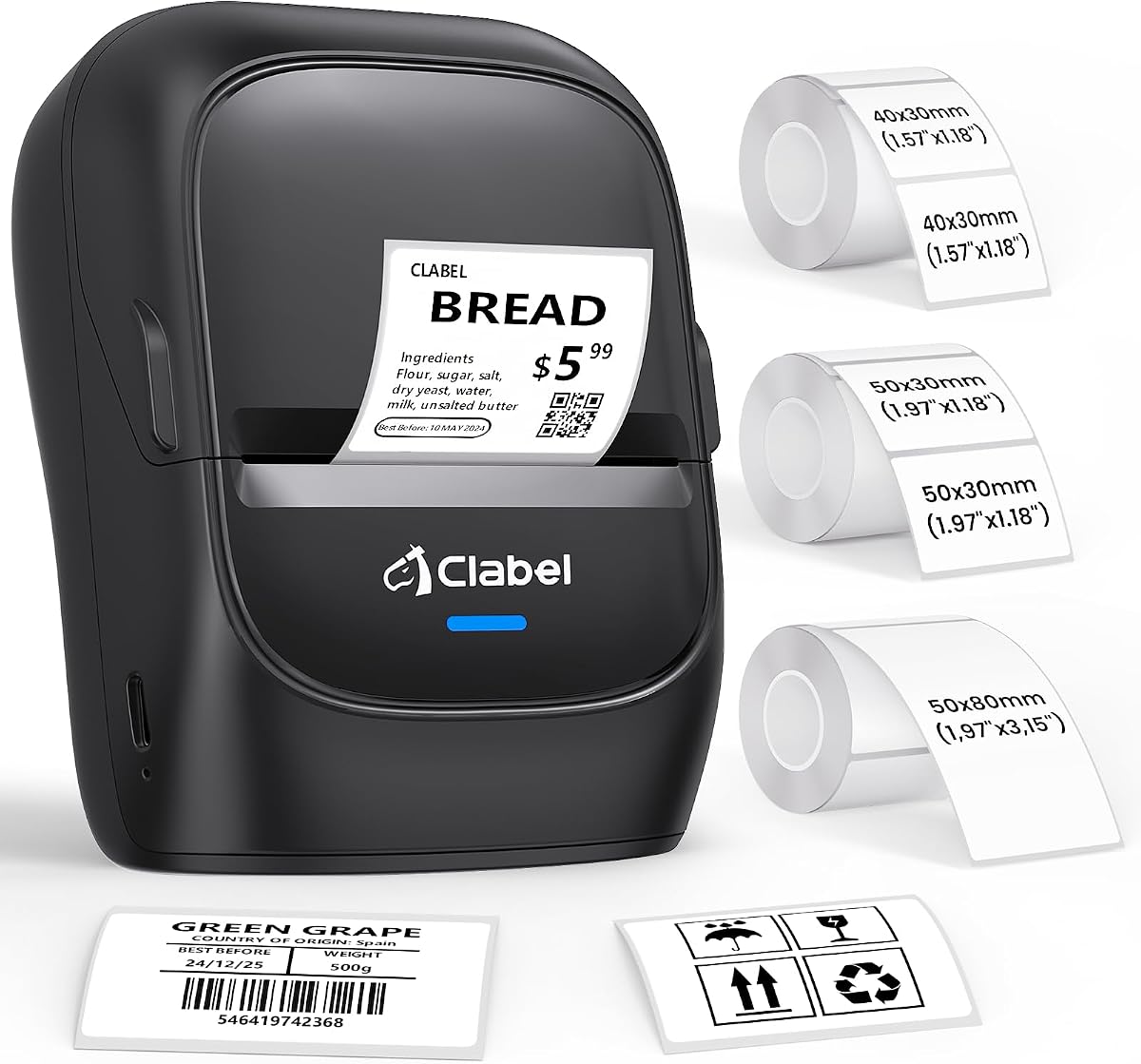
The CLABEL 221D delivers solid performance for small business tagging needs with a focus on reducing consumable costs. It holds a 4.1 rating based on its ability to use standard thermal rolls without proprietary locks or RFID chip restrictions.
We may earn a commission when you buy through this link, at no additional cost to you.
You can connect via USB for high volume bulk labeling or switch to Bluetooth for immediate tag design at the counter using mobile devices. This dual mode approach increases flexibility depending on whether you need speed or mobility during operations.
While it is not designed for larger shipping labels it excels at item level tags like price tags and clothing labels. The direct thermal process produces sharp results without expensive ink or toner cartridges over time.
Select this model if you want freedom to choose affordable label rolls while maintaining professional print quality. It suits small retailers needing quick setup and low maintenance for daily inventory and product identification tasks.
Avoid expensive proprietary paper by using any standard thermal roll that fits the printer reducing your long term operational expenses significantly.
Use USB for heavy batch work or Bluetooth for instant mobile printing giving you the tools to adapt to any workspace scenario.
We may earn a commission when you buy through this link, at no additional cost to you.
The Phomemo M110 brings portable labeling to your workspace with a convenient on device display and wireless Bluetooth capabilities. Users rate it 4.3 stars for its simplicity in creating various labels from clothing tags to school names quickly.
We may earn a commission when you buy through this link, at no additional cost to you.
The Print Master app supports Excel batch printing and OCR to convert image text into editable fields speeding up repetitive labeling tasks. The built in screen allows quick adjustments without needing a paired device for every single label change.
While some premium features require paid membership the free templates cover most common needs effectively. You must ensure the battery is charged before testing as it relies on portable power rather than direct constant mains connection for mobile use.
Choose this for personal organization or light professional use where portability and ease of setup are priorities. It is ideal for events classrooms or small stores needing quick label generation without complex desktop setup requirements.
Optical Character Recognition converts text in photos to editable text in seconds reducing manual typing effort for complex labels.
The display screen lets you adjust settings directly on the printer without needing to open the mobile app for every small change.
We may earn a commission when you buy through this link, at no additional cost to you.
The DYMO LabelWriter 550 focuses on environmental friendliness with plastic free packaging and precise printing to reduce waste. It maintains a 3.6 rating as users value the automated recognition but sometimes note the limitations of proprietary consumables.
We may earn a commission when you buy through this link, at no additional cost to you.
Automatic label recognition ensures the printer adapts to the roll inserted without manual configuration which speeds up workflow. You print exact quantities instead of cutting sheets which minimizes leftover waste and improves operational efficiency for home offices.
The trade off is that you must use authentic DYMO branded labels which can increase long term costs compared to open systems. This commitment ensures consistent quality but limits budget flexibility for those seeking cheapest possible consumables.
Opt for this if you prioritize sustainability and ease of use over raw cost savings. The plastic free packaging and precise printing make it a good choice for environmentally conscious users needing reliable address labels and office tags.
Print exact quantities without wrestling with sheet labels to minimize waste and ensure you only use the paper you actually need.
The plastic free packaging reduces environmental footprint showing a commitment to sustainability beyond just the product functionality itself.
We may earn a commission when you buy through this link, at no additional cost to you.
The CLABEL 221D Desktop emphasizes compact design and cost saving features for small business needs. It holds a 4.0 rating for being lightweight enough to move around easily while delivering consistent results for price tags and inventory labels.
We may earn a commission when you buy through this link, at no additional cost to you.
Setup takes less than five minutes with downloadable software that supports Excel batch printing and custom layouts. The powerful scan function in the app improves efficiency by quickly capturing data to generate labels without manual typing errors.
Its ability to reuse existing rolls saves costs without compromising quality making it practical for budget conscious operations. The lightweight build allows flexible placement on desks or shelves where space is limited but printing is needed regularly.
Pick this if you want a straightforward efficient desktop solution for daily office or home business tasks. It balances simple operation with useful features like scanning and batch printing to keep your labeling workflow smooth.
The compact footprint allows you to place it anywhere convenient on your desk without consuming valuable workspace area.
Installation takes less than five minutes with straightforward software downloads and connection steps to get printing quickly.
We may earn a commission when you buy through this link, at no additional cost to you.
The CLABEL 221B stands out for its durable waterproof label options suitable for challenging environments. Users give it a 4.3 rating for maintaining sharp quality even in high traffic retail or kitchen settings where moisture and friction occur.
We may earn a commission when you buy through this link, at no additional cost to you.
Bluetooth pairing connects quickly to iOS and Android devices allowing instant tag design without computer dependency. The open policy ensures you can use standard thermal rolls without RFID chip restrictions keeping operating costs low and flexible.
While it does not support iPad devices it works well with most smartphones for on the go printing needs. The smudge resistant quality ensures labels remain readable over time reducing replacements due to wear and tear.
Select this model for environments where label durability is critical like warehouses or kitchens. It combines reliable Bluetooth connectivity with robust output quality to handle demanding daily tasks without frequent reprinting.
Waterproof and oil-proof resistance ensures labels stay sharp in kitchens or retail settings despite exposure to moisture and handling.
Quick Bluetooth pairing lets you design and print labels directly from your phone without waiting for a desktop setup.
We may earn a commission when you buy through this link, at no additional cost to you.
The CLABEL 2 Inch Desktop focuses on flexibility and cost reduction for small business workflows. With a 4.0 rating it is praised for eliminating authentication chips that often force expensive proprietary purchases onto users.
We may earn a commission when you buy through this link, at no additional cost to you.
Dual connectivity options allow high volume desktop batch printing via USB or instant mobile design using Bluetooth. The smart app enables batch printing which reduces manual data entry errors and speeds up operations significantly.
While it is not designed for large shipping labels it excels at item level tagging and organization tasks. The low consumable costs ensure long term savings which are essential for small businesses managing tight budgets daily.
Buy this if you need a versatile tool for inventory and product tags without expensive proprietary constraints. It supports efficient workflows through batch printing and mobile options for diverse labeling scenarios.
Batch printing reduces manual data entry errors and speeds up operations by processing multiple labels simultaneously with saved layouts.
Connect via Bluetooth for instant design at the counter or shelf without needing a desktop computer connection for every task.
We may earn a commission when you buy through this link, at no additional cost to you.
The iDPRT iD880 is designed for high throughput professional environments requiring speed and reliability. It receives a 4.1 rating for its ability to print up to six inches per second ensuring quick turnaround for shipping and inventory tasks.
We may earn a commission when you buy through this link, at no additional cost to you.
With 32 MB DDR3 RAM it handles complex data intensive tasks smoothly without lag. The print head is easy to remove and reinstall which minimizes downtime for maintenance and enhances productivity in busy workgroups.
It supports a wide range of label sizes up to 4.64 inches making it versatile for shipping and large address tags. The large memory ensures it can buffer complex layouts ensuring faster overall operation during peak business times.
Choose this model for industrial settings needing speed and high capacity without expensive enterprise systems. It delivers professional grade performance with features like Ethernet support and quick setup to meet demanding operational requirements.
Print at up to six inches per second ensuring quick turnaround for shipping and inventory tasks during peak hours.
32 MB DDR3 RAM handles complex data intensive tasks smoothly without lag or buffering delays during heavy workloads.
We may earn a commission when you buy through this link, at no additional cost to you.
Selecting the right printer requires balancing speed, connectivity, and long term costs to match your specific workflow needs and volume requirements.
Consider the maximum width you need for tasks like shipping versus product tags. Some models handle up to 4.64 inches for shipping while others focus on 2 inches for standard labeling.
Ensure the width range matches your most frequent use cases to avoid buying extra hardware for occasional needs.
USB provides stability for desktop use while Bluetooth offers mobility for labeling at the point of need. Dual mode printers give you the best of both worlds for varied workflows.
Match connectivity to your devices whether using PCs, smartphones, or tablets to ensure seamless integration.
Open systems that allow third party labels reduce long term consumable costs compared to proprietary locked models. This difference becomes significant as volume increases over time.
Prioritize printers without brand locks if you need to scale operations without inflating operational expenses.
Higher speeds like six inches per second help with bulk inventory while 203 DPI ensures scannable quality for barcodes. Balance speed with resolution based on how many labels you produce daily.
Choose higher resolution for critical logistics to prevent scanning errors at checkout or shipping points.
Heavy duty construction withstands daily industrial use while lighter portable units suit offices or home setups. Consider where the printer will sit if it needs to move frequently.
Invest in durable designs for busy environments to reduce maintenance and replacement frequency over time.
Free design software with batch printing and Excel support saves significant time on repetitive tasks. Check if apps are compatible with your operating system for smooth workflow.
Look for features like OCR and custom fonts to handle diverse labeling needs without extra fees.
Portable units rely on battery power while desktop models use AC adapters. Ensure you have access to outlets where you need to print or verify battery life for mobile use.
Consider portability needs if you must move the printer around different work areas during the day.
Check warranty terms and support availability before purchasing to ensure you have help if issues arise. Reliable support can minimize downtime during critical business periods.
Prioritize brands with clear support channels for quick troubleshooting if connectivity or print issues occur.
Install the dedicated drivers or app for your operating system to ensure proper communication between the printer and your device. This setup step prevents common connectivity issues that might delay printing tasks.
Load the label roll carefully aligning the guide edges so the printer can detect gaps accurately. Proper loading ensures consistent print alignment and prevents skipped labels during operation.
Keep the print head clean by periodically wiping it with a soft cloth to avoid dust buildup. Regular maintenance extends the life of the printer and maintains high quality print output.
Most modern barcode label printers use direct thermal technology which does not require ink or toner. Instead they use heat sensitive paper that turns black when exposed to the print head ensuring low maintenance operations.
Many models support third party labels but some proprietary brands require their own branded consumables. Check for open systems without RFID chip restrictions to save money on long term supplies.
Common options include USB for stable desktop connections and Bluetooth for wireless mobile use. Some industrial models also offer Serial or Parallel ports to integrate with older systems.
Only models with larger width ranges like 4 to 6 inches are suitable for standard shipping labels. Smaller two inch printers are better for price tags and inventory identification.
Ensure you print at a resolution of at least 203 DPI which is standard for most thermal printers. Always verify scans with your specific scanner before printing large batches to avoid errors.
Basic maintenance includes cleaning the print head with a soft cloth and ensuring labels are loaded correctly. Regular checks help prevent misalignment and keep the unit running smoothly.
Many printers come with free design software or mobile apps that allow customization. These tools often include templates for common uses like addresses and inventory without extra fees.
The top picks include the iDPRT SP310 for versatility, the SUPVAN T50M Pro for budget needs, and the ZP450 Zebra for premium durability. Each serves distinct needs based on width speed and connectivity requirements.
Prioritize open label systems if you want to control long term costs and connectivity that matches your devices for smooth operations. Speed matters most for high volume environments while ease of use is key for casual labeling.
Remember that pricing fluctuates regularly so check current deals and read recent user reviews before finalizing your purchase to ensure you get the best value available in the market today.