
Frameo Digital Picture Frame 10.1 Inch
4.6Editor score
Affordable Price Point
Non WiFi Upload Options
Compact Design Fit
This expert guide compares the top digital picture frames for grandparents in October 2026, evaluating ease of use, screen quality, and connection methods to
Choosing the right digital picture frame for grandparents can transform how families share memories and stay connected across distances. Modern frames offer WiFi connectivity, simple setups, and large screens that bring photos to life without requiring technical expertise from seniors.
We compared ten leading digital frames based on display quality, storage capacity, ease of sharing, and overall user experience. Our analysis focuses on models that prioritize simplicity for older adults while ensuring reliable performance and strong customer support from manufacturers.
Each pick highlights specific strengths like touchscreen interfaces, app-based sharing, or offline options for those less comfortable with technology. Please note that product availability and pricing may change, so verify details before making your final decision for this heartfelt gift.
4.6Editor score
4.7Editor score

4.7Editor score
The following table provides a side-by-side comparison of all ten digital frames reviewed, highlighting key specifications like screen size, storage, and connection options to help you quickly identify the model that best fits your needs.


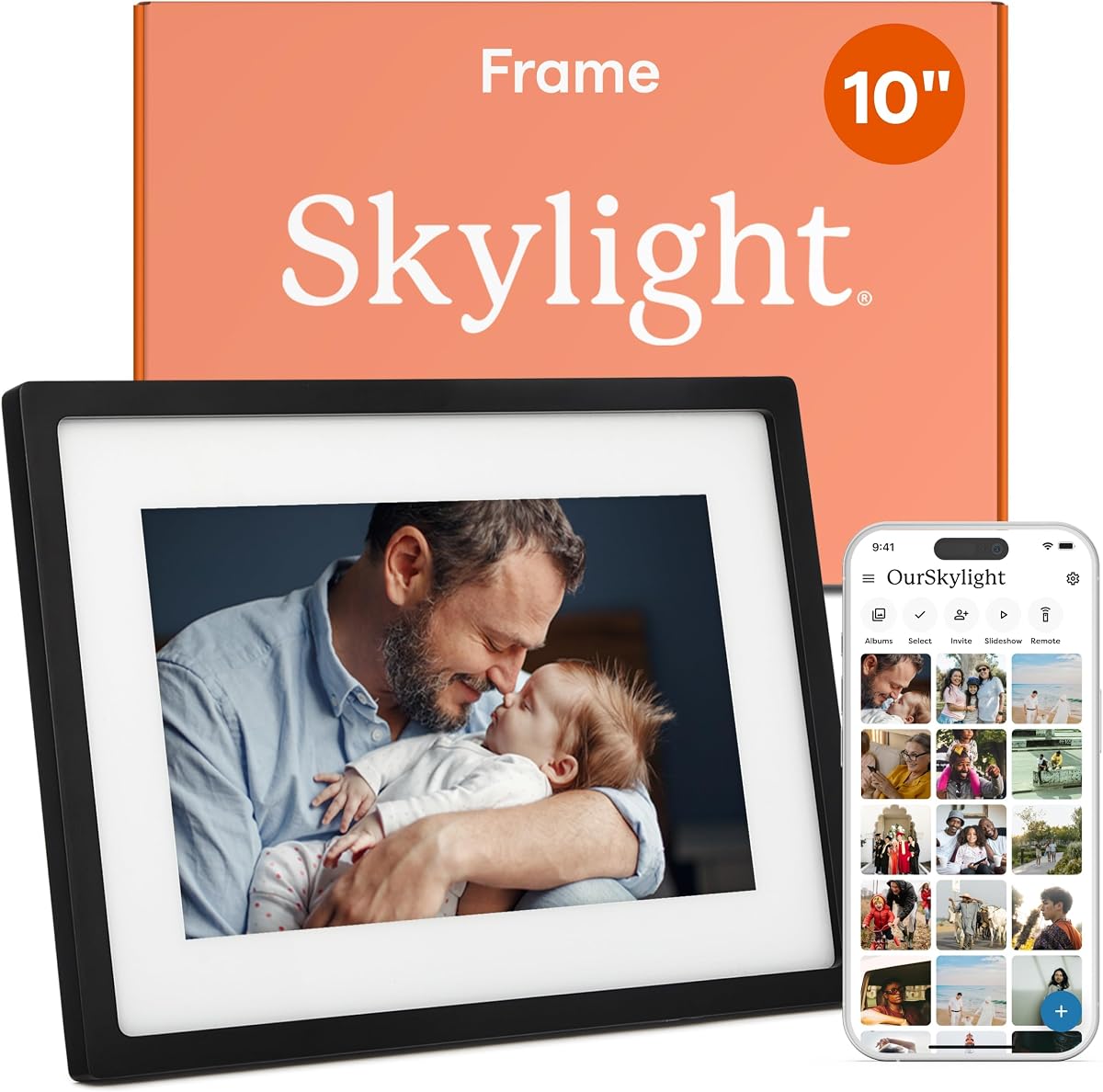
The Skylight Digital Picture Frame stands out as the top choice for families seeking simplicity and reliability. With a high rating of 4.7 stars, this device bridges the gap between tech-savvy users and those who prefer minimal setup. Its standout quality lies in the unique email address system that allows anyone to send photos directly without needing an app.
We may earn a commission when you buy through this link, at no additional cost to you.
This frame excels in its plug-and-play nature. Once plugged in and connected to Wi-Fi, it assigns a dedicated email address. Family members can simply attach photos to an email and send it to that address. The frame displays them instantly on its 10-inch Full HD screen. This eliminates the need for seniors to download apps or manage passwords, making it perfect for grandparents who are not comfortable with smartphones.
While the reliance on Wi-Fi for new uploads is a trade-off, it ensures seamless integration with cloud storage. The offline mode allows viewing existing photos even if the connection drops. The lack of USB support means you cannot manually load photos from a computer, but the email method is often sufficient for most families who primarily use phones or tablets to capture memories.
Anyone looking for a gift that requires zero tech support should choose the Skylight. It is ideal for grandparents who want to see family photos without the hassle of learning new software. The elegant design ensures it looks like a traditional frame on any mantel or table, making it the most recommended option for general use.
The dedicated email address allows family members to send photos instantly without needing to install or learn a specific application.
The 10-inch display is housed in a sleek black casing that blends seamlessly with home decor, avoiding the look of electronic gadgets.
We may earn a commission when you buy through this link, at no additional cost to you.
The Frameo Digital Picture Frame offers exceptional value for families on a budget without compromising on essential features. With a rating of 4.6 stars, it provides a robust alternative to more expensive options. Its primary strength lies in the flexibility of upload methods, allowing photos to be added via USB or SD card if Wi-Fi is not preferred or available.
We may earn a commission when you buy through this link, at no additional cost to you.
This model features a 10.1-inch HD touch screen that delivers clear images and smooth navigation. The 32GB built-in memory can store over 50,000 photos, ensuring ample space for years of memories. The magnetic stand allows for easy switching between landscape and portrait modes, giving grandparents the flexibility to display their photos in the orientation that looks best.
While the resolution is not as high as premium 1080p models, it remains sharp enough for standard family photos. The requirement for initial Wi-Fi setup might be a slight hurdle for the least tech-savvy users, but once configured, the frame operates reliably. The USB-C support ensures that those uncomfortable with apps can still load photos directly from a computer.
This frame is perfect for grandchildren who want to gift a functional device without breaking the bank. It suits grandparents who prefer physical media like SD cards over cloud services. The combination of price, storage, and ease of use makes it the best budget choice for staying connected with family.
Support for USB-C and SD cards allows users to load photos without relying solely on internet connectivity or apps.
The included magnetic stand makes it easy to change the frame's orientation quickly without needing tools or extra hardware.
We may earn a commission when you buy through this link, at no additional cost to you.
The Aura Digital HD Picture Frame represents the pinnacle of digital frame technology with its focus on unlimited storage and premium design. Rated at 4.7 stars, it delivers an exceptional user experience for both givers and receivers. Its standout quality is the commitment to no subscription fees, ensuring that unlimited photos can be shared without hidden costs over time.
We may earn a commission when you buy through this link, at no additional cost to you.
This frame features a calibrated HD display that automatically adjusts brightness to match the room's lighting, preventing glare and ensuring colors remain true. The 10-inch screen is housed in a stylish white frame that feels more like fine art than electronics. The gift packaging is designed to be ready-to-go, making it perfect for birthdays or holidays without extra wrapping.
While the price point is higher than budget models, the unlimited storage and premium materials justify the investment for long-term use. The initial setup requires an app, which might be a barrier for some seniors, but the frame itself is intuitive once connected. The automatic lighting adjustment is a subtle feature that significantly improves viewing comfort in different environments.
Families who value design and want a forever solution without monthly fees should consider the Aura. It is ideal for grandparents who appreciate quality craftsmanship and want a frame that fits seamlessly into a modern home. The combination of technical features and aesthetic appeal makes it the best premium option available.
Users can upload an unlimited number of photos without paying any monthly or annual subscription fees for cloud storage.
The built-in light sensor adjusts screen brightness automatically to ensure photos are visible without causing eye strain.
We may earn a commission when you buy through this link, at no additional cost to you.
The Frameo 15.6 Inch Digital Picture Frame is designed for those who want the photos to be the center of attention. With a 4.5 star rating, this large device offers a cinematic viewing experience that smaller frames cannot match. Its primary strength is the 15.6-inch Full HD display, which makes photos and videos incredibly vibrant and easy to see from across the room.
We may earn a commission when you buy through this link, at no additional cost to you.
This model includes 64GB of internal storage, capable of holding around 100,000 photos. It supports video playback with sound, adding a dynamic element to memory sharing. The touchscreen interface allows for intuitive navigation through albums and settings. For grandparents with visual impairments, the large screen is a significant advantage for viewing details clearly.
The size of this frame means it takes up more space on a mantel or desk, and it is heavier than standard 10-inch models. However, the visual impact is worth the trade-off for many families. The ability to play videos makes it suitable for displaying special moments like vacations or celebrations rather than just still images.
This frame is perfect for grandparents who want a digital photo album that feels immersive. It is ideal for living rooms where the device can sit prominently. The large screen and high resolution make it the best choice for showcasing memories in the best possible detail and size.
The 15.6 inch screen provides a viewing area that rivals small televisions, making photos highly visible from a distance.
Unlike some basic frames, this model supports MP4 videos with sound, allowing for richer storytelling of family memories.
We may earn a commission when you buy through this link, at no additional cost to you.
The Frameo 15.6 Pastigio offers a balance of screen size and interactive features at a competitive price. With a 4.5 star rating, it brings the large screen experience to families who want engagement tools. The standout feature is the Reaction function, allowing grandparents to send emojis back to family members who share photos.
We may earn a commission when you buy through this link, at no additional cost to you.
This frame features a 15.6-inch FHD panel that delivers clear and vibrant images. The 32GB internal memory holds thousands of photos and videos. The auto-rotate function ensures images display correctly whether the frame is in landscape or portrait mode. Brightness adjustments allow customization for different lighting conditions during the day and night.
While the screen is excellent, the lack of a USB-C port for PC transfers means users must rely on Wi-Fi or SD cards. The sleep mode requires manual configuration which might be forgotten. However, the interactive features make it more than just a display, turning it into a communication hub that bridges the gap between generations.
This frame is ideal for tech-savvy grandparents who enjoy interactive features. It suits families who want a large screen for group viewing but also want to engage in fun ways. The combination of display quality and social features makes it a strong contender for modern family sharing.
The React feature allows users to send emojis like hearts or laughs to family members who share photos on the frame.
The auto-rotate function detects the frame's orientation and adjusts images to fit the screen correctly without manual input.
We may earn a commission when you buy through this link, at no additional cost to you.
The AEEZO Digital Picture Frame offers smart sensing technology that enhances the viewing experience. With a 4.6 star rating, it focuses on automated adjustments to keep photos looking their best. The standout feature is the built-in gravity sensor that automatically adjusts photo orientation based on how the frame is placed.
We may earn a commission when you buy through this link, at no additional cost to you.
This frame features a 10.1-inch HD IPS touchscreen with adjustable brightness managed by a light sensor. The 32GB internal storage holds over 50,000 photos. Users can set time and weather displays for utility. The frame comes with a one-year warranty and lifetime support, ensuring reliability for long-term use.
A note is that photos must be imported into the frame before they can be viewed from SD cards. This prevents direct playback but ensures smooth performance within the system. The AiMOR app simplifies setup and sharing, making it accessible for most users. The light sensor ensures the screen is never too bright in a dark room.
This frame is perfect for grandparents who want a smart device that adjusts to their environment. It suits families who value convenience features like auto-brightness and rotation. The smart features and warranty make it a reliable choice for everyday family photo sharing.
A built-in gravity sensor detects the frame's position and automatically rotates photos to match landscape or portrait orientation.
The light sensor measures ambient light and adjusts screen brightness automatically to provide a comfortable viewing experience.
We may earn a commission when you buy through this link, at no additional cost to you.
The FrameO 10.1 Inch Smart Picture Frame brings organizational features to family photo sharing. With a 4.6 star rating, it helps grandparents stay connected with both memories and schedules. The standout feature is the calendar sync that displays daily schedules alongside favorite photos on the screen.
We may earn a commission when you buy through this link, at no additional cost to you.
This frame features a 10.1-inch IPS LCD touch screen with auto-rotate capabilities. The 32GB internal memory supports importing and exporting images. The collage mode allows up to six photos to be displayed at once, maximizing the viewing area. Weather and clock displays provide useful daily information at a glance.
While calendar sync requires Wi-Fi to function properly, it adds significant value for those who need reminders. The collage mode is a unique way to show multiple events or moments in one view. The touch screen allows easy navigation through custom albums organized by event or date.
This frame is ideal for grandparents who want a functional display for photos and schedules. It suits families who like to see multiple photos at once. The organizational features and smart capabilities make it a practical tool for daily use at home.
The calendar sync integrates with iCloud or Google to display daily schedules on the frame alongside photos.
Collage mode allows up to six photos to be displayed simultaneously, maximizing the screen area for more content.
We may earn a commission when you buy through this link, at no additional cost to you.
The Frameo 15.6 Flyruit offers a reliable large display with flexible connection options. With a 4.7 star rating, it is praised for its quality and ease of use. The standout feature is the non-WiFi transfer support which allows loading photos via SD card or USB drive.
We may earn a commission when you buy through this link, at no additional cost to you.
This frame features a 15.6-inch FHD touch screen for vivid colors. The 32GB internal storage supports external expansion. The greeting feature allows sending themed pictures for birthdays. The sleep mode saves energy by turning off the screen when not in use. The IPS technology ensures clear viewing from any angle.
While the USB and SD options require specific formatting like FAT32, they are crucial for users without reliable internet. The large screen is ideal for displaying details in photos. The greeting function adds a personalized touch that is perfect for celebrations and special occasions.
This frame is perfect for grandparents who prefer physical media over apps. It suits families who need a large screen for group viewing. The flexibility of transfer methods and high rating make it a top choice for reliable memory sharing.
The greeting feature allows users to send themed birthday pictures to family members directly from the frame.
Users can load photos via SD card or USB drive without needing an internet connection for uploading.
We may earn a commission when you buy through this link, at no additional cost to you.
The Frameo 15.6 Digital Picture Frame provides a large display solution for family memories. With a 4.7 star rating, it is known for its quality and presentation. The standout feature is the gift-ready packaging that makes it a thoughtful present for grandparents on any occasion.
We may earn a commission when you buy through this link, at no additional cost to you.
This frame features a 15.6-inch display for clear photos. It supports WiFi connectivity for remote sharing. The photo sharing app allows easy management of albums. The touch interface enables navigation through settings and images. The large size ensures visibility from various positions in a room.
While detailed specs may be limited in the data, the frame's reputation for quality is evident. The large screen is suitable for those with vision concerns. The gift packaging ensures the unboxing experience is special for the recipient.
This frame is perfect for families looking for a large display with high quality. It suits grandparents who want a device that is easy to gift. The large screen and reliable rating make it a strong option for memory sharing.
The frame comes in elegant packaging that is ready to give as a gift without requiring extra wrapping or boxes.
We may earn a commission when you buy through this link, at no additional cost to you.
The Digital Picture Frame 10 Inch provides a basic and affordable option for families. While specific specs are limited, it represents an entry-level choice for simple viewing. Its primary strength lies in its simplicity and price point for those who need just photo viewing.
We may earn a commission when you buy through this link, at no additional cost to you.
This frame features a 10-inch display for standard photo viewing. It likely offers simple controls for navigation. The screen is suitable for basic photo display. It is a straightforward device without complex apps or cloud features.
While it lacks advanced features like unlimited storage or high resolution, it serves the basic need of showing photos. The price point makes it accessible. It is a good fallback option for minimal needs without complex setups.
This frame is perfect for budgets that need a simple solution. It suits grandparents who want a basic display. The straightforward nature makes it a safe choice for simple requirements.
We may earn a commission when you buy through this link, at no additional cost to you.
Selecting the ideal digital picture frame involves considering several technical and usability factors to ensure it meets the needs of seniors.
Screen size ranges from 8 to 15 inches, with larger screens offering better visibility for those with vision issues. Look for IPS panels which provide wider viewing angles and vibrant colors compared to standard LCDs. High resolution like 1080p ensures photos appear sharp and detailed.
Prioritize larger screens with IPS technology for the best visual experience.
Many frames rely on Wi-Fi for photo sharing via apps or email. Some models offer USB or SD card inputs for offline updates which is helpful if internet is unavailable. Ensure the chosen model supports the method your family prefers for sharing photos.
Choose Wi-Fi models for convenience or USB/SD options for offline flexibility.
Internal storage ranges from 16GB to 64GB, capable of holding thousands of photos. Cloud storage options often offer unlimited space but may require subscription fees. Check if the frame supports external SD cards to expand capacity if needed.
Opt for high internal storage or unlimited cloud plans to avoid running out of space.
Touchscreen interfaces are intuitive but buttons may be preferred by some seniors. Look for simple setup processes and minimal steps to share photos. Features like auto-rotation and auto-brightness reduce the need for manual adjustments.
Select frames with simple interfaces and automated features to minimize frustration.
Some frames require family members to download specific apps to send photos. Others use email addresses which are easier for non-tech users. Consider the tech literacy of your grandparents and choose a frame that matches their comfort level.
Prefer email-based sharing for ease of use without app downloads.
Most frames run on AC power without internal batteries to avoid replacement needs. Check the power cable length or adapters included. Ensure the power source is accessible where you plan to place the frame.
Check power adapter details to ensure convenient placement at home.
Look for products that offer customer support and a warranty of one year or more. This ensures assistance is available if setup issues arise. Manufacturer support can be vital for resolving technical problems quickly.
Choose brands with reliable support and clear warranty terms for peace of mind.
Frames come in various colors and finishes to match home decor. A neutral frame like black or white blends easily. Consider the stand options such as magnetic or swivel for flexible display.
Select a design that fits your home decor and offers versatile placement options.
Begin by plugging the frame into a power outlet and connecting to Wi-Fi using the provided app or menu. Follow on-screen prompts to create a family account or note the email address for sharing. Ensure the frame is placed where it is safe and visible.
Send photos from your phone or computer to the frame using the app or email method. Organize photos into albums on the frame if possible. Use the sleep mode feature to save power during hours when it is not being viewed.
Clean the screen with a soft dry cloth to avoid scratches. Keep the frame away from direct sunlight to prevent fading. Update the frame's software if prompted to maintain performance and security.
Most frames do not require monthly subscriptions. Some models offer unlimited cloud storage for free. Others may charge for premium features but basic viewing is free.
Photos can be sent via a dedicated app or email. Some frames allow USB or SD card transfers. Check the instructions for the specific frame model.
Many models support video playback in MP4 format. Some limit video length or require SD card uploads. Check product specs for video capabilities.
Frames with USB or SD card inputs work without internet. Photos must be loaded manually onto storage media. This avoids the need for Wi-Fi.
Storage varies by model from thousands to hundreds of thousands. Cloud storage often offers unlimited options. Local memory is typically 32GB to 64GB.
Many frames are designed for easy plug and play setup. Some require initial Wi-Fi configuration which may need help. Look for simple instructions.
Most frames offer manual brightness adjustment. Some have light sensors that adjust automatically. Check settings menu for brightness options.
The Skylight and Aura models stand out for ease of use and unlimited storage. Frameo offers affordable options with large screens. Each choice depends on budget and technical preferences.
Prioritize ease of sharing and display size for your grandparents needs. Consider whether Wi-Fi is necessary or if offline options are better. Choose a design that fits their space.
Remember to check current prices and availability before purchasing. Tech specs may change so verify details with the seller. A digital frame is a lasting gift that keeps memories alive.