
Ai Pen Chat Gpt Pen
5.0Editor score
Affordable instant AI answers
Offline translation over 150 languages
HD touchscreen voice recording
AI scan pens with Chatgpt integration represent a new frontier in digital learning tools. These devices combine optical character recognition with generative AI to transform how we interact with printed text. They offer instant translations, voice reading, and intelligent summaries to enhance productivity.
We evaluated ten leading models based on scanning accuracy, AI response speed, and user interface design. Our analysis focused on real-world performance for students, researchers, and language learners. Each product brings unique strengths to the table for different use cases.
Every review highlights specific capabilities and potential limitations to help you decide. You will find detailed breakdowns of features like offline support and battery life. Prices and availability change frequently so verify current details before purchasing.
5.0Editor score

3.3Editor score

4.0Editor score
As an Amazon Associate we earn from qualifying purchases.
The following table offers a side-by-side comparison of all ten products featured in this guide. It highlights key specifications and primary capabilities to help you quickly identify which model fits your specific workflow.




The Scanmarker AI Pen stands out as a versatile tool for modern learning. It features a built-in screen that displays scanned text instantly. With a rating reflecting its mixed reception users can still find value in its core functionalities.
We may earn a commission when you buy through this link, at no additional cost to you.
Its OCR capabilities allow for rapid digitization of printed documents. The integration of GPT technology enables users to ask questions directly about scanned content. This combination supports efficient study sessions without needing external devices.
However some users may find the interface less intuitive compared to premium models. Battery performance can vary depending on usage intensity. Despite these trade-offs it remains a solid choice for basic text capture and translation.
This pen is ideal for students needing quick reference during study sessions. It suits professionals who need to organize documents on the go. Consider this model if portability and instant text access are your top priorities.
Slide the pen across text to see words appear on screen immediately.
Ask questions about scanned material to get smart answers fast.
We may earn a commission when you buy through this link, at no additional cost to you.
The NEWYES AI Pen targets users seeking comprehensive educational support. It includes an AI Dictionary and homework checker to assist with complex problems. The device caters specifically to readers with dyslexia through adjustable settings.
We may earn a commission when you buy through this link, at no additional cost to you.
Its design allows for customizing word reading speeds and pause times. This feature reduces reading stress significantly for those who struggle with traditional text. Bluetooth connectivity ensures seamless data transfer to phones and tablets.
Some users report that the initial setup can be slightly complicated. Ensuring all sync functions work smoothly might require extra attention. However the robust feature set justifies the effort for many learners.
This pen is perfect for students with specific learning needs like dyslexia. It also benefits language learners needing detailed word explanations. Look into this model if you want a dedicated study companion.
Tailored fonts and speed settings help reduce reading challenges effectively.
Translate 112 languages using text photo or voice input options.
We may earn a commission when you buy through this link, at no additional cost to you.
The XNote Smart Pen Set offers a unique blend of analog and digital writing. It allows users to write on real paper while capturing strokes digitally. This system is powered by AI to organize and summarize notes automatically.
We may earn a commission when you buy through this link, at no additional cost to you.
Key features include lecture summarization and automatic tagging of notes. These tools make reviewing study material much faster and more efficient. The device boasts a seventeen hour battery life for all-day use.
One limitation is that the pen itself lacks a microphone for recording. Audio features rely on the companion app rather than hardware. This distinction is important for users expecting full recording capabilities.
This set is ideal for professionals and creatives who love handwriting. It suits students attending lectures who need searchable notes later. Choose this if you prefer paper feel with digital benefits.
Enjoy the comfort of real pen and paper without losing digital data.
Let AI tag and search notes so you find info instantly.
We may earn a commission when you buy through this link, at no additional cost to you.
This Translator Pen is designed as a powerful assistive tool for adults. It addresses reading difficulties by decoding printed text with high precision. The device combines OCR scanning with text-to-speech for immediate comprehension.
We may earn a commission when you buy through this link, at no additional cost to you.
It supports over one hundred forty two languages for online translation. Users can also rely on offline modes for critical translation tasks. The built-in camera helps identify text from photos and non-standard layouts.
While the screen is compact it delivers clear visibility for text. Mastering all features might take some time for new users. The device excels at solving cross-language and reading pain points efficiently.
This pen is excellent for adult learners needing reading support. It fits travelers and workers needing quick translation solutions. Consider it if you need a robust tool for diverse language tasks.
Scan text and hear it read aloud to improve understanding instantly.
Use the HD camera to translate text from menus and labels.
We may earn a commission when you buy through this link, at no additional cost to you.
The Ai Pen Chat Gpt Pen delivers powerful AI responses at a low cost. It provides instant answers for math and history questions. With a 5.0 rating it shows high user satisfaction for its price point.
We may earn a commission when you buy through this link, at no additional cost to you.
Its HD touchscreen makes navigation simple and intuitive for all users. The device supports offline translation for over one hundred fifty languages. This feature ensures functionality even without internet access during travel.
Users may find cloud sync capabilities less extensive than premium models. Battery life is functional but requires regular charging for heavy use. These limitations are reasonable given the accessible price tag.
This pen is perfect for students on a tight budget. It suits travelers needing quick language support without subscription fees. Choose this for cost-effective study and translation needs.
Experience seamless communication with the Ai Pen for real-time answers.
Translate languages and scan text even without internet access.
We may earn a commission when you buy through this link, at no additional cost to you.
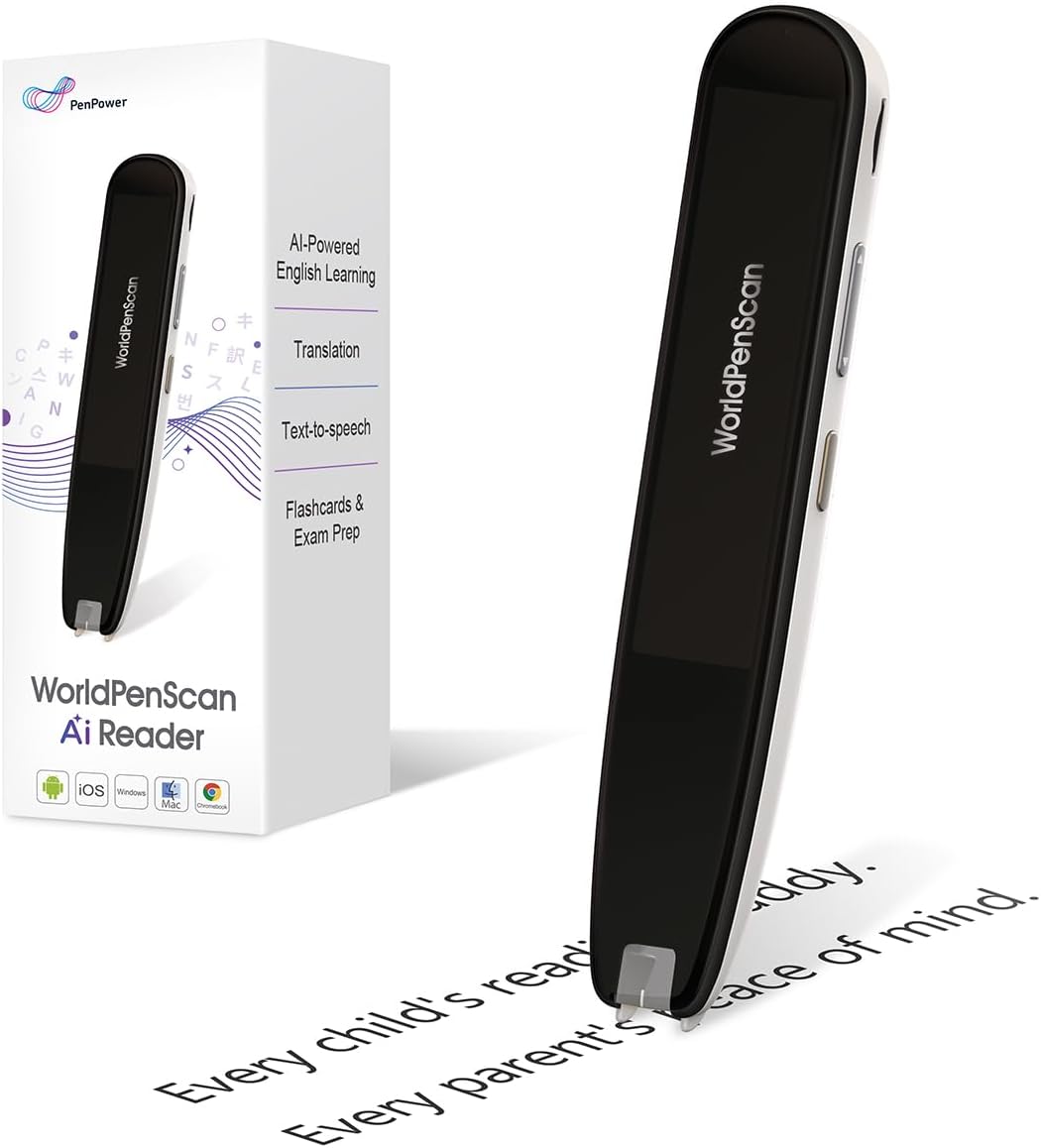
WorldPenScan is designed specifically to help children stay engaged with books. It scans difficult words to provide reading-level explanations instantly. This tool acts as a patient tutor for growing readers.
We may earn a commission when you buy through this link, at no additional cost to you.
Features like Quick AI offer age-appropriate explanations without leaving the page. The device also syncs to AI Reading Buddy for deeper learning insights. It builds confidence by reducing frustration during reading tasks.
Full access to features often requires connecting to the companion app. Offline tools are useful but might not cover all needs alone. Parents should expect to manage app interactions for best results.
This pen is ideal for ESL learners and children with reading needs. It supports independent reading by answering vocabulary questions quickly. Look for this if you want to boost a child's confidence.
Every scan syncs to AI Reading Buddy for deeper learning insights.
Use built-in dictionaries for uninterrupted reading anywhere.
We may earn a commission when you buy through this link, at no additional cost to you.
The Pen Gpt Ai Pen focuses on breaking language barriers efficiently. It offers offline translation for over fifty languages right on the device. This feature is crucial for professionals working across cultures.
We may earn a commission when you buy through this link, at no additional cost to you.
Built-in ChatGPT integration boosts productivity by allowing interactive queries. You can ask questions or refine ideas directly through the interface. Voice recording adds another layer of utility for meetings.
Users might face a technical setup process initially. Ensuring stable WiFi sync can sometimes be tricky in busy environments. However the power of instant AI interaction makes these hurdles manageable.
This pen is great for professionals needing translation and AI assistance. It suits those who want to brainstorm ideas on the go. Consider it if you need a versatile AI companion.
Built-in ChatGPT allows you to ask questions and brainstorm ideas.
Record lectures and meetings to sync with your scanned notes.
We may earn a commission when you buy through this link, at no additional cost to you.
The Smart Pen Notebook Set transforms verbal expressions into visual ideas. It features voice transcription technology that converts sound into text accurately. Users can input commands to generate visuals in seconds.
We may earn a commission when you buy through this link, at no additional cost to you.
This set supports handwriting recognition to create editable Word documents. Reusable pencils allow for erasing and rewriting without waste. These features make recording meeting content efficient and convenient.
Users must rely on the app for full functionality like handwriting recognition. The wireless charging placement requires specific attention to symbols. Despite these minor points the voice capabilities are strong.
This set is ideal for professionals taking meeting notes verbally. It suits creatives who want to turn ideas into drawings quickly. Choose it if you need voice-to-text and recognition tools.
Transform ideas into reality with simple verbal expressions.
Write and erase marks easily with pencil refills.
We may earn a commission when you buy through this link, at no additional cost to you.
Scanmarker Pal is a versatile tool for language learners and dyslexia support. It scans and translates text in over one hundred languages efficiently. Users can hear text read aloud while words highlight on screen.
We may earn a commission when you buy through this link, at no additional cost to you.
The offline feature supports major languages like English and Spanish. This allows users to travel without worrying about internet connectivity. Bluetooth headphones offer an immersive audio experience for studying.
Offline capabilities are limited to a few core languages compared to others. The screen is compact which might be hard for some users. However the translation speed is generally quick and accurate.
This pen is perfect for travelers and language students on a budget. It suits anyone needing instant translations with audio support. Consider it if you value simplicity and portability.
Connect Bluetooth headphones for an immersive audio experience anywhere.
Words highlight on screen for improved comprehension.
We may earn a commission when you buy through this link, at no additional cost to you.
This Translation Pen is a compact device designed for travelers and students. It handles online and scanning translation for 142 languages effectively. Photo translation enables users to translate images instantly.
We may earn a commission when you buy through this link, at no additional cost to you.
The device supports extraction of text from digital screens and labels. It acts as a recorder for meetings and conversations too. These functions make it a versatile tool for business trips.
The interface is simple but may lack advanced customization options. Sync speeds can fluctuate depending on connection strength. However the breadth of languages supported is impressive for the size.
This pen is ideal for travelers needing broad language coverage. It suits business professionals capturing meeting notes on the go. Look for this if you want a multi-purpose portable translator.
Aim camera at text to translate foreign menus or magazines.
Extract text from digital screens and labels easily.
We may earn a commission when you buy through this link, at no additional cost to you.
Choosing the right AI scan pen requires understanding key factors like scanning speed and language support. This section guides you through essential elements to consider before making a purchase.
Optical Character Recognition accuracy ensures scanned text is digitized correctly. Look for models that handle handwritten or complex fonts well.
High accuracy reduces manual corrections needed after scanning.
AI features like Chatgpt integration allow for interactive learning. Check if the pen supports summaries or homework checking.
Advanced AI tools enhance understanding beyond simple translation.
Determine the number of languages supported online and offline. Travelers often need offline modes for connectivity issues.
Broad language coverage ensures usability across different regions.
Battery duration affects how long you can use the pen daily. Long sessions require models with efficient power management.
A longer battery life prevents interruptions during important work.
Internal storage dictates how many files you can save locally. Look for models with cloud sync options for backup.
Ample storage keeps your documents organized without extra drives.
User interfaces should be intuitive for quick scanning. A clear screen helps in reviewing scanned text effectively.
Simple designs allow for faster learning and adoption.
Features like voice recording or photo translation add versatility. Consider what extra tools fit your daily workflow.
Versatile features make the device a central study or work tool.
Evaluate cost against the features offered to find value. Budget options often lack advanced AI but cover basics well.
Balancing budget with needs ensures you get the right tool.
Begin by charging the device fully before first use. Pair it with your phone app via Bluetooth to unlock all features.
Hold the pen steady over the text and slide it smoothly across lines. Ensure the pen is flat on the surface for best scanning results.
Regularly clean the pen with a soft cloth and update the software. Keep the storage organized by exporting files periodically.
Many models support offline translation and scanning for core languages. However full AI chat features often require an internet connection. Check specific product details for offline capabilities.
Most pens handle printed text well but handwriting recognition varies. High-end models may support specific handwriting styles. Review the specs for handwritten note capabilities.
Yes most AI pens sync with companion mobile apps for storage. These apps allow you to edit and share notes easily. Ensure your device is compatible before purchasing.
Battery life typically ranges from eight to twenty hours depending on usage. Frequent scanning and voice recording drain battery faster. Look for fast charging support for convenience.
Usage during exams depends on the institution's rules. Some schools restrict AI devices while others allow specific models. Always verify with your teacher or exam board.
Some models offer basic features for free but advanced AI may require a subscription. Check if the device includes a free plan or trial. Budget for any ongoing fees.
Use a soft dry cloth to wipe the sensor gently. Avoid liquids or harsh chemicals that could damage the lens. Regular cleaning ensures clear scans over time.
The top picks include the Scanmarker AI Pen for overall utility and the Ai Pen Chat Gpt Pen for budget efficiency. Each option brings unique strengths for different learning styles.
Prioritize features like offline support and AI chat integration based on your needs. Students benefit from homework checkers while travelers need broad language coverage.
Remember that prices and stock change so always verify current details before buying. With the right tool your study efficiency can improve dramatically.