
Amzboy 15.6” Laptop
4.6Editor score
Fanless silent operation design
Affordable price point
Expandable storage slot
This guide compares the top low power consumption laptops for efficiency and value helping you find the most energy efficient devices for work school and
Finding a laptop that balances performance with energy efficiency is crucial for modern users. Low power consumption laptops offer extended battery life and reduced heat while handling daily tasks like web browsing and document editing with ease.
We analyzed ten highly rated models focusing on processor efficiency thermal management and real world battery performance. Our team examined technical specifications user feedback and energy ratings to ensure each pick delivers consistent reliability.
Each recommendation below highlights key strengths such as portability display quality and value for money. Please note that prices and availability can fluctuate so check current listings before making your final purchase decision today.
4.6Editor score

4.3Editor score

5.0Editor score
This side by side comparison highlights the core specifications and standout features of each selected low power consumption laptop. Use this overview to quickly identify which model best fits your specific needs and budget constraints for everyday computing.



The HP Chromebook 14 stands out as a top choice for users seeking low power consumption without sacrificing portability. With a 4.3 star rating and robust battery life it delivers consistent performance for everyday tasks.
We may earn a commission when you buy through this link, at no additional cost to you.
Its Intel Celeron N4120 processor is optimized for efficiency making it ideal for web browsing and document editing. The ENERGY STAR certified design ensures minimal energy draw while the 14 hour battery supports all day use away from outlets.
While the 64GB eMMC storage limits local file retention the Chrome ecosystem compensates with cloud integration. The HD display is adequate for standard media consumption though it lacks the crispness of higher resolution panels.
Students and casual users will find this model perfectly suited for their needs. Its combination of affordability endurance and lightweight build makes it a reliable daily driver for school or light work.
The quad-core Intel Celeron N4120 handles multitasking smoothly while maintaining low power usage.
With up to 14 hours of battery life users can work or study throughout the day without recharging.
We may earn a commission when you buy through this link, at no additional cost to you.
The Lenovo V15 Business Laptop combines efficiency with durability making it a solid choice for professional environments. Its Intel N100 processor delivers reliable performance while keeping power consumption low.
We may earn a commission when you buy through this link, at no additional cost to you.
The 15.6 inch Full HD display provides ample screen real estate for multitasking and productivity work. With Wi-Fi 6 and Bluetooth 5.2 connectivity it ensures fast and stable wireless connections for modern workflows.
While the 4GB RAM might limit heavy multitasking the UFS 3.1 storage offers faster read write speeds than traditional eMMC. The military-grade tested chassis ensures durability against everyday wear and tear.
This model is ideal for small business users who need a robust yet energy efficient machine. Its certification and security features add peace of mind for secure and sustainable computing.
Equipped with Wi-Fi 6 and Bluetooth 5.2 this laptop supports fast wireless connections for modern peripherals.
MIL-STD-810H military-grade testing ensures reliability against daily wear and physical stress.
We may earn a commission when you buy through this link, at no additional cost to you.
This HP Everyday Slim Laptop earns a perfect 5.0 rating for its balance of modern features and energy efficiency. The Intel N150 processor and DDR5 RAM ensure quick responsiveness for daily applications.
We may earn a commission when you buy through this link, at no additional cost to you.
The 128GB SSD provides faster boot times and file access compared to eMMC storage. With 1TB of cloud storage included users can store media and documents without worrying about local space constraints.
Although the display is HD rather than Full HD the anti-glare micro-edge design reduces eye strain. The battery life supports extended use making it suitable for travel or long study sessions.
It is an excellent choice for users who value speed and cloud integration. The inclusion of Microsoft 365 further enhances productivity making it a complete package for home or office use.
The 128GB SSD offers quick access to files while 1TB cloud storage expands capacity seamlessly.
The Intel N150 processor delivers high performance with optimized power consumption for everyday tasks.
We may earn a commission when you buy through this link, at no additional cost to you.
The 2026 Edition of this HP laptop introduces Copilot AI integration making it future ready for smart workflows. It maintains the efficient N150 processor and sleek design users love.
We may earn a commission when you buy through this link, at no additional cost to you.
With a dedicated Copilot key on the keyboard users can access AI assistance instantly. The 250 nits display offers brighter visuals indoors while the SSD ensures snappy application launches.
The Natural Silver chassis provides a modern look that complements any environment. While the battery life is slightly lower than the previous model it still supports all day usage for most users.
This model is perfect for students and professionals wanting the latest AI tools. The combination of cloud storage and AI features makes it a powerful tool for productivity and creativity.
The dedicated Copilot key allows quick access to AI features for streamlined workflows.
The 250 nits brightness ensures clear visibility in various lighting conditions for comfortable viewing.
We may earn a commission when you buy through this link, at no additional cost to you.
This Lenovo Essential laptop stands out with 8GB of DDR5 RAM which is rare in this price range. It supports smoother multitasking while maintaining the low power consumption expected of the N150 processor.
We may earn a commission when you buy through this link, at no additional cost to you.
The 15.6 inch Full HD display provides sharp visuals for media and work. With Wi-Fi 6 and Bluetooth 5.2 connectivity it ensures reliable wireless performance for all your devices.
While the 128GB storage is limited the fast UFS 3.1 storage ensures quick boot times. The military-grade tested build adds durability for users on the go or in busy environments.
It is a great choice for users who need extra memory without breaking the bank. The combination of RAM and display quality makes it a versatile machine for both study and light work.
8GB of LPDDR5 RAM allows for smoother switching between multiple applications and browser tabs.
Wi-Fi 6 and Bluetooth 5.2 provide fast stable connections for modern wireless peripherals and internet access.
We may earn a commission when you buy through this link, at no additional cost to you.
The Amzboy laptop earns high marks for its silent fanless operation and budget-friendly price. It delivers solid performance for everyday tasks while consuming very little power.
We may earn a commission when you buy through this link, at no additional cost to you.
The 15.6 inch Full HD display offers a large workspace for documents and media. With a Type-C PD charger it supports fast charging and portable power solutions for travel.
Expandable storage via TF card allows users to add up to 1TB of space easily. The fanless design ensures absolute silence making it perfect for quiet environments like libraries.
This is the best pick for budget conscious users seeking a full screen experience. Its simplicity and low power draw make it an excellent secondary or student laptop.
The fanless solid state design ensures absolute silent operation while preventing internal dust accumulation.
Built-in slots support TF cards up to 1TB adding massive storage without technical tools.
We may earn a commission when you buy through this link, at no additional cost to you.
The ASUS Vivobook Go is designed specifically for students needing a thin and portable machine. The N4500 processor supports efficient performance for light school tasks and browsing.
We may earn a commission when you buy through this link, at no additional cost to you.
Its 15.6 inch Full HD display provides clear visuals for videos and reading. The backlit keyboard helps with typing in low light environments and the camera includes a privacy shutter.
Battery life is supported by fast charge technology which quickly restores power for busy days. The compact design makes it easy to carry between classes or work meetings.
While the specs are entry level it covers the basics well for students. It is a reliable choice for those prioritizing portability and ease of use over heavy performance.
Slim and portable for student study this model includes features like a privacy shutter and backlit keyboard.
With fast charge technology the battery reaches 60% in just 49 minutes for uninterrupted use.
We may earn a commission when you buy through this link, at no additional cost to you.
This 2027 Edition HP laptop features a powerful N150 processor with high clock speeds for efficient multitasking. It combines modern DDR5 RAM with a slim design for portability.
We may earn a commission when you buy through this link, at no additional cost to you.
The 14 inch non-touch display offers crisp visuals and reduced eye strain thanks to anti-glare coating. The 0.71 inch profile makes it easy to slip into bags for daily commutes.
With Microsoft 365 included users get essential tools ready right out of the box. The battery life supports extended usage away from outlets for work or travel.
It is a strong option for home office users needing a balance of speed and portability. Its modern features ensure it stays relevant for years of daily use.
The 0.71 inch slim design and DDR5 RAM ensure quick responsiveness and easy portability.
Microsoft 365 is included so users can start working with familiar tools immediately.
We may earn a commission when you buy through this link, at no additional cost to you.
This jumper laptop offers an impressive 12GB of RAM making it a standout in its category for multitasking. The SSD ensures fast boot times and smooth operation for daily apps.
We may earn a commission when you buy through this link, at no additional cost to you.
The 15.6 inch IPS display features blue light filtering to reduce eye strain during long sessions. With expandable storage users can easily increase capacity for media and files.
While the battery capacity is lower the ultra-low power CPU helps extend usage time. The combination of high RAM and SSD makes it a great value for productivity.
It is ideal for users who need to run multiple browser tabs or apps simultaneously. The display protection and large memory make it a comfortable daily driver.
12GB of RAM and 256GB SSD support seamless multitasking and rapid program loading.
IPS panel with blue light filtering reduces strain during long hours of reading or watching videos.
We may earn a commission when you buy through this link, at no additional cost to you.
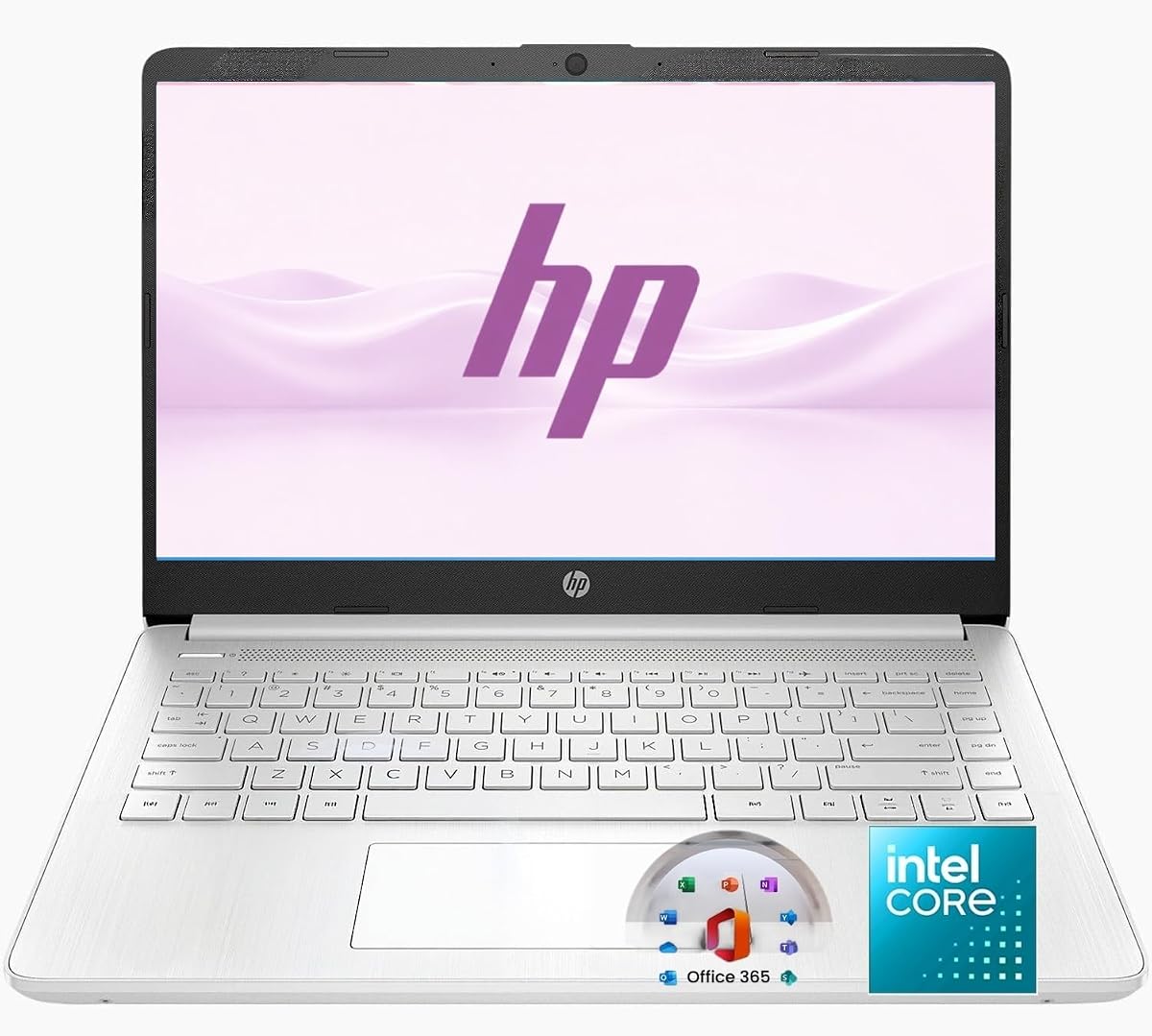
This HP laptop is optimized for daily office tasks with 8GB RAM and Wi-Fi 6 connectivity. The N150 processor ensures energy efficiency while handling documents and spreadsheets smoothly.
We may earn a commission when you buy through this link, at no additional cost to you.
With Office 365 included users have immediate access to Word Excel and PowerPoint for productive work. The 14 inch design is lightweight and easy to carry for remote work or travel.
Storage is expandable via an SD card slot allowing extra space for files and media. The UFS storage provides faster access compared to older drive types for quick performance.
It is a practical choice for small business users or students needing office tools ready. The combination of RAM and productivity bundle makes it a complete solution for home or school.
Includes 1 year of Office 365 so users can create documents and spreadsheets immediately.
An SD card slot allows storage expansion while the lightweight chassis makes it easy to carry.
We may earn a commission when you buy through this link, at no additional cost to you.
Choosing a low power consumption laptop involves weighing several factors to ensure efficiency and performance meet your needs.
The processor is the core of energy consumption so opt for models with modern low-voltage chips like Intel N-series. These are designed to deliver smooth performance for everyday tasks while drawing minimal power.
Look for chips labeled with efficiency features or low wattage to maximize battery life during mobile use.
Adequate RAM ensures your system runs smoothly without overworking the processor which can drain power. 8GB is ideal for multitasking but 4GB may suffice for basic browsing and document editing.
Choose at least 4GB of RAM to prevent bottlenecks that could impact overall system efficiency.
Solid State Drives consume less power than traditional hard drives and offer faster boot times. Look for SSD or UFS storage to ensure quick access to files without excessive energy use.
Prioritize SSD or UFS storage to save power and improve overall system responsiveness.
Larger screens and higher resolutions require more energy to backlight so balance size with portability. Anti-glare coatings reduce eye strain without needing extra brightness which helps conserve battery.
Select a 14 to 15 inch display to optimize viewing comfort and energy efficiency.
Check the manufacturer's rated battery life to ensure it meets your daily usage needs. Higher capacity cells combined with efficient hardware will support longer unplugged sessions.
Look for models rated for at least 8 to 10 hours of real-world use to maximize portability.
Certifications like ENERGY STAR or EPEAT indicate a device meets strict efficiency standards. These models often include power-saving modes and durable components for sustainable use.
Choose laptops with ENERGY STAR or EPEAT certification to ensure efficient power consumption.
Lightweight operating systems like Chrome OS consume less power than full Windows installations. However if you need specific apps Windows 11 Home is optimized to manage background tasks efficiently.
Select an OS that matches your workflow needs to avoid unnecessary software overhead.
A lightweight chassis reduces physical strain during travel while durable builds prevent the need for replacements. Materials that dissipate heat well help maintain efficiency by reducing thermal throttling.
Look for lightweight yet durable designs to ensure comfort and long-term reliability.
To maximize battery life adjust power settings to turn off the screen or enable sleep mode after inactivity. Reducing brightness and using dark mode can also decrease energy usage during prolonged sessions.
Keep your laptop updated to the latest firmware and operating system versions which often include performance and battery optimizations. Regular updates ensure security and smooth functionality of all hardware components.
Maintain cleanliness by regularly removing dust from vents and using a soft cloth to wipe the screen and chassis. Avoid exposing the device to extreme temperatures which can degrade battery health and overall performance.
A low power consumption laptop uses efficient processors such as Intel N-series and solid state storage to reduce energy draw. These devices typically feature optimized cooling systems and battery management settings to extend runtime.
Most low power laptops are designed for everyday tasks like web browsing and document editing. While some can handle light photo editing video streaming they are not suited for heavy gaming or 3D rendering.
Battery life varies by model but many efficient laptops offer between 8 to 14 hours of usage on a single charge. Real-world duration depends on screen brightness and application usage patterns.
Yes 4GB RAM is generally sufficient for web browsing streaming and document work. However upgrading to 8GB allows smoother multitasking if you frequently run multiple applications at once.
Many modern models include Wi-Fi 6 support for faster connectivity. This technology improves network efficiency and reduces power usage during wireless data transfers.
Absolutely their long battery life and portability make them ideal for students. They provide reliable performance for note taking and research without the need for frequent charging.
Our top picks highlight a range of options from budget-friendly to feature-rich models suitable for various needs. Whether you need all-day battery or AI features there is a reliable choice for every user.
Prioritize factors like processor efficiency and battery life when selecting a laptop to ensure it meets your workflow demands. Balancing performance with energy savings leads to a more sustainable and productive computing experience.
Remember that prices fluctuate so check current listings for the best deals. Our curated list ensures you find a device that combines efficiency with the features you need.